
導入
The Roku Select Series 40-Inch 1080p Full HD Smart TV is designed to provide a seamless and enjoyable streaming experience. This manual provides essential information for setting up, operating, maintaining, and troubleshooting your television. Enjoy bright Full HD picture quality, clear sound, and access to a wide range of entertainment options.
箱の中身
セットアップを開始する前に、すべてのコンポーネントが揃っていることを確認してください。
- Roku Select Series 40-Inch Full HD TV
- Roku Voice Remote with batteries
- テレビ台とネジ
- 電源ケーブル
- クイックスタートガイド(本書)

Image: Contents of the Roku TV box, showing the television, remote control, stand components, and power cable.
設定
1. テレビスタンドの取り付け
- 損傷を防ぐため、テレビ画面を下にして、柔らかく清潔な表面に慎重に置いてください。
- テレビスタンドをテレビ底面のネジ穴に合わせます。
- Secure each stand with the provided screws using a Phillips head screwdriver.
2. 壁掛け(オプション)
This TV supports VESA wall mounts with a standard of 200 x 300 mm. Refer to your wall mount's instructions for proper installation. Ensure the wall mount can support the TV's weight of 10.4 pounds (without stand).
3.デバイスの接続
Your Roku TV offers multiple connectivity options:
- HDMI: 3 ports available for connecting gaming consoles, Blu-ray players, or other HDMI-enabled devices. HDMI 1 supports ARC.
- USB: 1 USB 2.0 port for media playback or connecting compatible accessories.
- S/PDIF(光): サウンドバーまたはホームシアター システムへのデジタル オーディオ出力用。
- AV(コンポジット): 赤、白、黄色のケーブルを使用する古いデバイスの場合。
- アンテナ/ケーブル: 地上波放送やケーブルテレビ接続用のアンテナを接続します。

画像: 背面 view of the Roku TV displaying the HDMI, USB, optical, and AV input ports.
4. 電源接続
Connect the provided power cable to the TV and then to a power outlet (110 VAC 60 Hz).
5. 初期設定とネットワーク接続
Upon first power-on, follow the on-screen instructions to set up your Roku TV. This includes connecting to your Wi-Fi network (Bluetooth and Wi-Fi connectivity are supported) and linking to a Roku account. Automatic software updates will ensure you have the latest features.
操作手順
1. Rokuホーム画面ナビゲーション
The Roku home screen provides quick access to all your entertainment. You can easily move apps around to customize your viewing の経験。

Image: The Roku TV home screen showing a grid of streaming applications like Netflix, Disney+, and Prime Video, along with navigation menus.
2. 音声リモコンの使用
The included Roku Voice Remote allows for easy navigation and control. Use your voice to search across thousands of apps, play entertainment, and control streaming functions. The remote requires 2 AAA batteries.

Image: Close-up of the Roku Voice Remote, highlighting buttons for power, volume, voice search, and dedicated app shortcuts.
3. ストリーミングとアプリ
Access a world of entertainment with pre-installed apps like Netflix, Prime Video, Disney+, Hulu, and Apple TV+. The Streaming Store offers thousands more. Roku also provides over 500 free TV channels, including live in-season shows, movies, weather, and local news.
4. 画像設定
最適化する viewさまざまな画像設定での体験:
- Roku Smart Picture: Automatically cleans up incoming TV signals, optimizes them, and selects the best picture mode.
- 画像モード: Choose from presets like Movie, Standard, Vivid, Sports, or Low Power.
- カスタム画像: Adjust backlight, brightness, contrast, sharpness, color, and tint manually.
5.サウンド設定
The Roku TV features Dolby Audio for clear speech and louder sound. Adjust sound modes (Standard, Dialogue, Movie, Music, Night, Auto) or customize settings for volume mode, speech clarity, bass, and treble.
6. Bluetooth Headphone Mode
Connect your favorite wireless headphones via Bluetooth to enjoy audio privately without disturbing others.

Image: A person using Bluetooth headphones while watching the Roku TV, illustrating the private listening feature.
7. スマートホーム統合
Enjoy easy voice control with Roku Voice, Siri, Alexa, or Google Assistant. Effortlessly share videos, photos, and music from your Apple devices to your smart TV with Apple AirPlay.
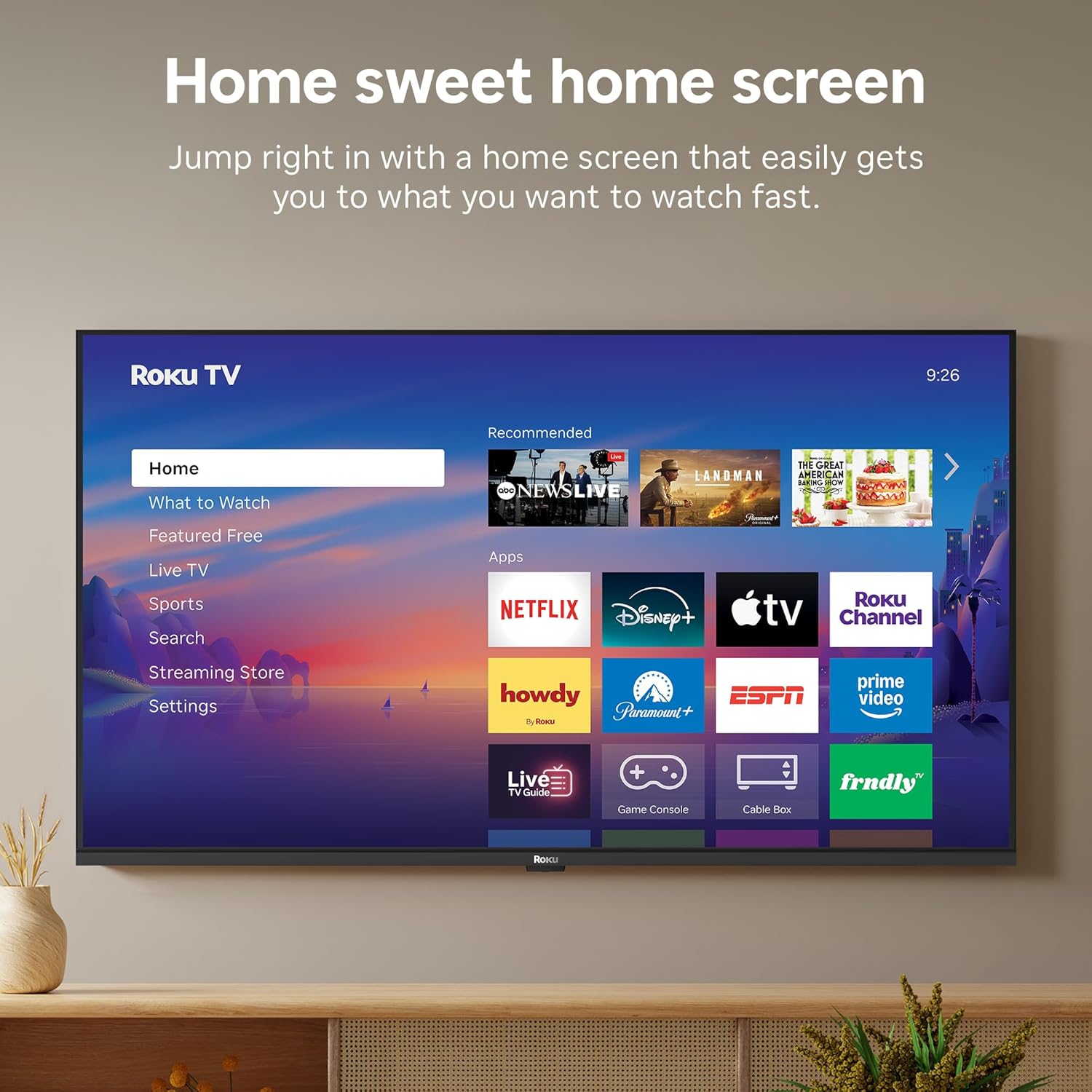
Image: A smart speaker positioned near the Roku TV, illustrating the TV's compatibility with voice assistants like Alexa for smart home control.
8。 目覚まし時計
The TV includes a sleep timer function, allowing you to set the TV to automatically turn off after a specified duration (e.g., 30 minutes, 1 hour, 1.5 hours, 2 hours, 3 hours).
メンテナンス
To ensure the longevity and optimal performance of your Roku TV, follow these maintenance guidelines:
- クリーニング: Use a soft, dry cloth to clean the screen and TV cabinet. Avoid abrasive cleaners or solvents.
- ソフトウェアアップデート: Your Roku TV receives automatic software updates to provide the newest apps and features. Ensure your TV is connected to the internet for these updates.
- 換気: 過熱を防ぐため、テレビの周囲に十分な換気を確保してください。通気口を塞がないでください。
トラブルシューティング
If you encounter issues with your Roku TV, try the following basic troubleshooting steps:
- 電源なし: 電源ケーブルがテレビとコンセントの両方にしっかりと接続されているかご確認ください。別のコンセントでお試しください。
- 画像/音声なし: 正しい入力ソースが選択されていることを確認してください。すべてのケーブル接続(HDMI、AVなど)を確認してください。
- インターネット接続なし: Restart your Wi-Fi router and modem. Go to Settings > Network > Check connection on your TV to diagnose network issues.
- リモコンが応答しない: Replace the batteries in the Roku Voice Remote. Ensure there are no obstructions between the remote and the TV.
- 一般的な問題: テレビの電源プラグをコンセントから 30 秒間抜き、再度差し込んで再起動してみてください。
仕様
| 特徴 | 詳細 |
|---|---|
| ブランド | ロク |
| モデル名 | Roku 40" Select Series FHD |
| モデル番号 | 40R3E5 |
| 画面サイズ | 40インチ |
| ディスプレイ技術 | 導かれた |
| 解決 | 1080pフルHD |
| リフレッシュレート | 60Hz |
| 特集 | Bluetooth Headphone Mode, Dolby Audio, Voice Remote, Roku Smart Picture |
| 接続技術 | Bluetooth、Wi-Fi、赤外線 |
| ハードウェアインターフェイス | 3x HDMI, 1x USB, S/PDIF (Optical) |
| 製品寸法(奥行き×幅×高さ) | 奥行き7.1インチ x 幅35.1インチ x 高さ21.9インチ |
| 商品重量(スタンドなし) | 10.4 ポンド |
| VESAマウント規格 | 200×300ミリ |
| オペレーティング·システム | ロクOS |
| スピーカー出力 | 14ワット |
| Parental Control Technology | Vチップ |
| 欧州連合 | 829610009476 |
保証とサポート
Roku warrants the hardware against defects in materials and workmanship under normal use for a period of one (1) year from the date of purchase ("Warranty Period"), provided it is used in accordance with the provided documentation. If a defect is determined during the Warranty Period, Roku's sole obligation and your exclusive remedy will be to either repair or replace the unit with a new or rebuilt device, at its option.
For important information about warranty returns and replacements, or additional details regarding product returns, please visit the official Roku support site. You may also return a device within thirty (30) days from the date of purchase from Roku, or within the applicable return period if purchased from an authorized reseller or distributor.
公式製品ビデオ
Video: An official product video from Roku, Inc. showcasing the features and user experience of the 2026 Roku TV Select Series.