
導入
This manual provides essential information for setting up, operating, and maintaining your Roku 32-Inch Select Series 1080p Full HD Smart TV. Designed for a delightful streaming experience, this TV offers excellent picture quality, clear sound, and automatic updates. Please read this manual thoroughly before using your television.
箱の中身
パッケージ内にすべてのコンポーネントが揃っていることを確認します。
- Roku 32-Inch Select Series 1080p Full HD Smart TV
- リモートコントロール
- スタンド(2個)
- スタンドネジ(4本)
- 電源ケーブル
- ユーザーマニュアル(このドキュメント)

Image: Contents of the Roku TV box, showing the television, remote control, two stand pieces, and four screws.
セットアップ手順
1. テレビスタンドの取り付け
- Carefully place your TV face-down on a soft, clean surface to prevent damage to the screen.
- スタンド部分をテレビの下部にあるネジ穴に合わせます。
- Secure each stand piece with two screws using a Phillips head screwdriver. Do not overtighten.
2. 電源とデバイスの接続
- 電源ケーブルをテレビの電源入力に接続し、次に壁のコンセントに接続します。
- Connect your external devices (e.g., cable box, gaming console, Blu-ray player) to the available HDMI ports on the back of the TV. This model features 3 HDMI ports.
- For older devices, use the AV input ports (yellow, white, red).
- An optical audio output is available for connecting to soundbars or home theater systems.
- A USB port is provided for media playback.

画像: 背面 view of the Roku TV displaying HDMI, AV, Antenna, USB, Optical, and Headphone ports.
3. 初回電源投入とネットワーク接続
- リモコンまたはテレビの電源ボタンを押します。
- 画面上の指示に従って言語を選択し、Wi-Fi ネットワークに接続します。
- Activate your Roku account or create a new one. This is required to access streaming channels and features.
操作手順
1. Roku OS Interface
The Roku OS provides a simple and intuitive home screen for accessing all your entertainment. Easily navigate between streaming apps, live TV, and connected devices.

Image: The Roku TV home screen with a menu on the left and app icons on the right, including Netflix, Disney+, Apple TV, and Roku Channel.
2. Voice Remote
Your Roku TV comes with a voice remote for convenient control. Use your voice to search for content, launch apps, and control playback.
- 音声検索: Press the voice button and speak your command (e.g., "Find comedies," "Open Netflix").
- アプリのショートカット: 専用ボタンを使用すると、人気のストリーミング サービスにすばやくアクセスできます。
- 音量コントロール: サイドボタンを使用して音量を調整します。
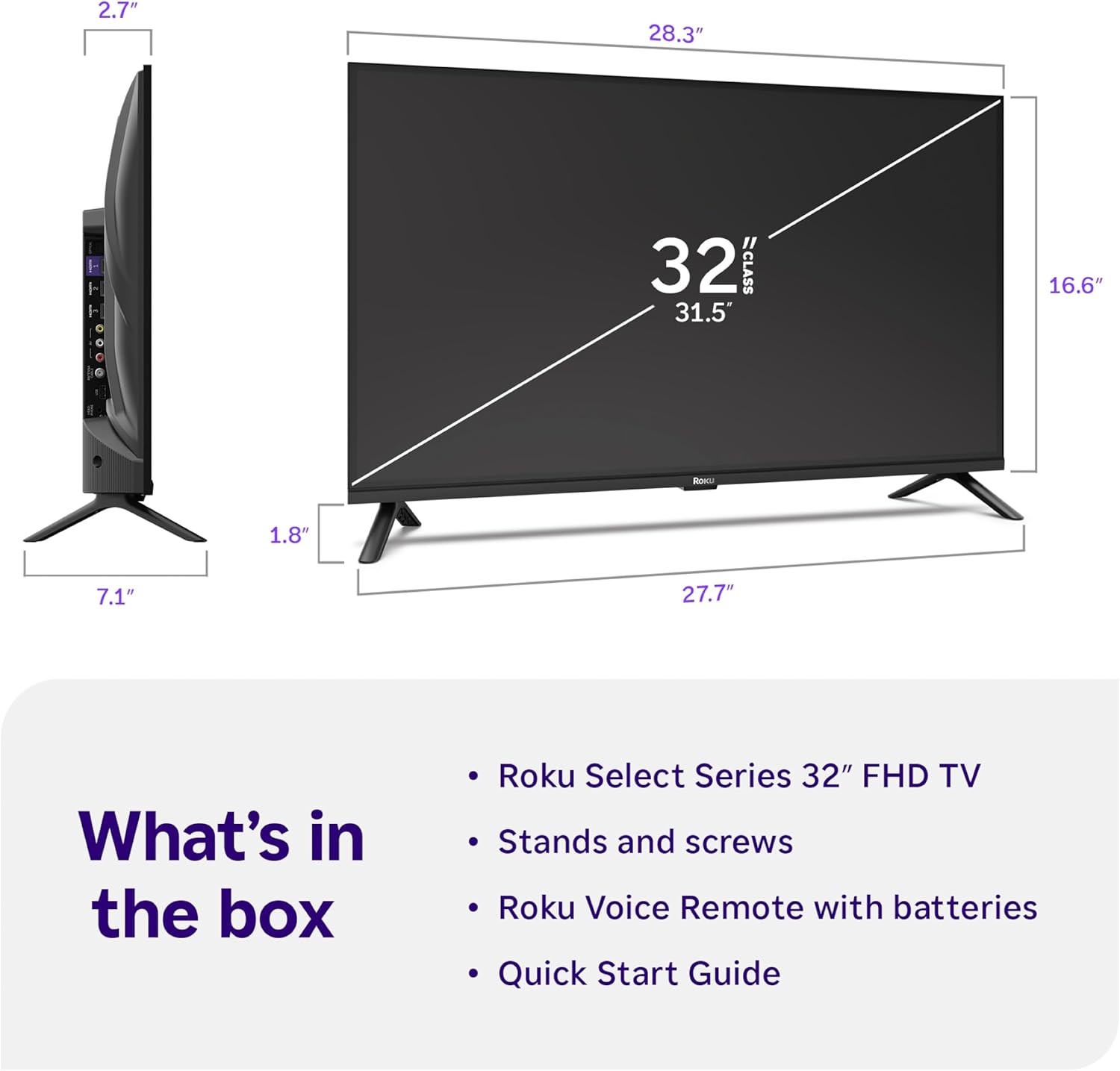
Image: Close-up of the Roku Voice Remote, highlighting buttons for TV power, volume, mute, voice search, instant replay, options, and dedicated app shortcuts.
3. Streaming Apps and Live TV
Access thousands of streaming channels, including Netflix, Disney+, Hulu, Prime Video, and Apple TV+. The Roku Channel also offers free live TV and on-demand content.

Image: A vibrant Roku TV home screen displaying a selection of popular streaming applications and recommended shows.
4. 画像設定
最適化する viewさまざまな画像設定での体験:
- Roku Smart Picture: Automatically adjusts picture mode for optimal viewing。
- 画像モード: Choose from presets like Movie, Sports, Vivid, Standard, or Low Power.
- カスタマイズ: Adjust brightness, contrast, sharpness, color, and tint for a personalized picture.
5.サウンド設定
オーディオ体験を向上:
- ドルビーオーディオ: Enjoy clear speech and louder sound.
- サウンドモード: Select from Standard, Dialogue, Movie, Music, or Night mode.
- Bluetoothヘッドフォンモード: Connect your wireless headphones to listen without disturbing others.

Image: A child wearing wireless headphones while watching the Roku TV, demonstrating the Bluetooth Headphone Mode.
6. スマートホーム統合
Your Roku TV is compatible with various smart home ecosystems:
- 音声コントロール: Use Roku Voice, Siri, Alexa, or Google Assistant for hands-free control.
- Apple AirPlay: Effortlessly share videos, photos, and music from your Apple devices.
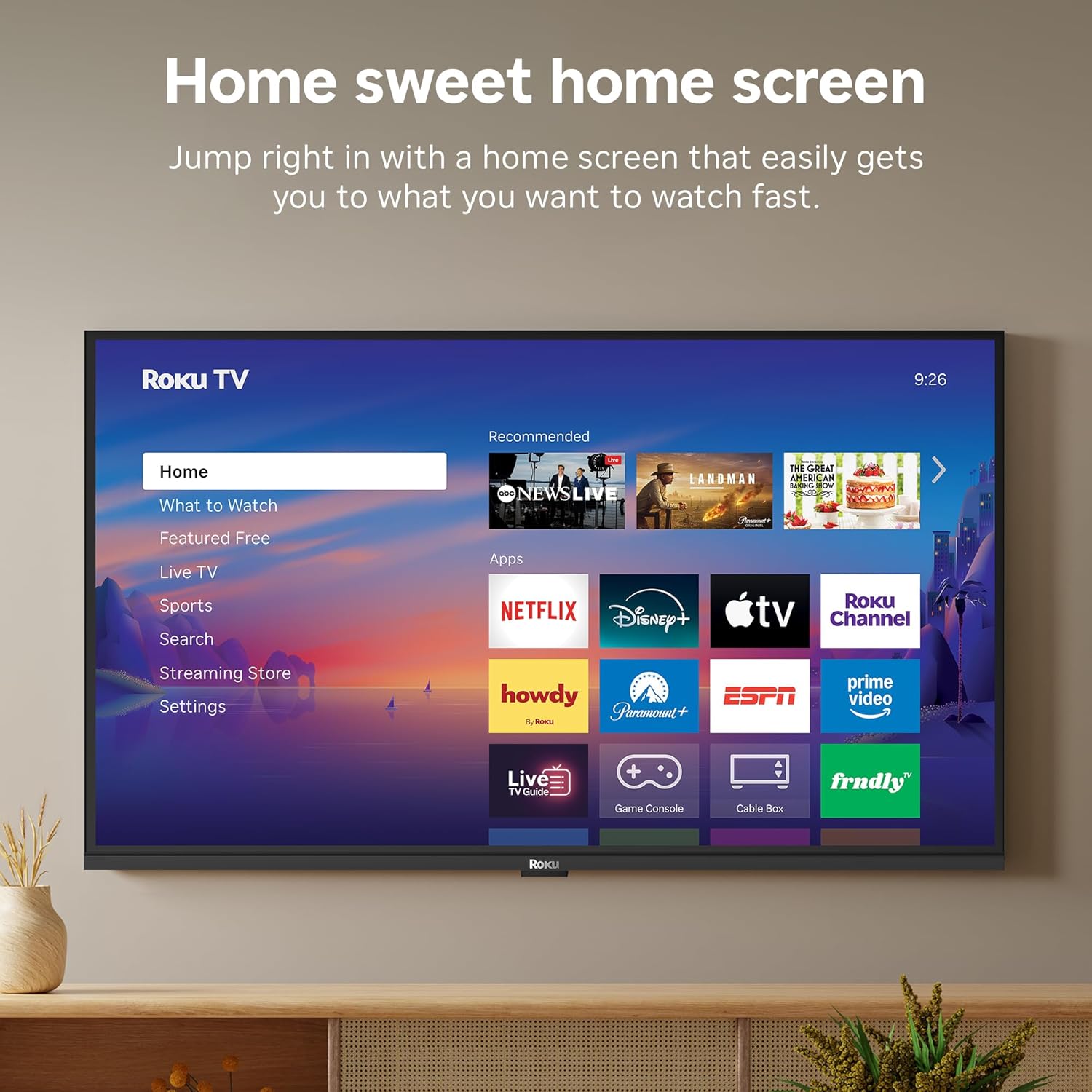
Image: The Roku TV screen displaying smart home compatibility logos for Roku Smart Home, Apple AirPlay, Apple Home, Alexa, and Google Home, with a smart speaker nearby.
7. ペアレンタルコントロール
Manage content access with built-in parental controls, including V-Chip technology, to ensure a safe view子どもたちに優しい環境を提供します。
公式製品ビデオ
ビデオ: オーバーview of the Roku TV OS, demonstrating its user-friendly interface, app selection, and smart features. This video is provided by Roku, Inc.
仕様
- 画面サイズ:
- 32インチ
- 解決:
- 1080pフルHD
- ディスプレイ技術:
- 導かれた
- リフレッシュレート:
- 60Hz
- 特別な機能:
- Bluetooth Headphone Mode, Dolby Audio, Voice Remote, Roku Smart Picture
- 接続技術:
- Bluetooth wifi
- ハードウェアインターフェイス:
- 3 HDMI Ports, 1 USB Port, S/PDIF (Optical Audio Out)
- オペレーティング·システム:
- ロクOS
- 製品寸法(奥行き x 幅 x 高さ):
- 奥行き7.1インチ x 幅28.3インチ x 高さ18.4インチ
- 商品の重量:
- 7.7 Pounds (with stand)
- VESAマウント規格:
- 200×200ミリ
- モデル番号:
- 32R3E5
- 国際コード:
- 829610009469
トラブルシューティング
If you encounter issues with your Roku TV, please refer to the following common solutions:
- 電源なし: 電源ケーブルがテレビとコンセントの両方にしっかりと接続されていることを確認してください。別のコンセントで試してみてください。
- 画像/音声なし: Verify that the correct input source is selected on your TV. Check all cable connections (HDMI, AV, etc.) for looseness.
- リモコンが応答しない: Replace the batteries in your remote control. Ensure there are no obstructions between the remote and the TV.
- ネットワーク接続の問題: Restart your Wi-Fi router and modem. Go to the TV's Settings > Network > Check connection to diagnose and reconnect.
- アプリが読み込まれない: Restart the app. If the issue persists, try removing and reinstalling the app from the Roku Channel Store.
For more detailed troubleshooting, visit the official Roku support webサイト。
メンテナンス
To ensure the longevity and optimal performance of your Roku TV, follow these maintenance guidelines:
- 画面の掃除: 柔らかく乾いたマイクロファイバークロスで画面を優しく拭いてください。頑固な汚れには、軽くamp布に水または電子機器専用の画面洗浄液を含ませてください。画面に直接液体を吹きかけないでください。
- テレビ本体の掃除: Use a soft, dry cloth to wipe the exterior of the TV. Avoid abrasive cleaners or solvents.
- 換気: 過熱を防ぐため、テレビの通気口が塞がれていないことを確認してください。テレビの周囲には十分なスペースを確保し、空気の循環を確保してください。
- ソフトウェアアップデート: Your Roku TV automatically receives software updates. Ensure your TV is connected to the internet to receive the latest features and performance improvements.
- パワー管理: 雷雨のときや、長期間テレビを放置するときは、テレビの電源プラグをコンセントから抜いてください。
保証とサポート
保証情報
Roku warrants the hardware of this device against defects in materials and workmanship under normal use for a period of one (1) year from the date of purchase ("Warranty Period"). If Roku determines that the device’s hardware is defective during the Warranty Period, Roku’s sole obligation, and your exclusive remedy, will be to either repair or replace the unit with either a new or rebuilt device, at its option. This warranty applies if the device is used in accordance with the provided documentation.
Important information about warranty returns and replacements is available on the Roku support site. You may also return a device for any reason, subject to the terms of the applicable return policy: 1) Within thirty (30) days from the date of purchase from Roku; or 2) within the applicable return period if purchased from an authorized reseller or distributor. Additional details regarding product returns can be found on the Roku support site.
カスタマーサポート
For further assistance, technical support, or to access the full range of support resources, please visit the official Roku support webサイトをご覧ください。FAQ、トラブルシューティングガイド、カスタマーサービスの連絡先情報も掲載されています。