
製品終了view
The DIERYA DK68 is a 60% compact mechanical keyboard designed for versatility and performance. It features triple-mode connectivity, allowing seamless switching between Bluetooth 5.0, 2.4GHz wireless, and USB-C wired connections. Equipped with clicky blue mechanical switches and vibrant RGB backlighting, it offers a responsive and customizable typing experience for both gaming and office use.

Figure 1: DIERYA DK68 Wireless Mechanical Keyboard showcasinコンパクトなデザインと RGB 照明が特徴。
パッケージ内容
パッケージにすべてのアイテムが揃っていることを確認します。
- DIERYA DK68 ワイヤレスメカニカルキーボード
- USB-C - USB-A ケーブル
- キーキャッププーラー
- 2.4GHz USBレシーバー(キーボードの背面収納部に収納)
- ユーザーマニュアル(このドキュメント)
セットアップと接続
The DK68 keyboard supports three connection modes: USB-C wired, 2.4GHz wireless, and Bluetooth 5.0. Choose the mode that best suits your needs.
1. USB-C有線モード
- 付属の USB-C ケーブルをキーボードの USB-C ポートに接続します。
- ケーブルの USB-A 端子をコンピューターの使用可能な USB ポートに接続します。
- キーボードは自動的に認識され、使用できるようになります。
2. 2.4GHzワイヤレスモード
- キーボードの背面にあるコンパートメントで 2.4GHz USB レシーバーを見つけます。
- レシーバーを取り外し、コンピューターの使用可能な USB ポートに差し込みます。
- Turn on the keyboard using the switch located on the back.
- キーボードは自動的にレシーバーに接続されます。接続されない場合は、 Fn + G (labeled '2.4G' on the key) to activate 2.4GHz pairing mode.

Figure 2: Triple-mode connectivity options including 2.4GHz wireless.
3. Bluetooth 5.0モード
キーボードは最大 3 台の Bluetooth デバイスに接続できます。
- Turn on the keyboard using the switch on the back.
- 押し続ける Fn+Z (labeled 'BT1'), Fn + X (labeled 'BT2'), or Fn+C (labeled 'BT3') for 3-5 seconds until the corresponding key's backlight flashes rapidly. This indicates pairing mode.
- On your device (PC, laptop, tablet, phone), enable Bluetooth and search for "DIERYA DK68".
- Select the keyboard to pair. The key's backlight will stop flashing once connected.
- ペアリングされたBluetoothデバイスを切り替えるには、 Fn + Z/X/C.

図 3: 複数のデバイスの Bluetooth 接続。
操作手順
RGBバックライトコントロール
The DK68 features 20 built-in RGB lighting effects and 16.8 million customizable colors. Use the following key combinations to control the lighting:
- Fn + バックスペース: Turn backlighting On/Off.
- Fn+Shift: Switch light colors.
- Fn +入力: Switch light modes (20 dynamic RGB modes).
- Fn + 上矢印: 明るさを上げます。
- Fn +下矢印: 明るさを下げます。
- Fn +左矢印: 光速を低下させます。
- Fn +右矢印: 光速を上げます。

Figure 4: RGB lighting control key combinations for the DK68 keyboard.
キーのカスタマイズとマクロ
The DIERYA DK68 supports full key anti-ghosting and N-Key Rollover (NKRO) for accurate input. For advanced customization, including key remapping, macro programming, and additional lighting effects, dedicated software is available. Please refer to the official DIERYA webソフトウェアのダウンロードと説明のサイト。

Figure 5: Full N-Key Rollover and software customization capabilities.
メカニカルブルースイッチ
The keyboard is equipped with clicky blue mechanical switches, providing a distinct tactile bump and an audible click with each keystroke. These switches are ideal for users who prefer clear feedback and a satisfying typing experience. They feature a medium 60gf actuation force (±15gf) and 2.3mm travel (±0.6mm), with a lifespan of 50 million clicks.

図6:詳細 view of mechanical blue switches and their specifications.
メンテナンス
バッテリー管理
The keyboard is powered by a 3000mAh lithium battery. To charge, connect the keyboard via the USB-C cable to a power source. The keyboard can be used while charging.
- Usage Time (Backlighting On): 最大12時間。
- Usage Time (Backlighting Off): 最大333時間。
- 自動スリープモード: The keyboard enters auto-sleep mode after 3 minutes of inactivity to conserve power.
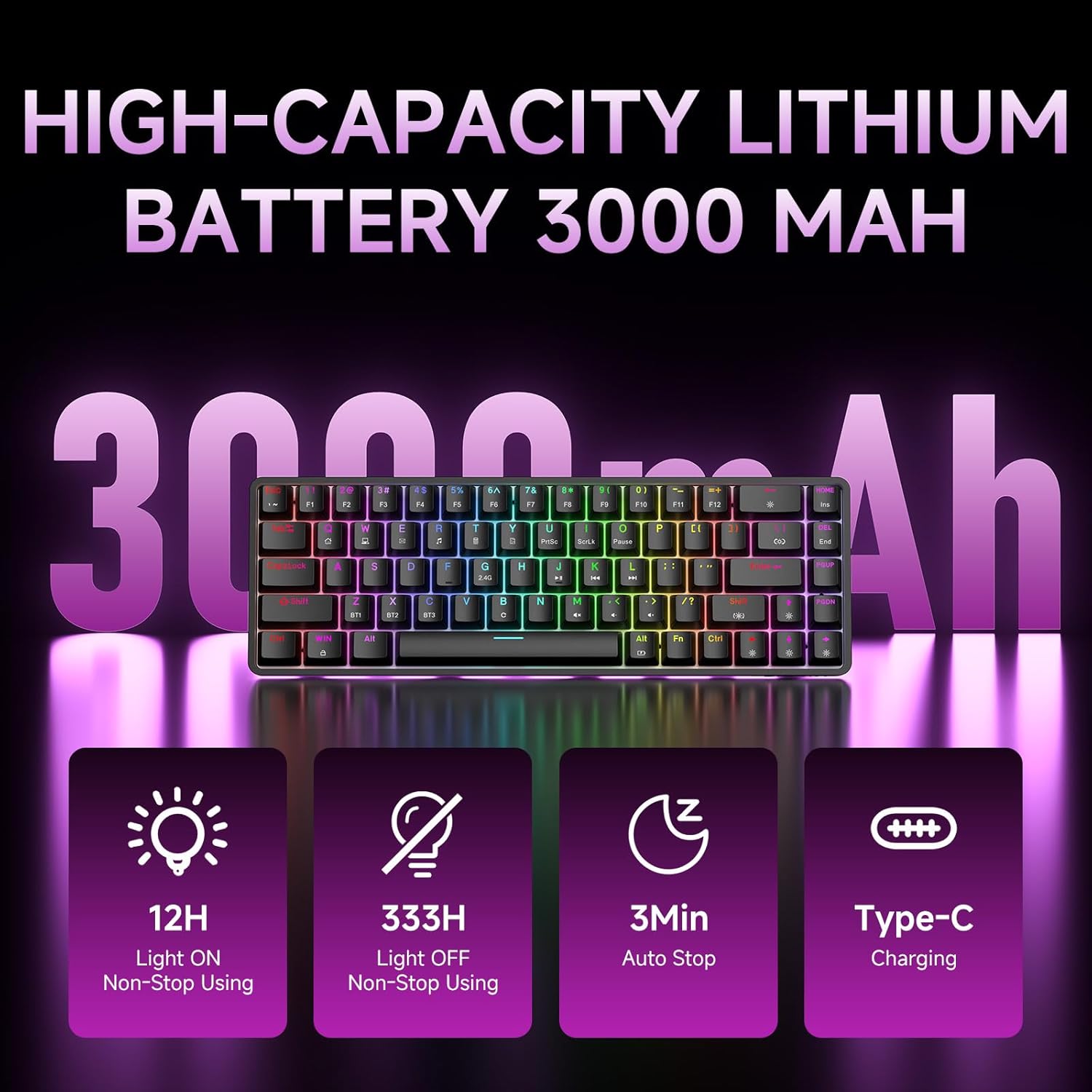
Figure 7: Battery capacity and power-saving features of the DK68.
クリーニングとお手入れ
- Use the provided keycap puller to carefully remove keycaps for cleaning.
- Clean the keyboard surface with a soft, damp 布で拭いてください。過度の湿気を避けてください。
- 過酷な化学薬品や研磨剤入りのクリーナーは使用しないでください。
- クリーニングする前に、キーボードの電源がオフになっていることを確認してください。
トラブルシューティング
- キーボードが反応しない:
- Check the power switch on the back of the keyboard.
- Ensure the correct connection mode (wired, 2.4GHz, or Bluetooth) is selected.
- 2.4GHz の場合、USB レシーバーがしっかりと接続されていることを確認してください。
- Bluetoothの場合、キーボードがデバイス上でペアリングされ、選択されていることを確認してください。必要に応じて再度ペアリングをお試しください。
- 有線モードを使用している場合は、別の USB ポートまたはケーブルを試してください。
- バックライトが機能しない:
- プレス Fn + バックスペース to toggle the backlighting.
- 電池レベルを確認してください。電池残量が少ないとバックライトが無効になる場合があります。
- キーが登録されない:
- キーボードが正しく接続され、電源がオンになっていることを確認します。
- If specific keys are not working, try removing and re-seating their keycaps.
仕様
| 特徴 | 詳細 |
|---|---|
| モデル番号 | DK68 |
| 接続技術 | 2.4GHzワイヤレス、Bluetooth 5.0、USB-C有線 |
| スイッチタイプ | クリック感のあるブルーのメカニカルスイッチ |
| キーレイアウト | 68キー(60%レイアウト) |
| バックライト | RGB(16.8万色、20種類のエフェクト) |
| バッテリー容量 | 3000mAhリチウムポリマー |
| 対応デバイス | ゲーム機、ノートパソコン、PC、タブレット |
| アンチゴースト | Full Key Anti-Ghosting & NKRO |
| 材料 | プラスチック |
| アイテム重量 | 1.76ポンド(約800g) |
| パッケージ寸法 | 14.33 x 4.37 x 1.73インチ |

Figure 8: Keyboard dimensions and compact 68-key layout.
保証とサポート
For warranty information and technical support, please refer to the documentation included with your product or visit the official DIERYA website. Amazon's return policy for this product is 30 days from the date of receipt.


