
1. はじめに
This manual provides detailed instructions for the setup, operation, maintenance, and troubleshooting of your GMKtec Nucbox G10 Mini PC. The Nucbox G10 is a compact and powerful desktop computer designed for various applications, from office tasks to multimedia entertainment, featuring an AMD Ryzen 5 3500U processor, 16GB DDR4 RAM, and a 1TB NVMe SSD.
2. パッケージ内容
以下にリストされているすべてのアイテムがパッケージに含まれていることを確認してください。
- GMKtec Nucbox G10 AMD Ryzen 5 3500U ミニPCコンピューター
- 電源とケーブル
- HDMIケーブル
- VESAマウントとネジ
- ユーザーマニュアル(このドキュメント)

Image: Retail Boxed Packaging. This image displays the GMKtec Nucbox G10 Mini PC, power supply, HDMI cable, VESA mount, screws, and user manual, illustrating the complete contents of the product package.
3.製品オーバーview
3.1 主な特徴
- プロセッサ: AMD Ryzen 5 3500U(4コア、8スレッド、最大3.70GHzターボブースト)
- グラフィック: 統合型 AMD Radeon Vega 8 グラフィックス (1200 MHz)
- メモリ: 16GB Dual Channel DDR4 RAM (expandable up to 64GB)
- ストレージ: 1TB M.2 2280 NVMe SSD (expandable up to 16TB via dual M.2 2280 PCIe 3.0 slots)
- ネットワーク: 2.5GbE Ethernet, WiFi 5, Bluetooth 5.0
- 表示出力: Triple 4K display support via HDMI 2.1, DisplayPort 1.4, and Full Function USB-C
- 冷却: Silent Turbo Cooling Fan system

Image: Nucbox G10 Feature Overview. This image provides a visual summary of the mini PC's core components including the AMD Ryzen 5 3500U CPU, Radeon Vega 8 Graphics, DDR4 RAM, M.2 SSD, 2.5GbE LAN, WiFi 5, Bluetooth 5.0, triple display support, and cooling system.
3.2 ポートとコネクタ
The Nucbox G10 features a comprehensive set of ports for connectivity:
- フロント: CTIAオーディオジャック×1、USB 3.2(5Gbps)×2、電源ボタン×1
- 後方: 1x Type-C (PD Only), 1x USB 2.0, 1x 2.5G Giga LAN, 1x HDMI 2.1 (4K@60Hz), 1x DP 1.4 (4K@60Hz), 1x Full Function USB-C (PD/DP/Data), 1x Kensington Lock slot

Image: Front Panel Ports. This image shows the front of the Nucbox G10, highlighting the power button, two USB 3.2 ports, and the CTIA audio jack.

Image: Rear Panel Ports. This image illustrates the rear of the Nucbox G10, detailing the USB-C (PD Only), USB 2.0, 2.5G LAN, HDMI 2.1, DisplayPort 1.4, Full Function USB-C, and Kensington Lock slot.
4.セットアップガイド
4.1 周辺機器の接続
- モニター: Connect your monitor(s) to the Mini PC using the HDMI, DisplayPort, or USB-C ports. The Nucbox G10 supports up to three 4K displays simultaneously.
- キーボードとマウス: 使用可能な USB ポートに USB キーボードとマウスを接続します。
- ネットワーク: For a wired connection, connect an Ethernet cable from your router/modem to the 2.5GbE LAN port. For wireless, ensure your WiFi network is available.
- オーディオ: Connect speakers or headphones to the 3.5mm audio jack on the front panel if needed.
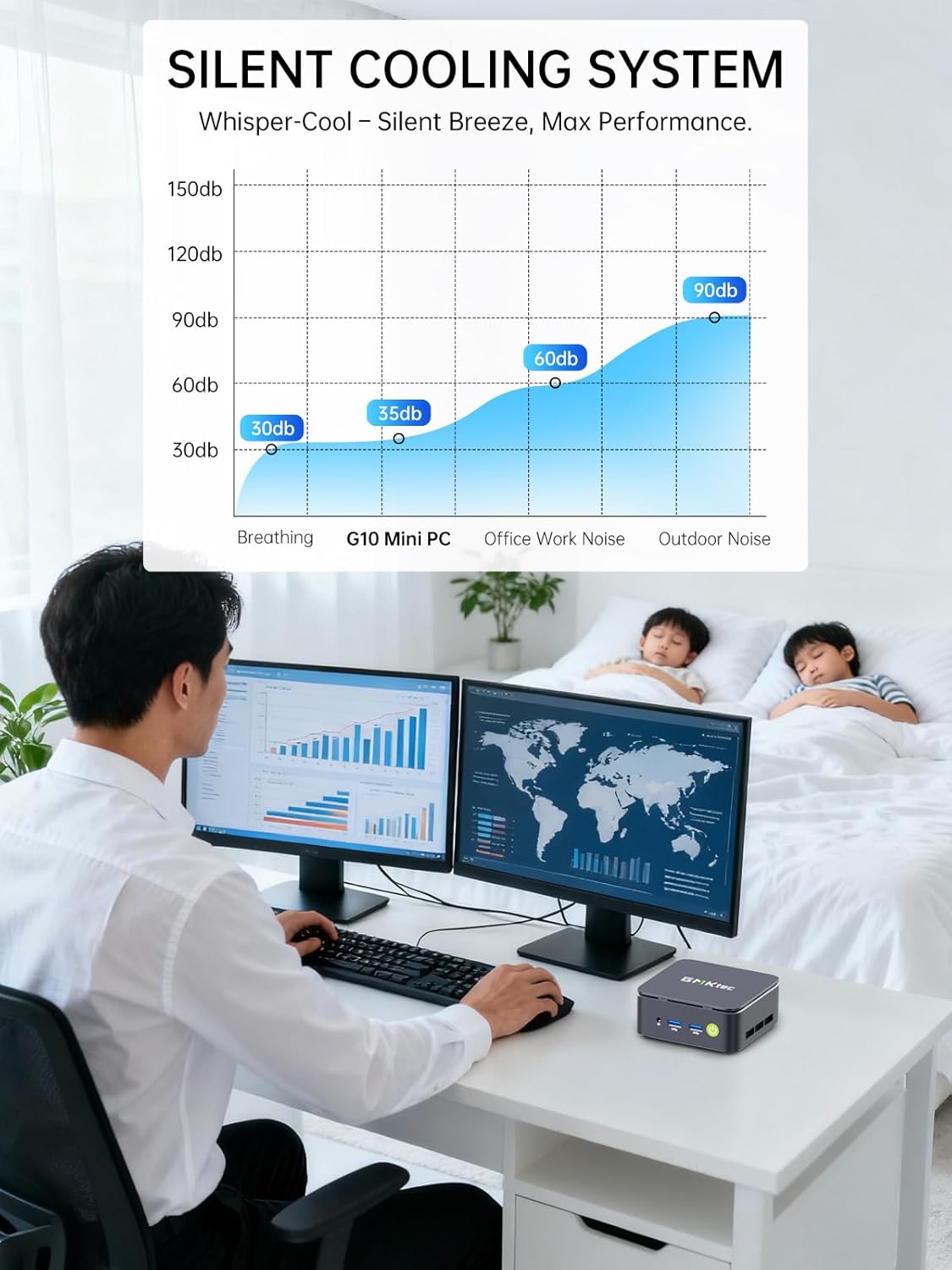
Image: Triple Display Setup. This image demonstrates the Nucbox G10 connected to two vertical monitors and a tablet, showcasing its triple display capability for enhanced productivity.
4.2電源接続
Connect the provided power adapter to the DC-in port on the Mini PC, then plug the power cable into a wall outlet. The Mini PC is designed for low power consumption.
4.3 初期起動
Press the power button on the front panel. The Mini PC will boot into the pre-installed Windows 11 Pro operating system. Follow the on-screen instructions for initial Windows setup.
5. 操作手順
5.1 電源オン/オフ
- 電源オン: 電源ボタンを1回押します。
- 電源を切る: From Windows, go to Start > Power > Shut down. Alternatively, press and hold the power button for 5 seconds to force a shutdown (use only when necessary).
5.2オペレーティングシステム
Your Nucbox G10 comes with Windows 11 Pro pre-installed. Ensure you keep your operating system updated for optimal performance and security.
5.3 ネットワーク接続
- 有線(イーサネット): イーサネット ケーブルを接続すると、システムは自動的にネットワークを検出します。
- ワイヤレス(Wi-Fi): Windows では、タスクバーの Wi-Fi アイコンをクリックし、ネットワークを選択してパスワードを入力し、接続します。
- ブルートゥース: Bluetooth デバイスを接続するには、Windows の [設定] > [Bluetooth とデバイス] に移動し、デバイスをペアリングします。
6. メンテナンス
6.1 クリーニング
Regularly clean the exterior of the Mini PC with a soft, dry cloth. Ensure ventilation openings are free from dust to maintain optimal cooling performance. Do not use liquid cleaners directly on the device.

Image: Ultra Efficient Cooling System. This image provides an internal view of the Nucbox G10, highlighting the silent turbo cooling fan designed for efficient heat dissipation.
6.2ソフトウェアアップデート
システムの安定性、セキュリティ、パフォーマンスを確保するため、Windows オペレーティング システムとドライバーを最新の状態に保ってください。Windows Update は、[設定] > [Windows Update] からアクセスできます。
6.3 ストレージとメモリの拡張
The Nucbox G10 supports memory expansion up to 64GB DDR4 RAM and storage expansion up to 16TB via its dual M.2 2280 PCIe 3.0 slots. Consult a qualified technician for hardware upgrades to avoid voiding your warranty or damaging the device.
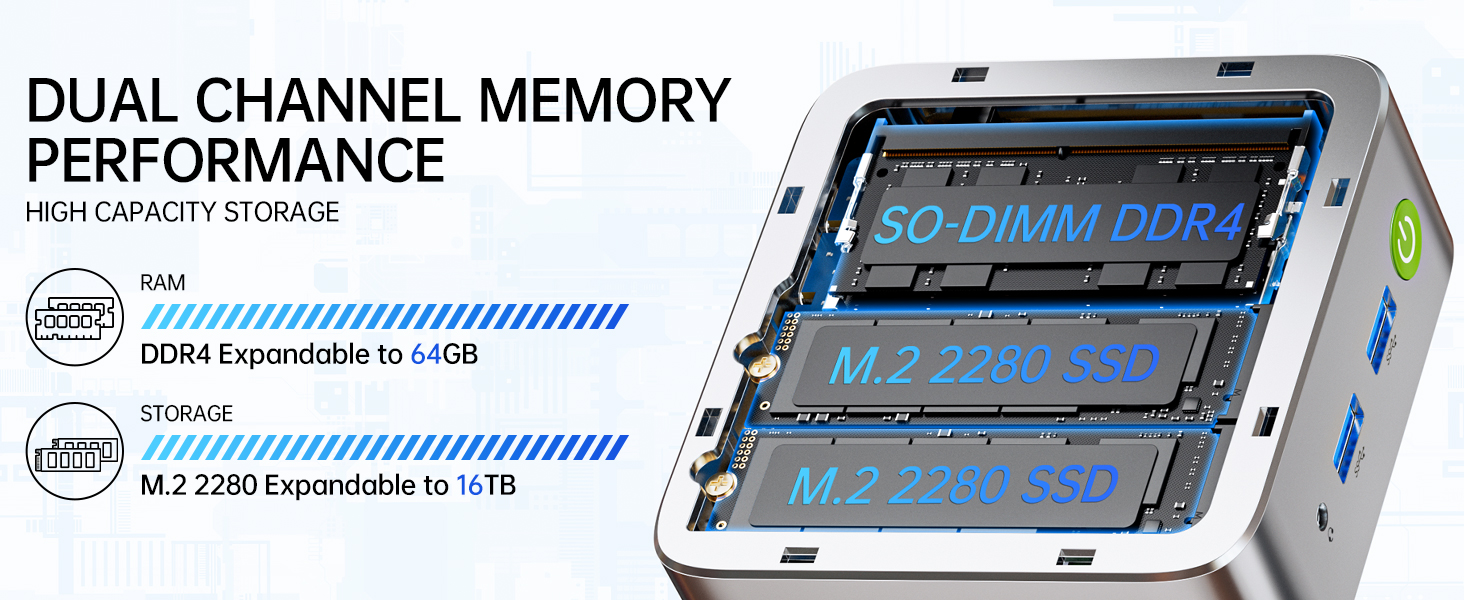
Image: Dual Channel Memory Performance and High Capacity Storage. This diagram illustrates the internal layout for SO-DIMM DDR4 RAM and M.2 2280 SSDs, indicating their expandability.
7。 トラブルシューティング
ミニ PC で問題が発生した場合は、次の一般的な問題と解決策を参照してください。
- 電源なし:
- 電源アダプタがミニ PC と正常な電源コンセントの両方にしっかりと接続されていることを確認します。
- 別のデバイスを接続して、電源コンセントが機能していることを確認します。
- 表示なし:
- Check that the HDMI, DisplayPort, or USB-C cable is firmly connected to both the Mini PC and the monitor.
- モニターの電源がオンになっており、正しい入力ソースに設定されていることを確認します。
- 別のディスプレイに接続するか、別のケーブルを使用してみてください。
- ネットワーク接続の問題:
- 有線: イーサネットケーブルの接続を確認してください。ルーター/モデムを再起動してください。
- 無線: Windowsの設定でWi-Fiが有効になっていることを確認してください。Wi-Fiのパスワードを確認してください。ルーターを再起動してください。
- パフォーマンスが遅い:
- バックグラウンドで実行されている不要なアプリケーションを閉じます。
- システムに適切な換気があり、過熱していないことを確認してください。
- 保留中の Windows 更新プログラムまたはドライバー更新プログラムを確認してインストールします。
- ディスク クリーンアップを実行してストレージ領域を解放します。
8. 仕様
| 特徴 | 仕様 |
|---|---|
| ブランド | GMKテック |
| モデル名 | G10 |
| オペレーティング·システム | ウィンドウズ11プロ |
| CPUモデル | AMD ライゼン 5 3500U |
| CPU速度 | 3.7 GHz (Boost) |
| プロセッサ数 | 4 |
| グラフィックスコプロセッサ | AMD Radeon Vega 8 Graphics 1200 MHz |
| RAMメモリ搭載 | 16GB DDR4 |
| RAMメモリ最大サイズ | 64ギガバイト |
| メモリ速度 | 2400 MT/秒 |
| メモリストレージ容量 | 1TB NVMe SSD |
| ハードディスクの説明 | Dual Slot M.2 2280 PCIE Max. 16TB |
| 接続技術 | HDMI 2.1, RJ45 2.5GbE LAN, USB 3.2, USB-C (DP/DATA/PD), WIFI5/ BT 5.0 |
| ワイヤレス互換性 | 802.11a/b/g/n/ac (WiFi 5), Bluetooth 5.0 |
| ビデオ出力 | HDMI 2.1, DisplayPort, Type-C (Triple Display) |
| ディスプレイ解像度最大 | 4096 × 2160ピクセル(4K) |
| USBポート合計 | 4 (2x USB 3.2, 1x USB 2.0, 1x USB-C Full Function) |
| 消費電力 | 25 Watts (Typical) |
| アイテムの寸法 | 4.1 x 3.8 x 1.7インチ |
| アイテム重量 | 0.95キログラム |
| 冷却方法 | デュアル冷却ファン |
| 追加機能 | RTC Wake, Auto Power On, Wake On LAN, PXE Boot |
9. 保証とサポート
9.1 保証情報
GMKtecは 1年間の限定保証 for each Mini PC, starting from the date of purchase. This warranty covers defects due to design and workmanship. Please retain your proof of purchase for warranty claims.
9.2 カスタマーサポート
For technical assistance, warranty claims, or any questions regarding your GMKtec Nucbox G10 Mini PC, please contact GMKtec customer support. You can typically find contact information on the official GMKtec website or through the seller's contact page where you purchased the product (e.g., GMKtec-Direct on Amazon).