
1. はじめに
Thank you for choosing the Lepro SW1 AI Smart Outdoor LED Strip Lights. This product is designed to provide versatile and durable outdoor lighting with smart control features. This manual provides essential information for safe installation, operation, and maintenance of your LED strip lights.

Image: Lepro SW1 AI Smart Outdoor LED Strip Lights installed on a house exterior.
2. 箱の中身
インストール前にすべてのコンポーネントが揃っていることを確認してください。
- 49.2 フィート LED ストリップ ライト
- 9.84ft Cable with Controller
- Wall Adapter (36V 24W)
- 18 取り付けクリップ
- Screws (for clips)
- Anchors (for clips)

画像: 製品パッケージに含まれるすべてのコンポーネント。
3. 重要な安全情報
- Do not cut the LED strip lights. The strip lights are designed for a specific length and cannot be shortened.
- Ensure the power supply is placed in an electrical box for safe and long-term outdoor usage. The power supply itself is not designed for direct outdoor exposure.
- This product is IP65 waterproof, meaning it is dust-tight and protected against low-pressure water jets. However, it should not be submerged in water.
- Use only the provided power adapter and controller.
- Ensure the installation surface is clean and dry before attaching the strip lights.
- Operate within the specified working temperature range of -20°C to 40°C (-4°F to 104°F).

Image: Illustration of the product's IP65 waterproof rating and recommended power adapter placement.
4. セットアップとインストール
4.1 Pre-Installation Tips
- Select a length that closely matches your requirements, as the strip lights cannot be cut.
- This SW1 waterproof strip light is only compatible with the ハンセン病アプリ (not compatible with "Lepro Lampux" or "Smart Life" app).
- Test the light by connecting and powering it before permanent installation. Do not test while the strip is still rolled up.
4.2物理的な設置
- 表面をきれいにする: Ensure the installation surface is dry and clean.
- ライトをテストする: Connect the strip light to the controller and power adapter, then plug it in to ensure it functions correctly.
- アダプタを固定する: Place the power adapter in an appropriate electrical box to protect it from direct outdoor elements.
- コントローラーを固定する: Use the provided clips and screws to securely fasten the controller to a dry, clean surface.
- LED ストリップを取り付けます。 Carefully peel away the backing paper and film from the adhesive on the light strip, leaving only the adhesive on the strip. Attach the LED strip to the desired surface.
- Use Clips and Screws: For secure and long-lasting installation, use the provided clips and screws to fasten the LED strip in place, especially on rough or vertical surfaces.

Image: Visual guide for physical installation steps.

Image: Proper method for peeling the adhesive backing.
4.3 アプリ接続
To unlock the full potential of your Lepro SW1 lights, connect them to the Lepro app:
- Download Lepro APP: 検索する "Lepro" in your smartphone's app store (Apple App Store or Google Play Store) and download the official Lepro app.
- アカウントを登録する: Open the app and follow the prompts to register a new user account.
- BluetoothとWi-Fiを有効にする: Ensure your phone's Bluetooth is enabled and connected to a 2.4GHz Wi-Fiネットワーク. The lights do not support 5GHz Wi-Fi.
- 電源オンライト: Plug in the strip lights to activate them.
- デバイスを追加: In the Lepro app, click "Add Device" on the homepage.
- Discover SW1: The app will search for nearby devices. Select "SW1" when it appears.
- Wi-Fiとペアリング: Follow the in-app instructions to pair the device with your 2.4GHz Wi-Fi network.
- 仕上げる: Once successfully paired, you can control your lights via the app.

Image: Visual guide for connecting the SW1 to the Lepro App.
Video: Installation and Connection Steps for SW1
This video provides a detailed walkthrough of the physical installation and app connection process for the Lepro SW1 LED Strip Lights.
5. 操作手順
5.1 アプリ制御機能
The Lepro app offers extensive control over your SW1 LED strip lights:
- Millions of Color Options: Select from 16 million RGB colors to customize your lighting.
- 調整可能な白: Adjust white light from 2700K (warm white) to 5700K (cool daylight).
- 調光可能な明るさ: 明るさを1%から100%まで調整します。
- LightGPM 4 - パーソナライズされたAI照明デザイナー: Use AI to create custom lighting scenes based on your ideas, moods, or even uploaded photos. The AI learns your preferences over time.
- Take a Photo, Get the Vibe: Upload a picture of your space, a movie poster, or a game character, and the app will generate a matching lighting theme.
- LightBeats 音楽同期: Sync your lights with music played through your phone's microphone for dynamic lighting effects.
- グループ管理: Manage multiple Lepro AI lights together for synchronized control.

画像: Examples of AI-generated lighting designs using LightGPM 4.
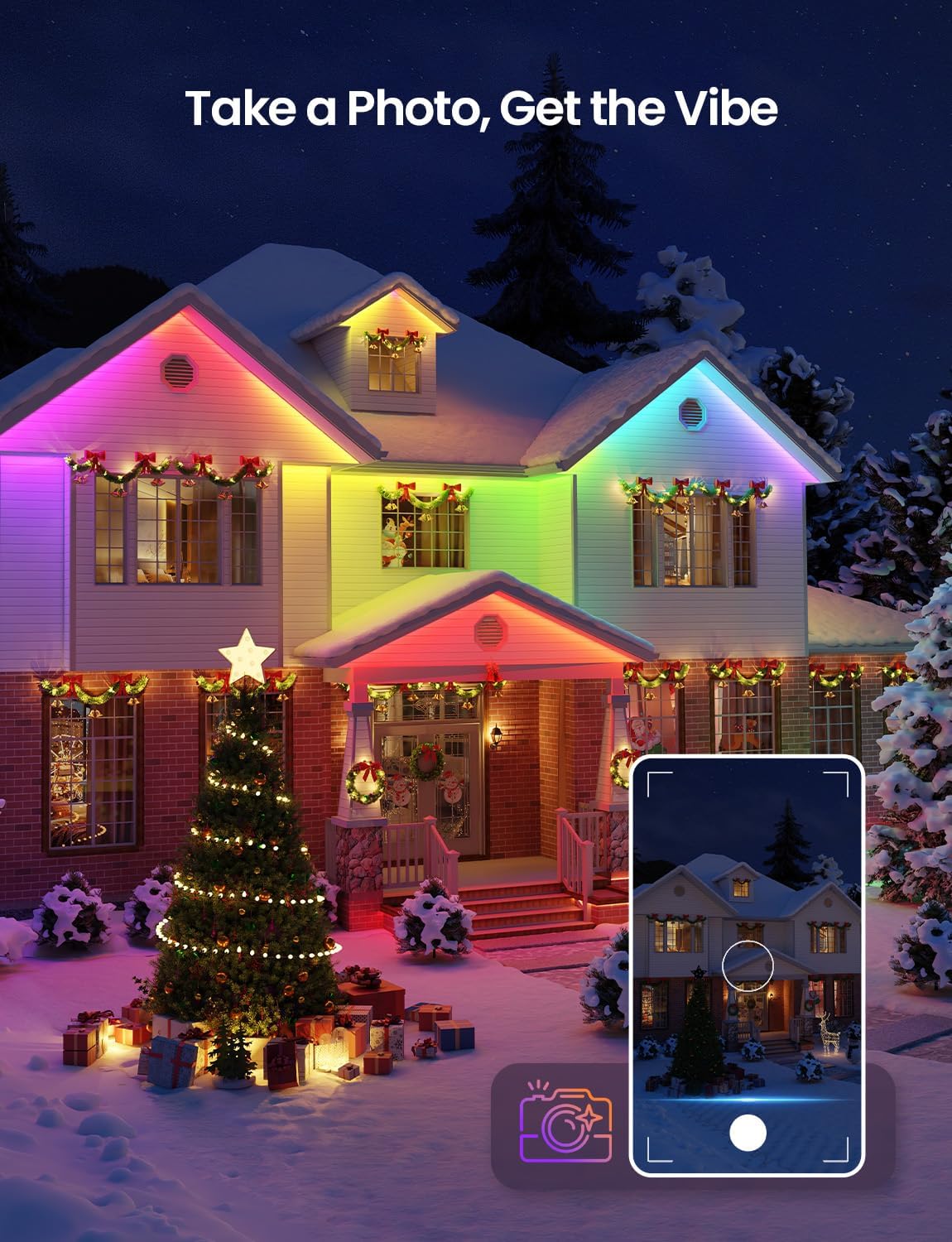
Image: Using the 'Take a Photo, Get the Vibe' feature for holiday decor.

Image: Lights dancing with music rhythm via the LightBeats feature.
5.2 音声制御
The Lepro SW1 lights are compatible with Amazon Alexa and Google Assistant for convenient hands-free control:
- スキルを有効にする: Link your Lepro account with Amazon Alexa or Google Assistant through their respective apps.
- Simple Commands: Use voice commands such as "Alexa, turn on the strip lights" or "Hey Google, set the strip lights to red."
- AI Voice Prompts: The Lepro app also supports advanced AI voice prompts to create specific lighting scenes (e.g., "Hey Lepro, set a cyberpunk city scene").

Image: Updated voice control features within the Lepro app.

Image: Hands-free voice control with Alexa and Google Assistant.
Video: How to Connect Lepro AI Lights to Alexa
This video demonstrates the process of linking your Lepro app with Amazon Alexa for voice control.
6. メンテナンス
- クリーニング: LEDストリップを柔らかくて乾いた布で優しく拭いてください。amp 布で埃や汚れを拭き取ってください。刺激の強い化学薬品や研磨剤入りの洗剤は使用しないでください。
- 検査: Periodically inspect the strip lights, power adapter, and controller for any signs of damage, wear, or loose connections.
- 天候保護: While the strip lights are IP65 waterproof and weather-resistant, extreme weather conditions (e.g., severe storms, prolonged heavy snow) may require additional protection or temporary removal if possible. Ensure the power adapter remains protected in an electrical box.
- ストレージ: ライトを長期間保管する場合は、損傷を防ぐために、ライトが清潔で乾燥しており、緩く巻かれていることを確認してください。

Image: Weather resistance of the LED strip lights in different seasons.
7。 トラブルシューティング
| 問題 | 考えられる原因 | 解決 |
|---|---|---|
| ライトが点灯しない。 | 電源がない、接続が緩んでいる、アダプタ/コントローラに障害がある。 | 電源コンセントを確認してください。すべての接続が確実に行われていることを確認してください。可能であれば、別の電源でテストしてください。 |
| Cannot connect to Lepro app. | Incorrect Wi-Fi band (5GHz), Wi-Fi signal too weak, Bluetooth off, incorrect app. | Ensure phone is on 2.4GHz Wi-Fi. Move closer to router. Enable Bluetooth. Confirm using the official Lepro app. |
| 音声制御が機能しません。 | Lepro skill not enabled, incorrect voice commands, no internet connection. | Ensure Lepro skill is enabled in Alexa/Google Home app. Use correct commands. Check internet connection. |
| ライトが突然ちらついたり、色が変わったりします。 | Loose connection, power fluctuation, interference. | Check all connections. Ensure power supply is stable. Reduce potential interference sources. |
8. 仕様
- モデル番号: SW1-15
- 長さ: 49.2フィート
- 色: RGBCW(赤、緑、青、クールホワイト、ウォームホワイト)
- 色温度: 2700K-5700K 調光可能なホワイト
- 耐水性: IP65 (Strip Light, Adapter, Controller)
- 接続性: 2.4GHz Wi-Fi
- 制御方法: App Control (Lepro App), Voice Control (Amazon Alexa, Google Assistant)
- 巻tage: 36 ボルト (DC)
- ワットtage: 24ワット
- 光源の種類: LED (405 LEDs total, 8 LEDs per foot)
- 材料: 銅、プラスチック
- 商品の重量: 2.9 ポンド
- 含まれるコンポーネント: 49.2ft strip light, 9.84ft cable with controller, Wall Adapter, 18 clips, Screws
9.保証とサポート
The Lepro SW1 AI Smart Outdoor LED Strip Lights come with a 2年間のメーカー保証.
For technical support, troubleshooting assistance, or warranty claims, please contact Lepro customer service through the official Lepro website or the contact information provided in your product packaging. Please have your model number (SW1-15) and proof of purchase ready when contacting support.