導入
Thank you for choosing the Hiseeu 8MP 4K Wireless Security Camera System. This manual provides essential information for the proper installation, operation, and maintenance of your security system. Please read this manual thoroughly before use and retain it for future reference.
製品終了view および主な機能
The Hiseeu 8MP 4K Wireless Security Camera System offers advanced surveillance capabilities with high-resolution imaging and smart features. It includes a 10.1-inch touchscreen NVR for convenient control and monitoring.

画像: オーバーview of the system's main features, including 4K resolution, touchscreen NVR, full-color night vision, two-way audio, and AI detection.
8MP 4K High-Resolution Cameras
Equipped with 8-megapixel cameras, this system captures video in stunning 4K resolution, ensuring clear and detailed footage of people and surroundings. This high clarity is crucial for identification and evidence collection, providing clear images day and night for smooth review 記録されたfooのtage.

Image: Comparison of 5MP and 4K camera resolution, demonstrating the enhanced detail provided by 4K for clearer surveillance.
10.1-inch Touchscreen NVR
The Network Video Recorder (NVR) features an integrated 10.1-inch touchscreen display, combining the recording unit and monitor into one compact device. This eliminates the need for external monitors or a mouse, allowing for direct and intuitive touch operation. Users can quickly verify video feeds and adjust settings immediately after installation, providing a space-saving and smart surveillance solution.
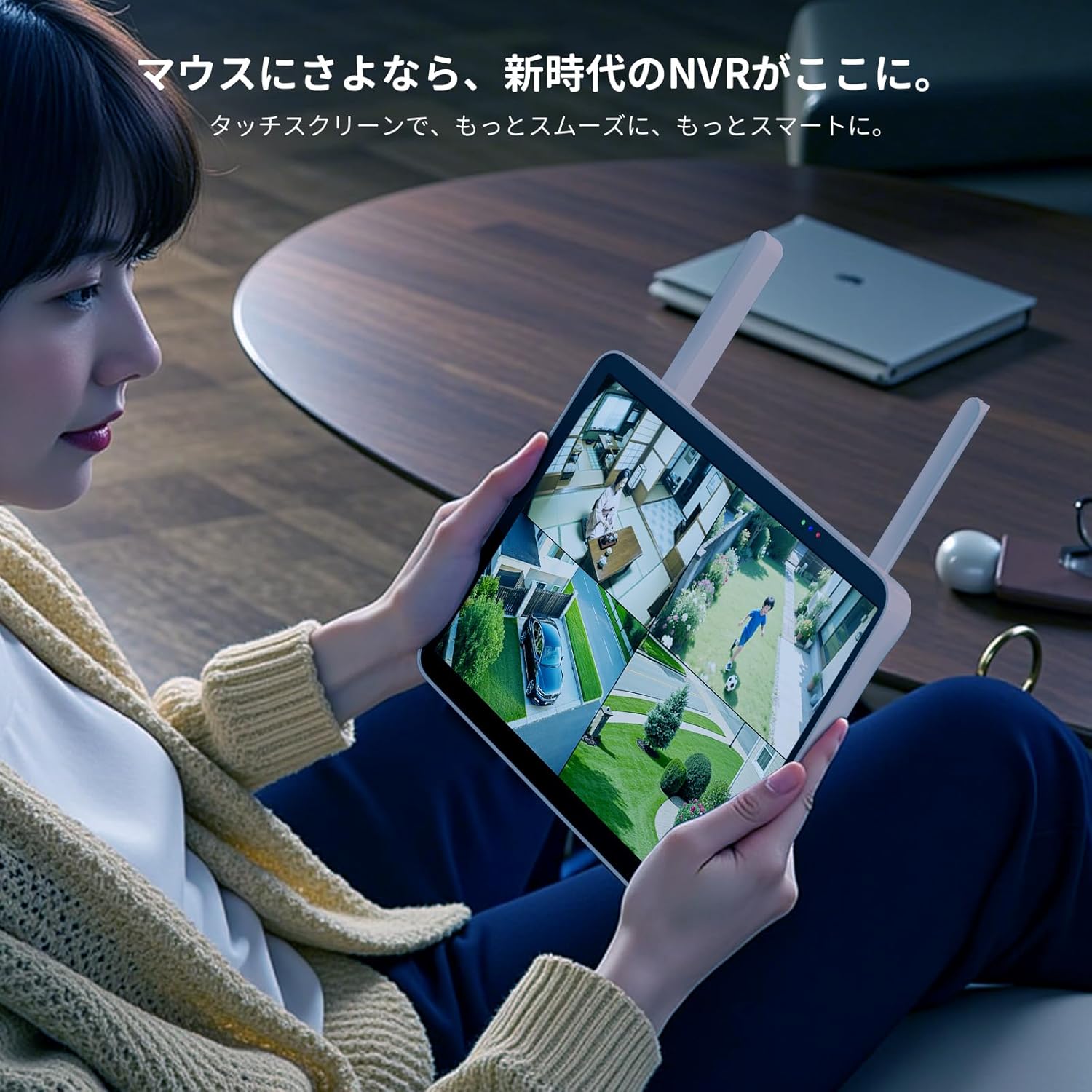
Image: A user interacting with the 10.1-inch touchscreen NVR, displaying multiple camera view包括的な監視のためのs。
Full-Color Night Vision and Motion-Activated Light
The cameras support full-color night vision, enabling them to capture clear color images even in low-light conditions. Additionally, a motion-activated light is integrated, which illuminates the area when motion is detected. This feature enhances visibility at night and helps deter intruders, ensuring high-quality recordings around the clock.

Image: A visual comparison demonstrating the clarity and detail of full-color night vision versus traditional infrared night vision in a dark environment.
双方向音声通信
Each camera is equipped with a built-in microphone and speaker, supporting two-way audio communication. This allows you to not only hear what's happening but also speak through the camera, facilitating real-time conversation and remote situational awareness from anywhere.

Image: Illustration of two-way audio functionality, enabling users to communicate directly through the camera via a mobile application.
AI Motion Detection and Instant Notifications
The system incorporates advanced AI motion detection, capable of accurately identifying human and vehicle movements while minimizing false alarms from environmental factors like trees or rain. When motion is detected, the system sends instant notifications to your smartphone via the dedicated EseeCloud app, keeping you informed of any activity.
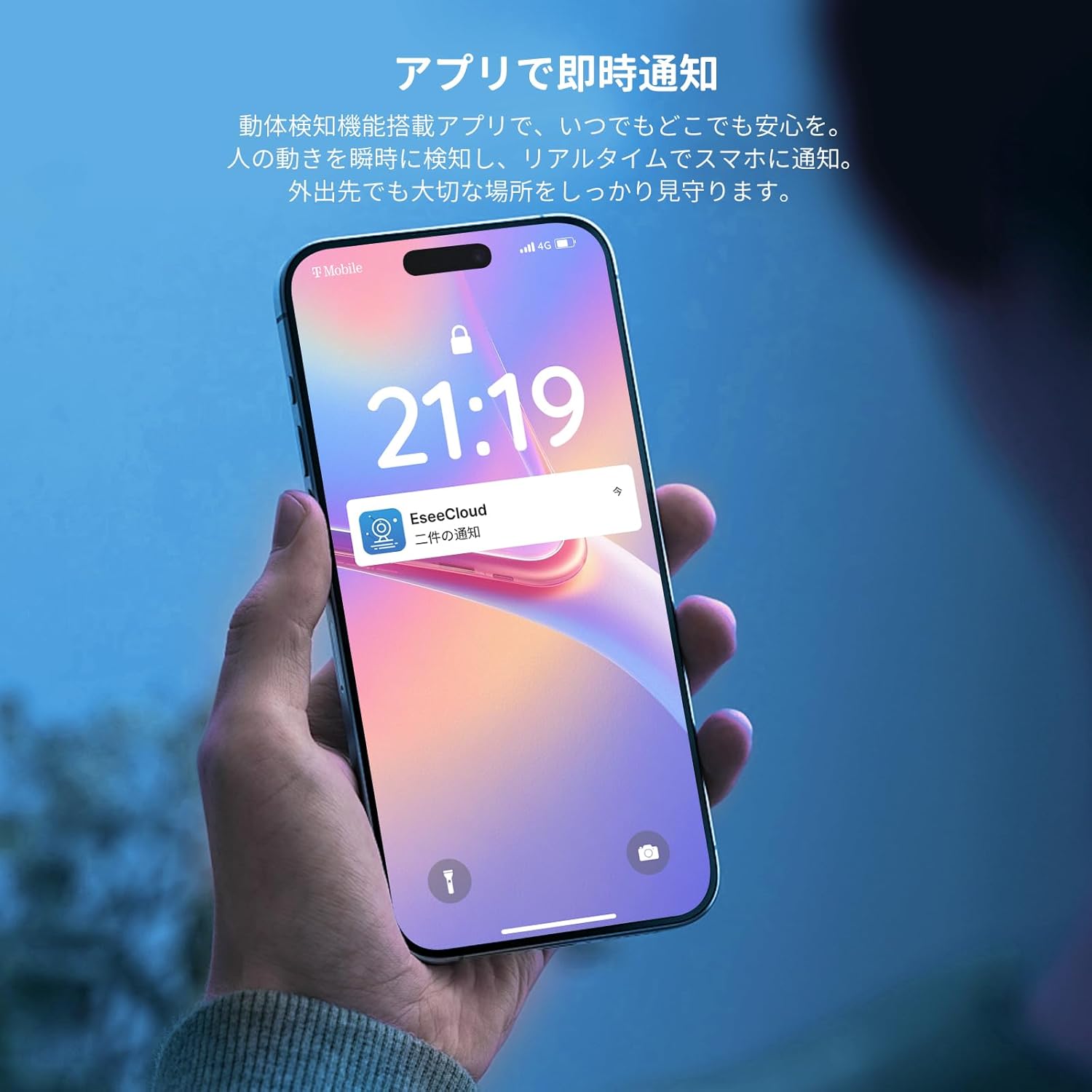
Image: A smartphone showing an EseeCloud app notification, indicating that motion has been detected by the security camera system.
音と光の警報
When an unauthorized person is detected by the camera, the system can automatically activate a flashlight and sound an alarm. This feature helps deter potential intruders and enhances the safety of your family and property.

Image: An illustration of the sound and light alarm feature, showing a camera deterring an intruder with light and an accompanying app notification.
IP66防水・防塵設計
With an IP66 rating, the cameras are designed to be highly resistant to both water and dust, making them suitable for reliable outdoor installation in various weather conditions. This robust construction ensures continuous operation around your home, store entrances, or parking areas.

Image: An outdoor security camera operating effectively in rainy conditions, demonstrating its IP66 waterproof and dustproof capabilities.
Expandable Storage and Channels
The NVR comes with a pre-installed 1TB HDD, providing ample storage for long-term video recording without additional costs. The system is also expandable, supporting up to 10 camera channels, allowing you to customize your surveillance coverage as needed.

Image: Visual representation of the 1TB internal storage, capable of saving significant amounts of recorded footage.

Image: Diagram showing the system's capability to connect and manage up to 10 cameras, allowing for comprehensive coverage.
パッケージ内容
標準パッケージには以下が含まれます:
- 1 x 10.1-inch Touchscreen NVR with 1TB HDD
- 2 x 8MP 4K Wireless Cameras
- NVRおよびカメラ用電源アダプター
- 取り付けネジと付属品
- ユーザーマニュアル(このドキュメント)
セットアップ手順
- 開梱して検査する: すべてのコンポーネントを慎重に開梱し、損傷がないか検査します。
- NVRの電源オン: NVRを電源アダプターに接続し、コンセントに差し込みます。NVRは自動的に電源が入ります。
- NVRの初期設定: Follow the on-screen prompts on the touchscreen NVR to complete the initial setup, including language, time zone, and password creation.
- Camera Pairing (Pre-paired): The cameras are typically pre-paired with the NVR at the factory. Connect each camera to its power adapter and plug it into an electrical outlet. The camera feeds should automatically appear on the NVR screen. If not, refer to the "Adding Cameras" section in the NVR's on-screen menu.
- カメラの位置: Strategically place your cameras in desired indoor or outdoor locations. Ensure they are within range of the NVR's wireless signal and have access to a power source.
- モバイルアプリをインストール: Download the "EseeCloud" app from the App Store (iOS) or Google Play Store (Android).
- アプリに接続します: Register an account in the EseeCloud app and add your NVR by scanning the QR code displayed on the NVR's screen or by manually entering its ID.
- 機能の確認: Check all camera feeds, test two-way audio, and confirm motion detection alerts through the NVR and mobile app.
重要な注意: It is recommended to complete the Wi-Fi setup and camera pairing before physically mounting the cameras in their final high-up or difficult-to-reach locations.
操作手順
NVR Touchscreen Operation
- ライブ View: Tap on any camera feed to view it in full screen. Swipe to switch between cameras.
- 再生: 再生メニューにアクセスしてview 記録されたfootage. タイムラインを使用して、特定の時刻と日付を選択します。
- 設定: Navigate to the settings menu to configure camera parameters, recording schedules, motion detection zones, and network settings.
- 双方向オーディオ: ライブ中 view, tap the microphone icon to speak through the camera's speaker. Tap the speaker icon to hear audio from the camera.
Mobile App (EseeCloud) Operation
- リモートライブ View: View live feeds from your cameras anywhere with an internet connection.
- リモート再生: アクセスと再view 記録されたfootagNVR に保存されます。
- 通知: 動きが検出されると、スマートフォンですぐにプッシュ通知を受け取ります。
- 双方向トーク: Use the app to engage in two-way audio communication through the cameras.
- 設定管理: Adjust various camera and NVR settings remotely.
メンテナンス
- カメラレンズのクリーニング: カメラのレンズは定期的に柔らかくてきれいな布で拭いてください。amp 鮮明な画像を保つために布で拭いてください。研磨剤入りの洗剤は使用しないでください。
- ファームウェアの更新: Check for and install firmware updates for the NVR and cameras periodically to ensure optimal performance and security. These can usually be found through the NVR's settings or the EseeCloud app.
- ケーブル検査: Periodically inspect power cables and connections for any signs of wear or damage, especially for outdoor cameras.
- ハードドライブの健全性: The NVR's 1TB HDD is designed for continuous recording. Monitor its health through the NVR's system information to prevent data loss.
- 環境保護: Ensure outdoor cameras are securely mounted and protected from direct, prolonged exposure to extreme weather conditions where possible, despite their IP66 rating.
トラブルシューティング
| 問題 | 考えられる原因 | 解決 |
|---|---|---|
| NVR画面に画像が表示されない | NVR not powered on; HDMI/VGA cable loose (if external monitor used); Camera not powered or paired. | Check NVR power connection. Ensure cameras are powered. If using an external monitor, check cable connections. Re-pair cameras if necessary. |
| アプリ経由のリモートアクセスは不可 | NVR がインターネットに接続されていない、アプリの設定が正しくない、ファイアウォールが接続をブロックしている。 | Ensure NVR is connected to your router via Ethernet. Check app network settings. Verify router firewall settings. |
| 画質が悪い | Dirty camera lens; Low light conditions; Camera too far from NVR (weak signal). | Clean camera lens. Ensure sufficient lighting for optimal night vision. Relocate camera closer to NVR or use a repeater if available. |
| モーション検出が機能しない | Motion detection disabled; Sensitivity too low; Detection zone not set correctly. | Enable motion detection in NVR/app settings. Adjust sensitivity. Configure detection zones to cover desired areas. |
| 音声なし | Microphone/speaker disabled; Volume too low. | Check audio settings on NVR and app. Ensure volume is turned up. |
仕様
| ブランド | ヒセウ |
| モデル番号 | WK-10CA-2HB618-AT |
| 製品寸法 | 24 x 1.5 x 16 cm (NVR) |
| アイテム重量 | 2.69キログラム(パッケージの総重量) |
| カメラ解像度 | 8 Million Pixels (4K) |
| NVRディスプレイ | 10.1インチLCDタッチスクリーン |
| ストレージ | 1TB HDD (Internal) |
| 拡張性 | 最大10チャンネル |
| 防水等級 | IP66 |
| 接続性 | Wireless (2.4/5GHz compatible) |
保証とサポート
This Hiseeu product typically comes with a 1-year manufacturer's warranty covering defects in materials and workmanship from the date of purchase. Please retain your proof of purchase for warranty claims.
For technical support or warranty inquiries, please refer to the contact information provided with your product packaging or visit the official Hiseeu website. While the manufacturer aims to provide comprehensive support, some users have reported difficulties in reaching customer service for warranty claims. We recommend checking the latest support channels available.