
1. はじめに
This manual provides detailed instructions for the installation, operation, and maintenance of your JOMISE A80 Pro 4K+4K Dash Cam. Please read this manual thoroughly before using the device to ensure proper functionality and safety. The JOMISE A80 Pro is designed to record high-quality video footage from both the front and rear of your vehicle, offering enhanced security and evidence in various driving conditions.
2.製品オーバーview
2.1 パッケージ内容
以下にリストされているすべてのアイテムがパッケージに含まれていることを確認してください。
- A80 Pro driving recorder (main unit)
- 64GB Micro Memory Card (pre-installed)
- 11.48ft Power Cable + Car Charger
- 4K Rear Camera Unit
- 18.04ft Rear Camera Connection Cable
- GPS-enabled Bracket
- 静電ステッカー
- インストールツール
- ユーザーマニュアル(このドキュメント)

図2.1: パッケージ内容
2.2 主な特徴
- Dual 4K Recording: Front 2560×1440P and Rear 2560×1440P for high-resolution video capture.
- STARVIS 2 Night Vision: Enhanced low-light imaging for clear recordings in dark conditions.
- Ethernet Rear Camera Processing: Dedicated processor for the rear camera ensures stable 4K performance for both channels.
- WiFi 6接続: High-speed wireless transfer for quick video downloads to your smartphone.
- 3.12インチIPSタッチパネル: Responsive touchscreen for intuitive navigation and control.
- GPS機能: Built-in positioning system for route logging and speed data.
- 24時間駐車モード: Continuous monitoring with collision-triggered lock (requires hardwire kit, sold separately).
- Gセンサー: 衝撃を自動検知してロックするtag上書きを防ぐため。
- ループ録音: 最も古いfooを上書きするtagメモリカードがいっぱいになると、連続録画ができなくなります。
- 広角レンズ: Front 180° field of view, Rear 160° wide view.
- WDR / HDR Imaging: さまざまな光の条件で画像の品質が向上します。
- Support for up to 1TB Micro Memory Card: Allows for extensive storage of video footage.
3. セットアップとインストール
The JOMISE A80 Pro is designed for straightforward installation. Follow these steps for optimal placement and connection.
3.1 フロントダッシュカメラの取り付け
- Clean the windshield area where the dash cam will be mounted, typically behind the rearview 強力な接着力を確保するために、ミラーを使用します。
- Attach an electrostatic sticker to the cleaned area. This helps in easy removal and repositioning without leaving residue.
- Mount the GPS-enabled bracket onto the electrostatic sticker.
- Slide the main A80 Pro unit onto the bracket until it clicks into place. Ensure the lens has a clear view これからの道の。
- Connect the power cable to the dash cam and route it along the windshield edge, down the A-pillar, and to the car's cigarette lighter socket or a hardwire kit (for parking mode). Use the provided installation tool to tuck the cable neatly.

Figure 3.1: Front Dash Cam Installation
3.2 リアカメラの取り付け
- リアカメラを設置するための適切な場所をリアガラス上に決め、 view. The rear camera has a 360° adjustable module for flexible positioning.
- Clean the chosen area on the rear windshield.
- Attach an electrostatic sticker and then mount the rear camera using its adhesive.
- Connect the 18.04ft connection cable to the rear camera.
- Route the rear camera cable from the rear windshield, along the headliner and side pillars, to the main front dash cam unit. Use the installation tool to conceal the cable.
- Plug the rear camera cable into the designated port on the main A80 Pro unit.
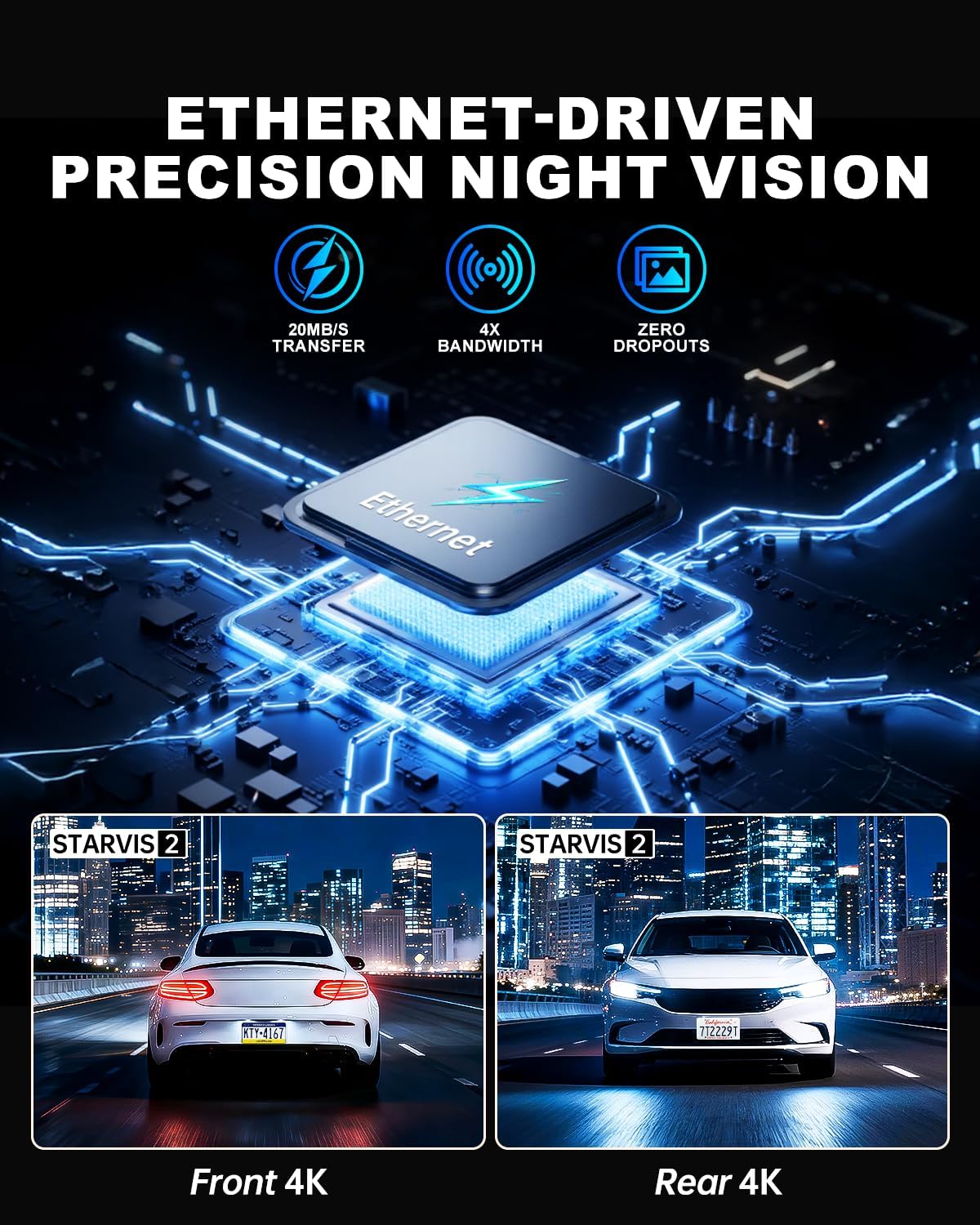
Figure 3.2: Rear Camera Installation
3.3電源接続
Plug the car charger into your vehicle's cigarette lighter socket. The dash cam will power on automatically when the vehicle starts and begin recording. For 24-hour parking monitoring, a hardwire kit (sold separately) is required to provide continuous power.
4. 操作手順
The JOMISE A80 Pro features a responsive touchscreen and physical buttons for easy operation.
4.1 電源オン/オフ
- 自動: The dash cam powers on and starts recording automatically when connected to power and the vehicle ignition is turned on. It powers off automatically when the ignition is turned off.
- マニュアル: 電源ボタン(ある場合)を長押しして、デバイスの電源を手動でオンまたはオフにします。
4.2 基本的な録音
- Upon powering on, the dash cam will automatically begin loop recording.
- ビデオfootage is saved in TS stream format, and photos are saved as JPG.
- The 64GB micro memory card included supports continuous loop recording. The device supports up to 1TB cards.
- Audio capture is enabled by default. This can be toggled in the settings menu.
4.3 タッチスクリーンインターフェース
The 3.12-inch IPS touch panel allows for intuitive control. Navigate through menus, adjust settings, and review フーtage with quick touch responses (approx. 0.2 seconds).

Figure 4.1: Touchscreen Menu Navigation
5. 高度な機能
5.1 24時間駐車モード
For continuous monitoring when your vehicle is parked, the 24-hour parking mode utilizes the built-in G-Sensor. If an impact is detected while parked, the dash cam will automatically record and lock the footage. This feature requires a hardwire kit (not included) to provide constant power to the device.

図5.1: 24時間駐車監視
5.2 WiFi 6 Connectivity
The integrated WiFi 6 module provides high-speed and stable connectivity for transferring video files to your smartphone. This allows for quick previewing and downloading of 4K video clips, typically within 6 seconds for a 1-minute video. Use the dedicated mobile application to access this feature.

Figure 5.2: WiFi 6 Data Transfer
5.3 GPS機能
The built-in GPS system records your vehicle's location and speed data, which can be viewed during video playback on a computer or via the mobile application. This provides valuable context for recorded events.

Figure 5.3: GPS Route Tracking
5.4 Night Vision with STARVIS 2
The JOMISE A80 Pro utilizes STARVIS 2 technology for both front and rear cameras, providing superior low-light performance. This ensures clear and detailed video capture in challenging lighting conditions such as dark roads, tunnels, and nighttime driving, with reduced noise and improved exposure.

Figure 5.4: STARVIS 2 Night Vision Performance
5.5 Ethernet Rear Camera Processing
Unlike traditional AHD systems, the A80 Pro uses an Ethernet-based system for the rear camera. This allows a dedicated processor in the rear camera to handle its footage independently, freeing up the main processor for the front camera. This design improves overall 4K image performance and stability for both front and rear recordings.
6. メンテナンス
- クリーニング: カメラのレンズとディスプレイ画面のクリーニングには、柔らかく乾いた布をご使用ください。研磨剤入りの洗剤や溶剤は使用しないでください。
- メモリーカード: Regularly format the micro memory card (at least once a month) within the dash cam's settings to ensure optimal performance and prevent data corruption. Back up important footagフォーマットする前にeを入力します。
- ファームウェアの更新: 公式JOMISEをチェック webファームウェアのアップデートについては、定期的にサイトをご確認ください。ドライブレコーダーのファームウェアを最新の状態に保つことで、パフォーマンスが向上し、新しい機能が追加されます。
7。 トラブルシューティング
| 問題 | 考えられる原因 | 解決 |
|---|---|---|
| ダッシュカムの電源が入りません。 | 電源が供給されていない、電源ケーブルに障害がある、接続が緩んでいる。 | Check car charger connection. Ensure vehicle ignition is on. Try a different power source if available. |
| 録画が停止またはフリーズします。 | Memory card error; full memory card; incompatible memory card. | Format the memory card. Replace with a high-speed (Class 10 or U3) micro SD card if necessary. Ensure card capacity is within supported range (up to 1TB). |
| ビデオ品質が低い。 | レンズが汚れている、レンズに保護フィルムが貼られたままである、解像度の設定が正しくない。 | Clean the lenses. Remove any protective film. Check video resolution settings in the menu. |
| リアカメラが検出されません。 | Loose cable connection; faulty rear camera cable. | リアカメラケーブルがリアカメラと本体の両方にしっかりと接続されていることを確認します。 |
| WiFi接続の問題。 | パスワードが間違っている、デバイスから遠すぎる、アプリに問題がある。 | Verify WiFi password. Ensure your phone is close to the dash cam. Restart the dash cam and your phone's WiFi. Reinstall the mobile application if necessary. |
8. 仕様
| 特徴 | 詳細 |
|---|---|
| モデル | A80プロ |
| Video Performance (Front) | 2560×1440P |
| Video Performance (Rear) | 2560×1440P |
| Front Lens Field of View | 180° |
| Rear Lens Field of View | 160° |
| Front Lens Aperture | F1.8 |
| Rear Lens Aperture | F1.8 |
| Rear Camera Link | Digital-powered data channel (Ethernet-based) |
| ビデオフォーマット | TS ストリーム |
| 写真フォーマット | 画像 |
| 画面 | 3.12-inch IPS touch panel |
| 制御システム | Touch + physical keys |
| 接続性 | High-speed wireless transfer module (WiFi 6) |
| 測位システム | Built-in GPS with route logging |
| メモリカードのサポート | Up to 1TB micro memory card (64GB included) |
| 電源入力 | タイプC 5V/3A |
| 動作温度 | -4°F ~ 158°F (-20°C ~ 70°C) |
| 保管温度 | -40°F ~ 176°F (-40°C ~ 80°C) |
| 製品寸法 | 3.74 x 1.97 x 1.77インチ |
| アイテム重量 | 1.59ポンド |
| フレームレート | 30FPS |
9. 保証とサポート
JOMISE provides an extended 18-month warranty for the A80 Pro Dash Cam. For technical assistance, troubleshooting, or warranty claims, please contact JOMISE customer support.
- 保証期間: 18ヶ月
- メールアドレス: jomise-us@jomise-cam.com
- 電話: +1 866 788 8775

図9.1: 保証とサポート情報
10. 製品ビデオ終了view
Video 10.1: JOMISE A80 Pro Dash Cam Features and Operation. This video provides a visual overview of the dash cam's components, installation process, and key functionalities, including day and night recording examples and GPS tracking.