
導入
This manual provides detailed instructions for the OQIMAX Kids Alarm Clock, Model WA175USKM. This device is designed to assist children with sleep training, provide a comforting night light, and offer reliable dual alarm functions. Please read this manual thoroughly before use to ensure proper operation and maintenance.
安全情報
- Ensure the device is plugged into a compatible power source (Type-C). An adapter is not included.
- デバイスを水や過度の湿気から遠ざけてください。
- ご自身でデバイスの分解や修理を試みないでください。問題が発生した場合は、カスタマーサポートにお問い合わせください。
- この製品は屋内使用のみを目的としています。
パッケージ内容
- OQIMAX Kids Alarm Clock (Model WA175USKM)
- タイプCのUSBケーブル
- 取扱説明書
製品終了view
The OQIMAX Kids Alarm Clock features a friendly cat-shaped design with a digital display and intuitive controls. It combines multiple functions to support children's routines:
- 睡眠トレーニング: Visual cues (moon/sun icons, colored lights) guide children for bedtime and wake-up.
- ナイトライト: 11 vibrant colors and adjustable brightness levels create a soothing ambiance.
- 音楽とサウンド: 10 soothing melodies, nature sounds, or white noise options.
- デュアルアラーム: Two independent alarms with customizable schedules and a snooze function.
- チャイルドロック: 設定が誤って変更されるのを防ぎます。

図1:以上view of the OQIMAX Kids Alarm Clock highlighting its main features.
設定
- 電源接続: Connect the provided Type-C USB cable to the clock and plug it into a suitable USB power adapter (not included). The clock will power on automatically.
- 初期時間設定: The clock has a power-off memory function, but it's recommended to set the correct time upon first use or after extended power loss.
操作手順
ボタンの機能
Familiarize yourself with the buttons located on the front of the alarm clock:

Figure 2: Button layout and functions for the OQIMAX Kids Alarm Clock.
- 時間設定: Short press to adjust time, long press to enter time setting mode.
- SUN/MOON ON/OFF: Short press to turn sun/moon icon on/off, long press to set appearance time of the moon.
- TUNES: Short press to select music (10 options), long press for 3 seconds to activate/deactivate child lock.
- 表示: ディスプレイの明るさを調整します。
- UP (U/P): Increase value, adjust RGB brightness.
- DOWN (DOWN): Decrease value, adjust volume.
- 上面: Press the top of the clock to change night light colors or activate snooze.
時間の設定
- 長押し 時間設定 時間の数字が点滅するまでボタンを押します。
- 使用 UP or 下 時間を調整するボタン。
- プレス 時間設定 again to move to minute adjustment, then use UP or 下.
- 押し続ける 時間設定 to cycle through year, month, day settings, adjusting each with UP or 下.
- プレス 時間設定 最後にもう一度確認して終了します。
Sleep Training Function
The sleep training feature uses visual cues to help children understand bedtime and wake-up times.
- Bedtime (Moon Icon): From 7 PM to 11 PM, a moon icon lights up, and the night light glows a gentle red, signaling it's time for bed. The red night light automatically turns off after 1 hour.
- Wake-Up (Sun Icon): 20 minutes before the set alarm time, a soft yellow light will appear. When the alarm rings, the light turns green, indicating it's time to wake up.

Figure 3: Bedtime mode with red light and moon icon.

Figure 4: Wake-up mode with yellow light and sun icon.
ナイトライト操作
The clock offers 11 vibrant light colors and 5 brightness levels for the display and nightlight.
- 色の変更: Press the top surface of the alarm clock to cycle through the 11 light colors (7 solid colors + 4 dynamic colors).
- 明るさの調整: 使用 UP or 下 buttons to adjust the brightness of the night light. The display brightness can be adjusted using the 画面 ボタン。

Figure 5: Night light color options and how to change them.

Figure 6: Demonstrating 5 levels of screen brightness and automatic night brightness adjustment.
Music and Sound Selection
Choose from 10 soothing music melodies, nature sounds, or white noise options.
- Selecting Tunes: を短く押す TUNES button to cycle through the 10 available melodies.
- 音量の調整: 使用 下 button to adjust the volume level (4 levels available).
Video 1: Demonstration of the OQIMAX Kids Alarm Clock's 11 colors night light and sound options.
Alarm Setup and Snooze
The clock supports two independent alarms with customizable schedules.
- アラームの設定: Use the dedicated Alarm 1 and Alarm 2 buttons (located on the back) to set individual alarm times and modes.
- Workday Modes: Choose from four workday modes:
- 1-1: Single day alarm
- 1-5:月曜日から金曜日
- 1-7: 月曜日から日曜日
- 6-7: Saturday and Sunday
- スヌーズ機能: When an alarm sounds, press the top surface of the clock to activate a 5-minute snooze.
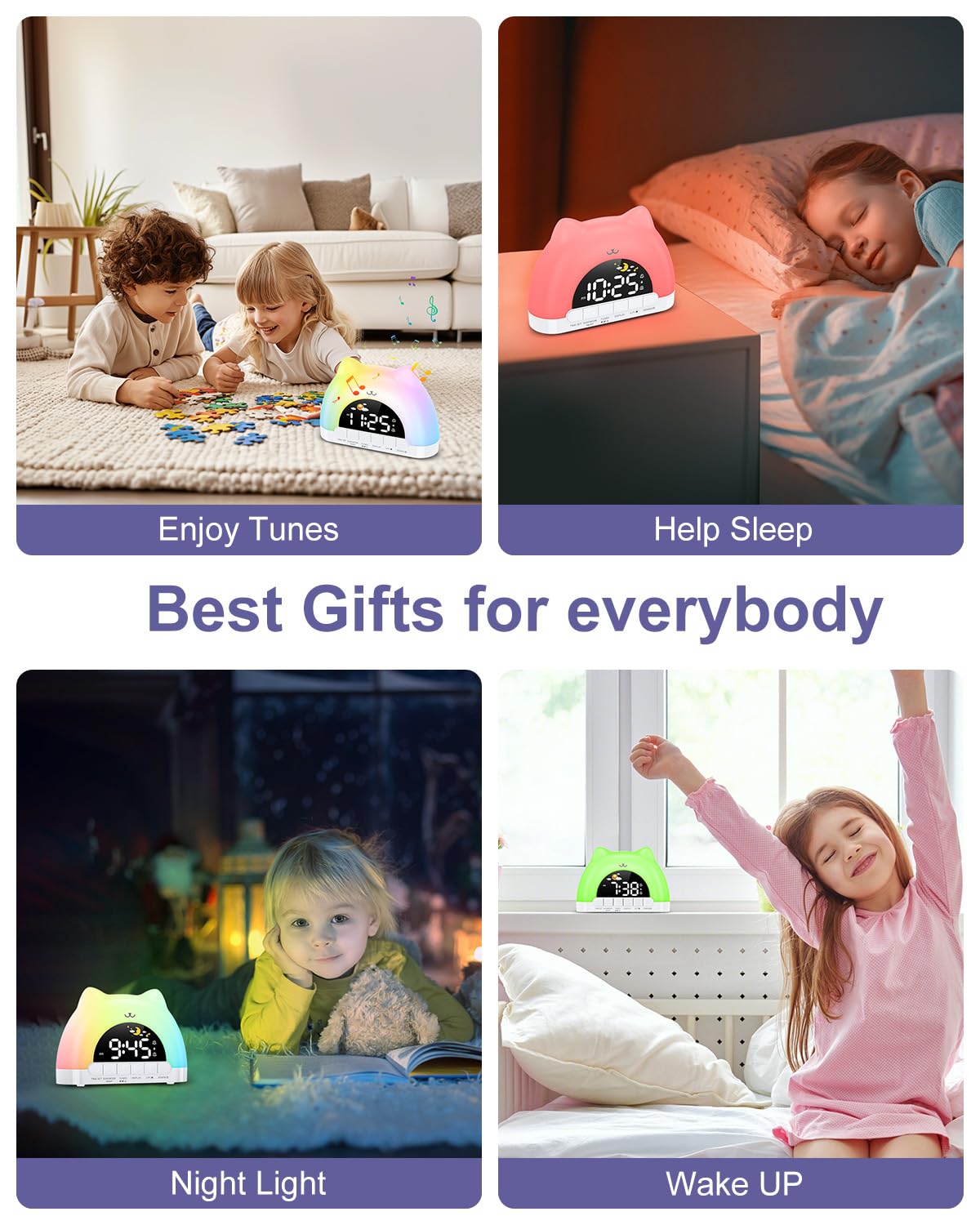
Figure 7: Dual alarm clock and snooze feature.
チャイルドロック
To prevent accidental changes to settings, activate the child lock.
- 有効化/無効化: 両方を保持します TUNES buttons for 3 seconds. When active, children can still enjoy music and lights without altering critical settings.
メンテナンス
- 柔らかく乾いた布でデバイスを拭いてください。研磨剤入りの洗剤や溶剤は使用しないでください。
- 最適なパフォーマンスを確保するために、デバイスをほこりやごみから守ってください。
トラブルシューティング
| 問題 | 考えられる原因 | 解決 |
|---|---|---|
| 時計が点灯しません。 | Not properly plugged in or power adapter issue. | Ensure the Type-C cable is securely connected and the power adapter is working. |
| アラームは鳴りません。 | Alarm not set, volume too low, or child lock active. | Verify alarm settings, increase volume, and check child lock status. |
| Night light not changing colors. | Incorrect button press or child lock active. | Ensure you are pressing the top surface of the clock. Check if child lock is active. |
仕様
| 特徴 | 詳細 |
|---|---|
| 製品寸法 | 6.69 x 1.5 x 5.12インチ |
| アイテム重量 | 8.1 オンス (0.23 キログラム) |
| モデル番号 | WA175USKM |
| ブランド | オキマックス |
| 電源 | Type-C Plug-in (Adapter not included) |
| 夜間照明の色 | 11 (7 solid, 4 dynamic) |
| Music Melodies | 10つのオプション |
| ディスプレイの明るさ | 5レベル |
| 音量レベル | 4レベル |
保証とサポート
For warranty information or technical support, please refer to the product packaging or contact OQIMAX customer service directly. Keep your purchase receipt for any warranty claims.