
タブウィーT90
TABWEE T90 11インチ Android 16 タブレット ユーザーマニュアル
モデル: T90 | ブランド: TABWEE
1. はじめに
Welcome to the TABWEE T90 11-inch Android 16 Tablet. This manual provides essential information to help you get started and make the most of your new device. Please read these instructions carefully before using the tablet.

Image: The TABWEE T90 tablet, showcasin洗練されたデザイン。
2. パッケージ内容
パッケージにすべてのアイテムが揃っていることを確認します。
- Tablet Main Unit
- キーボード
- ねずみ
- 保護ケース
- Bracket (Stand)
- 保護フィルム
- アダプタ
- USBデータケーブル
- ユーザーマニュアル
- タッチペン

Image: All included accessories for the TABWEE T90 tablet.
3. 初期設定
3.1 タブレットの充電
Before first use, fully charge the tablet using the provided adapter and USB cable. The charging port is a versatile Type-C port.

Image: The tablet connected to a charger via its Type-C port.
3.2 電源オン/オフ
- 電源をオンにするには: 画面が点灯するまで電源ボタンを押し続けます。
- 電源を切るには: 電源ボタンを長押しし、オプションから「電源を切る」を選択します。
3.3初期構成
画面上の指示に従って、言語の選択、Wi-Fi 接続、Google アカウントのログインなどの初期設定を完了します。
4. 主な特徴
4.1 Android 16 OS & Gemini AI Optimization
The TABWEE T90 runs on the latest Android 16 OS, optimized for 64-bit application processing. It features a refreshed UI for improved operability across work, study, and daily use. Enhanced security and privacy management allow fine control over app permissions and communication. The Android 16 AI function automatically adjusts operation and power consumption based on usage, ensuring smooth multitasking and notification handling. Integration with Gemini AI 2.5 enables intuitive document creation, information organization, and image/video processing, boosting efficiency.

Image: Visual representation of Android 16 OS and Gemini AI capabilities.

画像: 詳細 view of Android 16 user interface and features like security, notifications, and regional optimization.

Image: Gemini AI features for natural language understanding, data analysis, report generation, and translation support.
4.2 11-inch IPS FHD Display & Widevine L1 Support
The TABWEE T90 features a comfortable 11-inch IPS In-Cell TDDI display with a high resolution of 1920x1200, reproducing vivid details and rich colors. Android 16's unique "Full Screen to Edge" function automatically expands applications to the screen edges, providing an immersive viewing experience without black borders. Widevine L1 support allows smooth playback of FHD (1080p) or higher quality video from major streaming services like Netflix and Amazon Prime Video, enhancing your daily entertainment.
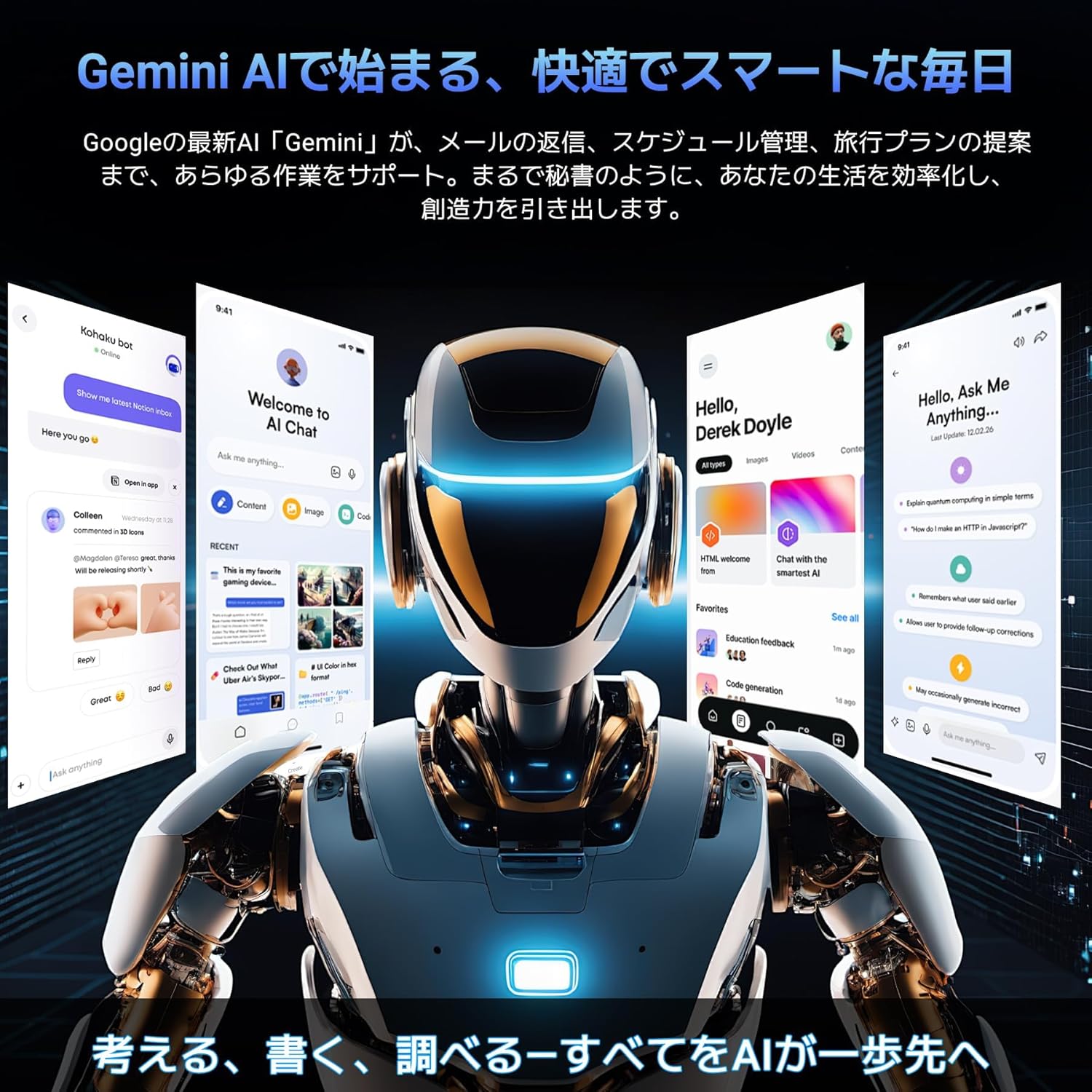
Image: The tablet displaying high-definition video, highlighting its 11-inch FHD screen and Widevine L1 support.

Image: Close-up of the tablet screen displaying specifications like 11-inch size, 1920x1200 resolution, and 350 nits brightness.
4.3 Large Capacity RAM & Storage with High-Performance CPU
The TABWEE T90 Android 16 Tablet offers 8GB of RAM, expandable by up to 16GB for a total of 24GB equivalent RAM, ensuring smooth operation. It comes with 128GB of internal storage and supports up to 2TB of expandable storage via an SD card (sold separately). This allows ample space for photos, videos, music, and applications. Powered by the Unisoc T615 Octa-core chip, featuring two high-performance A75 cores at 1.8GHz and six A55 cores, it delivers high-speed processing for smart office tasks, efficient learning, and immersive entertainment. The Mali G57 GPU and intelligent algorithms optimize color and detail expression, providing a beautiful and immersive visual experience for games and video playback.

Image: Visualizing the tablet's 24GB RAM, 128GB ROM, and 2TB expandable storage.

Image: Diagram of the Unisoc T615 Octa-core CPU, highlighting its architecture and performance.

Image: Illustrates the tablet's smooth multitasking capabilities with multiple apps open.
4.4 AI Image Processing, Dual Cameras & Face Recognition
The TABWEE T90 WiFi tablet is equipped with a 5MP front camera and a 13MP auto-focus rear camera, allowing you to capture beautiful photos and videos with ease. The latest Android 16 AI image processing technology ensures natural and vivid images. It also supports HEVC video encoding, maintaining high quality during editing and playback. Smart recognition via Google Lens simplifies scanning, translation, search, and information retrieval. Face recognition provides instant unlocking for a secure and convenient user experience.
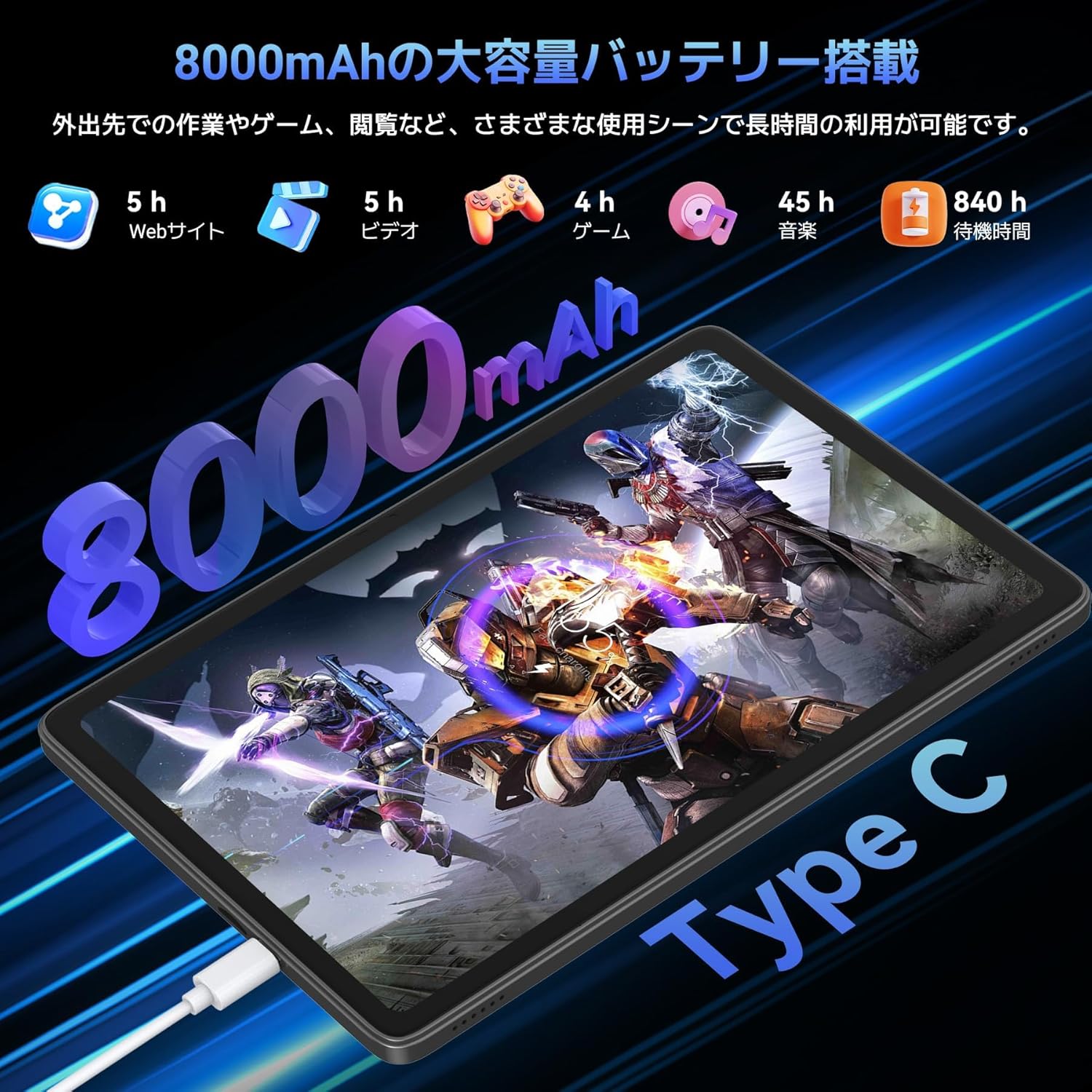
Image: Highlights the 13MP rear camera and 5MP front camera, along with AI image processing and Google Lens features.

Image: Demonstrates various smart scan and recognition features of Google Lens, such as solving math problems, identifying plants, translating foreign languages, and finding similar products.
4.5 8000mAh Large Capacity Battery & Custom Keyboard
The TABWEE T90 Android 16 Tablet offers a large 8000mAh battery, providing extended usage time for commuting, outings, and various daily scenarios without worrying about battery life. The versatile Type-C charging method ensures quick and easy charging. Android 16's custom keyboard function allows you to freely set shortcut keys after connecting a Bluetooth keyboard, enabling one-touch launch of frequently used applications for even more convenient operation.
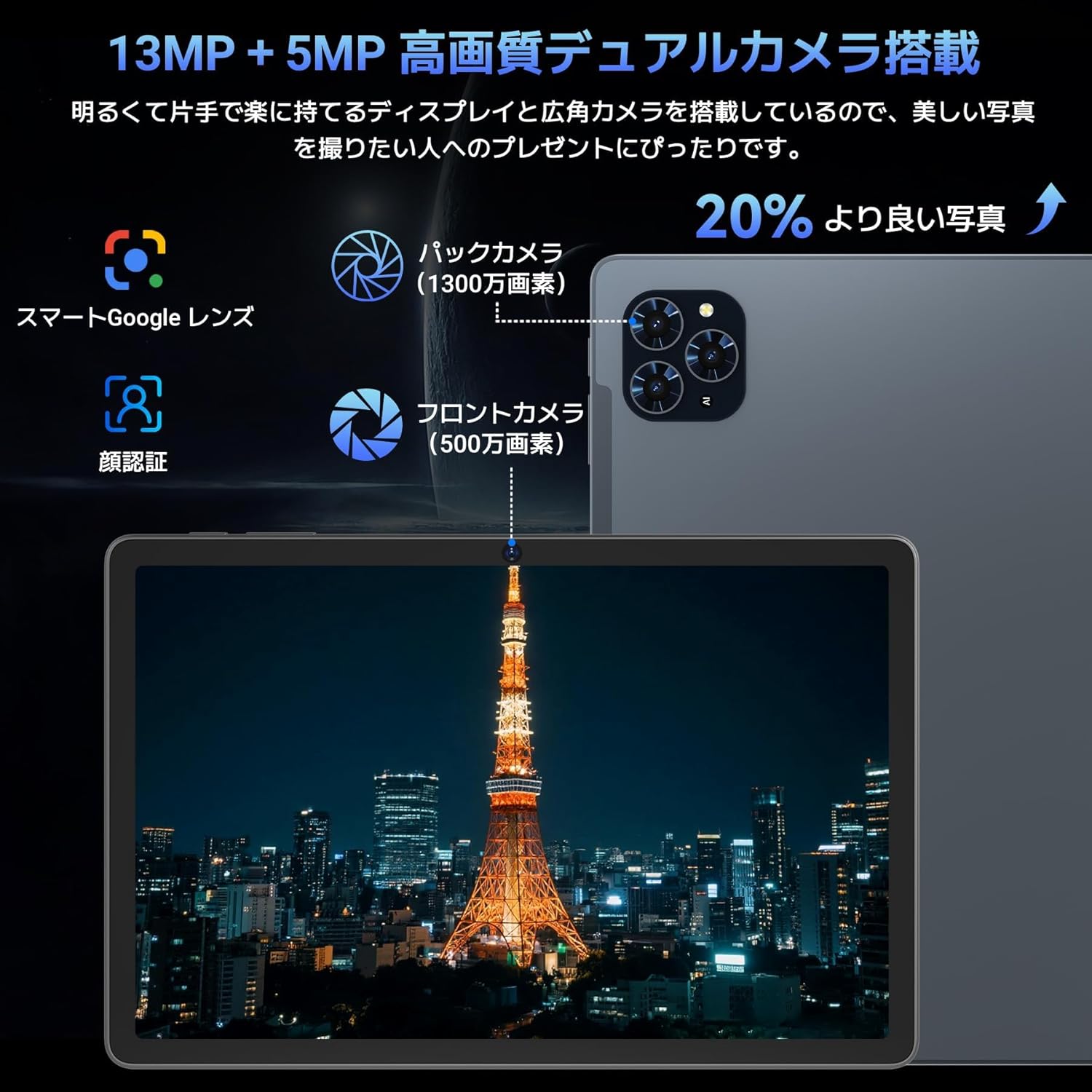
Image: Illustrates the long battery life of the 8000mAh battery for web browsing, video, gaming, and music.

Image: Shows custom keyboard shortcuts and the "forced full screen" feature of Android 16.
4.6 Lightweight Design & Versatile Use
This tablet features a lightweight all-metal design with a thickness of just 8.3mm and a weight of approximately 505g. Its 11-inch size is easy to hold with one hand, making it ideal for work, study, and carrying on the go. It supports various scenarios including remote work, online classes, office tasks, video calls, gaming, and photography.

Image: Depicts the tablet being used in various settings such as remote processing, online classes, office work, video calls, gaming, and taking photos.
5. 操作手順
5.1 基本的なナビゲーション
- タッチジェスチャー: タップして選択、スワイプしてスクロール、ピンチしてズームします。
- ホーム画面: アプリとウィジェットにアクセスします。
- 通知: 画面の上部から下にスワイプして view 通知とクイック設定。
- アプリドロワー: 画面の下部から上にスワイプすると、インストールされているすべてのアプリケーションにアクセスできます。
5.2 Wi-Fiへの接続
- へ移動 設定 > ネットワークとインターネット > Wi-Fi.
- Wi-Fiをオンにします。
- 希望するネットワークを選択し、プロンプトが表示されたらパスワードを入力します。
5.3 アクセサリの使用
- キーボードとマウス: Connect via Bluetooth. Refer to the accessory's specific instructions for pairing.
- タッチペン: Use for precise input on the screen, drawing, or navigating.
- Protective Case & Bracket: Use to protect the tablet and provide a stable view角度。
6. メンテナンス
- クリーニング: 画面と本体の清掃には、柔らかく糸くずの出ない布をご使用ください。刺激の強い化学薬品は使用しないでください。
- ソフトウェアアップデート: 最適なパフォーマンスとセキュリティを確保するために、定期的にシステムアップデートを確認し、インストールしてください。 設定 > システム > システムアップデート.
- バッテリーのケア: 極端な温度を避けてください。長期保管の場合は、バッテリーを50%程度まで充電してください。
7。 トラブルシューティング
| 問題 | 解決 |
|---|---|
| タブレットが起動しない | バッテリーが充電されていることを確認してください。電源ボタンを10~15秒間押し続けて強制的に再起動してください。 |
| 画面が反応しない | タブレットを再起動してください。問題が解決しない場合は、工場出荷時設定にリセットしてください(データは失われます)。 |
| Wi-Fi接続の問題 | タブレットとWi-Fiルーターを再起動してください。設定でネットワークを削除し、再接続してください。 |
| アプリがクラッシュしたりフリーズしたりする | アプリのキャッシュとデータを消去する 設定 > アプリ. Update the app or reinstall it. |
8. 仕様
| 特徴 | 詳細 |
|---|---|
| ブランド | タブウィ |
| モデル名 | タブウィーT90 |
| オペレーティング·システム | アンドロイド16 |
| 画面サイズ | 11インチ |
| ディスプレイ解像度 | 1920x1200ピクセル |
| CPUブランド | ユニソック |
| CPU速度 | 1.8GHz帯 |
| グラフィックアクセラレータ | マリ-G57 |
| メモリストレージ容量 | 128 GB(最大2TBまで拡張可能) |
| フロントカメラの解像度 | 5 MP |
| リアカメラ解像度 | 13 MP(オートフォーカス) |
| 接続性 | Bluetooth、Wi-Fi(802.11ac) |
| バッテリー容量 | 8000mAh |
| 錠剤の重量 | 約505g |
| パッケージ寸法 | 29.1 x 20 x 5.4 cm |
| モデル番号 | JPDYZ+T90+Grey |
| 認定資格 | PSE, GMS, Technical Conformity (技適) |
9.保証とサポート
The TABWEE T90 Android 16 Tablet comes with a standard two-year quality warranty. By contacting TABWEE official email, you can extend the warranty period to four years. If you encounter any issues or defects, please feel free to contact us. We offer 24-hour support.
連絡先:
- Official Email: [Please refer to your product packaging or official website for the exact email address]
- LINE ID: @647bgvrm

Image: Details about the 4-year quality warranty and 24-hour support service.
10. 製品ビデオ
TABWEE T90 Android 16 Tablet Overview
このビデオでは、view of the TABWEE T90 Android 16 Tablet, showcasing its design and key functionalities. (Creator: TABWEE Official Store)