
1. はじめに
This manual provides essential information for setting up, operating, and maintaining your DOOGEE Anywise W1 Smart Watch. Please read this manual thoroughly to ensure proper use and to fully utilize all features of your device.
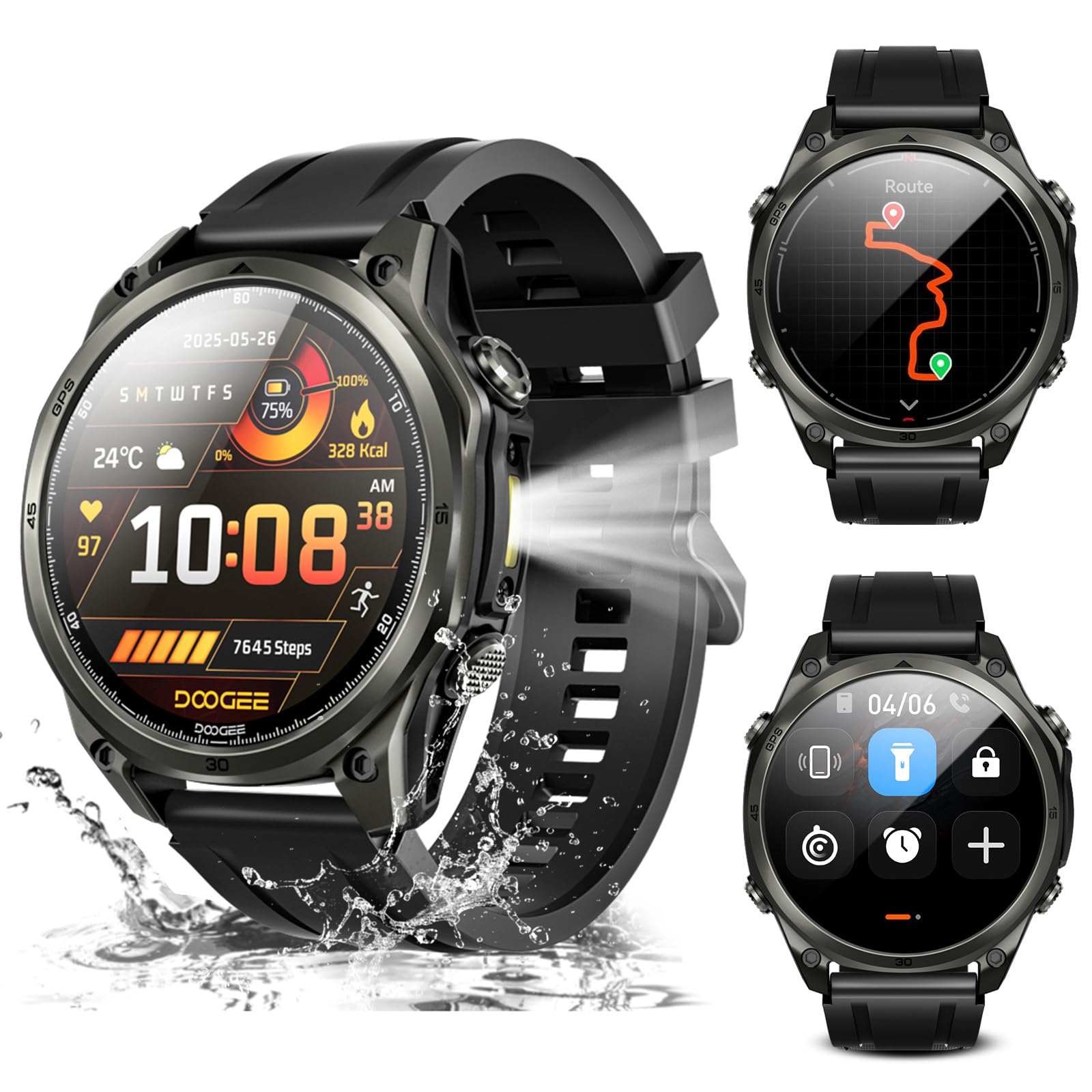
画像: 上view of the DOOGEE Anywise W1 Smart Watch and its main features.
2. パッケージ内容
製品パッケージにすべてのアイテムが揃っていることを確認します。
- Anywise W1 スマートウォッチ 1 台
- 磁気充電ケーブル1本
- 2 X Watch Straps (1*Silicone Strap + 1*Braided Strap)
- 1 Xユーザーガイド
- 1 X取扱説明書
- 1 X Service Card
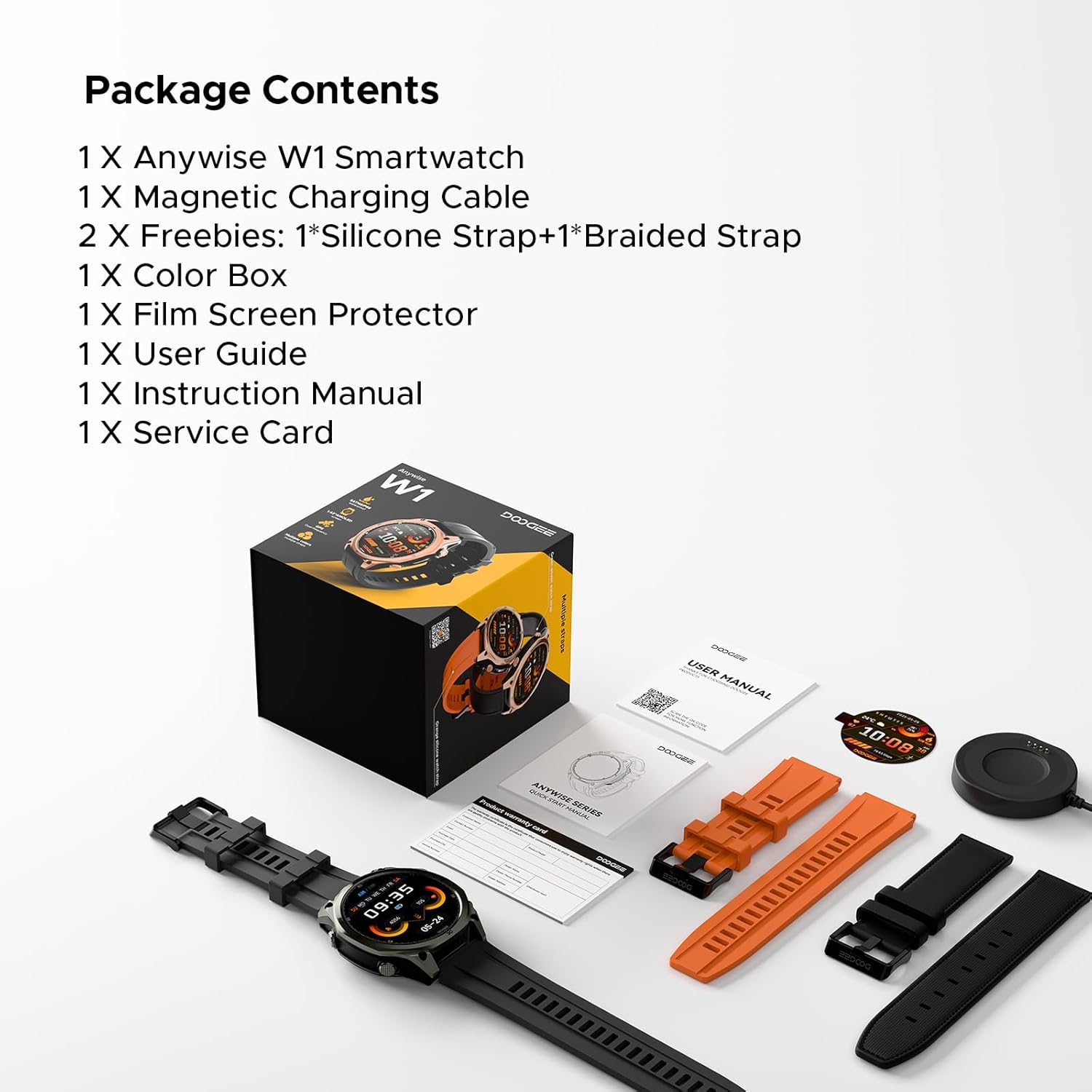
Image: The DOOGEE Anywise W1 Smart Watch and its accessories as found in the box.
3. セットアップ
3.1 初期充電
Before first use, fully charge your DOOGEE Anywise W1 Smart Watch. Connect the magnetic charging cable to the charging pins on the back of the watch and plug the USB-A end into a compatible power source. The watch display will indicate charging status.
Video: Demonstrates connecting the magnetic charging cable to the watch and a USB power source.
3.2 アプリのインストールとペアリング
- Download the official DOOGEE Fit application from your smartphone's app store (compatible with Android and iPhone).
- アプリを開いてアカウントを作成するか、サインインします。
- Follow the on-screen prompts to set up your personal profile (gender, height, weight, age, daily goals).
- Enable Bluetooth on your smartphone and allow the DOOGEE Fit app to access Bluetooth.
- In the app, select 'Add Device' and choose 'DOOGEE Anywise W1' from the list of available devices.
- スマートフォンと時計の両方でペアリング要求を確認します。
Video: Shows the process of setting up the DOOGEE Fit application on a smartphone and pairing it with the watch.
3.3 言語の選択
After initial charging and pairing, you may need to select your preferred language on the watch. Tap the screen to navigate through language options and select 'English'.
4. 操作手順
4.1 表示とナビゲーション
The DOOGEE Anywise W1 features a 1.43-inch AMOLED high-definition touch screen, providing clear visibility in various conditions. Navigate the watch interface by swiping left, right, up, or down, and tapping to select options.

Image: The watch display showing a notification, highlighting its clarity.
4.2 GPS機能
The watch includes built-in Dual-Band GPS (L1+L5) with six-satellite support (GPS, GLONASS, Beidou, Galileo, QZSS, AGPS) for fast and accurate location tracking during outdoor activities.

Image: The watch displaying GPS navigation during a run.
4.3 耐水性
The DOOGEE Anywise W1 has a 5ATM waterproof rating, making it suitable for swimming, showering, and use in various harsh environments.

Image: The watch being used in water, showcasin耐水性があります。
4.4 バッテリー寿命
Equipped with a 550mAh high-capacity battery, the watch offers up to 12 days of daily use and 40 hours of continuous GPS positioning.

Image: Visual representation of the watch's extended battery life.
4.5種類のスポーツモード
The watch supports over 170 sports modes. Connect to the app to download more. It monitors critical data like workout heart rate, distance, speed, and calories in real-time.

画像: Examples of different sports modes available on the watch.
4.6 健康状態のモニタリング
The watch provides comprehensive health monitoring, including real-time heart rate, sleep tracking, stress levels, and blood oxygen saturation. Access these metrics through the DOOGEE Fit app.
4.7 Communication & AI Features
- ブルートゥース通話: Make and answer calls directly from the watch. Up to 100 contacts can be imported via the app.
- AI音声アシスタント: Utilize AI functions for dialing, Q&A, and real-time translation (voice input to text display and voice announcements).
- 通知: The watch alerts you to incoming messages and calls. Note: The watch cannot reply to messages.
4.8追加機能
- LED懐中電灯: A 60 LM LED flashlight with 4 brightness levels.
- コンパス: Integrated compass function for outdoor navigation.
- 日常ツール: Music control, weather updates, stopwatch, alarm, camera control, SOS mode, and voice recording.
4.9 ウォッチフェイスの変更
Customize your watch's appearance by changing watch faces through the DOOGEE Fit app. Navigate to the watch face section in the app to browse and apply different styles.
4.10 時計のストラップの交換
The watch comes with two interchangeable straps (silicone and braided). To change a strap, locate the small pin on the underside of the strap connection point, slide it to release, and then attach the new strap by aligning the pins and releasinそれを時計のラグに取り付けます。
5. メンテナンス
To ensure the longevity and optimal performance of your DOOGEE Anywise W1 Smart Watch, follow these maintenance guidelines:
- クリーニング: Regularly clean the watch and straps with a soft, damp 布で拭いてください。刺激の強い化学薬品や研磨剤は使用しないでください。
- 乾燥: After exposure to water, ensure the watch is completely dry before charging or using buttons.
- ストレージ: 時計を使用しないときは、涼しく乾燥した場所に保管してください。
- 極端な状況を避ける: While rugged, prolonged exposure to extreme temperatures or direct sunlight can affect battery life and component integrity.
6。 トラブルシューティング
If you encounter issues with your DOOGEE Anywise W1 Smart Watch, refer to the following common solutions:
- 時計がオンにならない: 時計が完全に充電されていることを確認してください。充電器に少なくとも30分間接続してください。
- スマートフォンとペアリングできません: Check that Bluetooth is enabled on your phone and the watch. Ensure the watch is within range of your phone. Restart both devices and try pairing again.
- 不正確な健康データ: 時計が手首にぴったりとフィットしていることを確認してください。締めすぎたり緩すぎたりしないでください。時計の裏側にあるセンサーを清掃してください。
- GPSが接続されていません: 屋外で、見通しの良い場所にいることを確認してください。 view 空の。時計が信号を受信するまで数分かかる場合があります。
- 通知が表示されない: Check the notification settings in the DOOGEE Fit app and your smartphone's system settings to ensure permissions are granted.
For further assistance, consult the DOOGEE Fit app's help section or contact customer support.
7. 仕様
| 特徴 | 仕様 |
|---|---|
| メモリストレージ容量 | 35ギガバイト |
| 無線通信規格 | ブルートゥース |
| 画面サイズ | 1.43インチ |
| ブランド | ドゥージー |
| 色 | 黒 |
| バンド素材タイプ | Silicone, Braided |
| サポートされているアプリケーション | Fitness Tracker, Sleep Monitor, Heart Rate Monitor, Pedometer, Blood Pressure Monitor, Multisport Tracker, Reminders, Calendar |
| 測定された指標 | Heart Rate Monitor, Sleep Duration, Stress Monitor, Blood Oxygen Monitor |
| 最大ディスプレイ輝度 | 800 ニット |
| Communication Feature | ブルートゥース |
8. 保証とサポート
For warranty information and customer support, please refer to the Service Card included in your package or visit the official DOOGEE website. You can also find additional resources and FAQs within the DOOGEE Fit application.