
1. はじめに
Thank you for choosing the BESTISAN GM07 Computer Gaming Speakers. These 30W powered monitor speakers are designed to enhance your audio experience for gaming, movies, and music. Featuring versatile connectivity options including Bluetooth, AUX, and Type-C, along with customizable RGB lighting, the GM07 speakers offer powerful sound in a compact design.
This manual provides essential information for setting up, operating, and maintaining your speakers. Please read it thoroughly before use to ensure proper function and to maximize your enjoyment of the product.
2. 箱の中身
箱を丁寧に開梱し、すべての付属品が揃っていること、また良好な状態であることをご確認ください。欠品や破損がある場合は、カスタマーサポートまでご連絡ください。
- BESTISAN GM07 Speakers (2 units)
- 電源ケーブル
- オーディオケーブル(AUX)
- クイックスタートガイド

Image: The package contents for the BESTISAN GM07 speakers, showing the two speaker units, power adapter, AUX cable, and the quick start guide.
3.製品オーバーview
3.1 スピーカーコンポーネント
Each speaker unit features a front-facing grille covering the audio drivers and an integrated RGB light bar at the base. The primary controls and connection ports are located on one of the speaker units.
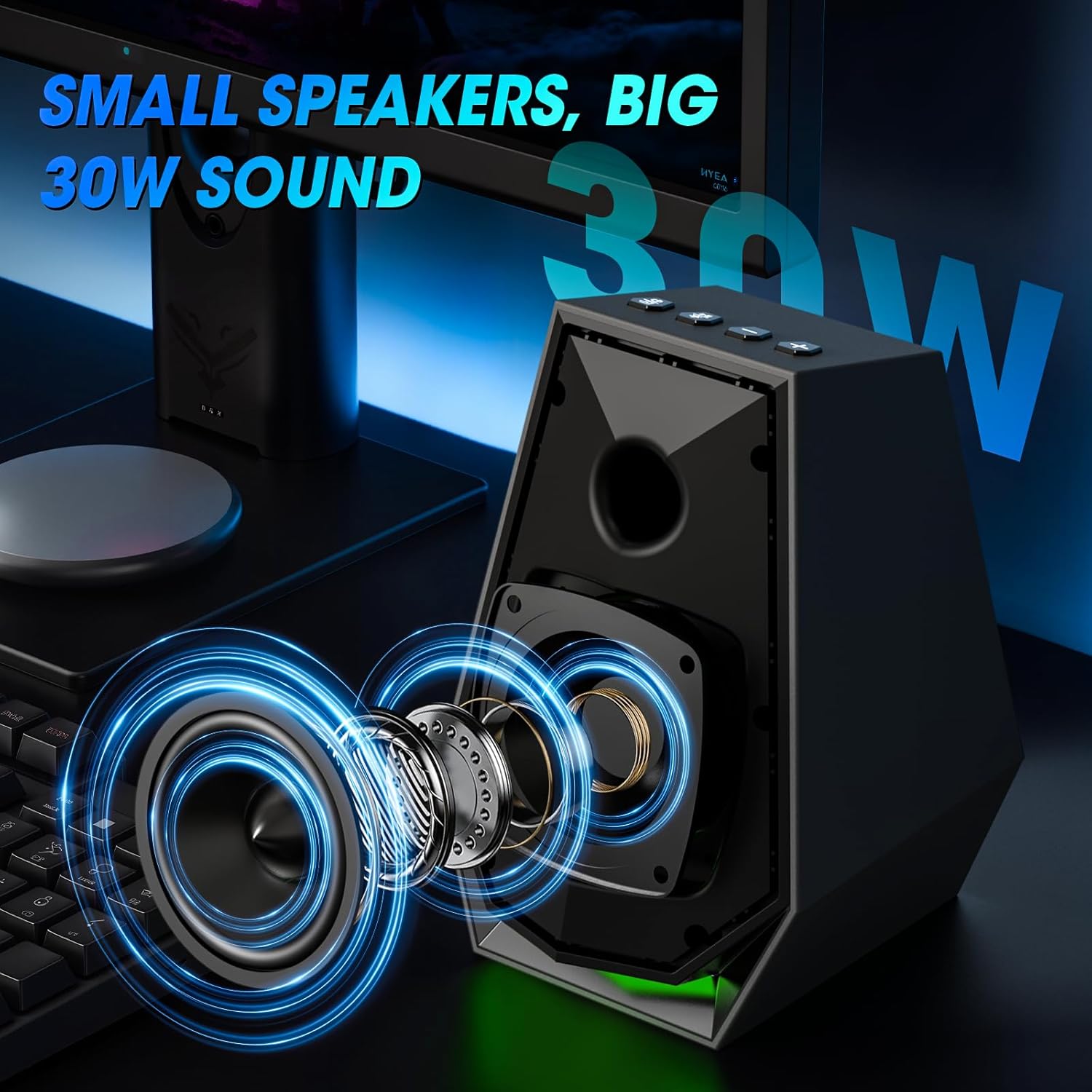
画像: 内部 view of the speaker, illustrating the acoustic components responsible for sound output.
3.2 コントロールとポート
The main speaker unit includes the following controls and ports:
- 電源/モードボタン: Short press to switch input modes (Bluetooth/AUX/Type-C). Long press to power off. Double press to change EQ mode.
- Play/Pause/Light Button: Short press to play/pause audio. Long press to disconnect Bluetooth. Double press to change light mode.
- 音量アップ(+)ボタン: 音量を上げます。
- 音量ダウン(-)ボタン: 音量を下げます。
- AUX入力ポート: 3.5mmオーディオケーブルによる有線オーディオ接続用。
- タイプCポート: For wired audio connection via Type-C cable.
- DC電源入力: 電源アダプタに接続します。
- スピーカー出力: セカンダリスピーカーユニットに接続します。

Image: A user interacting with the control buttons located on the top of the speaker unit.

Image: The rear panel of the speaker, highlighting the AUX and Type-C input ports for various device connections.
4. セットアップ
4.1 スピーカーの配置
Place the two speaker units on either side of your monitor or laptop, ensuring they are at an equal distance from your listening position for optimal stereo sound. The compact design allows them to fit comfortably on most desks.
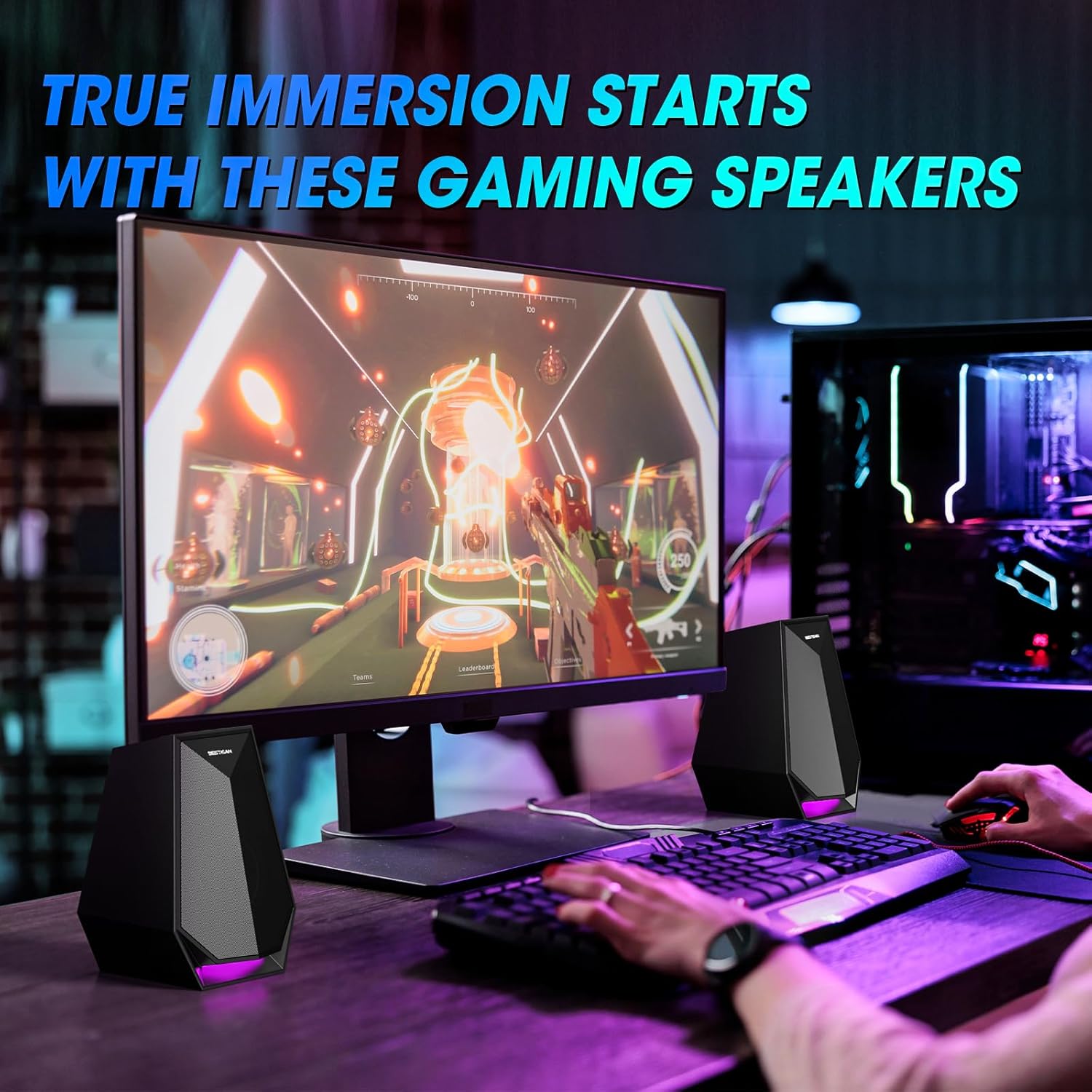
Image: The speakers are set up on a desk, flanking a computer monitor, demonstrating ideal placement.
4.2電源接続
- Connect the power cable to the DC Power Input port on the main speaker unit.
- 電源アダプタを標準の壁コンセントに差し込みます。
4.3 Connecting the Secondary Speaker
Connect the cable from the secondary speaker unit to the Speaker Output port on the main speaker unit.
5. 操作手順
5.1 電源オン/オフ
- 電源オン: 電源/モードボタンを短く押します。
- 電源を切る: 電源/モードボタンを長押しします。
5.2 入力モードの切り替え
After powering on, short press the Power/Mode button to cycle through the available input modes: Bluetooth, AUX, and Type-C. The speaker will indicate the current mode.
5.3 Bluetooth接続
- Switch the speaker to Bluetooth mode. The indicator light will flash, indicating it is ready for pairing.
- On your device (phone, laptop, etc.), enable Bluetooth and search for "BESTISAN GM07".
- Select "BESTISAN GM07" to pair. Once connected, the indicator light will stop flashing.
- To disconnect Bluetooth, long press the Play/Pause/Light button.
5.4AUX接続
Connect your audio source (e.g., computer, gaming console) to the AUX In port on the main speaker unit using the provided 3.5mm audio cable. Switch the speaker to AUX mode.
5.5 タイプ C 接続
Connect your audio source (e.g., laptop, monitor) to the Type-C port on the main speaker unit using a compatible Type-C cable. Switch the speaker to Type-C mode.
5.6 音量の調整
Use the Volume Up (+) and Volume Down (-) buttons on the main speaker unit to adjust the audio volume.
5.7 ライトモードの変更
The speakers feature 6 customizable colorful light modes. Double press the Play/Pause/Light button to cycle through the different lighting effects.
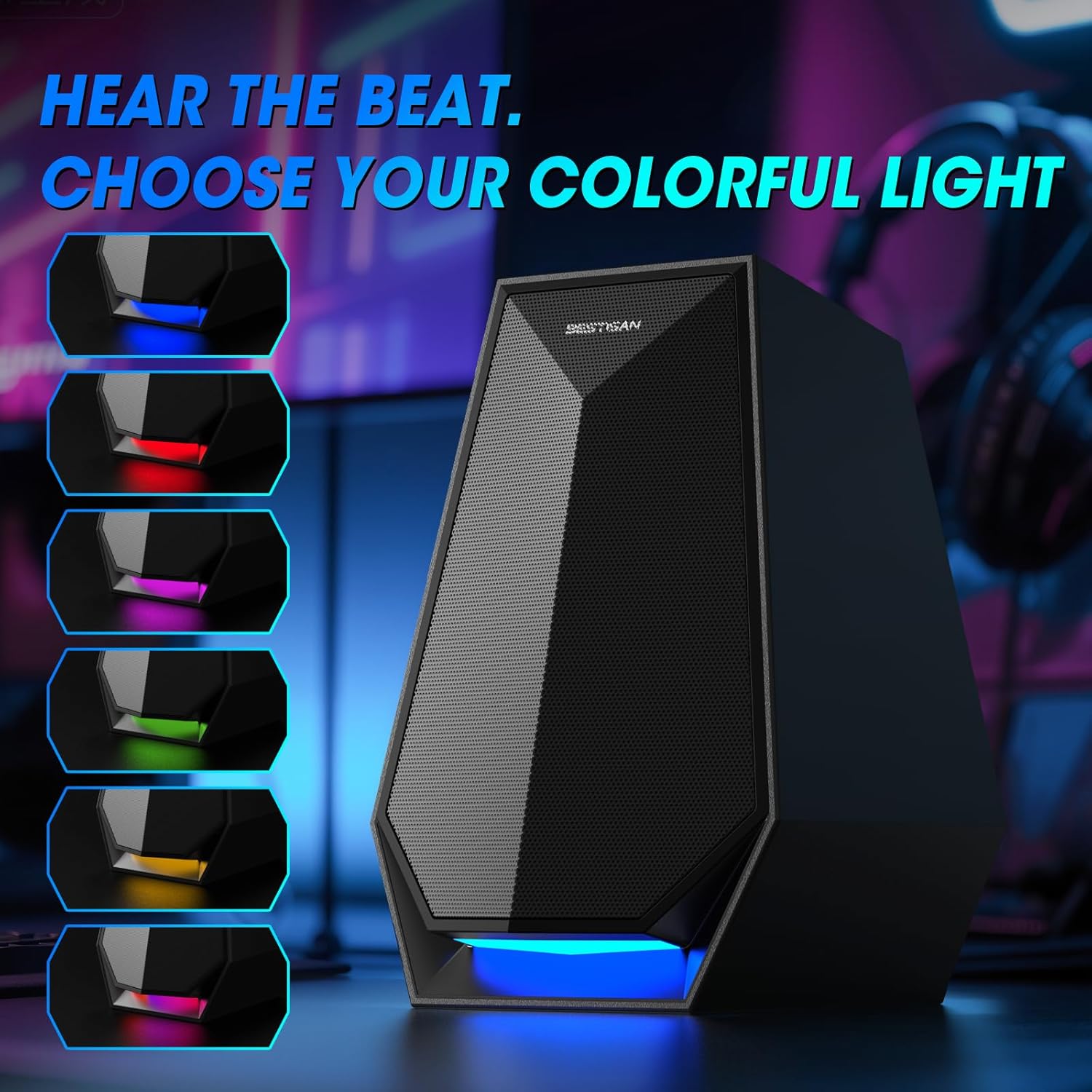
Image: The speaker's base illuminated with different colors, demonstrating the customizable lighting options.
6. メンテナンス
To ensure the longevity and optimal performance of your BESTISAN GM07 speakers, follow these maintenance guidelines:
- クリーニング: Use a soft, dry cloth to wipe the speaker surfaces. Avoid using abrasive cleaners, solvents, or chemical sprays, as these can damage the finish.
- ほこり: スピーカー グリルのほこりを定期的に取り除き、音質に影響を与える可能性のあるほこりの蓄積を防止します。
- 環境: Keep the speakers away from direct sunlight, excessive heat, humidity, and water. Ensure adequate ventilation around the units.
- 取り扱い: スピーカーを落としたり、強い衝撃を与えたりしないでください。
7。 トラブルシューティング
スピーカーに問題が発生した場合は、次の一般的な問題と解決策を参照してください。
| 問題 | 考えられる原因 | 解決 |
|---|---|---|
| 音が出ない | Speakers not powered on; incorrect input mode; volume too low; loose cable connection; device volume too low. | Ensure speakers are powered on. Switch to the correct input mode (Bluetooth, AUX, Type-C). Increase speaker and device volume. Check all cable connections. |
| Bluetooth ペアリングの失敗 | Speakers not in pairing mode; device Bluetooth off; interference; previously paired device connected. | Ensure speakers are in Bluetooth pairing mode (flashing indicator). Turn on Bluetooth on your device. Move closer to speakers. Disconnect from any other paired devices. |
| RGBライトが動作しない/変化しない | ボタンの押し方が間違っています。内部の問題です。 | Double press the Play/Pause/Light button to cycle modes. If issue persists, power cycle the speakers. |
| 歪んだ音 | 音量が大きすぎる、オーディオソースの品質が悪い、接続が緩い。 | Reduce volume on both speakers and audio source. Test with a different audio source. Check cable connections. |
If the problem persists after trying these solutions, please contact BESTISAN customer support.
8. 仕様
| 特徴 | 詳細 |
|---|---|
| モデル名 | GM07 |
| ブランド | ベスティサン |
| スピーカータイプ | サラウンドサウンド |
| 接続技術 | Auxiliary, Bluetooth, Type-C |
| スピーカー最大出力 | 30 Watts (29.99 Watts) |
| 製品寸法 | 奥行き4.53インチ x 幅4.72インチ x 高さ6.77インチ |
| アイテム重量 | 3.41ポンド |
| 色 | 黒 |
| 取り付けタイプ | 卓上マウント |
9. 保証とサポート
BESTISAN products are designed and manufactured to the highest quality standards. This product is covered by a standard manufacturer's warranty against defects in materials and workmanship from the date of purchase. Please refer to the warranty card included in your package for specific terms and conditions.
For technical support, warranty claims, or any questions regarding your BESTISAN GM07 speakers, please contact BESTISAN customer service through the retailer where you purchased the product or visit the official BESTISAN web連絡先情報のサイト。
保証のために購入証明書を保管してください。