
導入
Thank you for choosing the HUINA 1/14 RC Electric Excavator 1535. This remote-controlled digger is designed for enthusiasts aged 14 and up, offering a realistic and engaging experience with its 15-channel 2.4G radio control, sound effects, and light features. This manual provides essential information for safe setup, operation, and maintenance to ensure optimal performance and longevity of your model.
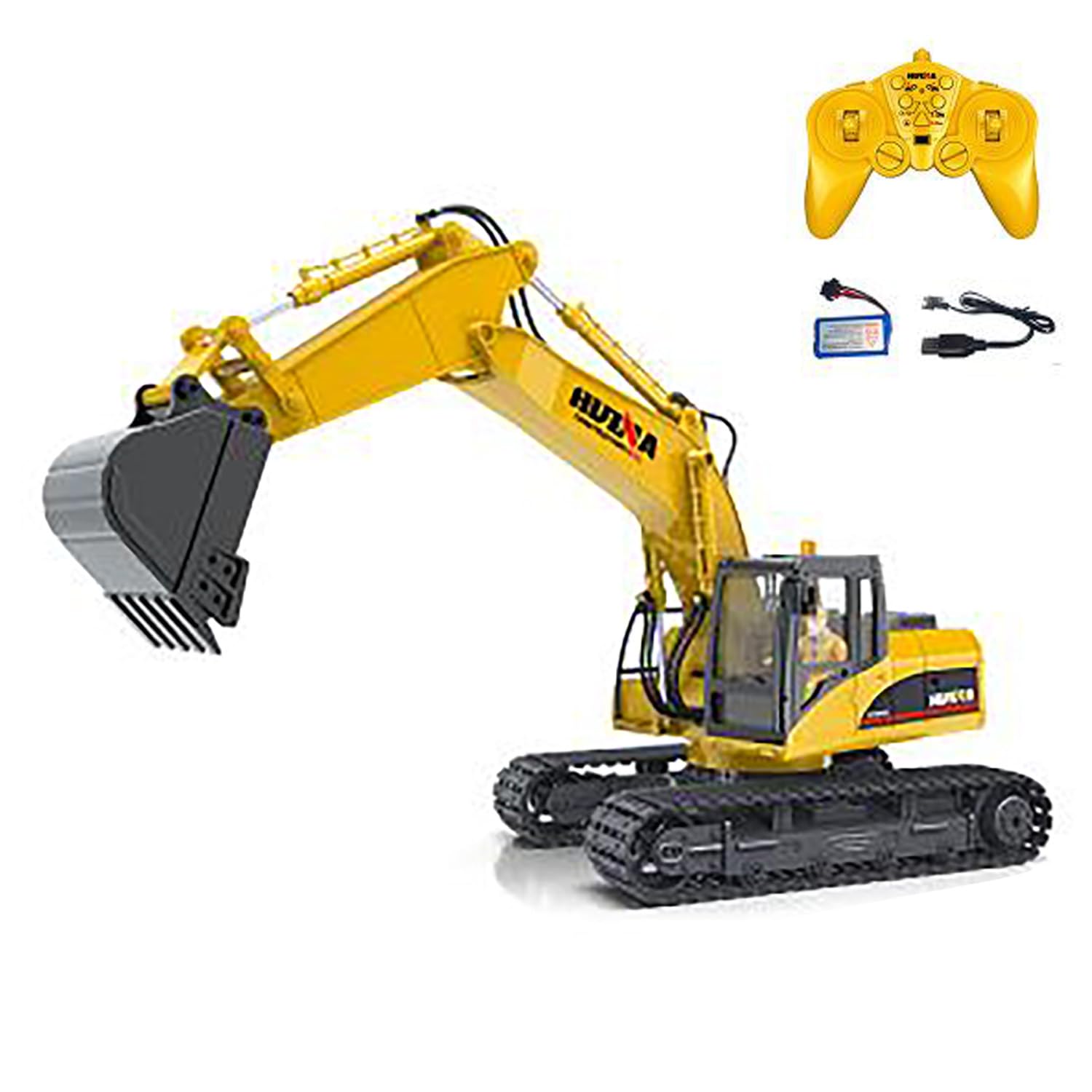
Figure 1: HUINA 1/14 RC Electric Excavator 1535.
パッケージ内容
- 1/14 RC Excavator Truck Toy
- 2.4G Radio Controller (AA*2 batteries not included)
- Vehicle Battery (7.4V Li-Po)
- USB充電ケーブル
- Light & Sound Unit
仕様
| 特徴 | 詳細 |
|---|---|
| メーカー | HUINA (wheelfun) |
| 規模 | 1/14 |
| モデル番号 | 1535 (TH25807-AMZUS2-S) |
| 材料 | 金属、プラスチック |
| 車両サイズ | 約48 x 30 x 17.5 cm (18.9 x 11.8 x 6.9インチ) |
| アイテム重量 | 6ポンド |
| 車両バッテリー | 7.4V Li-Po (Included) |
| リモコン電池 | 単3電池×2本(別売) |
| プレイタイム | 約 20-30分 |
| 充電時間 | 2時間 |
| リモコン距離 | 約25メートル |
| 推奨年齢 | 14歳以上 |

Figure 2: Excavator dimensions for reference.
安全情報
- Always operate the excavator in a safe, open area away from people, pets, and obstacles.
- 電気的損傷を防ぐため、水の近くや濡れた状態では操作しないでください。
- 指、髪の毛、ゆったりとした衣服を可動部分に近づけないでください。
- 最適なパフォーマンスを得るために、使用する前に必ずバッテリーが完全に充電されていることを確認してください。
- Supervise younger users, even if the recommended age is met.
- Turn off both the excavator and remote controller when not in use.
設定
1. バッテリーの取り付け
車両バッテリー:
- 掘削機のバッテリー収納部を見つけます。
- Carefully connect the provided 7.4V Li-Po battery to the excavator's power connector.
- バッテリーをコンパートメントにしっかりと置き、カバーを閉じます。
リモコンバッテリー:
- Open the battery cover on the back of the 2.4G radio controller.
- 単三電池 2 本 (別売) を挿入し、極性 (+/-) が正しいことを確認します。
- 電池カバーを閉じます。
2. 車両バッテリーの充電
- 7.4V Li-Po バッテリーを USB 充電ケーブルに接続します。
- USB 充電ケーブルを互換性のある USB 電源 (コンピューター、USB 壁アダプターなど) に差し込みます。
- The charging indicator light on the USB cable will show the charging status (refer to charger instructions for specific light behavior).
- Charging typically takes about 2 hours. Disconnect once fully charged.
3. リモコンのペアリング
- Ensure the excavator's battery is installed and the power switch is OFF.
- リモコンの電源をオンにします。
- Turn ON the excavator's power switch.
- The remote controller and excavator should automatically pair. A successful connection is usually indicated by a solid light on the remote or a specific sound from the excavator.
- If pairing fails, turn both devices OFF, then repeat steps 2-4.
掘削機の操作
基本操作
The 15-channel remote controller allows for precise and full-function control of the excavator. Familiarize yourself with the joystick and button layout for optimal operation.
- 前進/後進: 左のジョイスティックを使用して掘削機を前進または後退させます。
- 左/右ステアリング: 移動中に掘削機を左または右に操縦するには、左のジョイスティックを使用します。
- Arm and Boom Control: The right joystick and various buttons control the independent movements of the bucket, boom, and arm for digging and lifting.
- Rotating Platform: Use dedicated buttons or joystick movements to rotate the excavator's cabin and arm assembly 360 degrees.
特殊機能
- スマート照明: Activate the one-touch powerful illumination for clear vision during night operations or in low-light conditions.
- サウンドエフェクト: The excavator features realistic engine sounds and operational noises.
- 自動デモモード: Press the auto-demo button to initiate a pre-programmed sequence of movements, showcasing the excavator's capabilities.

Figure 3: The excavator demonstrating its range of motion.
メンテナンス
- クリーニング: After each use, especially if operated in dirt or sand, gently clean the excavator with a soft, dry cloth. Avoid water or harsh chemicals.
- ストレージ: Store the excavator and remote controller in a cool, dry place away from direct sunlight and extreme temperatures. Remove batteries from the remote controller if storing for extended periods.
- バッテリーのケア: Do not overcharge or completely discharge the Li-Po battery. Follow charging guidelines to prolong battery life.
- テクニカルサポート: For complex repairs or technical guidance, a professional after-sales and technical maintenance team is available to provide assistance in English via video or text.
トラブルシューティング
| 問題 | 考えられる解決策 |
|---|---|
| Excavator does not turn on. | Ensure the vehicle battery is fully charged and correctly connected. Check the power switch. |
| リモコンが応答しません。 | Check if AA batteries are correctly installed and have sufficient power. Ensure the remote is paired with the excavator. |
| Excavator loses connection. | Move closer to the excavator. Ensure no strong interference sources are nearby. Re-pair the remote controller. |
| Movements are sluggish or weak. | The vehicle battery may be low. Recharge the battery. |
保証とサポート
The manufacturer uses solid packaging for all items. In case of damage upon arrival, a free replacement part can be resent. For any issues or technical assistance, a professional after-sales and technical maintenance team is available to provide guidance in English through video or text for repairs. Please contact the seller or manufacturer's support channels for further assistance.