
1.セットアップガイド
This section provides instructions for the initial setup of your OPPO A6 Pro 5G CPH2781 smartphone.
1.1 開梱と初期検査
すべてのコンポーネントをパッケージから慎重に取り出します。以下のものがすべて揃っていることを確認してください。
- OPPO A6 Pro 5G CPH2781 device
- 80W SUPERVOOC Flash Charge adapter
- USBタイプCケーブル
- SIMイジェクターツール
- クイックスタートガイドと安全情報
続行する前に、デバイスに目に見える損傷がないか検査してください。
1.2 SIMカードとストレージのインストール
The OPPO A6 Pro 5G supports Dual SIM functionality. Follow these steps to install your SIM cards:
- デバイスの側面にある SIM カード トレイを見つけます。
- SIM イジェクタ ツールをトレイの横にある小さな穴に挿入し、トレイが飛び出すまで軽く押します。
- Nano-SIMカードをトレイの指定のスロットに挿入します。金色の接点が下を向いていることを確認してください。
- SIM カード トレイをカチッと音がするまで慎重にデバイスに挿入します。
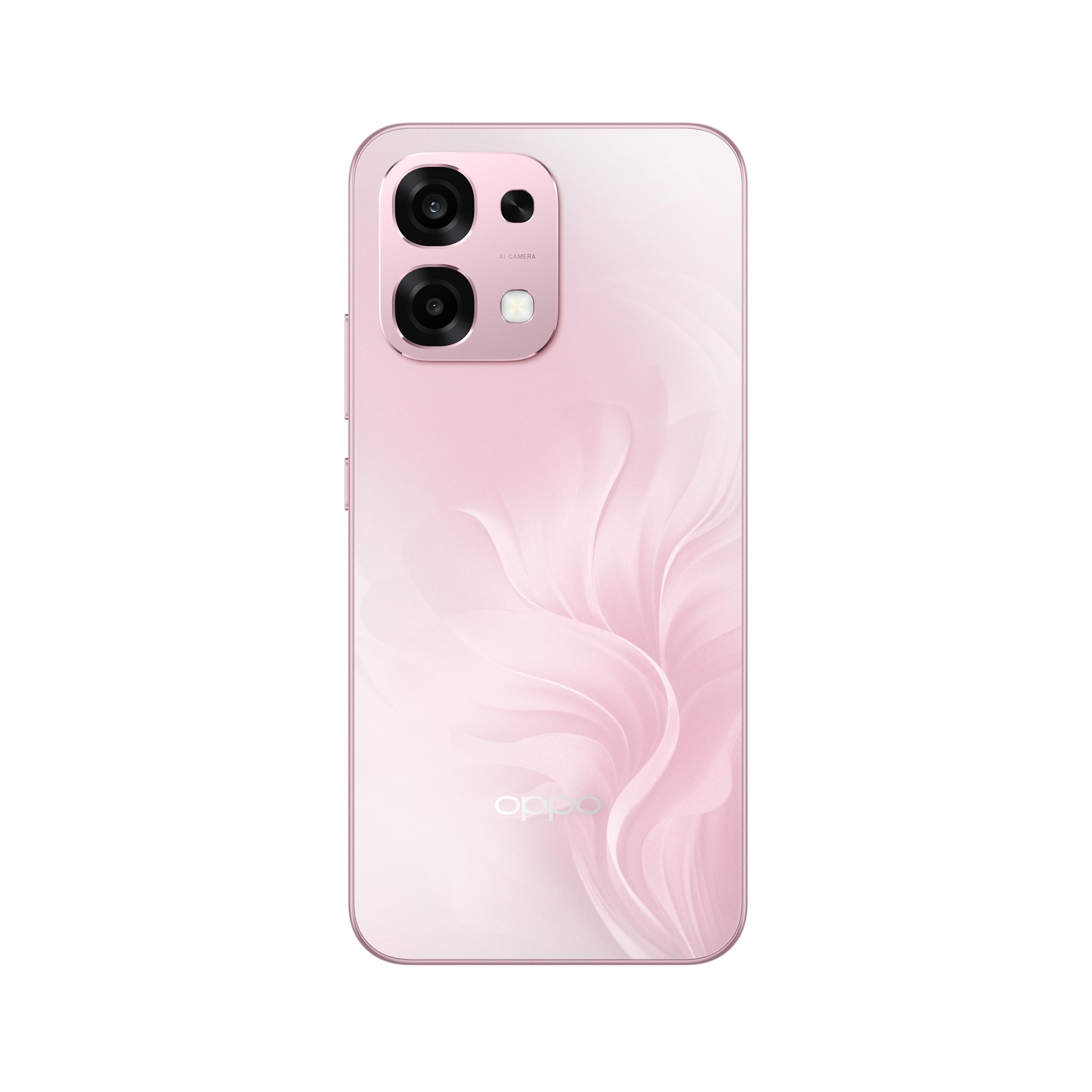
図1:背面 view of the OPPO A6 Pro 5G CPH2781, highlighting the camera array and device color.
1.3 電源投入と初期設定
デバイスを初めて電源オンにするには:
- 画面に OPPO ロゴが表示されるまで、電源ボタン (右側面にあります) を押し続けます。
- 画面上の指示に従って言語と地域を選択し、Wi-Fi ネットワークに接続します。
- Google サービスと Play ストアにアクセスするには、Google アカウントでログインするか、新しいアカウントを作成してください。
- Complete the setup wizard, including setting up screen lock methods (PIN, pattern, password, or Face Recognition).
1.4デバイスの充電
Your OPPO A6 Pro 5G is equipped with 80W SUPERVOOC Flash Charge technology for rapid charging. Use the provided 80W SUPERVOOC adapter and USB Type-C cable for optimal charging performance.
- USB Type-C ケーブルを携帯電話の下部にある充電ポートに接続します。
- Connect the other end of the cable to the 80W SUPERVOOC adapter.
- アダプタを電源コンセントに差し込みます。
- 充電インジケーターが画面に表示されます。
2. 操作手順
This section covers the basic operation and key features of your OPPO A6 Pro 5G CPH2781.
2.1 Navigating ColorOS
Your device runs on ColorOS, OPPO's customized Android operating system. Common navigation gestures include:
- 上にスワイプする: Access the app drawer (if enabled) or return to the home screen.
- スワイプダウン: Open the notification panel and quick settings.
- 左/右にスワイプ: Navigate between home screen pages.
- タップ: 項目を選択するか、アプリを開きます。
- 長押し: コンテキスト メニューにアクセスしたり、アプリ アイコンを移動したりします。
2.2 表示機能
The OPPO A6 Pro 5G features a 6.57-inch 120Hz AMOLED Ultra Bright Display, providing vivid colors and smooth scrolling. You can adjust display settings such as brightness, color mode, and refresh rate in the Settings menu under "Display & Brightness".
2.3 カメラの使用
The device is equipped with an advanced camera system. To open the camera, tap the Camera app icon on your home screen or lock screen. Key features include:
- 写真モード: Standard, Portrait, Night, Pro, Panorama.
- ビデオ録画: Supports various resolutions and frame rates.
- AIカメラ: Utilizes artificial intelligence for scene recognition and optimal photo settings.

Figure 2: Detail of the OPPO A6 Pro 5G CPH2781 camera module.
2.4 AI機能
The OPPO A6 Pro 5G integrates several AI-powered features to enhance user experience:
- AI Eraser 2.0: 写真内のオブジェクトをインテリジェントに削除します。
- AI Assistance for Documents: Helps in scanning and managing documents.
- AI Assistant for Notes: Enhances note-taking capabilities.
2.5 接続性
Your device supports 5G cellular technology, Bluetooth, and LTE. AI LinkBoost 3.0 automatically optimizes network performance for stable connections.
- Wi-Fi: [設定] > [Wi-Fi] からワイヤレス ネットワークに接続します。
- ブルートゥース: Pair with other Bluetooth devices via Settings > Bluetooth.
- モバイルネットワーク: Manage 5G/LTE settings via Settings > Mobile Network.
3. メンテナンスとケア
Proper maintenance ensures the longevity and optimal performance of your OPPO A6 Pro 5G CPH2781.
3.1バッテリーケア
本製品には6500mAhのバッテリーが搭載されています。バッテリー寿命を最大限に延ばすには、以下の点にご注意ください。
- 極端な温度を避けてください。
- Use the provided 80W SUPERVOOC Flash Charge adapter and cable.
- バッテリーを頻繁に完全に放電することは避けてください。
- 必要に応じて省電力モードを有効にします。
3.2 防水・防塵性能
The OPPO A6 Pro 5G CPH2781 has an IP69 rating, indicating resistance to dust and high-pressure water jets. While resistant, it is not waterproof under all conditions. To maintain resistance:
- Ensure the SIM tray is fully closed and sealed.
- デバイスを水に浸さないでください。
- Do not expose the device to saltwater, chlorinated water, or other liquids.
- If the device gets wet, wipe it dry with a clean, soft cloth before charging.
3.3 物理的保護
The device is certified to military standards for durability. It also comes with a built-in screen protector. For additional protection:
- Consider using a protective case.
- デバイスを落としたり、強い衝撃を与えたりしないでください。
- 画面と本体を柔らかく糸くずの出ない布で拭いてください。
4。 トラブルシューティング
This section addresses common issues you might encounter with your OPPO A6 Pro 5G CPH2781.
4.1 デバイスの電源が入らない
- バッテリーが充電されていることを確認してください。デバイスを充電器に少なくとも10分間接続してください。
- Perform a forced restart by pressing and holding the Power button and Volume Up button simultaneously for about 10-15 seconds.
4.2 ネットワーク接続が悪い
- SIM カードが正しく挿入されているかどうかを確認してください。
- 設定でモバイルデータが有効になっていることを確認します。
- デバイスを再起動してみてください。
- ネットワーク設定をリセットします (設定 > システム設定 > バックアップとリセット > 電話をリセット > ネットワーク設定をリセット)。
- ネットワークの範囲内にいることを確認してください。
4.3 アプリがクラッシュまたはフリーズする
- アプリを閉じて再度開きます。
- Clear the app's cache and data (Settings > Apps > App management > [App Name] > Storage usage > Clear cache/Clear data).
- Google Play ストアからアプリを最新バージョンに更新してください。
- Ensure your ColorOS is up to date (Settings > About device > Up to date).
4.4 バッテリーの消耗が早い
- 「設定」>「バッテリー」でバッテリーの使用状況を確認し、電力を大量に消費するアプリを特定します。
- 画面の明るさと画面のタイムアウトを減らします。
- 使用していないときは、GPS、Bluetooth、Wi-Fi などの不要な機能を無効にします。
- Enable power-saving mode.
5. 仕様
Below are the key technical specifications for the OPPO A6 Pro 5G CPH2781.
| 特徴 | 仕様 |
|---|---|
| ブランド | オッポ |
| モデル名 | A6 Pro (CPH2781) |
| オペレーティング·システム | カラーOS |
| RAMメモリ | 8 GB (16 GBまで拡張可能) |
| ストレージ容量 | 256ギガバイト |
| CPUモデル | メディアテック ヘリオ G100 |
| 画面サイズ | 6.57インチ |
| 表示タイプ | アモルファス |
| リフレッシュレート | 120Hz |
| バッテリー容量 | 6500mAh |
| 充電技術 | 80W SUPERVOOC フラッシュチャージ |
| セルラーテクノロジー | 5G |
| SIMカードスロット数 | デュアルSIM |
| 耐水性レベル | (防水)IP69 |
| 生体認証セキュリティ | 顔認識 |
| コネクタタイプ | USBタイプC |
| 内蔵メディア | スクリーンプロテクター |
6. 保証情報
Your OPPO A6 Pro 5G CPH2781 comes with a 2年間のメーカー保証この保証は、通常の使用における材料および製造上の欠陥をカバーします。
Please retain your proof of purchase for warranty claims. The warranty does not cover damage caused by misuse, accidents, unauthorized modifications, or normal wear and tear. For detailed terms and conditions, please refer to the warranty card included in your product packaging or visit the official OPPO webサイト。
7. カスタマーサポート
For further assistance, technical support, or service inquiries regarding your OPPO A6 Pro 5G CPH2781, please contact OPPO customer service through the following channels:
- 公式OPPO Webサイト: 訪問 OPPOサポート FAQ、トラブルシューティング ガイド、連絡先情報については、こちらをご覧ください。
- OPPO Store: 公式ウェブサイトもご覧ください AmazonのOPPOストア 製品情報および関連アクセサリについてはこちらをご覧ください。
- サービスセンター: Locate authorized OPPO service centers in your region for in-person support.
When contacting support, please have your device model (CPH2781) and serial number ready.