
導入
The EDUP Mini USB 3.0 WiFi 6E Adapter AX3000M provides high-speed wireless connectivity for your PC or laptop. Utilizing the latest WiFi 6E (802.11ax) technology, this adapter supports tri-band frequencies (6GHz, 5GHz, and 2.4GHz) to deliver fast and stable network performance. Its compact design and USB 3.0 interface ensure efficient data transfer and broad compatibility.
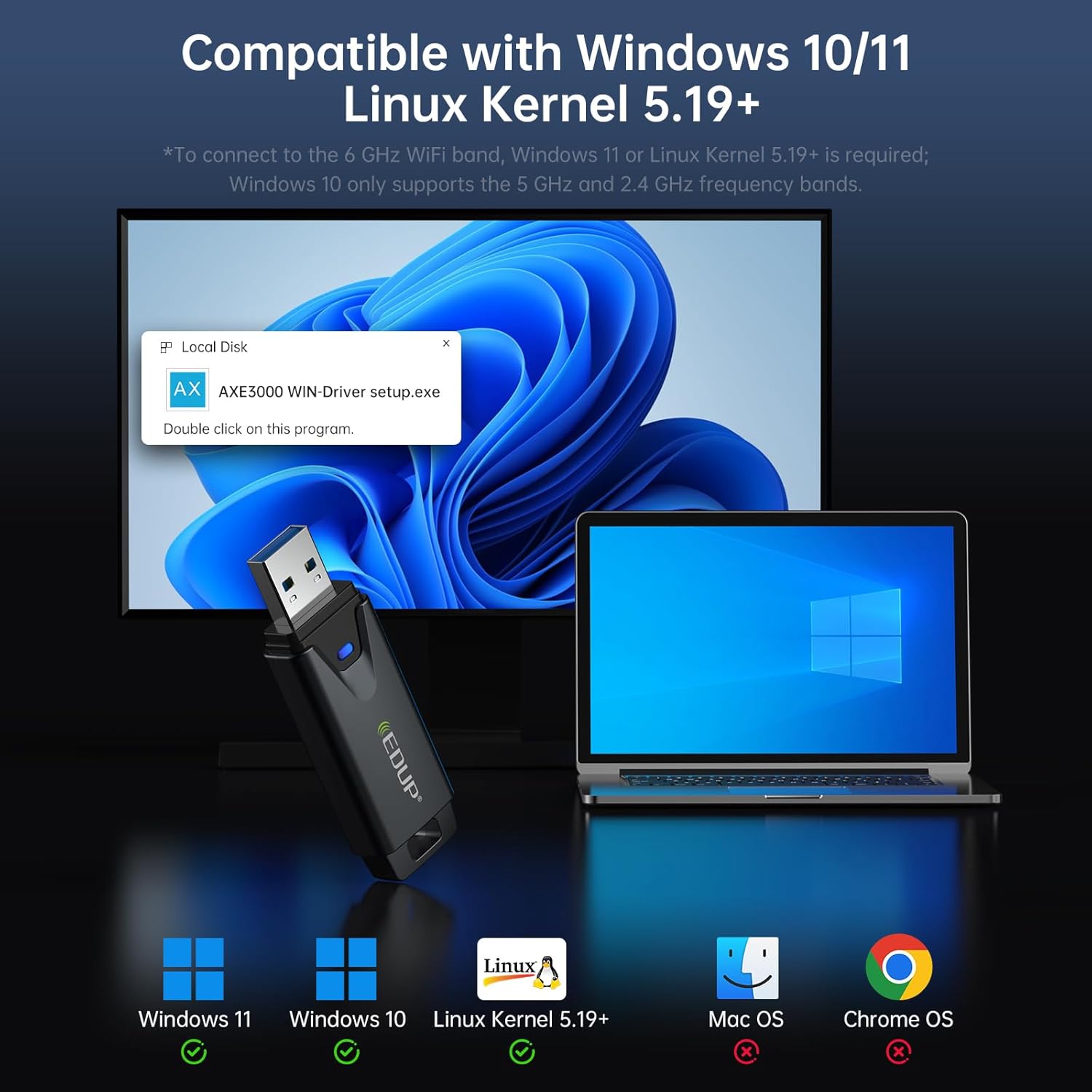
Image: The EDUP Mini USB 3.0 WiFi 6E Adapter AX3000M, a compact device designed for enhanced wireless connectivity.
セットアップ手順
Follow these steps to install and configure your EDUP WiFi 6E Adapter.
ステップ1:WiFiアダプターを挿入する
Insert the EDUP WiFi 6E Adapter into an available USB 3.0 port on your desktop PC or laptop. For optimal performance, use a USB 3.0 port (typically identified by a blue interior).

Image: Visual guide illustrating the three easy steps for setting up the WiFi adapter: inserting into USB, installing the driver, and connecting to a network.
Step 2: Driver Installation (Windows 10/11)
For Windows 10 and Windows 11 operating systems, driver installation is required. The necessary driver is provided on a U disk included with the adapter. Alternatively, you can download the latest driver from the official EDUP webサイト: szedup.com/usb-adapters/EPAX1678.html.
- Insert the U disk into your computer.
- Locate the driver program (e.g., AXE3000 WIN-Driver setup.exe) on the U disk.
- セットアップをダブルクリックします file to begin the installation. Follow the on-screen prompts to complete the process.
- If downloading, ensure you decompress the software before installation.
Step 3: Plug and Play (Linux)
For Linux operating systems (Kernel 5.19 or higher), the adapter supports plug-and-play functionality. No manual driver installation is typically required.
Step 4: Connect to a Wi-Fi Network
After successful driver installation (or plug-and-play for Linux), your computer should detect the WiFi adapter. You can then connect to an available Wi-Fi network:
- システム トレイ (Windows) またはネットワーク マネージャー (Linux) の Wi-Fi アイコンをクリックします。
- リストから希望の Wi-Fi ネットワークを選択します。
- プロンプトが表示されたら、ネットワーク パスワードを入力します。
- 「接続」をクリックしてワイヤレス接続を確立します。
Video: An official EDUP video demonstrating the setup and functionality of the Mini USB 3.0 Wi-Fi 6E Adapter AX3000M.
アダプタの操作
The EDUP AX3000M adapter leverages WiFi 6E technology to provide a robust and high-performance wireless experience.
トライバンド接続
アダプタは次の 3 つの周波数帯域をサポートします。
- 2.4GHz: 最大 600Mbps。基本的なインターネットの使用とより広い範囲の通信に最適です。
- 5GHz: Up to 1200Mbps, suitable for high-speed activities like streaming and online gaming.
- 6GHz: Up to 1200Mbps, the new WiFi 6E band offering dedicated, interference-free channels for the fastest speeds and lowest latency. This band requires a compatible WiFi 6E router and Windows 11 or Linux Kernel 5.19+ for full functionality.
Image: A graphic illustrating the tri-band speeds of 6GHz (1200Mbps), 5GHz (1200Mbps), and 2.4GHz (600Mbps), highlighting their benefits for 8K streaming and responsive gaming.
USB 3.0 インターフェース
Equipped with a USB 3.0 interface, the adapter provides data transfer speeds up to 10 times faster than traditional USB 2.0. This ensures quicker response times for data transfers, smooth video streaming, and lag-free online gaming.
WPA3 セキュリティ
The adapter supports WPA3, the latest generation of Wi-Fi security, offering enhanced encryption and protection for your wireless network.
AP Function (Wi-Fi Hotspot)
The adapter can function as a Wi-Fi hotspot, allowing you to share your wired internet connection wirelessly with other devices.

Image: The EDUP WiFi 6E Adapter shown in different usage scenarios, including gaming, real-time meetings, and streaming shows, demonstrating its versatility.
メンテナンス
To ensure the longevity and optimal performance of your EDUP WiFi 6E Adapter, consider the following maintenance tips:
- 清潔に保つ: Regularly clean the adapter's exterior with a soft, dry cloth to prevent dust buildup, especially around the USB connector.
- 物理的損傷を避ける: Handle the adapter with care. Avoid dropping it or exposing it to excessive force, which can damage internal components or the USB connector.
- 適切な保管: When not in use, store the adapter in a safe place away from extreme temperatures and moisture.
- しっかりとした接続: Ensure the adapter is firmly seated in the USB port to maintain a stable connection. Avoid wiggling or bending the adapter while it's plugged in.
トラブルシューティング
If you encounter issues with your EDUP WiFi 6E Adapter, refer to the following common troubleshooting steps:
No Wi-Fi Connection or Adapter Not Detected
- USBポートを確認してください: アダプタが機能しているUSBポートにしっかりと接続されていることを確認してください。別のUSBポート(できればUSB 3.0ポート)を試してください。
- ドライバーのインストール: For Windows, verify that the driver is correctly installed. Re-install the driver if necessary, following the instructions in the Setup section.
- デバイス マネージャー (Windows): Open Device Manager and check if the adapter is listed under 'Network adapters' without any error symbols. If there's an error, try updating or re-installing the driver.
- コンピューターを再起動: 多くの場合、単純な再起動で検出の問題を解決できます。
Slow Speeds or Frequent Disconnections
- ルーターの近接性: パソコンがWi-Fiルーターの適切な範囲内にあることを確認してください。壁などの障害物は信号品質を低下させる可能性があります。
- ルーターの互換性: To utilize 6GHz band speeds, ensure your router supports WiFi 6E. For Windows 10, only 2.4GHz and 5GHz bands are supported.
- 干渉: Other electronic devices (microwaves, cordless phones) can cause interference. Try moving the adapter or your computer away from such devices.
- USB 3.0 Interference: In some cases, USB 3.0 ports can cause interference with 2.4GHz Wi-Fi. If experiencing issues on 2.4GHz, try using a USB extension cable to move the adapter away from the computer's USB port.
- ドライバーの更新: Check the EDUP website for any updated drivers that might improve performance or stability.

Image: A visual comparison showing a stable, uninterrupted Wi-Fi connection provided by the EDUP WiFi 6E USB Adapter versus frequent Wi-Fi dropouts experienced with another adapter.
仕様
| 特徴 | 説明 |
|---|---|
| モデル番号 | EP-AX1672 |
| ハードウェアインターフェイス | USB3.0 について |
| ワイヤレス標準 | 802.11ax(WiFi 6E) |
| 周波数帯域 | 2.4GHz、5GHz、6GHz(トライバンド) |
| データ転送速度 | 最大 3000 Mbps (2.4GHz で 600Mbps、5GHz で 1200Mbps、6GHz で 1200Mbps) |
| 互換性のあるオペレーティングシステム | Windows 10 (32/64-bits), Windows 11 (64-bits), Linux (Kernel ≥ 5.19) |
| セキュリティプロトコル | WPA3 |
| アイテム重量 | 1.13オンス |
| パッケージ寸法 | 4.09 x 4.02 x 0.83インチ |
保証とサポート
EDUP provides comprehensive support for its products:
- 保証: This product comes with a 3-year manufacturer replacement warranty.
- 返品規則: A 90-day no-questions-asked return policy is available.
- 顧客サービス: ご不明な点やご質問がございましたら、Amazon メッセージからご連絡ください。