
1. はじめに
This manual provides essential information for setting up, operating, and maintaining your NIMO 17.3" IPS FHD Gaming Laptop N173. Please read it thoroughly to ensure optimal performance and longevity of your device.
2. 安全情報
次の安全ガイドラインを遵守してください。
- ノートパソコンを極端な温度、直射日光、高湿度にさらさないでください。
- ノートパソコンの上に重い物を置かないでください。
- 感電や損傷を防ぐため、デバイスに液体を近づけないでください。
- Use only the provided 100W USB-C PD Fast Charger.
- ノートパソコンをご自身で分解したり修理したりしないでください。サポートが必要な場合は、認定サービス担当者にご連絡ください。
3. 箱の中身
- 1 x NIMO N173 Laptop
- 1 x Type-C 100W PD Fast Charger
- ユーザーマニュアル x 1
- Windows 11 Home (Pre-installed)
4. 製品の特徴とその他view
The NIMO N173 is a high-performance gaming laptop designed for productivity and light gaming, featuring robust components and a user-centric design.
4.1. High-Performance Processor and Graphics
装備 AMD Ryzen 5 6600H CPU (6 cores, 12 threads, up to 4.5 GHz) and a Radeon 660M GPU (6 GPU cores, 1900 MHz clock speed), this laptop delivers reliable performance for multitasking, demanding applications, and smooth gameplay.
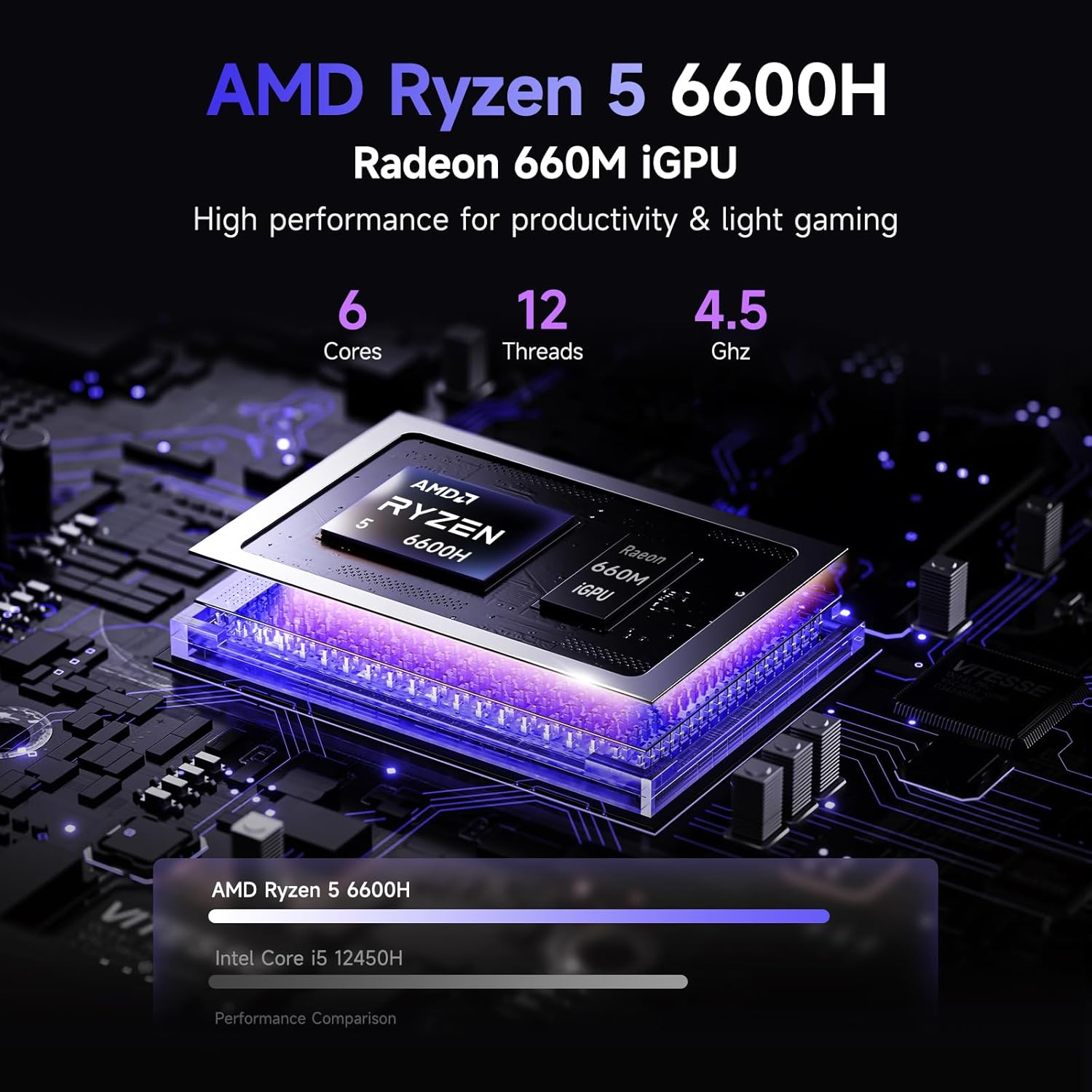
画像: 詳細 view of the AMD Ryzen 5 6600H processor and Radeon 660M iGPU, highlighting its core count, thread count, and clock speed for productivity and light gaming.
4.2. メモリとストレージ
The laptop comes with 16GB of lightning-fast DDR5 RAM, ensuring smooth performance across applications. It also includes a pre-installed 1TB PCIe 4.0 SSD for rapid access to files and programs. Both RAM and SSD are user-upgradable for future expansion.
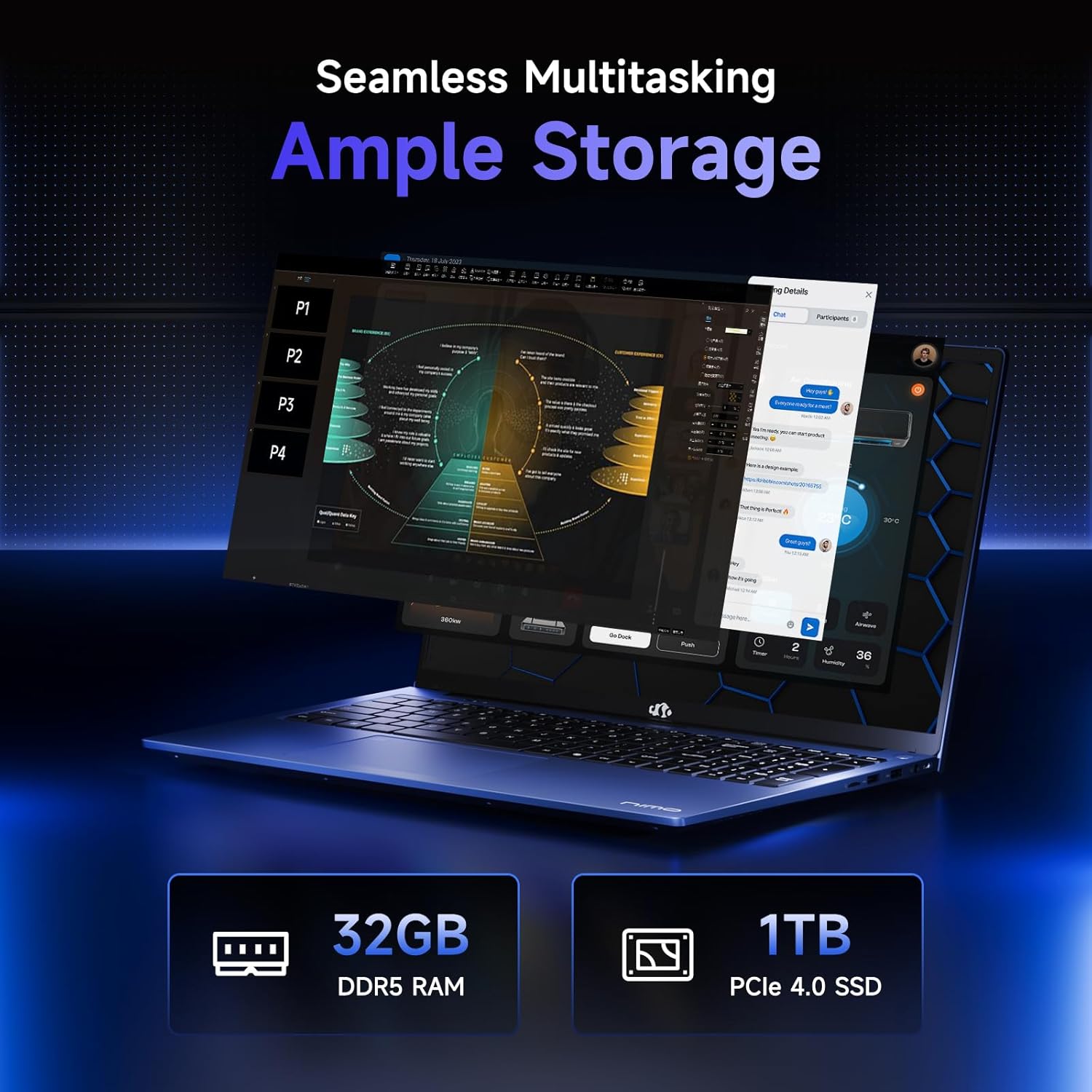
Image: Visual representation of the laptop's memory and storage capabilities, showing 32GB DDR5 RAM and 1TB PCIe 4.0 SSD, emphasizing seamless multitasking and ampファイルストレージ。
4.3. ディスプレイとデザイン
Experience premium visuals on the 17.3" FHD IPS (1920x1080) anti-glare display with an 85% screen-to-body ratio and micro-edge design. The laptop features an aluminum top cover for durability and a premium feel. The 180° hinge allows the screen to lay completely flat for collaborative viewing。

Image: A close-up of the 17.3-inch Full HD IPS display, highlighting its sharp details and immersive visual experience.
4.4. 接続性とポート
The NIMO N173 offers a variety of high-speed interfaces for versatile connectivity:
- USBの2.0ポート:1
- USBの3.0ポート:4
- Type-C Ports: 2 (multifunction, 100W PD)
- HDMIポート: 1
- Micro SD Reader: 1
- Headphone Jack: 1
- ケンジントンロックスロット:1

Image: An illustration detailing the various high-speed ports and interfaces available on the NIMO laptop, including USB, HDMI, Type-C, Micro SD Reader, Headphone Jack, and Kensington Lock.
4.5. Keyboard and Security
The ergonomic バックライト付きキーボード allows comfortable typing in any lighting condition. For secure and instant login, an integrated 指紋リーダー is located on the touchpad. The laptop also features a privacy-focused camera with a built-in shield.
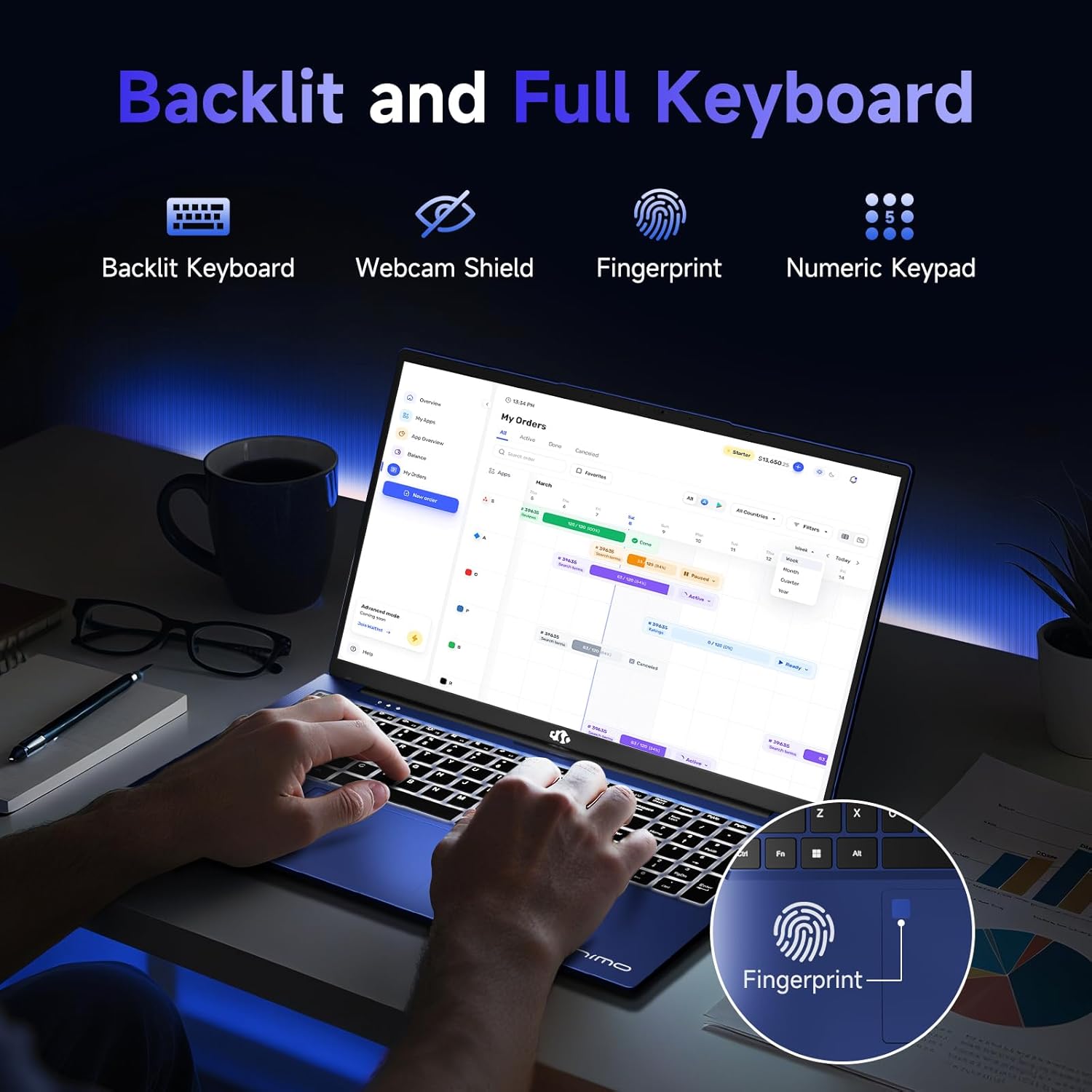
画像: view of the laptop's backlit keyboard and integrated fingerprint reader, along with icons for webcam shield and numeric keypad, emphasizing smart design.

Image: A close-up of the laptop's webcam with a privacy switch, demonstrating the privacy-focused camera convenience.
4.6. バッテリーと充電
コンパクト 100W USB-C PD Fast Charger and its 6.56-foot cable provide efficient power. A 15-minute charge can provide up to 2 hours of standby time. The average battery life is 9 hours.
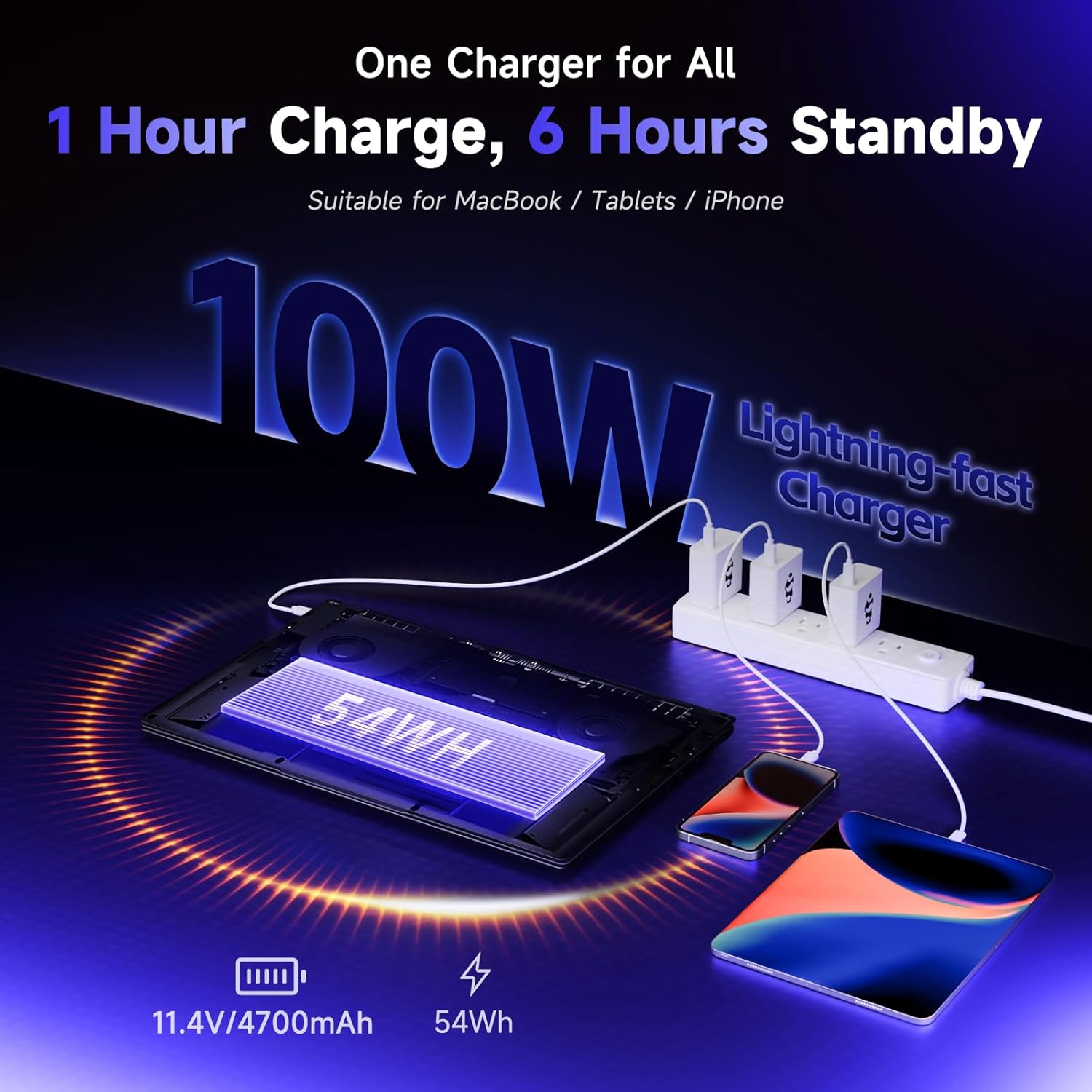
Image: An illustration showing the 100W USB-C PD fast charger connected to the laptop and other devices, highlighting its versatility and quick charging capabilities.
5. セットアップ
5.1. 初回電源投入と設定
Upon first use, connect the laptop to the power adapter. Press the power button to turn on the device. Follow the on-screen prompts to complete the initial Windows 11 setup, including selecting your region, keyboard layout, and connecting to a network.
Video: An unboxing and initial setup guide for a NIMO gaming laptop, demonstrating the first power-on and basic configuration steps. (Note: The video mentions a different CPU/GPU model, but the setup process is generally applicable).
5.2. 指紋リーダーの設定
To set up the integrated fingerprint reader for secure login:
- Windows の設定 > アカウント > サインイン オプションに移動します。
- Select 'Fingerprint recognition (Windows Hello)' and follow the on-screen instructions to register your fingerprint.
6. ノートパソコンの操作
6.1. Basic Usage and Multitasking
The NIMO N173 is optimized for seamless multitasking. Utilize the powerful CPU and ample RAM to run multiple applications simultaneously without performance degradation. The large 17.3" display enhances productivity by providing more screen real estate.
6.2. キーボードのバックライト制御
The backlit keyboard can be adjusted to suit your environment. Use the dedicated function keys (Fn + F key combination, typically F5 or F6) to turn the backlight on/off or adjust its brightness levels.
6.3. カメラのプライバシー
For enhanced privacy, the 2.0MP webcam features a physical privacy shield. Slide the cover over the camera lens when not in use to ensure your privacy.
6.4. Connecting to an External Display
Extend your workspace or enjoy content on a larger screen by connecting an external monitor via the HDMI port. This allows for effortless screen extension and improved multitasking efficiency.

Image: A user working with the NIMO laptop connected to an external monitor via HDMI, illustrating enhanced multitasking capabilities.
6.5. ゲームパフォーマンス
The Radeon 660M GPU provides excellent performance for light gaming. Enjoy smooth frame rates and vibrant visuals across a variety of games.
Video: A demonstration of gaming performance on the NIMO 17.3" laptop with the 6600H processor, showcasinスムーズなゲームプレイ。
7. メンテナンス
7.1. 冷却システム
The laptop features an efficient ventilation system to prevent overheating. Ensure that the vents on the bottom and sides of the laptop are not obstructed to allow for proper airflow.
7.2. Upgrading RAM and SSD
The NIMO N173 supports user-upgradable dual-channel DDR5 RAM and expandable PCIe 4.0 SSD storage. Refer to the detailed upgrade instructions available on the NIMO support website or consult a professional technician for assistance.
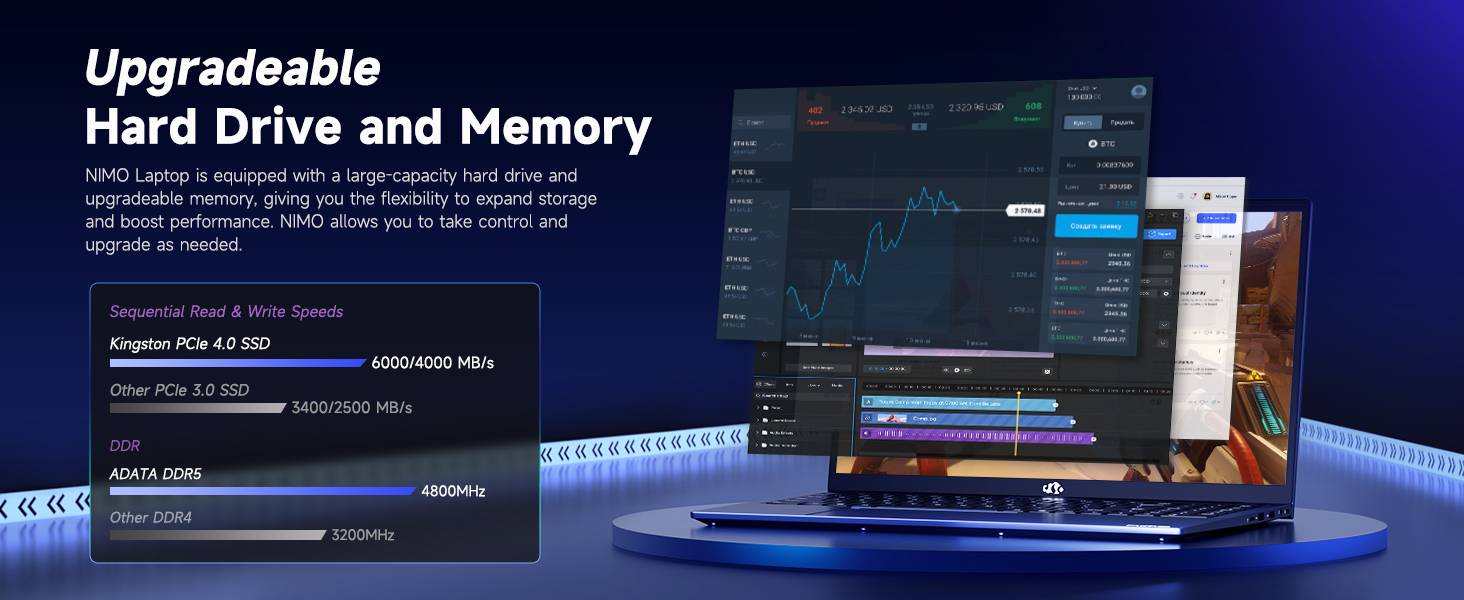
Image: An illustration highlighting the upgradeable hard drive and memory components of the NIMO laptop, showing sequential read/write speeds for Kingston PCIe 4.0 SSD and DDR5 RAM.
8。 トラブルシューティング
If you encounter any issues with your NIMO N173 laptop, please refer to the following common troubleshooting steps:
- 電力の問題: Ensure the charger is securely connected and the power outlet is functional. If the battery is completely drained, allow it to charge for at least 30 minutes before attempting to power on.
- 表示の問題: If the screen is black, try connecting an external monitor to check if the issue is with the laptop's display or graphics card. Restarting the laptop can often resolve minor display glitches.
- パフォーマンスの低下: Close unnecessary applications, check for background processes, and ensure your operating system is up to date. Consider running a disk cleanup or defragmentation.
- 接続の問題: For Wi-Fi problems, restart your router and the laptop. Ensure Wi-Fi drivers are updated. For peripheral issues, try reconnecting the device or using a different USB port.
- キーボード/タッチパッドが反応しない: Restart the laptop. If the issue persists, check for driver updates. Ensure the touchpad is not accidentally disabled (often via a function key).
For more complex issues, please contact NIMO customer support.
9. 仕様
| 特徴 | 仕様 |
|---|---|
| 画面サイズ | 17.3インチ |
| 画面解像度 | 1920 x 1080ピクセル(FHD IPS) |
| プロセッサ | AMD Ryzen 5 6600H(最大4.5GHz) |
| ラム | 16 GB DDR5 (Upgradable) |
| ハードドライブ | 1024 GB SSD (PCIe 4.0, Expandable) |
| グラフィックスコプロセッサ | AMD Radeon 660M |
| オペレーティング·システム | ウィンドウズ11 |
| ワイヤレスタイプ | 802.11a/b/g/n/ac |
| USB 2.0 ポート | 1 |
| USB 3.0 ポート | 4 |
| タイプCポート | 2 (100W PD) |
| HDMIポート | 1 |
| 平均バッテリー寿命 | 9時間 |
| アイテム重量 | 4.6ポンド |
| 製品寸法 | 15.61 x 9.84 x 0.78インチ |
| 色 | 青 |
10. 保証とサポート
10.1. 保証情報
Your NIMO N173 laptop comes with a comprehensive 2年間のメーカー保証この保証は、通常の使用状況における材料および製造上の欠陥を対象としています。保証請求の際は、購入証明書を保管してください。
10.2. 返品ポリシー
NIMO offers a 90日間の返品ポリシー from the date of purchase. For details on eligibility and the return process, please refer to your purchase documentation or contact customer support.
10.3. カスタマーサポート
Our dedicated support team is available to assist you with any product-related questions or issues. You can contact us via our official website, email, or telephone. We are committed to providing professional and high-quality customer service.
メールアドレス: サービス