
Tosuny Tosuny6t2b0oprqc
Tosuny External USB Optical Sound Card 48KHz with Digital Recording Function
Model: Tosuny6t2b0oprqc
1. はじめに
This user manual provides detailed instructions for the Tosuny External USB Optical Sound Card, Model Tosuny6t2b0oprqc. This device is designed to enhance your audio experience by providing high-quality sound output and digital recording capabilities. Please read this manual thoroughly before using the product to ensure proper operation and to maximize its performance.
2.製品オーバーview
2.1 主な特徴
- ハイSampリンレート: Supports up to 48 kHz sampling rate for clear digital recording.
- インテリジェントノイズリダクション: Features the CM6206LX smart noise reduction chip for stable and immersive sound quality.
- マルチチャネルサポート: True 5.1 and 7.1 channel support for connecting to compatible speaker systems.
- 幅広いシステム互換性: Compatible with Windows 98, ME, 2000, XP, Vista, 7, 8, and OS X 9.1 (2-channel only for OS X).
- Convenient Connections: Easy integration with televisions, speakers, and HTPC home theater setups.
2.2 デバイスのレイアウトとコンポーネント
The Tosuny External USB Optical Sound Card features various input and output ports for versatile connectivity.
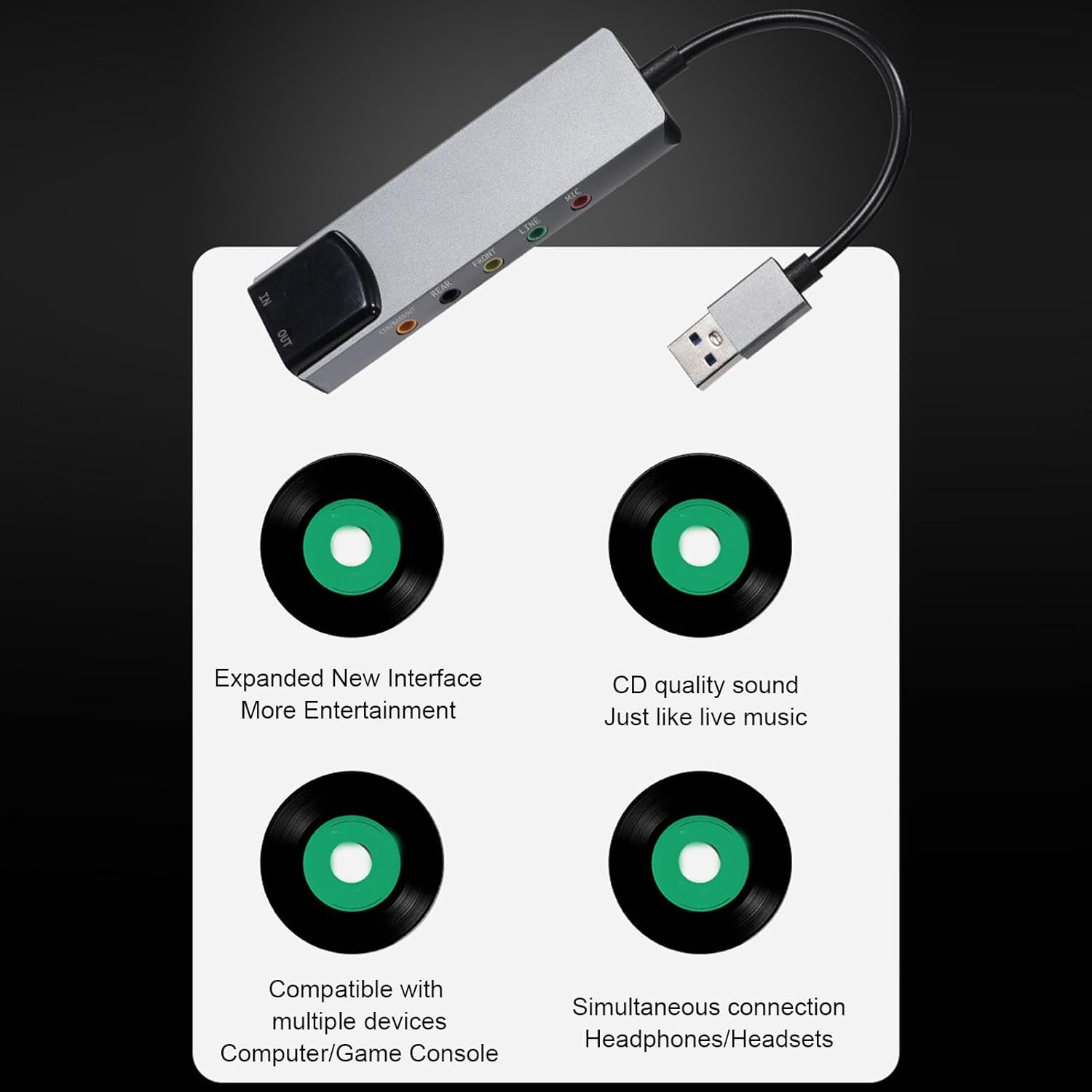
図2.2.1:以上view of the Tosuny External USB Optical Sound Card. This image shows the compact gray aluminum alloy body, the integrated USB cable, and the various audio input/output ports on one end.
- 入力: Microphone Input (Mic), 3.5mm Line Input (Line), Optical Fiber Input (IN).
- 出力: Front Output (Front), Rear Output (Rear), Bass Output (CEN/BASSOUT), Optical Fiber Output (OUT).
- 接続性: USB Type-A connector for computer connection.
The package includes: 1 x External Sound Card, 1 x CD (for drivers/software).
3. セットアップ手順
The Tosuny External USB Optical Sound Card is designed for plug-and-play functionality on most compatible operating systems. Follow these steps for initial setup:
- コンピュータに接続します: Insert the USB Type-A connector of the sound card into an available USB port on your computer.

Figure 3.1.1: The sound card connected to a laptop via its USB port. The device is shown resting on a desk next to the laptop.
- ドライバーのインストール (必要な場合): For optimal performance and access to all features, especially on older operating systems or for 5.1/7.1 channel configuration, install the drivers from the provided CD. Insert the CD into your computer's optical drive and follow the on-screen instructions. For newer systems, drivers may install automatically.
- オーディオデバイスを接続します:
- スピーカー/ヘッドフォン: Connect your speakers or headphones to the appropriate output jacks (Front, Rear, CEN/BASSOUT).
- マイクロフォン: Connect your microphone to the "MIC" input.
- Optical Devices: Use optical cables to connect to devices with optical audio input/output ports.

図3.1.2: 詳細な view of the analog audio ports including CEN/BASSOUT, REAR, FRONT, LINE, and MIC.

図3.1.3: 詳細な view of the optical audio input (IN) and output (OUT) ports.
- オーディオ設定を構成します。 After connecting, go to your computer's sound settings (e.g., Sound Control Panel on Windows, System Preferences > Sound on macOS) and select the Tosuny USB Audio Device as your default playback and recording device.
4. 操作手順
4.1 オーディオ再生
Once the sound card is set as the default playback device, all audio from your computer will be routed through it. Ensure your speakers or headphones are properly connected and powered on.
- For 5.1 or 7.1 channel audio, ensure your media player and audio content support multi-channel output, and configure your system's sound settings accordingly.
- The device supports high-quality sound, providing an immersive experience for movies, games, and music.

Figure 4.1.1: The sound card is capable of a high sampling rate of up to 48KHz, supporting digital recording functionalities for clear and pure sound quality.
4.2 デジタル録音
To record audio, connect your microphone or other audio source to the appropriate input (MIC or LINE IN). Select the Tosuny USB Audio Device as your recording input in your recording software (e.g., Audacity, Windows Sound Recorder).
- The 48 kHz sampling rate ensures high-fidelity digital recordings.
- Note: Only one of the mixing or reverb functions can be used simultaneously.
4.3ノイズリダクション
The integrated CM6206LX smart noise reduction chip works automatically to provide stable and clear audio output, minimizing unwanted background noise.
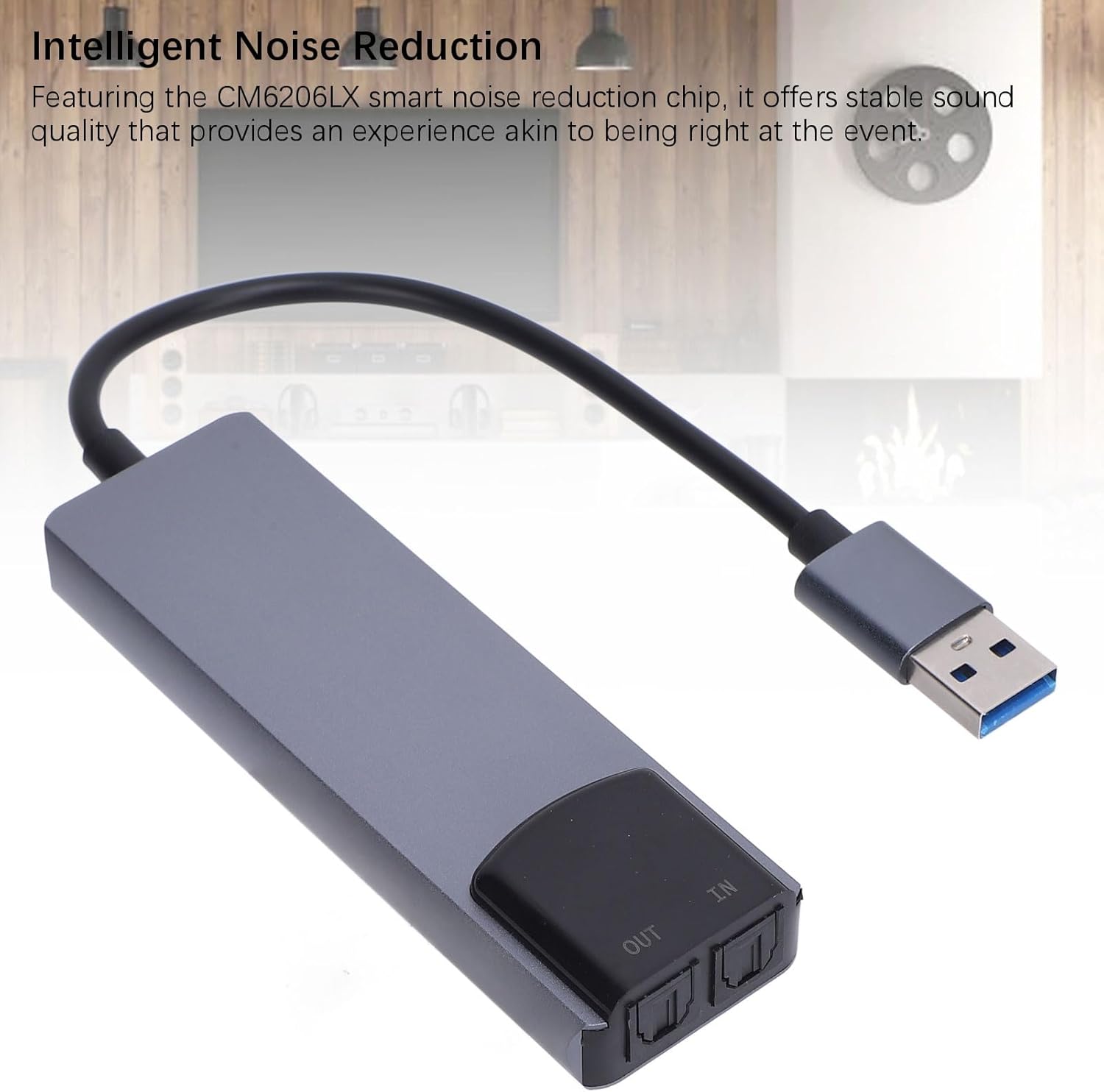
Figure 4.3.1: The sound card features the CM6206LX smart noise reduction chip, offering stable sound quality for an immersive experience.
5. メンテナンス
To ensure the longevity and optimal performance of your Tosuny External USB Optical Sound Card, follow these simple maintenance guidelines:
- クリーニング: デバイスの拭き取りには、柔らかく乾いた布をご使用ください。液体クリーナーや研磨剤の使用は避けてください。
- ストレージ: デバイスは直射日光や極端な温度を避け、涼しく乾燥した場所に保管してください。
- 取り扱い: デバイスは丁寧に取り扱ってください。落としたり、強い衝撃を与えたりしないでください。
- 接続性: Ensure USB and audio cables are connected securely but do not force them.
6。 トラブルシューティング
If you encounter issues with your Tosuny External USB Optical Sound Card, refer to the following common problems and solutions:
6.1 音が出ない
- 接続を確認してください: Ensure all audio cables (speakers, headphones) are securely plugged into the correct output ports on the sound card.
- USB接続: Verify that the sound card's USB connector is firmly inserted into a working USB port on your computer. Try a different USB port.
- デフォルトの再生デバイス: Confirm that the "Tosuny USB Audio Device" is selected as the default playback device in your computer's sound settings.
- 音量レベル: Check the volume levels on your computer, media player, and any connected speakers/headphones.
- ドライバー: Reinstall the drivers from the provided CD or check the manufacturer's web最新のドライバーのサイト。
6.2 No Microphone Input
- マイク接続: Ensure your microphone is correctly plugged into the "MIC" input port.
- デフォルトの録音デバイス: Verify that the "Tosuny USB Audio Device" is selected as the default recording device in your computer's sound settings.
- マイクの音量: Check the microphone input level in your computer's sound settings and recording software.
6.3 5.1/7.1 Channel Audio Not Working
- スピーカーのセットアップ: Ensure your 5.1/7.1 speaker system is correctly connected to all corresponding output ports (Front, Rear, CEN/BASSOUT).
- ソフトウェア構成: Verify that your operating system's sound settings and your media player are configured for 5.1 or 7.1 channel output.
- Content Compatibility: Ensure the audio content you are playing is encoded for 5.1 or 7.1 surround sound.
- ドライバー: Ensure the correct drivers for multi-channel audio are installed.
7. 仕様
| モデル | Tosuny6t2b0oprqc |
| 材料 | アルミニウム合金 |
| 入力 | Mic Input, 3.5mm Sound Input (Line), Optical Fiber Input (IN) |
| 出力 | Front Output, Rear Output, Bass Output (CEN/BASSOUT), Optical Fiber Output (OUT) |
| インタフェース | USB |
| マックスSampリンレート | 48 kHz |
| オーディオ出力モード | 5.1、7.1チャンネル |
| サポートされているシステム | Windows 98, ME, 2000, XP, Vista, 7, 8; OS X 9.1 (2 channels only) |
| 寸法 | 16.3 x 8.5 x 2.2 cm |
| 重さ | 64グラム |
8. 保証とサポート
For warranty information and technical support, please refer to the documentation provided with your purchase or contact the seller directly. You may also visit the official Tosuny brand store for additional resources: