
導入
The ShanWan Wireless Controller is a versatile gaming peripheral designed for use across multiple platforms, including PC, iPhone, Android, Nintendo Switch, and Steam. It offers tri-mode connectivity (Bluetooth, 2.4G wireless, and USB-C wired) to ensure a seamless gaming experience. This manual provides detailed instructions for setup, operation, maintenance, and troubleshooting to help you maximize your controller's performance.
Note: This controller is not compatible with Xbox or PlayStation 4/5 consoles.
パッケージ内容
- ShanWan Wireless Controller
- USB-C充電ケーブル
- 2.4Gワイヤレスドングル
- ユーザーマニュアル(このドキュメント)
コントローラーオーバーview
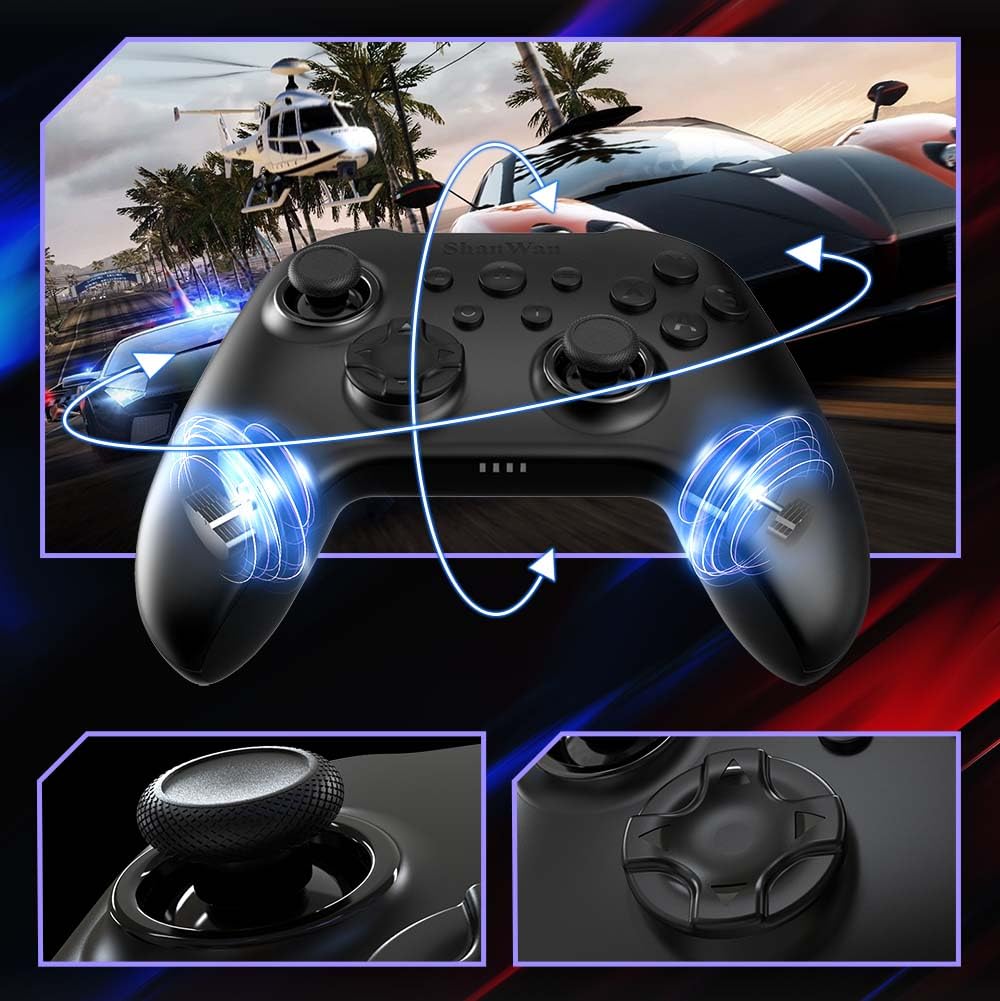
画像: フロント view of the ShanWan Wireless Controller, showcasing its ergonomic design, dual joysticks, D-pad, and face buttons (A, B, X, Y).
画像: 戻る view of the ShanWan Wireless Controller, highlighting the mode switch for different platforms (X, D, S).
主な特徴:
- ホール効果ジョイスティック: Designed for precision with no dead zones and anti-drift capabilities.
- 耐久性のあるゲルボタン: Conductive gel buttons tested for 1 million clicks for long-lasting performance.
- 6軸ジャイロスコープ: Provides precise motion sensing for immersive gameplay.
- デュアル振動モーター: Delivers strong and subtle haptic feedback for an enhanced gaming experience.
- ターボ機能: Allows for rapid, repeated button presses.
設定
1. コントローラーの充電
Before initial use, fully charge the controller using the provided USB-C cable. Connect the USB-C end to the controller and the USB-A end to a power source (e.g., computer USB port, USB wall adapter). The charging indicator lights will show charging status and turn off when fully charged.
2. デバイスへの接続
The ShanWan Wireless Controller supports three connection modes: Bluetooth, 2.4G Wireless, and USB-C Wired. Ensure the mode switch on the back of the controller is set to the appropriate platform before attempting to connect.

画像: Visual representation of the controller's tri-mode connectivity, illustrating Bluetooth, 2.4G wireless, and USB-C wired options.
Mode Switch Settings:
- 'S' Mode: Nintendo Switch用。
- 'X' Mode: For PC (X-input), Android.
- 'D' Mode: For PC (D-input), iOS.
Bluetooth接続:
- Set the mode switch on the back of the controller to the desired platform ('S', 'X', or 'D').
- Press and hold the pairing button (usually a small button on the top or back) until the indicator lights flash rapidly.
- On your device (PC, iPhone, Android, Switch), go to Bluetooth settings and search for new devices.
- Select "ShanWan Controller" or a similar name from the list to pair.
- ペアリングされると、コントローラーのインジケーター ライトが点灯します。
2.4G Wireless Connection (for PC/Switch):
- Set the mode switch on the back of the controller to 'X' (for PC) or 'S' (for Switch).
- Insert the 2.4G wireless dongle into a USB port on your PC or Switch dock.
- Press the Home button on the controller to power it on. It should automatically connect to the dongle.
- The indicator lights will become solid once connected.
USB-C有線接続:
- Connect the USB-C cable to the controller and the other end to your PC or Switch dock.
- The controller will automatically be recognized as a wired device.
- No specific mode switch setting is required for wired connection, but setting it to the correct platform mode ('X' for PC, 'S' for Switch) is recommended for optimal compatibility.
操作手順
電源オン/オフ:
- 電源オン: Press the Home button once.
- 電源を切る: Press and hold the Home button for 3-5 seconds, or the controller will automatically power off after a period of inactivity.
運動制御:
The built-in 6-axis gyroscope provides motion control capabilities, particularly useful for games on Nintendo Switch or other compatible platforms. Ensure the game supports motion controls for this feature to function.
振動フィードバック:
The dual vibration motors provide haptic feedback during gameplay. The intensity of the vibration can often be adjusted through game settings or the Gamepad Space app.
ターボ機能:
特定のボタンのターボ機能を有効にするには:
- Turbo に設定したいボタンを長押しします。
- While holding the button, press the Turbo button (refer to controller layout for location).
- The button will now repeatedly register presses as long as it is held down.
ボタンの Turbo を無効にするには、この手順を繰り返します。
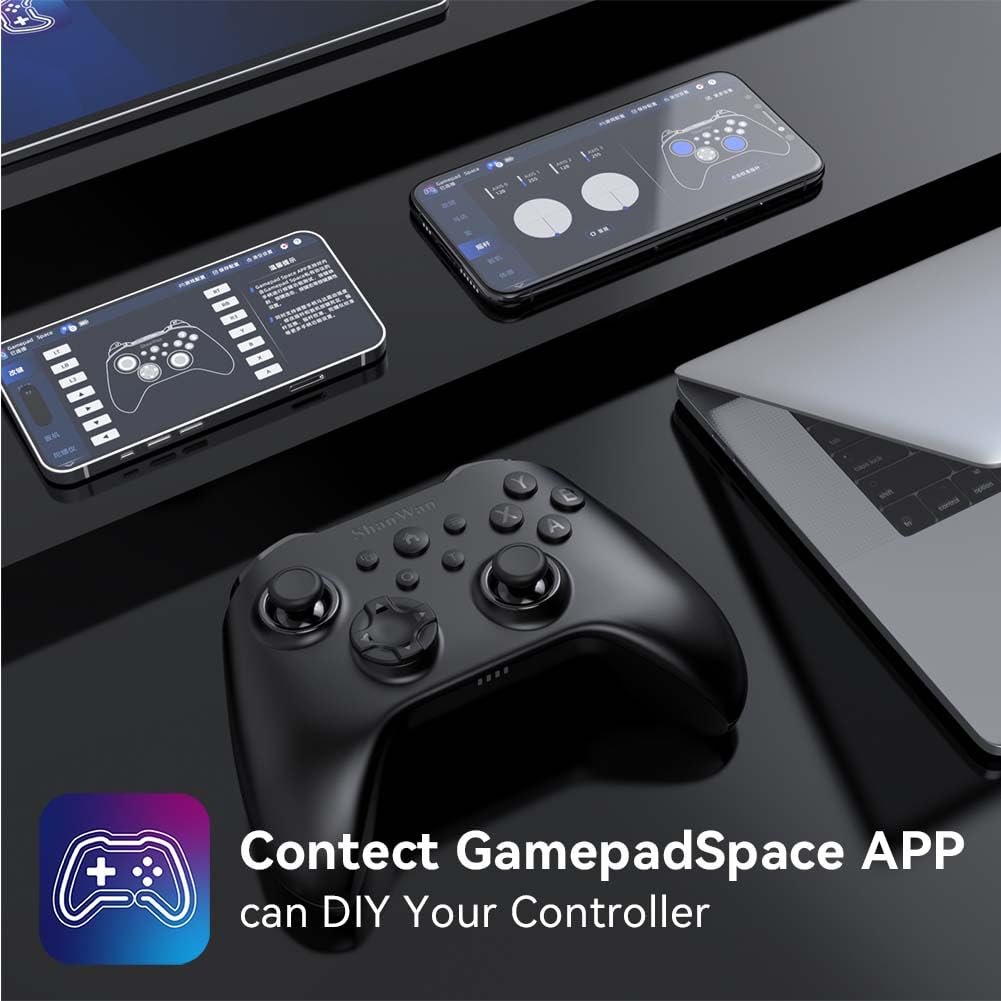
Software Customization (Gamepad Space App):
Enhance your gaming experience by customizing controller settings using the Gamepad Space mobile application.

画像: A ShanWan controller alongside smartphones displaying the Gamepad Space app, illustrating options for calibration and on-the-fly adjustments.
- Download the "Gamepad Space" app from your mobile device's app store.
- Connect your controller to your mobile device via Bluetooth.
- アプリ内では次のことが可能です。
- ファームウェアをアップグレードします。
- スティックとトリガーのデッドゾーンを調整します。
- 振動の強度をカスタマイズします。
- テストボタン。
メンテナンス
- クリーニング: コントローラーの清掃には、柔らかく乾いた布をご使用ください。刺激の強い化学薬品や研磨剤の使用は避けてください。
- ストレージ: コントローラーは、直射日光や極端な温度を避け、涼しく乾燥した場所に保管してください。
- バッテリーのケア: バッテリーの寿命を延ばすには、コントローラーを頻繁に完全に放電させないでください。頻繁に使用しない場合でも、定期的に充電してください。
トラブルシューティング
コントローラーが接続されていません:
- コントローラーが充電されていることを確認してください。
- Verify the mode switch on the back of the controller is set correctly for your platform (S, X, or D).
- Bluetooth の場合、デバイスの Bluetooth がオンになっており、コントローラーがペアリング モードになっていることを確認します。
- For 2.4G wireless, ensure the dongle is properly inserted and the controller is in the correct mode.
- コントローラーとデバイスの両方を再起動してみてください。
入力遅延または切断:
- 近くに強い電磁干渉がないことを確認してください。
- Move closer to your device for a stronger wireless signal.
- コントローラーのバッテリー残量が少なくなっていないことを確認してください。
- Consider using a wired USB-C connection for the most stable experience.
Joystick Drift or Unresponsive Buttons:
- Calibrate the joysticks and test buttons using the Gamepad Space app.
- Ensure the controller's firmware is up to date via the Gamepad Space app.
- ボタンとジョイスティックの周りを掃除してゴミを取り除きます。
仕様
| モデル | B0FS13DT2B |
| 接続技術 | Bluetooth、2.4Gワイヤレス、USB-C有線 |
| 対応デバイス | Android, iOS, Nintendo Switch, Nintendo Switch 2, PC |
| コントローラータイプ | ゲームパッド |
| ボタンの数量 | 12 |
| 特集 | Hall Effect Joysticks, 6-Axis Gyroscope, Dual Vibration, Turbo Function, Software Customization |
| 電源 | 電池駆動 |
| アイテム重量 | 300グラム |
| 商品の寸法(奥行き x 幅 x 高さ) | 2.5インチ x 4インチ x 6インチ |
保証とサポート
ShanWan products are designed for reliability and performance. For specific warranty information, please refer to the documentation included with your purchase or visit the official ShanWan support website. If you encounter any issues not covered in this manual, please contact ShanWan customer support for assistance.
オンラインサポート: Visit the ShanWan Store on Amazon


