
1. はじめに
The EVILTO RGB Digital Alarm Clock is designed to provide clear time display, dual alarm functionality, and ambient lighting options. It features a high-contrast screen that shows time, temperature, date, and day of the week. With customizable RGB display colors and ambient light settings, it complements various room decors while offering practical features like Daylight Saving Time (DST) adjustment and power-outage memory.
2. 安全に関する注意事項
- Ensure the device is placed on a stable, flat surface to prevent falling.
- Keep away from water or high humidity environments to avoid electrical hazards.
- 直射日光や極端な温度にさらさないでください。
- 付属の電源アダプターとケーブルのみを使用してください。
- お子様の手の届かない場所に保管してください。
- Do not attempt to disassemble or repair the device yourself. Contact customer support if needed.
3. パッケージ内容
パッケージにすべてのアイテムが揃っていることを確認します。
- EVILTO RGB Digital Alarm Clock Unit
- USB-C電源ケーブル
- 電源アダプター
- ユーザーマニュアル
4.製品オーバーview
The alarm clock features a large digital display and intuitive controls. Familiarize yourself with the main components and buttons:
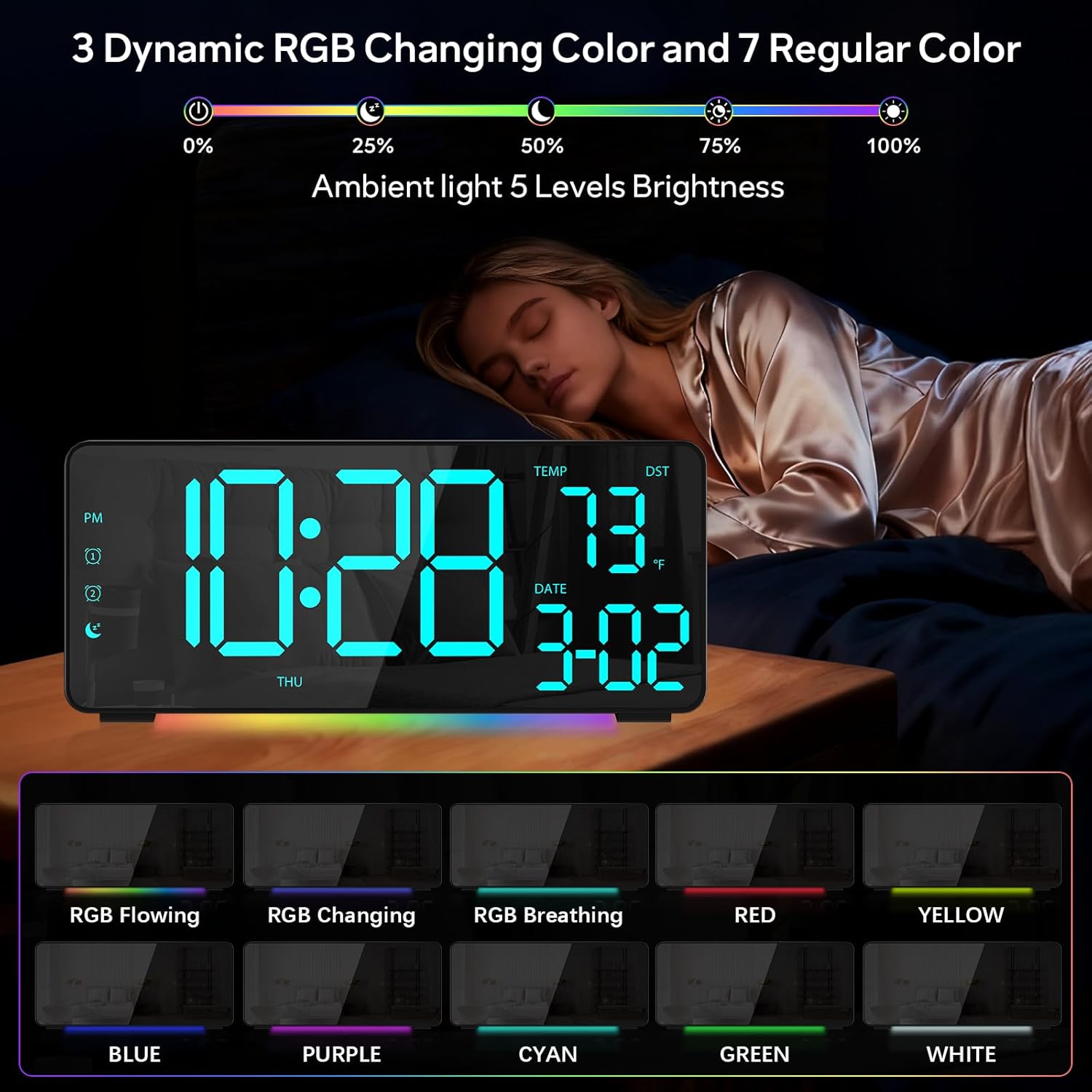
図1: 前面 view of the EVILTO RGB Digital Alarm Clock, showing the time, temperature, date, and day of the week. The display features vibrant RGB colors.

図2:背面 view of the EVILTO RGB Digital Alarm Clock, highlighting the control buttons for settings, alarms, display, and the USB-C input and USB output ports.
コントロールボタン:
- SETボタン: Enters/confirms settings.
- 明るさボタン: ディスプレイの明るさを調整します。
- RGB ボタン: Cycles through RGB display colors.
- アラーム1/2ボタン: Activates/deactivates and sets Alarm 1 or Alarm 2.
- ボリュームボタン: アラーム音量を調整します。
- DSTボタン: 夏時間を切り替えます。
- 12/24時間ボタン: Switches between 12-hour and 24-hour time format.
- °C/°F ボタン: 温度表示を摂氏と華氏で切り替えます。
5. セットアップ
5.1 デバイスへの電源供給
The alarm clock operates via a corded electric connection. For power-outage memory, install 3 AAA batteries (not included).
- Connect the USB-C power cable to the INPUT port on the back of the clock.
- 電源アダプタを標準のコンセントに差し込みます。
- For backup power, open the battery compartment on the back and insert 3 AAA batteries, ensuring correct polarity.

Figure 3: The clock connected via USB-C for power, demonstrating its USB output for charging other devices.

Figure 4: Illustration of the power-outage memory function, showing the battery compartment for AAA batteries to retain settings during power interruptions.
6. 操作手順
6.1 時刻と日付の設定
- を押し続けます セット button on the back of the clock for 3 seconds to enter time setting mode. The hour digits will begin to flash.
- 使用 + そして - 時間を調整するボタン。
- プレス セット もう一度押すと分の設定に移ります。 + そして - 分を調整します。
- 押し続ける セット 年、月、日の設定を切り替え、それぞれを調整します + そして -.
- プレス セット 最後にもう一度押して設定モードを終了します。
- 12時間形式と24時間形式を切り替えるには、 12/24時間 ボタン。
- To switch between Celsius and Fahrenheit, short press the °C /°F ボタン。
6.2 アラームの設定
The clock supports two independent alarms with four modes (Daily, Weekday 1, Weekday 2, Weekend).
- を押し続けます アラーム1 or アラーム2 ボタンを3秒間押し続けると、アラーム設定モードになります。時間の数字が点滅します。
- 使用 + そして - ボタンを押して希望のアラーム時間を設定します。
- を押す アラーム button again to set the minutes, adjusting with + そして -.
- を押す アラーム button a third time to select the alarm mode (Daily, Weekday 1, Weekday 2, Weekend) using + そして -.
- を押す アラーム button one last time to confirm and exit.
- To activate or deactivate an alarm, short press its respective アラーム1 or アラーム2 button. An icon will appear/disappear on the display.
- アラームが鳴ったら、 スヌーズ button (top center) to activate snooze for 5 minutes. To turn off the alarm, press any other button.

Figure 5: The clock illustrating the setup for dual alarms with options for daily, weekday, or weekend modes.
6.3 Adjusting Display and Ambient Light
- ディスプレイの明るさ: を短く押す 輝度 button on the back to cycle through 5 adjustable brightness levels for the main display.
- RGB Display Colors: を短く押す RGB button on the back to cycle through 15 vibrant RGB display colors, including 4 dynamic RGB modes, 7 regular colors, and 4 specific color options.
- アンビエント照明: The clock features 10 ambient lighting options. These can be adjusted independently from the main display colors. Refer to the specific instructions in the included manual for ambient light control.
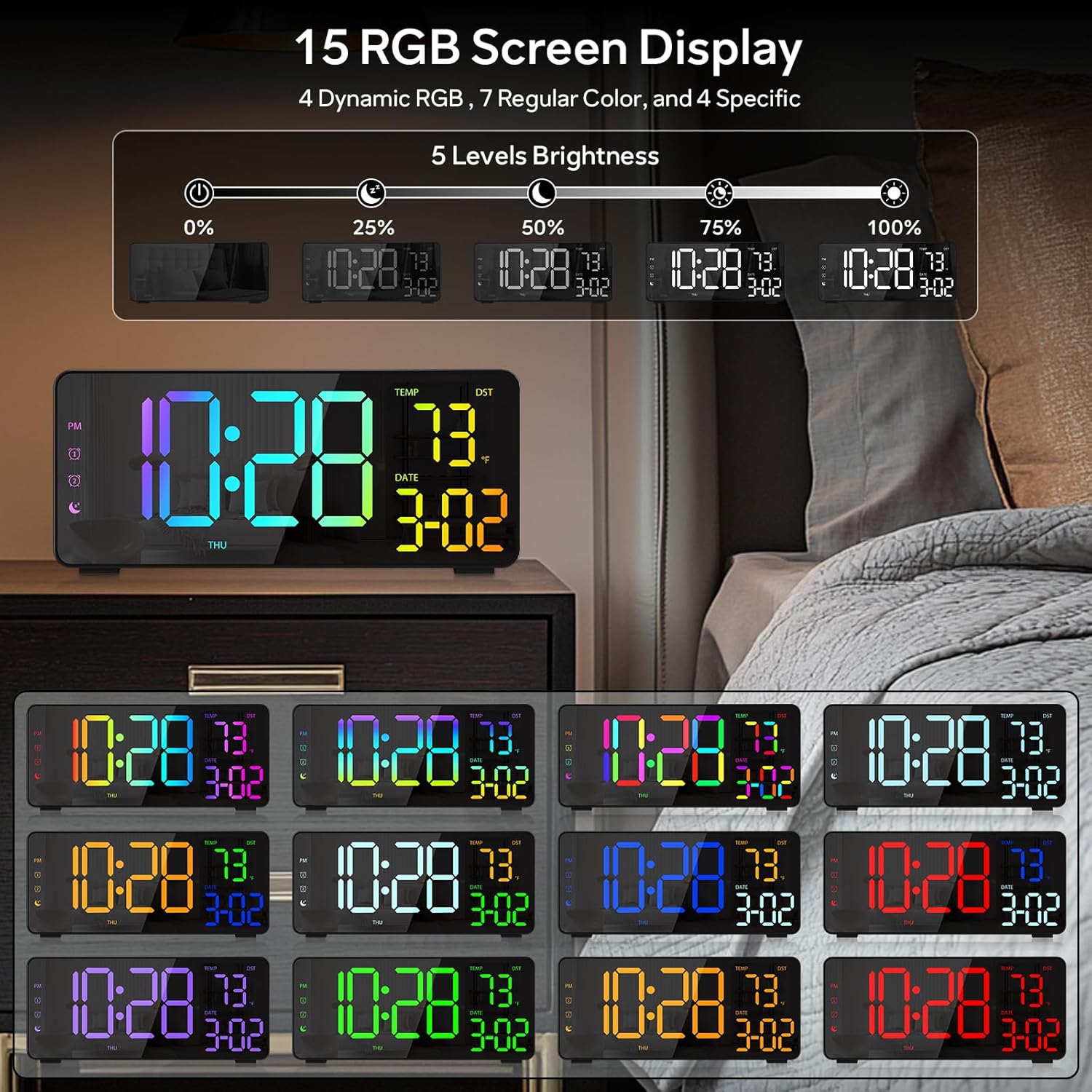
Figure 6: Various display color options and brightness levels of the digital alarm clock.
6.4 夏時間(DST)調整
To adjust for Daylight Saving Time, simply press the 夏時間 button on the back of the clock. This will move the time forward or backward by 1 hour, keeping your clock synchronized with seasonal changes.
7. メンテナンス
- 時計の表面は柔らかく乾いた布で拭いてください。研磨剤入りの洗剤や溶剤は使用しないでください。
- If the display appears scratched, gently remove any protective film that may be present.
- Ensure the USB-C port and USB output port are free from dust and debris.
8。 トラブルシューティング
8.1 ディスプレイが点灯しない
- Check if the power cable is securely connected to both the clock and the power outlet.
- 電源アダプターが正しく機能していることを確認してください。
- If using battery backup, ensure batteries are correctly inserted and not depleted. Note that the display will not stay on continuously when running on battery power alone; it will only light up briefly when a button is pressed or an alarm sounds.
8.2 アラームが鳴らない
- Verify that the alarm is activated (alarm icon visible on the display).
- Check the alarm volume setting using the 音量 ボタン。
- Ensure the alarm time and mode are set correctly.
8.3 時刻/日付が正しくない
- セクション 6.1 の説明に従って、時刻と日付の設定を再度入力します。
- If DST is active, ensure it is correctly set for your region.
9. 仕様
| 特徴 | 詳細 |
|---|---|
| ブランド | イービルト |
| モデル番号 | RGBNZ |
| 色 | 黒 |
| 表示タイプ | デジタル |
| 特集 | Adjustable Brightness, Adjustable Volume, Large Display, Loud Alarm, Temperature Display |
| 製品寸法 | 幅6.89インチ x 高さ3.1インチ |
| 電源 | コード式電気 |
| 部屋タイプ | Bedroom, Home Office, Kid's Room, Living Room, Study Room |
| 材料 | プラスチック |
| アラームの数 | 2 |
| 画面サイズ | 8.1インチ |
| アイテム重量 | 10.9オンス |
10. 保証とサポート
For warranty information or technical support, please refer to the contact details provided in the product packaging or contact EVILTO customer service directly. Keep your purchase receipt for warranty claims.