
1. はじめに
The FOSSIBOT F113 is a rugged smartphone designed for demanding environments and extensive use. It features robust construction, advanced camera capabilities, and a long-lasting battery, making it suitable for outdoor adventures, professional operations, and daily tasks where durability and performance are essential.
Key features include 5G connectivity, a large 6.78-inch FHD+ 120Hz display, a powerful 50MP main camera with Super Night Vision, a 20000mAh battery, and an IP68/IP69K rating for water and dust resistance, along with MIL-STD-810H drop protection.
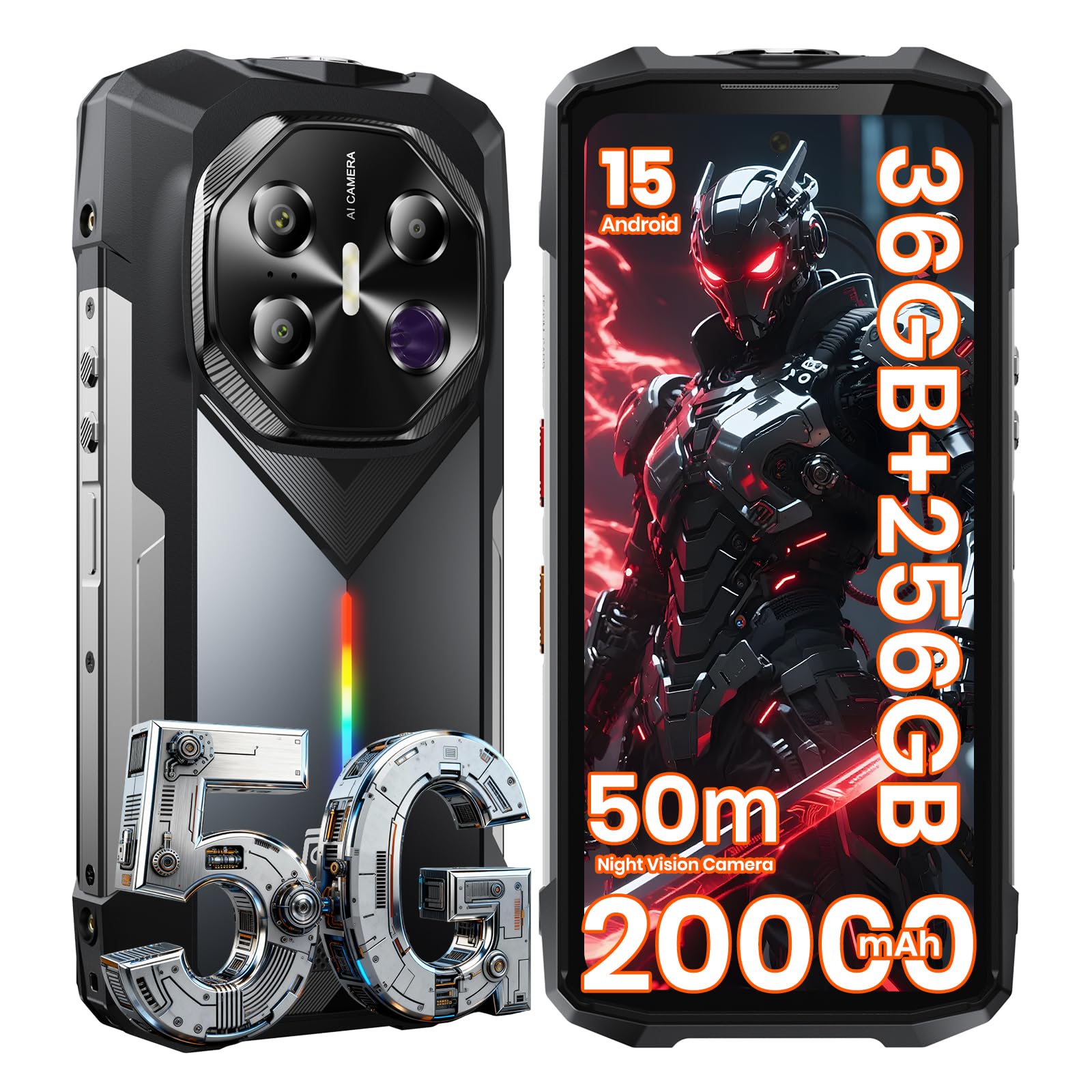
Figure 1.1: FOSSIBOT F113 Rugged Phone overview.

Figure 1.2: The FOSSIBOT F113 is designed for diverse scenarios, including construction, diving, hunting, and hiking.
2. セットアップ
2.1 パッケージ内容
パッケージにすべてのアイテムが揃っていることを確認します。
- FOSSIBOT F113 スマートフォン
- ハンドストラップホルダー(オプション追加)
- ユーザーマニュアル
- SIMカードピン
- ドライバー
- ネジ
- タイプCケーブル
- 33W急速充電器

図 2.1: FOSSIBOT F113 小売パッケージの内容。
2.2SIMカードのインストール
SIM カードをインストールするには:
- デバイスの側面にある SIM カード トレイを見つけます。
- 付属の SIM イジェクタ ツールを使用してトレイを開きます。
- Place your Nano-SIM card(s) into the tray, ensuring correct orientation.
- カチッと音がするまでトレイを慎重にデバイスに戻します。
2.3 初回電源投入と充電
Press and hold the power button until the FOSSIBOT logo appears to power on the device. For first-time use, it is recommended to fully charge the device.
- Connect the USB Type-C cable to the phone and the 33W fast charger.
- 充電器を電源コンセントに差し込みます。
- The phone supports 33W fast charging and 18W reverse fast charging, allowing it to act as a power bank for other devices.

Figure 2.2: The F113 features a 20000mAh battery with fast and reverse charging.

Figure 2.3: Extended battery life and reverse charging functionality.
3. 操作手順
3.1 ディスプレイ
The F113 features a 6.78-inch FHD+ display with a 120Hz refresh rate for smooth visuals and responsive interaction. It is protected by Corning Gorilla Glass.
- ダブルタップして起動: Tap the screen twice to wake the device.
- グローブモード: Enable Glove Mode in settings for improved touch sensitivity when wearing gloves.
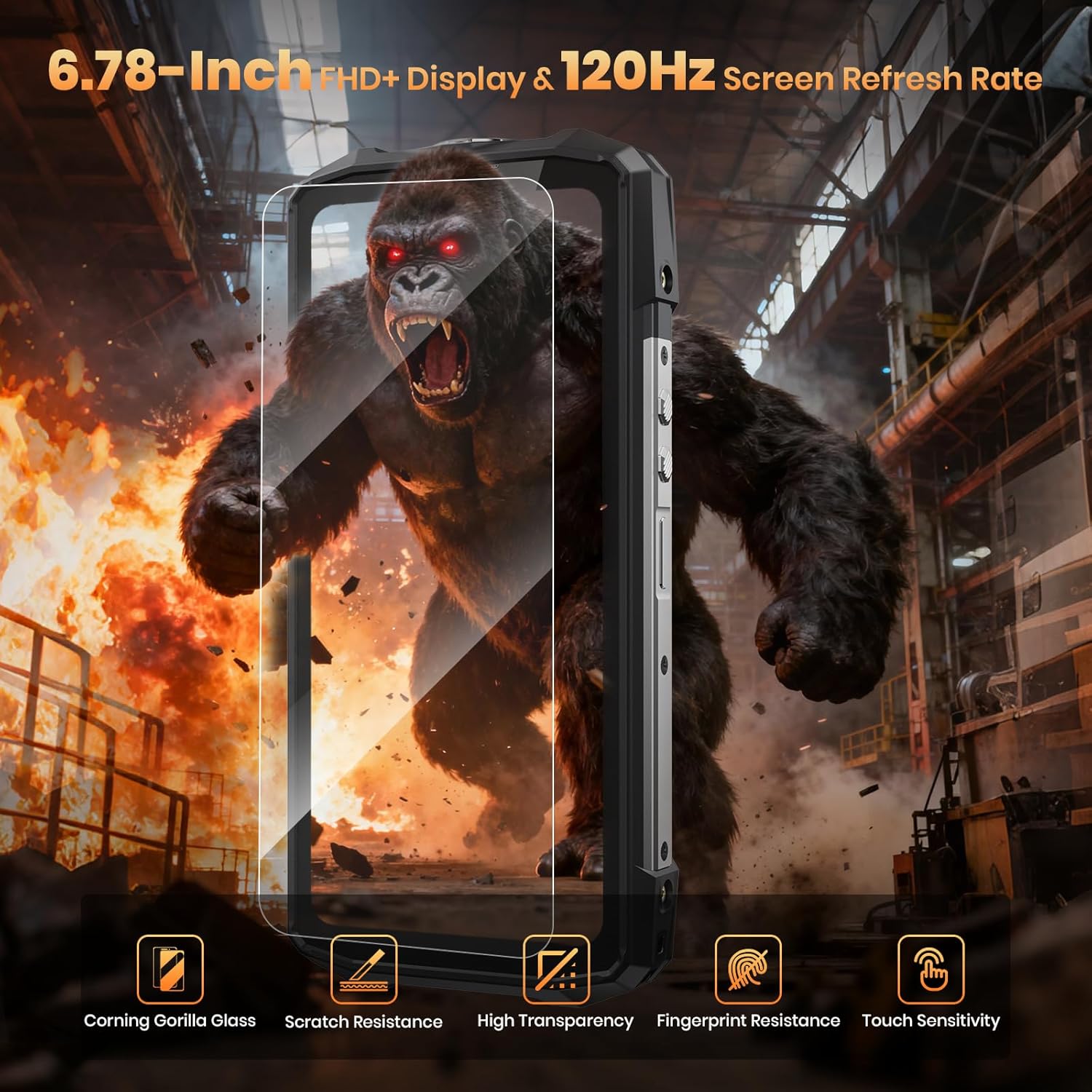
Figure 3.1: High-refresh-rate display with enhanced durability.

Figure 3.2: Display features for enhanced user experience.
3.2カメラシステム
F113 には多用途のカメラ システムが搭載されています。
- 50MPメインカメラ: 高解像度の写真用。
- 64MP IRナイトビジョンカメラ: Captures clear images in near-total darkness up to 50 meters.
- 5MPマクロカメラ: 細部までクローズアップしたショットを撮影します。
- 32MPフロントカメラ: 自撮りやビデオ通話に。

Figure 3.3: Multi-camera system for various photography needs.

Figure 3.4: Camera system capabilities for diverse shooting conditions.
3.2.1 Night Vision Camera Usage
The 64MP IR Night Vision camera allows you to see in complete darkness. Activate it through the camera app. It features a 3W high-power IR illuminator for a 50m super IR reach.
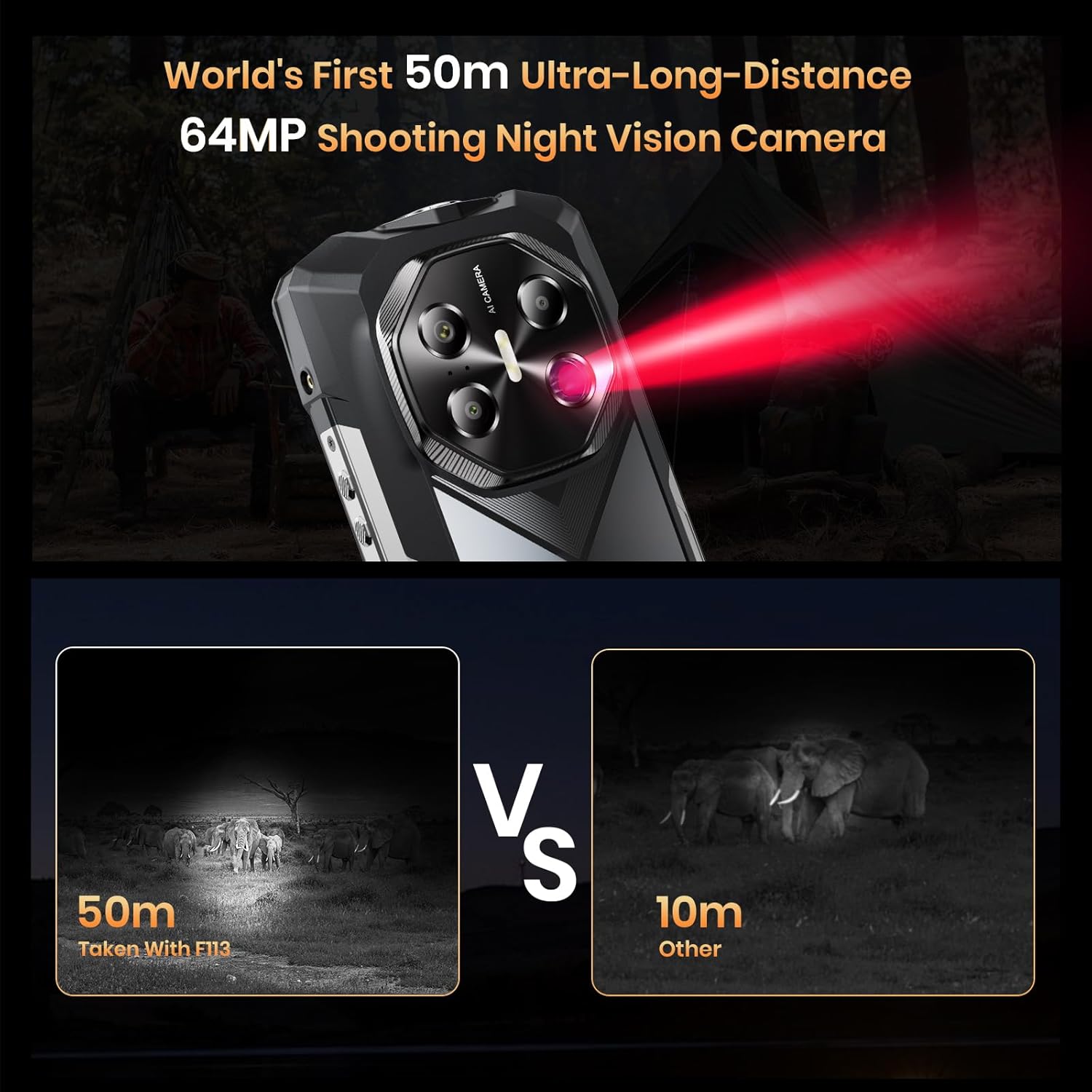
Figure 3.5: Night Vision camera in action, showing extended range.
Video 3.1: This video demonstrates the FOSSIBOT F113's 64MP IR Night Vision camera, showcasing its ability to capture clear images up to 50 meters in dark environments, its ruggedness, camera features, battery life, and customizable RGB lighting.
3.2.2 AI Camera Features
Utilize AI features within the camera app for enhanced photo editing:
- AI削除: One-click removal of unwanted objects or people.
- AI Background Swap: Instantly change photo backgrounds.
- AI Face Swap: Generate avatars from your portrait.
- AI Digital Person: Create custom virtual avatars.

Figure 3.6: AI-powered photo editing tools.
3.3 パフォーマンスとオペレーティングシステム
The F113 is powered by the Dimensity 7050 5G processor, ensuring smooth performance for demanding applications and gaming. It runs on Android 15, offering enhanced privacy, smoother operation, and better personalization.
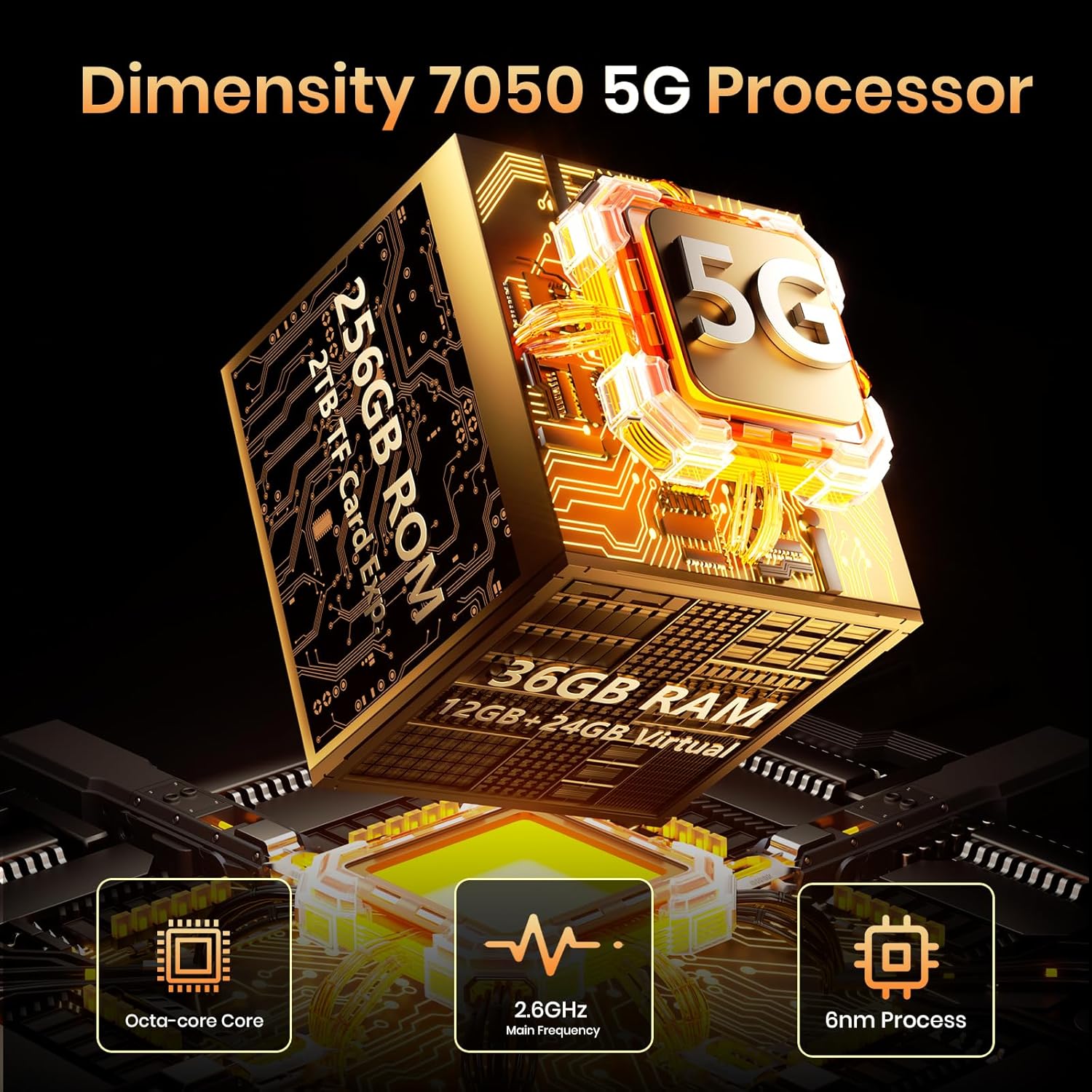
Figure 3.7: Dimensity 7050 5G Processor for high performance.

Figure 3.8: Detailed specifications of the MediaTek Dimensity 7050 processor.

図 3.9: Android 15 オペレーティング システム インターフェース。
3.4 接続性とナビゲーション
The F113 supports 5G cellular technology for fast data speeds. It also includes comprehensive navigation systems and other wireless technologies.
- 5Gネットワーク: Supports GSM, GPRS, EDGE, WCDMA, LTE, and 5G bands for global connectivity.
- ワイヤレステクノロジー: Bluetooth, NFC, Wi-Fi.
- ナビゲーション: Built-in GPS, Galileo, BeiDou, and Glonass for accurate positioning.

Figure 3.10: 5G network support and global compatibility.
3.5 Audio and RGB Lighting
Experience clear audio and customizable visual alerts.
- 110dB Loudspeaker: A powerful K-class amplifier delivers rich, clear audio even in noisy environments.
- カスタマイズ可能なRGBライト: The side RGB lighting provides notification alerts (calls, messages, low battery, charging) and can pulse to music with various rhythm effects.

Figure 3.11: Smart Speaker K-Box Dual-Channel Edition for enhanced audio.

Figure 3.12: Dynamic RGB lighting for notifications and atmosphere.

Figure 3.13: RGB light customization options.
3.6追加機能
- 50m High-Power Flashlight: An ultra-bright flashlight for illumination in dark conditions.
- 生体認証セキュリティ: Face Recognition and Fingerprint Unlock for secure access.
- バロメーター: Built-in barometer to measure atmospheric pressure and altitude.
- NFC: 非接触型決済とデータ転送用。

図3.14:以上view of additional practical features.
4. メンテナンス
4.1 耐久性と保護
The FOSSIBOT F113 is built to withstand harsh conditions:
- IP68/IP69K防水: Resistant to dust, sand, and prolonged water immersion.
- MIL-STD-810H Drop Protection: 落下や衝撃に耐えられるよう設計されています。
- コーニングゴリラガラス: Provides enhanced scratch and drop protection for the display.

Figure 4.1: Durability features of the F113.
5。 トラブルシューティング
If you encounter issues with your FOSSIBOT F113, consider the following general troubleshooting steps:
- デバイスを再起動します。 単純に再起動するだけで、多くの軽微なソフトウェアの不具合を解決できます。
- ソフトウェアの更新を確認する: Ensure your device is running the latest Android version. Go to Settings > System > System update.
- アプリのキャッシュをクリア: If a specific app is causing issues, try clearing its cache in Settings > Apps > [App Name] > Storage > Clear cache.
- 工場出荷時設定へのリセット: 最後の手段として、工場出荷時設定へのリセットを実行することもできます。 警告: この操作により、デバイス上のすべてのデータが消去されます。続行する前に、重要な情報をバックアップしてください。 [設定] > [システム] > [リセット オプション] > [すべてのデータを消去 (工場出荷時設定にリセット)] に移動します。
- サポートへのお問い合わせ: 問題が解決しない場合は、サポート セクションを参照してさらに支援を受けてください。
6. 仕様
| 特徴 | 詳細 |
|---|---|
| ブランド | フォシボット |
| モデル名 | F113-WBB |
| オペレーティング·システム | アンドロイド15 |
| RAMメモリインストールサイズ | 36ギガバイト |
| メモリストレージ容量 | 256 GB(最大2TBまで拡張可能) |
| 画面サイズ | 6.78インチ |
| 解決 | 1080 x 2400(FHD+) |
| リフレッシュレート | 120Hz |
| Rear Facing Camera Photo Sensor Resolution | 50 MP(メイン)+ 64 MP(ナイトビジョン) |
| Front Photo Sensor Resolution | 32 MP |
| バッテリー容量 | 20000mAh |
| 充電 | 33W Fast Charging, 18W Reverse Fast Charging |
| 耐水性レベル | Waterproof (IP68/IP69K) |
| 耐久性基準 | ミリタリースタンダード810H |
| セルラーテクノロジー | 5G |
| ワイヤレスネットワークテクノロジー | Bluetooth、NFC、Wi-Fi |
| 生体認証セキュリティ機能 | Face Recognition, Fingerprint Unlock |
| 追加機能 | Built-In GPS, Barometer, 50m High-Power Flashlight, RGB Light |
| コネクタタイプ | USBタイプC |
| SIMカードスロット数 | シングルSIM |
7.保証とサポート
7.1 保証情報
The FOSSIBOT F113 comes with a 2年間保証保証請求のために購入証明書を保管してください。
7.2 カスタマーサポート
For technical assistance, troubleshooting, or warranty inquiries, please contact FOSSIBOT customer support through their official website or the retailer where the product was purchased. Ensure you have your product model number (F113) and proof of purchase ready.