
1. はじめに
The Fenvi FU-AX300 is a compact Wi-Fi 6 USB adapter designed to provide wireless connectivity to your desktop or laptop computer. It offers AX300 speeds on the 2.4 GHz band, making it suitable for everyday internet activities such as browsing, online classes, and HD streaming. Featuring OFDMA technology, it enhances efficiency in crowded network environments, and WPA3 security provides improved protection for your wireless connection. Its nano form factor allows it to remain plugged into a USB port without obstructing adjacent ports.
- AX300 Class Speed: Up to 287 Mbps on 2.4 GHz for reliable performance.
- Wi-Fi 6 Efficiency: OFDMA technology reduces network congestion.
- 強化されたセキュリティ: Supports WPA3 encryption (requires compatible router).
- 超コンパクト設計: Nano form factor for discreet use.
- 簡単なインストール: Driver installation for Windows 11/10.
2. パッケージ内容
パッケージに次の項目が含まれていることを確認してください。
- Fenvi FU-AX300 Wireless USB Adapter
Note: Drivers are typically included on the device itself for easy installation or can be downloaded from the manufacturer's webサイト。
3. セットアップ手順
Follow these steps to install and set up your Fenvi FU-AX300 Wi-Fi 6 USB Adapter:
- アダプタを挿入します: Locate an available USB port on your desktop or laptop computer. Carefully insert the Fenvi FU-AX300 USB adapter into the USB port. Ensure it is fully seated.
- ドライバーのインストール (Windows 11/10):
- For most Windows 11/10 systems, the operating system may automatically detect and install the necessary drivers. Wait a few moments for this process to complete.
- If automatic installation does not occur, or if prompted, you may need to run the driver installer. The FU-AX300 is often "driver-free" meaning the driver is stored on the device itself and can be accessed like a USB drive.
- Open "This PC" or "My Computer" and look for a new drive labeled "FENVI" or similar. Double-click to open it and run the setup executable (e.g., "setup.exe" or "install.exe").
- 画面の指示に従ってドライバーのインストールを完了します。
- Alternatively, download the latest drivers from the official Fenvi support web問題が発生した場合は、サイトを参照してください。
- インストールの確認: After driver installation, check your computer's Device Manager (search for "Device Manager" in Windows search) under "Network adapters" to confirm that the Fenvi FU-AX300 adapter is listed and functioning correctly.
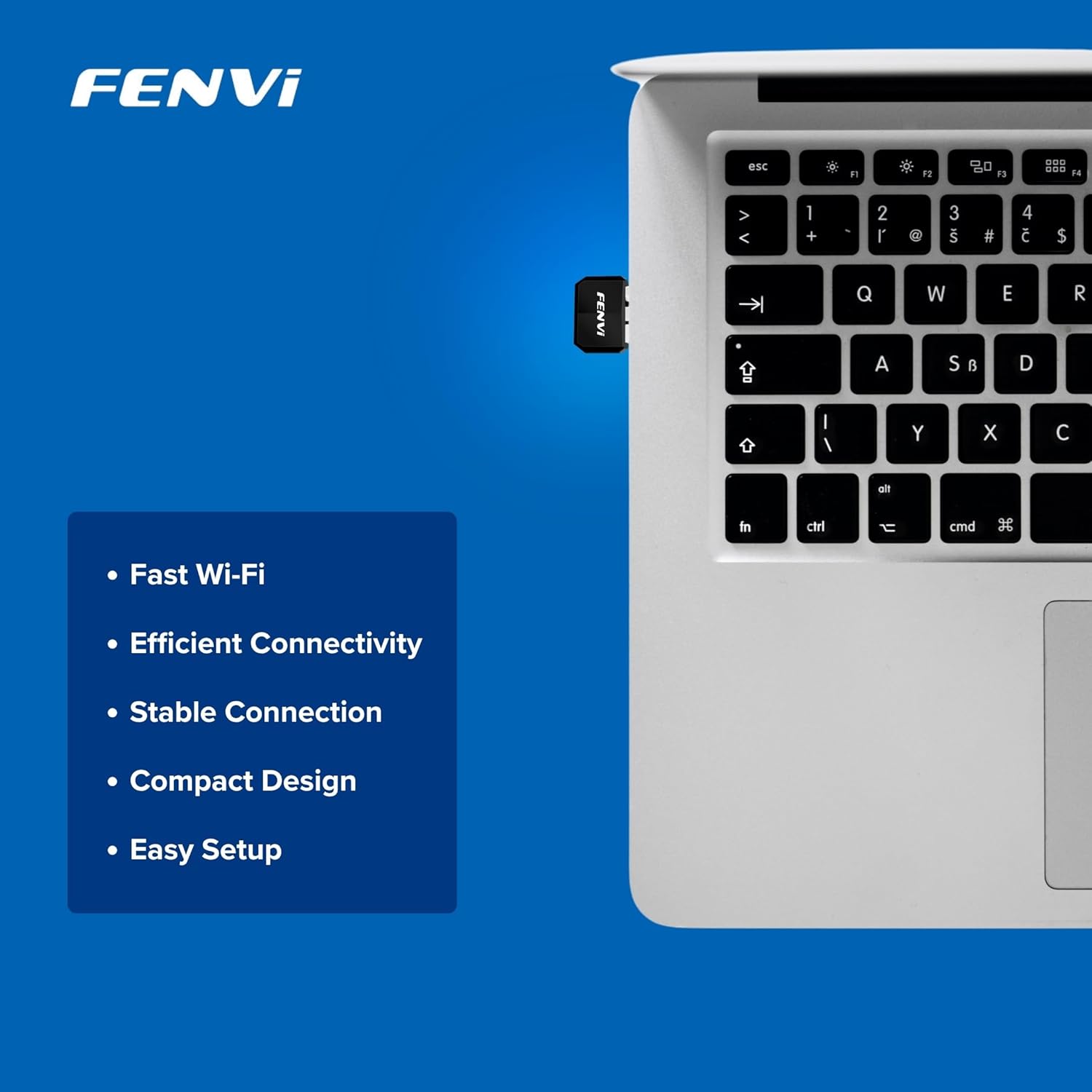
Image: The Fenvi FU-AX300 adapter shown plugged into a laptop, demonstrating its small size. Key features such as Fast Wi-Fi, Efficient Connectivity, Stable Connection, Compact Design, and Easy Setup are listed alongside.
4. 操作手順
Once the drivers are successfully installed, you can connect to a wireless network:
- Wi-Fi設定にアクセスします: Click on the Wi-Fi icon in the system tray (usually in the bottom-right corner of your screen) or navigate to 設定 > ネットワークとインターネット > Wi-Fi.
- ネットワークを選択: 利用可能なWi-Fiネットワークのリストが表示されます。ご希望のネットワーク(SSID)を選択してください。
- 接続する: 「接続」をクリックし、プロンプトが表示されたらネットワーク セキュリティ キー (Wi-Fi パスワード) を入力します。
- 接続を確認: Once connected, the Wi-Fi icon will indicate an active connection, and you should have internet access.
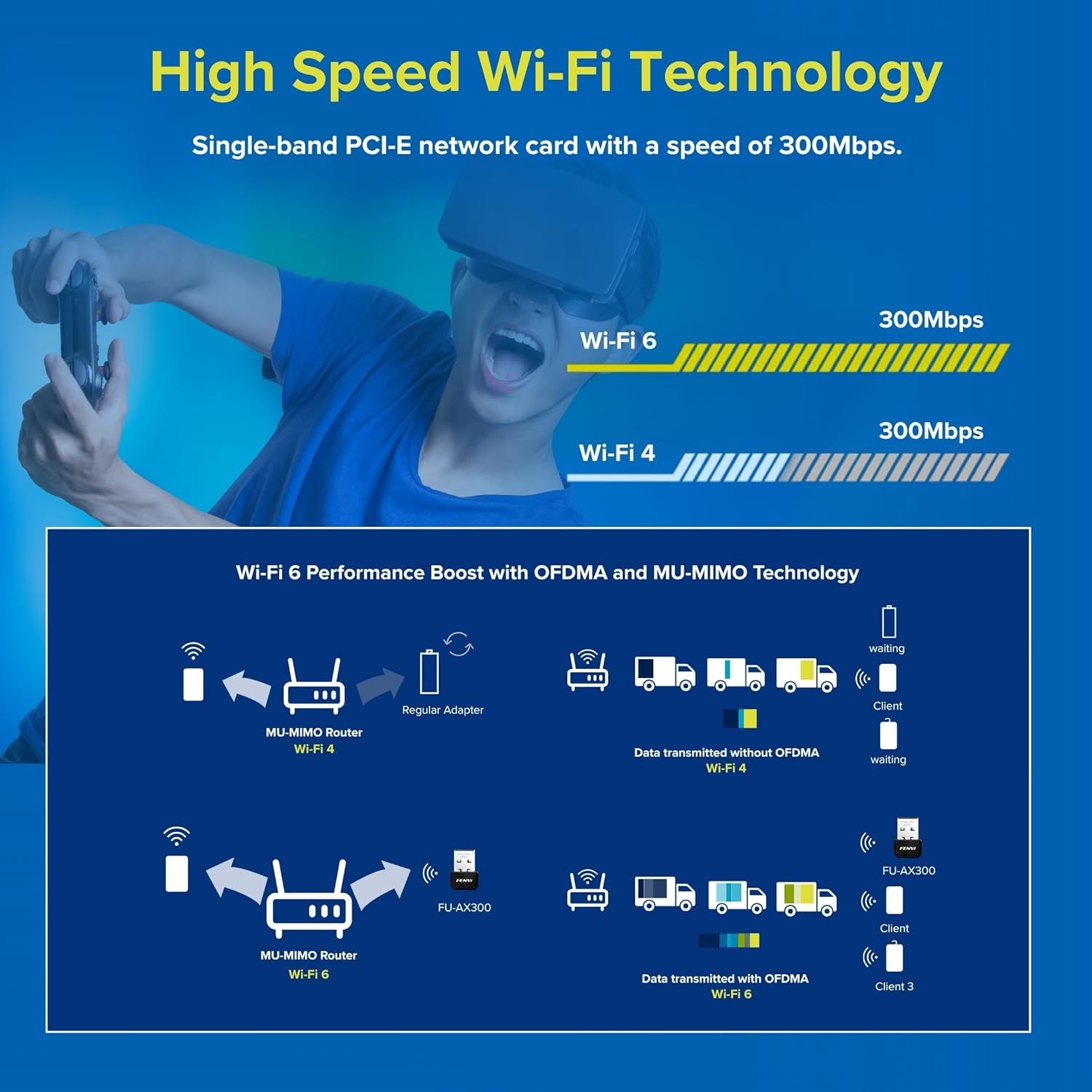
Image: This diagram illustrates the benefits of Wi-Fi 6 technology, specifically OFDMA and MU-MIMO, in improving network efficiency compared to older Wi-Fi 4 standards, especially in scenarios with multiple connected devices.
5. メンテナンス
To ensure optimal performance and longevity of your Fenvi FU-AX300 adapter, consider the following maintenance tips:
- ドライバーを最新の状態に保つ: 定期的にFenviの公式をチェックしてください web最新のドライバーアップデートについては、こちらのサイトをご覧ください。ドライバーを更新すると、パフォーマンス、安定性、セキュリティが向上します。
- 優しく洗浄する: If necessary, gently clean the adapter with a soft, dry cloth. Avoid using liquid cleaners or solvents.
- 物理的損傷を避ける: While compact, avoid bending or applying excessive force to the adapter when it is plugged in or stored.
- 最適な配置: For best signal strength, ensure the adapter is not obstructed by other objects or placed in an enclosed space.
6。 トラブルシューティング
If you encounter issues with your Fenvi FU-AX300 adapter, refer to the following troubleshooting steps:
- Wi-Fiネットワークが検出されません:
- アダプタが USB ポートにしっかりと差し込まれていることを確認してください。
- デバイスマネージャーでドライバーが正しくインストールされていることを確認してください。必要に応じてドライバーを再インストールしてください。
- Check if your computer's Wi-Fi is enabled (e.g., via a physical switch or keyboard shortcut).
- コンピュータと Wi-Fi ルーターを再起動します。
- 接続速度が遅い:
- Wi-Fi ルーターの範囲内にいることを確認してください。
- 他の電子機器(電子レンジ、コードレス電話など)からの干渉を最小限に抑えます。
- アダプタのドライバーを最新バージョンに更新してください。
- インターネット サービス プロバイダーの速度を確認してください。
- "Driver not compatible with Windows 11" (as per some user feedback):
- While the product is advertised for Windows 11/10, if you face compatibility issues, ensure you have downloaded the absolute latest drivers directly from the Fenvi official webサイト。
- Try installing the driver in compatibility mode for an earlier Windows version if available.
- Contact Fenvi technical support for specific Windows 11 driver assistance.
- 頻繁な切断:
- Wi-Fiルーターに近づいてください。
- ルーターのファームウェアが最新であることを確認してください。
- Disable power-saving features for the USB port in Device Manager (under USB Root Hub properties, Power Management tab, uncheck "Allow the computer to turn off this device to save power").
7. 仕様

Image: This image displays the compact dimensions of the Fenvi FU-AX300 USB adapter, measuring 24mm in length, 16mm in width, and 7mm in thickness. It also highlights the 3-year warranty.
| 特徴 | 詳細 |
|---|---|
| ブランド | フェンヴィ |
| モデル番号 | FU-AX300 |
| ハードウェアインターフェイス | USB2.0 について |
| データリンクプロトコル | IEEE 802.11a (Wi-Fi 6 / 802.11ax compatible) |
| データ転送速度 | 最大300 Mbps(2.4 GHz) |
| 安全 | WPA3 (router support required) |
| 特徴 | MU-MIMO、OFDMA |
| 互換性のあるオペレーティングシステム | Windowsの11、Windowsの10 |
| 製品寸法(長さ x 幅 x 高さ) | 40 x 20 x 15ミリメートル |
| アイテム重量 | 25グラム |
| 色 | 黒 |
| 原産国 | 中国 |

Image: This image provides a summary of the Fenvi FU-AX300's key specifications, such as its brand (Fenvi), model (FU-AX300), Wi-Fi standard (IEEE 802.11ax), USB 2.0 interface, WPA3 security, 2.4GHz data rate, MU-MIMO/OFDMA features, Windows 7/10/11 compatibility, and 3-year warranty.
8. 保証とサポート
保証情報: The Fenvi FU-AX300 Wi-Fi 6 USB Adapter comes with a 3年間のメーカー保証保証請求のために購入証明書を保管してください。
テクニカルサポート: For further assistance, driver downloads, or troubleshooting not covered in this manual, please visit the official Fenvi support website or contact their customer service. Contact details are typically available on the manufacturer's webサイトまたは製品のパッケージ。
メーカー: フェンヴィ
輸入業者連絡先情報: Compassco No 98 1st Floor Digital Park Road Yeshwanthpur Industrial Suburb Bangalore Karnataka 560022 India
Packer Contact Information: Shenzhen fenvi Technology Co., Ltd 401C West Area,North Block, High tech Industrial Park,Beier Road,Bantian Community, Bantian Street, Longgang District, Shenzhen China