
導入
This manual provides detailed instructions for the setup, operation, and maintenance of your Bmax Mini PC B1 Pro. Please read this manual thoroughly before using the device to ensure proper functionality and to prevent damage.
パッケージ内容
開梱したら、以下にリストされているすべてのアイテムが揃っていて良好な状態であることを確認してください。
- Bmax Mini PC B1 Pro unit
- 電源アダプター
- HDMIケーブル
- ユーザーマニュアル(このドキュメント)
- 取り付けブラケット(付属している場合)
If any items are missing or damaged, please contact Bmax customer support.
製品終了view
The Bmax Mini PC B1 Pro is a compact computing solution designed for home and office use. It features various ports for connectivity and expansion.
Internal Chassis View
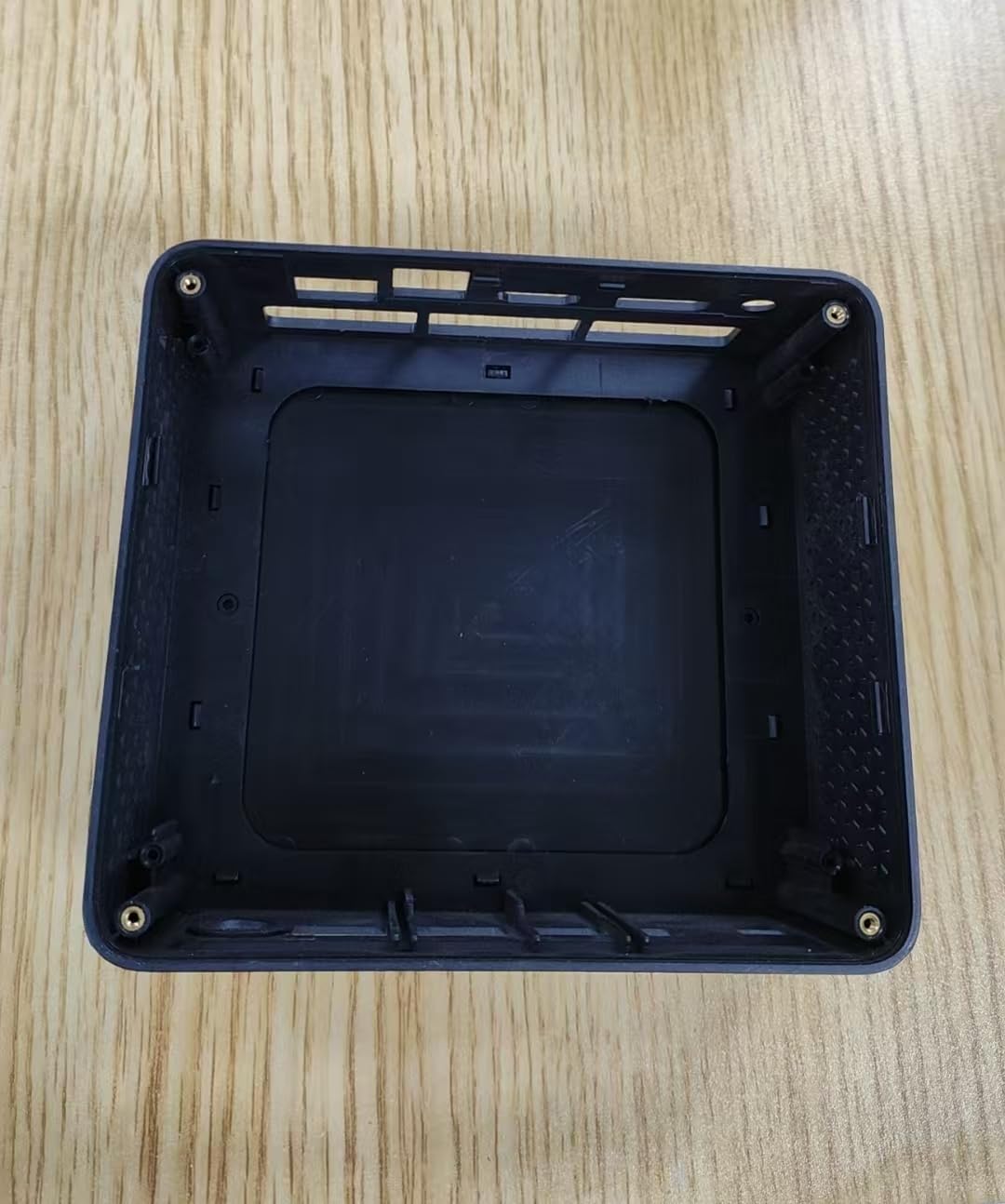
This image displays the internal housing of the Bmax Mini PC B1 Pro, showing the structural components and mounting points within the device's casing. It illustrates the design of the enclosure without the internal electronic components installed.
Port Layout (Typical)
The B1 Pro typically includes the following ports:
- HDMIポート: For connecting to a display (supports 4K 60Hz).
- USB 3.0ポート: Two ports for high-speed data transfer and peripheral connection.
- USB 2.0ポート: Two ports for connecting standard peripherals.
- ギガビットイーサネットポート: 有線ネットワーク接続用。
- 電源入力: 電源アダプタを接続します。
- オーディオジャック: ヘッドフォンまたはスピーカー用。
設定
1. 周辺機器の接続
- Connect your monitor or TV to the HDMIポート HDMIケーブルを使用します。
- Connect your keyboard and mouse to the available USBポート (USB 2.0 or USB 3.0).
- (Optional) For a wired internet connection, connect an Ethernet cable to the ギガビットイーサネットポート.
- (Optional) Connect speakers or headphones to the オーディオジャック.
2. 電源を入れる
- 電源アダプタをに接続します power input port on the Mini PC.
- 電源アダプタを壁のコンセントに差し込みます。
- を押す 電源ボタン (location may vary, typically on the front or side) to turn on the device.
- The power indicator light will illuminate, and the system will begin to boot.
3. 初期設定
Follow the on-screen instructions to complete the initial setup of the operating system (e.g., Windows, Linux). This typically includes setting up user accounts, network connections, and regional settings.
操作手順
基本的な使い方
- 電源オン/オフ: Press the power button to turn on. To shut down, use the operating system's shutdown function. A short press of the power button can put the device to sleep.
- 再起動: オペレーティング システムの再起動機能を使用します。
- USB デバイスの接続: Insert USB drives, external hard drives, or other peripherals into the available USB 2.0 or USB 3.0 ports.
ネットワークへの接続
- Wi-Fi: The B1 Pro supports Dual-Band Wi-Fi. Access your operating system's network settings, select your desired Wi-Fi network, and enter the password.
- イーサネット: セットアップ中にイーサネット ケーブルを接続した場合、システムは自動的に有線ネットワークを検出し、接続します。
- ブルートゥース: The B1 Pro features Bluetooth 5.0. Enable Bluetooth in your operating system settings to pair with compatible devices like keyboards, mice, or headphones.
ディスプレイ出力
The Mini PC supports 4K resolution at 60Hz via its HDMI port. Ensure your display and HDMI cable are compatible with these specifications for optimal performance.
メンテナンス
- クリーニング: ミニPCの外装は、柔らかく乾いた布で拭いてください。液体クリーナーを直接デバイスに当てないでください。定期的に圧縮空気で通気口の埃を取り除いてください。
- ソフトウェアアップデート: 最適なパフォーマンスとセキュリティを確保するために、オペレーティング システムとドライバーを定期的に更新してください。
- 換気: Ensure the Mini PC is placed in a well-ventilated area to prevent overheating. Do not block the ventilation holes.
トラブルシューティング
| 問題 | 考えられる原因 | 解決 |
|---|---|---|
| 電源なし | 電源アダプターが接続されていないか、コンセントに障害があります。 | 電源の接続を確認してください。別のコンセントを試してください。 |
| 表示出力なし | Incorrect HDMI connection, faulty cable, or incorrect input selected on monitor. | Ensure HDMI cable is securely connected. Try a different HDMI cable. Select correct input source on your monitor. |
| Wi-Fiが接続できない | パスワードが間違っている、範囲外、またはルーターの問題です。 | Verify Wi-Fi password. Move closer to the router. Restart router. |
| パフォーマンスが遅い | Too many applications running, insufficient storage, or outdated drivers. | Close unnecessary applications. Free up disk space. Update operating system and drivers. |
For further assistance, please contact Bmax customer support.
仕様
| 特徴 | 詳細 |
|---|---|
| モデル | B1プロ |
| プロセッサ | Intel Celeron (2.4 GHz) |
| ラム | LPDDR4 |
| ストレージ | 128 GB SSD (PCIE x 4 インターフェース) |
| グラフィックス | Integrated, 8 GB Graphics RAM |
| オペレーティング·システム | OS (Pre-installed or user-installable) |
| USBポート | USB 2 x 3.0、USB 2 x 2.0 |
| ビデオ出力 | HDMI (supports 4K 60Hz) |
| ネットワーク | Gigabit Ethernet, Dual-Band Wi-Fi, Bluetooth 5.0 |
| 寸法 | 10.5 x 6 x 2.8インチ |
| 重さ | 1.3ポンド |
| 使用目的 | Business, Home & Office |
安全情報
- デバイスを極端な温度、湿度、または直射日光にさらさないでください。
- 落としたり、強い衝撃を与えないでください。
- ご自身でデバイスの分解や修理を試みないでください。資格のあるサービス担当者にご相談ください。
- 付属の電源アダプターのみを使用してください。
- デバイスを液体から遠ざけてください。
保証とサポート
The Bmax Mini PC B1 Pro comes with a standard manufacturer's warranty. Please refer to the warranty card included in your package or visit the official Bmax web詳細な保証条件については、サイトをご覧ください。
For technical support, troubleshooting, or service inquiries, please contact Bmax customer support through their official channels. Contact information can typically be found on the Bmax webサイトまたは製品パッケージに記載されています。
Bmax公式 Webサイト: AmazonのBmaxストアをご覧ください