
1。 オーバーview
The Cecotec Cremmaet Lungo Latte Art is a super-automatic coffee machine designed to bring a professional coffee experience to your home. It features a powerful 19-bar pressure system and Thermoblock technology for intense flavor, perfect temperature, and dense crema in every cup.
- High-Pressure System: Equipped with a 19-bar pressure pump and Thermoblock technology for optimal extraction and temperature.
- 一体型グラインダー: Features a stainless steel conical grinder and a 280g bean hopper to ensure fresh, aromatic coffee. A 20g processing unit allows for more intense espresso.
- 直感的なタッチパネル: Large touch screen with color buttons for easy selection of 7 different beverages: Espresso, Lungo, Doble, Americano, Latte, Cappuccino, and Hot Water.
- ミルク泡立てシステム: Includes a 240ml milk tank for convenient and quick preparation of milk-based drinks.
- デュアル出力: Prepare two coffees simultaneously, perfect for sharing.
- 自動メンテナンス: Features an automatic descaling program for easy maintenance and extended durability, along with automatic shutdown for safety and energy efficiency.
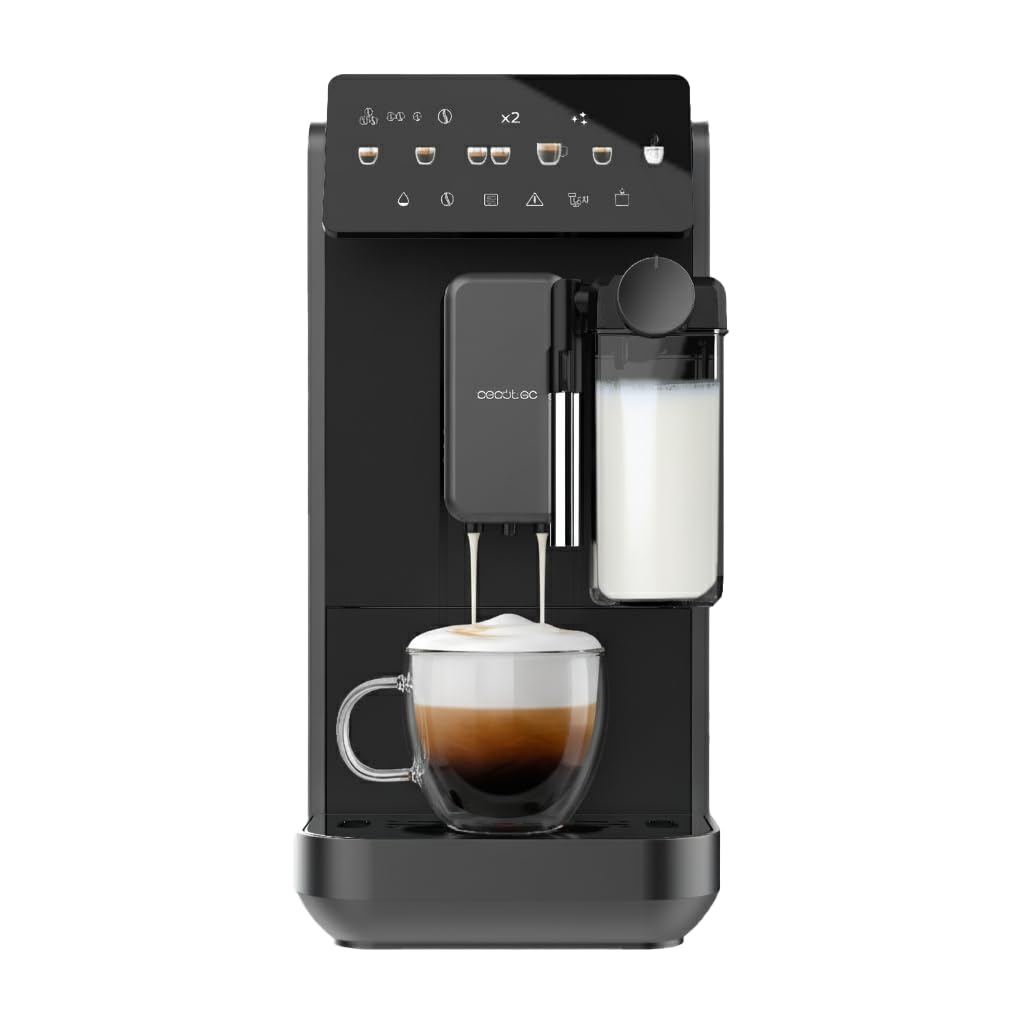
Image 1: The Cecotec Cremmaet Lungo Latte Art coffee machine, showcasin洗練されたデザインと一体型のミルクフォーマーが特徴です。
2. セットアップ
初めて使用する前に、梱包材がすべて取り除かれ、機械が安定した水平な面に置かれていることを確認してください。
2.1. 水タンクに水を入れる
- Locate the removable 2-liter water tank, typically on the side or back of the machine.
- Remove the tank and fill it with fresh, cold water up to the MAX indicator.
- Carefully reinsert the water tank until it clicks into place.
2.2. 豆ホッパーへの充填
- マシンの上部にある豆ホッパーの蓋を開けます。
- Pour fresh coffee beans into the hopper. The hopper has a capacity of 280g.
- 豆の鮮度を保つために蓋をしっかり閉めてください。

Image 2: A user carefully pouring fresh coffee beans into the integrated hopper of the coffee machine.

図3: 爆発した view of the coffee machine, showing its main components including the water tank, milk tank, and bean hopper.
3. 操作手順
The intuitive touch panel allows for easy selection and customization of your favorite coffee beverages.
3.1. Powering On and Initial Rinse
- Press the power button on the touch panel to turn on the machine.
- The machine will perform an automatic rinse cycle. Place a cup under the coffee spout to collect the water.
- マシンが使用可能状態を示すまで待ちます。
3.2. Selecting and Customizing a Beverage
- On the touch panel, select your desired beverage (e.g., Espresso, Latte, Cappuccino).
- Use the on-screen controls to adjust parameters such as coffee intensity, volume, and milk foam level (for milk-based drinks).
- Place your cup(s) under the coffee spout. For milk-based drinks, ensure the milk tank is filled and correctly attached.
- スタートボタンを押すと抽出が始まります。

Image 4: A user selecting a coffee type from the intuitive touch control panel.

Image 5: The coffee machine dispensing a perfectly layered latte into a glass, highlighting the milk frothing capability.

Image 6: A person taking a sip of their freshly prepared coffee, demonstrating the enjoyment of the machine's output.
4. メンテナンス
定期的なメンテナンスにより、コーヒー マシンの最適なパフォーマンスと寿命が確保されます。
4.1. Emptying the Coffee Grounds Container and Drip Tray
- The machine will alert you when the coffee grounds container needs emptying.
- Remove the drip tray and the coffee grounds container.
- Empty and clean both components with warm water and mild detergent.
- Reinsert them securely.
4.2. ミルクシステムの洗浄
After preparing milk-based drinks, it is crucial to clean the milk system to prevent blockages and maintain hygiene.
- The machine may prompt for a quick rinse of the milk system. Follow the on-screen instructions.
- Regularly disassemble and clean the milk frother components with warm water.
4.3.スケール除去
The Cremmaet Lungo Latte Art features an automatic descaling program. The machine will indicate when descaling is required.
- When prompted, follow the on-screen instructions to initiate the descaling cycle.
- Use a suitable descaling solution as recommended by Cecotec.
- Ensure the water tank is filled with the descaling solution and a large container is placed under the spout.
- The process may take some time; do not interrupt it.
5。 トラブルシューティング
If you encounter any issues, refer to the following common solutions before contacting customer support.
5.1. No Coffee Dispensed
- 水タンクが満たされ、正しく挿入されているかどうかを確認します。
- Ensure the bean hopper has enough coffee beans.
- Verify that the coffee spout is not blocked.
5.2. Coffee is Too Weak/Strong
- Adjust the coffee intensity setting on the touch panel.
- Check the grinding level; a finer grind typically results in stronger coffee.
- Ensure the 20g processing unit is clean and functioning correctly for intense espressos.
5.3. Milk Not Frothing Properly
- Ensure the milk tank is clean and filled with fresh, cold milk.
- Check that the milk frother components are correctly assembled and not blocked.
- Perform a thorough cleaning of the milk system.
6. 仕様
| 特徴 | 詳細 |
|---|---|
| ブランド | セコテック |
| モデル番号 | A90_EU01_120822 |
| 色 | 黒 |
| 製品寸法 | 40.5 x 34.5 x 19 cm |
| 製品重量 | 9.41キロ |
| 自動シャットオフ | はい |
| 特集 | Integrated coffee grinder, Programmable |
| 容量 | 2リットル(水タンク) |
| コーヒーの種類 | エスプレッソマシン |
| 特定の製品用途 | Espresso, Lungo, Doble, Americano, Latte, Cappuccino, Hot Water |
| 含まれているコンポーネント | 1 x Super-automatic coffee machine, 1 x Instruction Manual |
7. 保証とサポート
保証情報、テクニカルサポート、またはサービスリクエストについては、製品に付属の保証書を参照するか、Cecotecの公式ウェブサイトをご覧ください。 webサイトでご確認ください。購入証明として購入レシートを保管してください。
Cecotec is committed to providing high-quality products and excellent customer service. Should you require assistance, do not hesitate to contact our support team.