
導入
This manual provides detailed instructions for the setup, operation, and maintenance of your REACHER CR7WL FM Alarm Clock Radio with White Noise Machine. Please read this manual thoroughly before using the device to ensure proper function and to maximize your user experience. Keep this manual for future reference.
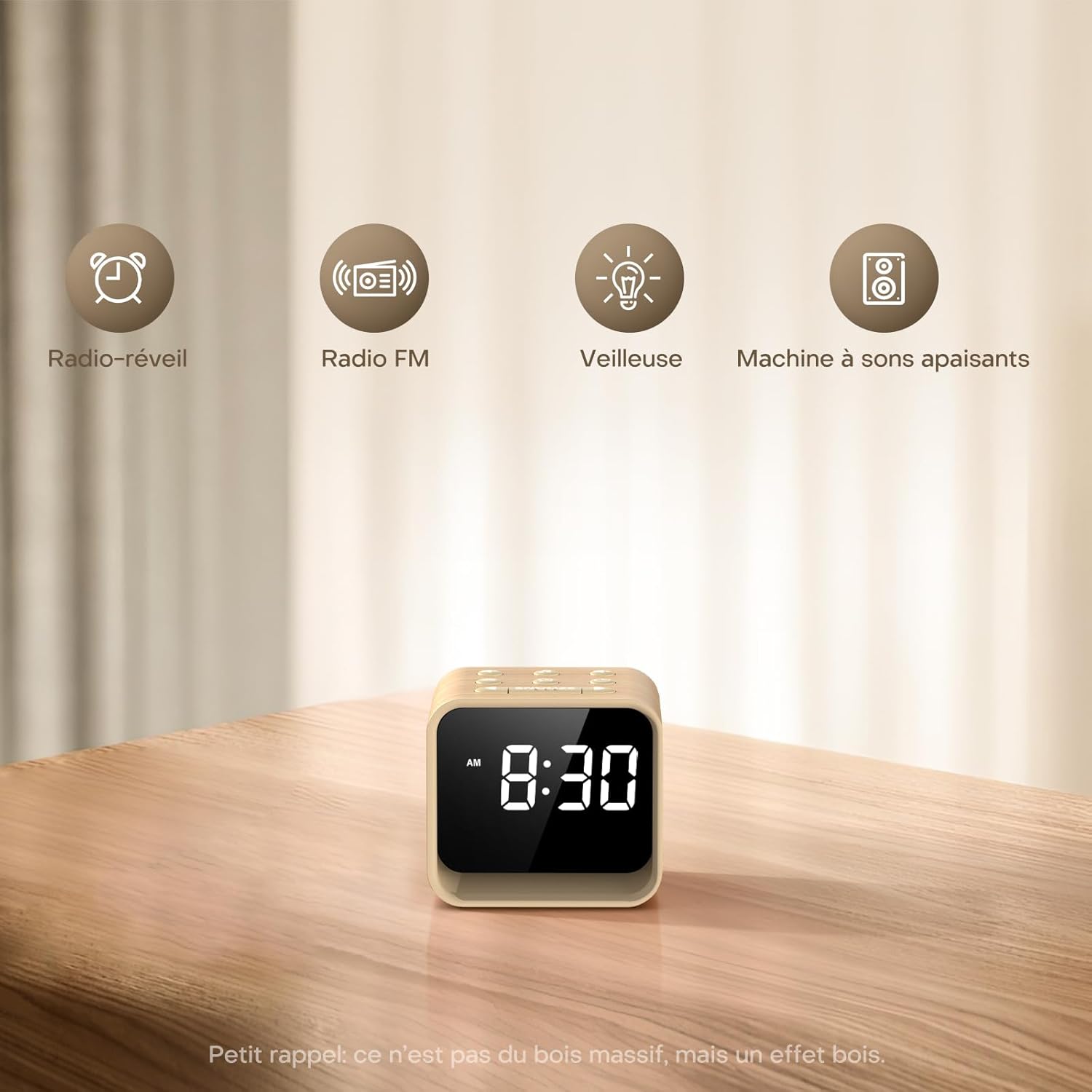
Image: The REACHER CR7WL device highlighting its core functionalities: Alarm Clock, FM Radio, Night Light, and Soothing Sound Machine.
製品の特徴
- Enhanced FM Radio Experience: Enjoy clear, high-quality FM radio with automatic station search and easy saving of favorite stations.
- Customizable Alarm: Choose from 9 alarm sounds, including 8 natural sounds (bird, flute, piano, frog, stream, wave, bell, beep) or your preferred FM radio station. Features a 9-minute snooze function and adjustable volume (20-105 dB).
- 4-in-1 Bedside Companion: Functions as a connected alarm clock, FM radio, night light, and sleep aid.
- Soothing Sleep Aid: Access 24 relaxing sounds, including natural sounds (rain, fan, waves) and various white noises (white, brown, pink, blue) for a customized sleep environment.
- Adjustable Display & 7-Color Night Light: Clear display with adjustable brightness for day and night viewing. The integrated 7-color night light at the base creates a soft, warm ambiance.
- 電源: Operates exclusively via AC power.
パッケージ内容
パッケージに以下の項目が含まれているか確認してください。
- REACHER CR7WL FM Alarm Clock Radio
- 電源アダプタ(DC 5V)
- ユーザーマニュアル
製品のレイアウトとコントロール

画像: 詳細 view of the control buttons and ports on the REACHER CR7WL. The top panel features buttons for sound, time, alarm, FM radio, and snooze. The rear panel includes the display dimmer, night light brightness control, DC 5V power input, and the radio antenna.
トップパネルのコントロール:
- サウンドオン/オフボタン: Activates or deactivates soothing sounds.
- Time Setting Buttons: Adjusts hour and minute.
- Alarm Setting/On/Off Button: Configures and toggles the alarm.
- FM Radio On/Off/Auto Search Button: Controls FM radio functions.
- スヌーズボタン: Activates snooze function for alarms and controls the night light.
背面パネルのコントロール:
- ディスプレイ調光器: Adjusts the brightness of the time display.
- ナイトライト明るさ: Adjusts the intensity of the 7-color night light.
- DC5V 入力: 電源接続ポート。
- 無線アンテナ: 最適な FM 受信のために延長します。
設定
1. 電源接続
- Unpack the alarm clock and all accessories.
- Insert the DC 5V power adapter into the DC 5V input port on the rear of the unit.
- 電源アダプタを標準の壁のコンセントに差し込みます。ディスプレイが点灯します。

Image: Illustration of connecting the power adapter to the alarm clock and a power source. A CR2032 button cell battery is also shown, which serves solely for memory backup of settings during power outages。
2.時間設定
- を押し続けます 時間設定 button (usually marked with a clock icon) on the top panel. The hour digits will start flashing.
- 使用 +/- buttons (or similar directional buttons) to adjust the hour.
- を押す 時間設定 button again to switch to minute adjustment. The minute digits will flash.
- 使用 +/- 分を調整するためのボタン。
- を押す 時間設定 もう一度ボタンを押して確定し、時間設定モードを終了します。
操作手順
1.アラームの設定
- を押し続けます アラーム設定 button (usually marked with an alarm clock icon). The alarm hour digits will flash.
- 使用 +/- ボタンを押して希望のアラーム時間を設定します。
- を押す アラーム設定 button again to switch to minute adjustment. The alarm minute digits will flash.
- 使用 +/- ボタンを押して、希望するアラームの分数を設定します。
- を押す アラーム設定 button again to select the alarm sound. Use the +/- buttons to cycle through the 9 available sounds (8 natural sounds + FM radio).
- を押す アラーム設定 button once more to confirm and activate the alarm. An alarm icon will appear on the display.

Image: The 9 available alarm sounds, including various natural sounds and FM radio, designed to provide a gentle wake-up experience.
2. スヌーズ機能
アラームが鳴ったら、を押します スヌーズ button to temporarily silence the alarm for 9 minutes. The alarm will sound again after 9 minutes. To turn off the alarm completely, press any other button.
3. FMラジオの操作
- Extend the radio antenna on the rear of the unit for better reception.
- を押す FMラジオ ラジオをオンにするボタン。
- を押し続けます FMラジオ ボタンを押すと自動放送局検索が開始されます。ラジオが受信可能な放送局をスキャンして保存します。
- 使用 +/- buttons to cycle through saved stations or manually tune.
- Adjust the volume using the dedicated volume controls (if available) or the +/- buttons in radio mode.
- を押す FMラジオ ラジオをオフにするには、もう一度ボタンを押します。

Image: The FM Radio function, indicating a frequency range of 76-108 MHz, 0-30 volume levels, and an adjustable auto-off timer from 0-180 minutes.
4. White Noise / Soothing Sounds
- を押す サウンドのオン/オフ button to activate the soothing sounds.
- 使用 +/- buttons to cycle through the 24 available soothing sounds.
- Adjust the volume using the dedicated volume controls or the +/- buttons in sound mode.
- を押す サウンドのオン/オフ button again to turn off the sounds.

画像: オーバーview of the 24 soothing sounds, categorized into 6 white noises, 4 fan sounds, 2 baby-specific sounds, and 12 nature sounds, designed to aid relaxation and sleep.
5. ナイトライト機能
- を押す スヌーズ ボタンを押して夜間照明をオンにします。
- を押す スヌーズ button repeatedly to cycle through the 7 available colors.
- 使用 夜間照明の明るさ control on the rear panel to adjust the intensity of the light.
- を押し続けます スヌーズ 夜間照明をオフにするボタン。
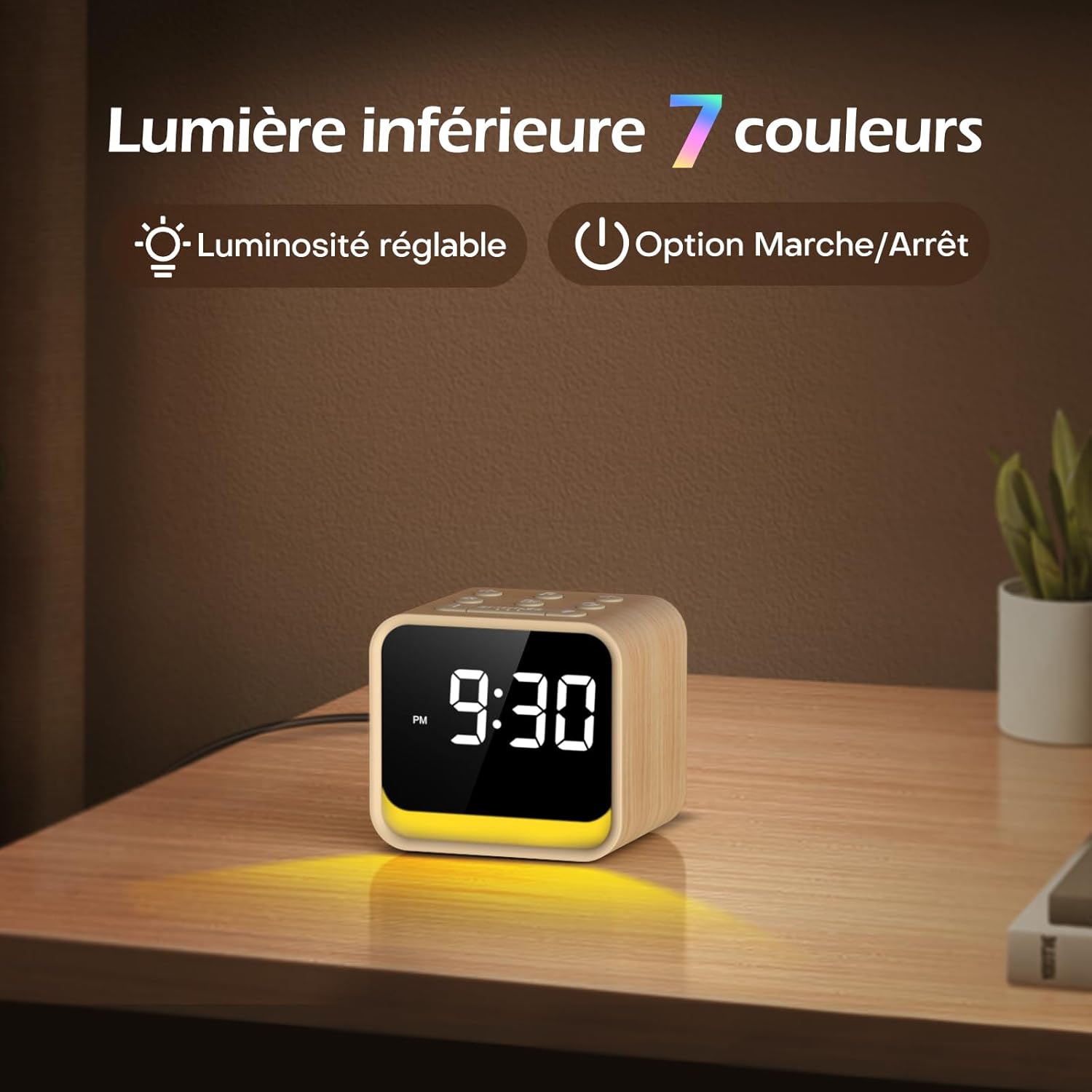
Image: The 7-color ambient night light feature, showing the light emanating from the base of the clock, with options for adjustable brightness.
6。 目覚まし時計
The sleep timer allows the FM radio or soothing sounds to play for a set duration before automatically turning off. This duration can be set from 0 to 180 minutes.
- While FM radio or soothing sounds are playing, press the スリープタイマー button (if available, or refer to specific button combinations in the quick start guide).
- 使用 +/- buttons to select the desired sleep timer duration.
- The device will automatically turn off the audio after the set time.
7。 ディスプレイの明るさ調整
The display brightness can be adjusted to suit your preference, ensuring readability during the day and preventing disturbance at night.
- 見つける ディスプレイ調光器 control on the rear panel of the unit.
- Slide or rotate the control to increase or decrease the display brightness.
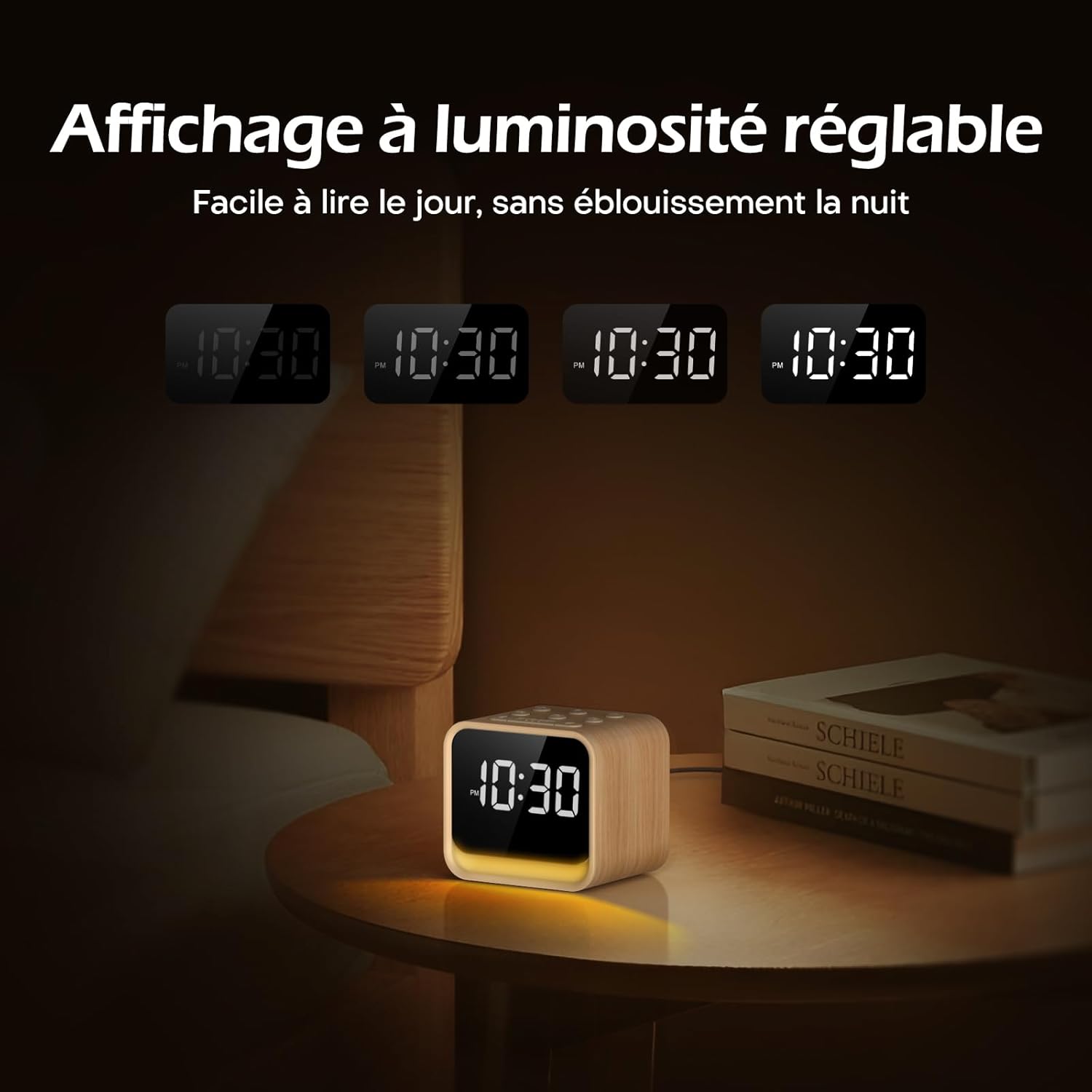
Image: The adjustable brightness display, demonstrating its readability in various lighting conditions, from bright daylight to a dim night setting.
メンテナンス
To ensure the longevity and optimal performance of your REACHER CR7WL:
- クリーニング: 柔らかく乾いた布で拭いてください。液体クリーナーや研磨剤は使用しないでください。
- 配置: Place the device on a stable, flat surface. Avoid direct sunlight, excessive heat, or moisture.
- 力: 必ず付属の電源アダプターをご使用ください。雷雨の際や長期間使用しない場合は、電源を切ってください。
トラブルシューティング
| 問題 | 考えられる原因 | 解決 |
|---|---|---|
| デバイスの電源が入りません。 | 電源アダプターが接続されていないか、コンセントに障害があります。 | 電源アダプターがデバイスにしっかりと差し込まれ、正常に機能している壁のコンセントに接続されていることを確認してください。別のコンセントをお試しください。 |
| No sound from FM radio. | アンテナが伸びていない、受信状態が悪い、または音量が低すぎる。 | Extend the radio antenna fully. Try repositioning the device. Increase the volume. Perform an automatic station search. |
| アラームは鳴りません。 | アラームが作動していないか、音量が低すぎます。 | Ensure the alarm is set and the alarm icon is visible on the display. Increase the alarm volume. |
| ディスプレイが暗すぎるか明るすぎます。 | Display dimmer not adjusted. | Adjust the Display Dimmer control on the rear panel. |
| Night light not working or wrong color. | Night light off or color not selected. | Press the SNOOZE button to turn on/cycle colors. Adjust brightness with the Night Light Brightness control. |
仕様
| 特徴 | 詳細 |
|---|---|
| ブランド | リーチャー |
| モデル番号 | CR7WL |
| 色 | Maple Finish |
| 製品寸法(長さ x 幅 x 高さ) | 9 x 3.81 x 8 cm(3.54 x 1.5 x 3.15インチ) |
| 重さ | 480 グラム (1.06 ポンド) |
| 材料 | Wood-look finish (not solid wood) |
| 表示タイプ | デジタル |
| 特集 | Adjustable Brightness, FM Radio, White Noise Machine, 7-Color Night Light, 9 Alarm Sounds, Sleep Timer |
| 電源 | Corded Electric (DC 5V Adapter) |
| バックアップバッテリー | CR2032 (for memory retention only) |

Image: Product dimensions showing the device measures 9 cm in length, 7.2 cm in depth, and 8 cm in height.
保証とサポート
保証情報
REACHER products are designed and manufactured to the highest quality standards. For specific warranty details, please refer to the warranty card included in your product packaging or contact customer support.
カスタマーサポート
If you encounter any issues or have questions regarding your REACHER CR7WL FM Alarm Clock Radio, please contact our customer support team. Contact information can typically be found on the product packaging or our official webサイト。
Please have your model number (CR7WL) and purchase details ready when contacting support.