
1. はじめに
Thank you for choosing the Baseus Nomos 160W 5-in-1 Charging Station. This device is designed to provide a comprehensive and efficient charging solution for multiple electronic devices, including laptops, tablets, and smartphones. Featuring GaN technology, Qi2 certified wireless charging, and a retractable cable, it aims to simplify your charging experience and declutter your workspace.
製品を正しく動作させ、寿命を最大限に延ばすために、ご使用前にこのマニュアルをよくお読みください。このマニュアルは、今後の参考のために保管してください。
2.製品オーバーview
The Baseus Nomos 160W Charging Station integrates multiple charging technologies into a compact design:
- 合計出力160W: Efficiently charges up to five devices simultaneously.
- Qi2 Certified 15W Magnetic Wireless Charger: Provides fast and precise magnetic alignment for compatible iPhones (12-16 series).
- 100W 引き込み式 USB-C ケーブル: Built-in 80cm (2.6ft) braided cable for convenient and tidy charging.
- 複数のポート: Includes 3 USB-C ports and 1 USB-A port for versatile connectivity.
- GaNテクノロジー: Ensures high efficiency and a compact form factor.
- BPS3.0 Smart Power Allocation: Intelligently distributes power to connected devices for optimal charging speed and safety.
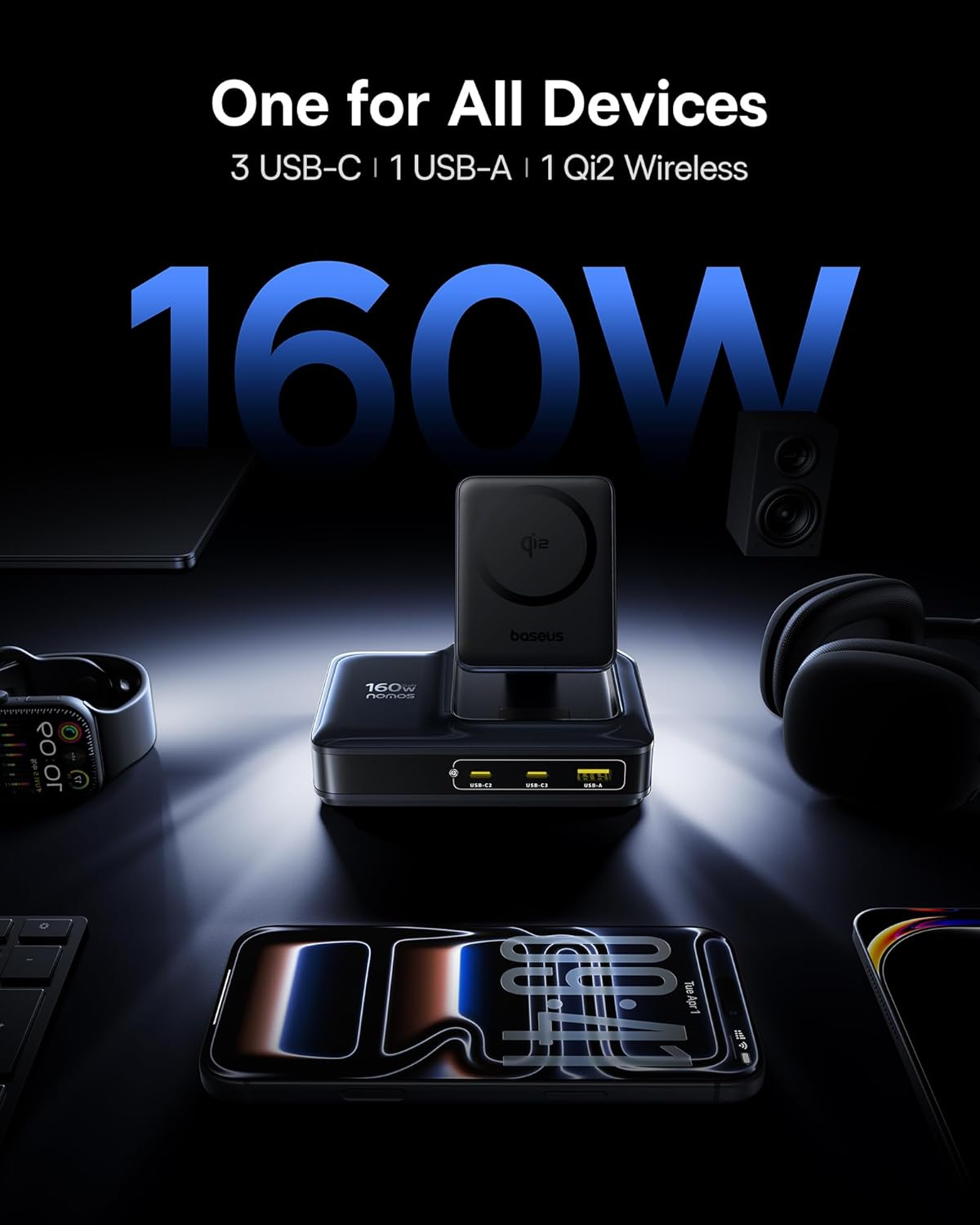
Image: The Baseus Nomos 160W Charging Station shown powering a laptop, tablet, smartphone, and earbuds simultaneously, demonstrating its multi-device charging capability.
3. セットアップ手順
- デバイスを開梱します。 Carefully remove the charging station and any included accessories from its packaging.
- 電源に接続: Plug the provided AC power cord into the charging station's power input, then connect the other end to a standard wall outlet.
- ポジショニング: Place the charging station on a stable, flat surface. Ensure adequate ventilation around the device. The anti-slip silicone pad on the bottom helps secure its position.
- 引き込み式ケーブル: To use the built-in retractable USB-C cable, gently pull it out to the desired length (up to 80cm / 2.6ft). To retract, pull the cable again slightly, and it will smoothly coil back into the station.
- ワイヤレス充電スタンド: The Qi2 wireless charging pad can be adjusted for optimal viewing angles. Simply tilt the magnetic pad to your preferred position.

Image: The Baseus Nomos 160W Charging Station showcasing its integrated retractable USB-C cable, extended for use, highlighting its cable management feature.
4. 操作手順
The Baseus Nomos Charging Station is designed for intuitive use. Simply connect your devices to the appropriate ports or place them on the wireless charging pad.
4.1 有線充電(USB-C & USB-A)
- USB-Cポート: Connect your USB-C compatible devices (laptops, tablets, phones) to the USB-C1, USB-C2, or USB-C3 ports. USB-C1 supports up to 100W, while USB-C2/C3 can deliver up to 140W each when used individually.
- USB-A ポート: Connect your USB-A compatible devices to the USB-A port. This port supports up to 18W.
- 引き込み式ケーブル: Utilize the built-in retractable USB-C cable for convenient charging of compatible devices.
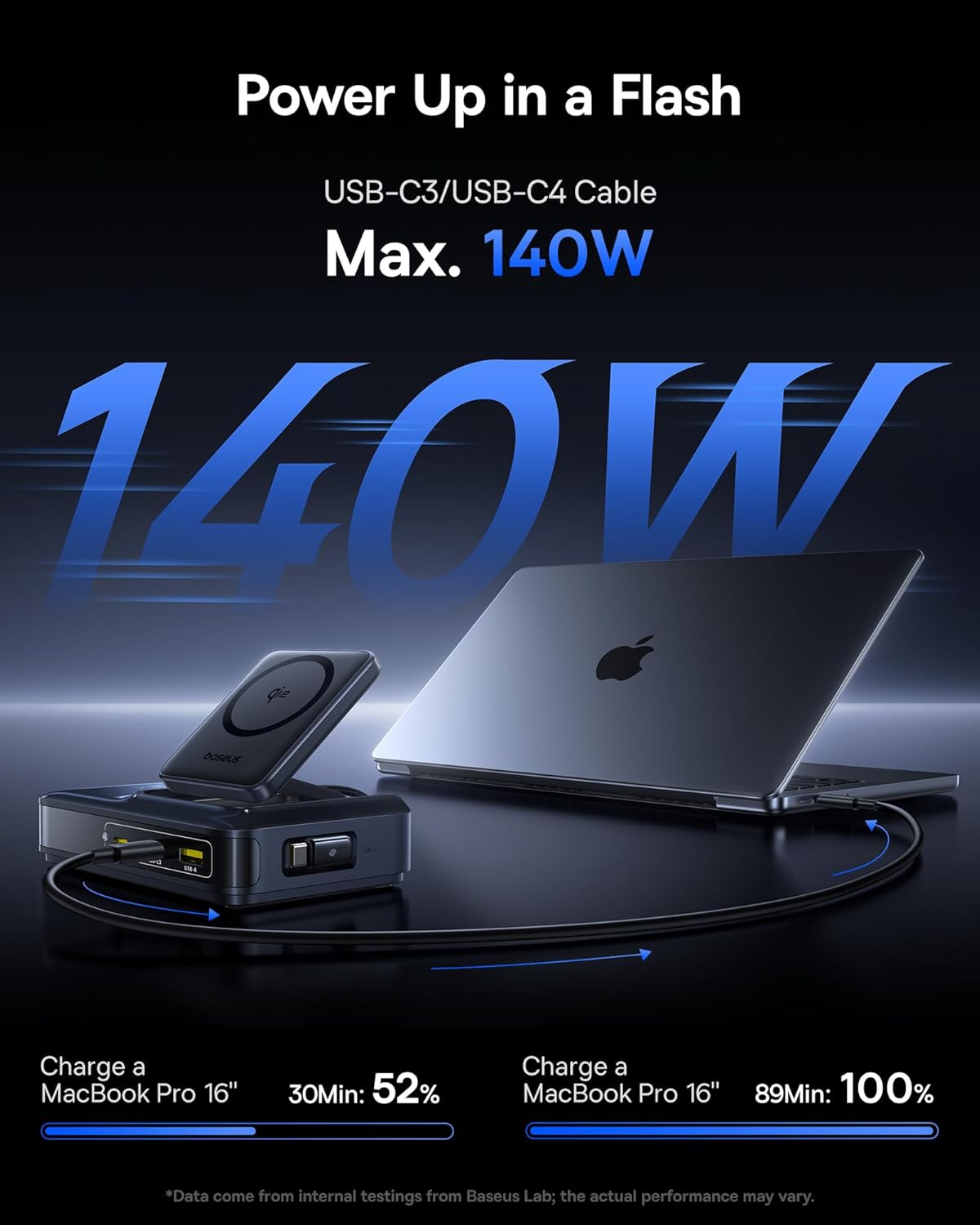
Image: A MacBook Pro 16-inch being charged by the Baseus Nomos 160W Charging Station via a USB-C cable, illustrating its high-power output capability.
4.2 Wireless Charging (Qi2)
- 配置: Place your Qi2-compatible iPhone (12-16 series) onto the magnetic wireless charging pad. The magnets will automatically align your device for optimal charging.
- ケースの互換性: The wireless charger is compatible with phone cases up to 3mm thick.
- 充電インジケーター: The device will indicate when wireless charging is active (e.g., via a light indicator or on your phone screen).

Image: An iPhone being wirelessly charged on the magnetic pad of the Baseus Nomos 160W Charging Station, demonstrating the Qi2 fast wireless charging feature.
4.3 Smart Power Allocation (BPS3.0)
The charging station features BPS3.0 technology, which intelligently detects the power requirements of each connected device and allocates the optimal power output. This ensures efficient and safe charging across all ports simultaneously, preventing overcharging or damage.
Video: An official product video from Baseus Brand Store demonstrating the 160W Charging Station's features and capabilities.
5. 安全機能
The Baseus Nomos Charging Station incorporates multiple safety mechanisms to protect your devices and the charger itself:
- 過電流保護: 過電流による損傷を防ぎます。
- オーバーボリュームtag保護: ボラティリティに対する安全策tageスパイク。
- 短絡保護: ショートが発生した場合には自動的に電源を切断します。
- 過熱保護: 過熱を防ぐために内部温度を監視および調節します。

画像: 爆発した view of the Baseus Nomos 160W Charging Station, illustrating the GaN chip and various internal components responsible for its efficient and safe operation, including icons for over-current, over-voltage、短絡、過熱保護など。
6. メンテナンス
- クリーニング: 清掃する前に、充電ステーションを電源コンセントから抜いてください。表面は柔らかく乾いた布で拭いてください。液体洗剤やエアゾールは使用しないでください。
- ストレージ: 長期間使用しない場合は、直射日光や湿気を避け、涼しく乾燥した場所に保管してください。
- ケーブルのお手入れ: Avoid excessive force when pulling or retracting the built-in cable. Ensure the cable is not kinked or pinched.
- 障害物を避けてください: Do not block the ventilation openings on the charging station, as this can lead to overheating.
7。 トラブルシューティング
- デバイスが充電されない:
- 充電ステーションが通電中の電源コンセントに正しく差し込まれていることを確認してください。
- 充電ケーブルが充電ステーションとデバイスの両方にしっかりと接続されているかどうかを確認します。
- Verify that your device is compatible with the charging port or wireless charging standard.
- 接続不良を排除するために、別のケーブルまたはポートを試してください。
- 遅い充電:
- Confirm your device supports fast charging protocols (e.g., PD3.1, QC4, PPS) and that you are using a compatible cable.
- The charging station intelligently allocates power. If multiple high-power devices are connected, the output to individual ports may be adjusted.
- For wireless charging, ensure proper alignment of your device on the pad and that your phone case is not too thick (max 3mm).
- 過熱:
- Ensure the charging station has adequate ventilation and is not covered.
- If the device feels excessively hot, disconnect it from power and all devices immediately. Contact support if the issue persists.
- 引き込み式ケーブルが機能しない:
- Gently pull the cable again to trigger the retraction mechanism.
- ケーブルの引き込みを妨げる障害物がないことを確認してください。
8. 仕様
| 特徴 | 詳細 |
|---|---|
| モデル番号 | E01217 |
| 総出力 | 160W |
| USB-C1出力 | 最大100W |
| USB-C2/C3出力 | Up to 140W (each, when used individually) |
| USB-A出力 | 最大18W |
| Qi2 ワイヤレス充電 | 15W |
| 引き込み式ケーブルの長さ | 80cm(2.6フィート) |
| 入力ボリュームtage | 240ボルト |
| 寸法 | 8.43 x 6.69 x 2.44インチ |
| アイテム重量 | 1.87ポンド |
| 対応デバイス | iPhone 12-17 series, Galaxy S20-24, OnePlus 8 Pro, Google Pixel 6-8, Sony Xperia 5, iPad, Air Pods 2-3, MacBook Pro 2023, Lenovo ThinkPad T14, Dell XPS 13, and more. |
9. 保証とサポート
Baseus products are manufactured to high-quality standards. This product is covered by a manufacturer's warranty against defects in materials and workmanship from the date of purchase. The specific warranty period may vary by region and retailer.
For warranty claims, technical support, or product inquiries, please contact the retailer where you purchased the product or visit the official Baseus webカスタマーサービス情報のサイト。
オンラインサポート: www.baseus.com
保証のために購入証明書を保管してください。


