
導入
Thank you for choosing the OSDUE EMS Foot Massager Mat. This device utilizes Electrical Muscle Stimulation (EMS) technology to provide a relaxing and therapeutic foot massage experience. It is designed to help relieve muscle pain, reduce fatigue, and promote blood circulation in the feet and calves. This manual provides essential information for safe and effective use of your new foot massager.
重要な安全情報
- 外用のみにご使用ください。
- Do not immerse the device in water or use it with wet feet.
- お子様の手の届かない場所に保管してください。
- Not suitable for individuals with heart conditions or those wearing a pacemaker.
- 刺激や不快感が生じた場合は、直ちに使用を中止してください。
- Keep the device away from fire and extreme temperatures.
- Before each use, ensure the main unit is charged and your feet are clean and dry.
製品終了view
The OSDUE EMS Foot Massager Mat consists of a flexible mat with integrated electrodes and a detachable main control unit. A remote control is included for convenient operation.

Image: OSDUE EMS Foot Massager Mat, showing the mat, main control unit, remote control, and USB charging cable.
コンポーネント:
- EMS Foot Massager Mat: The main mat with conductive areas for foot placement.
- メインコントロールユニット: Attaches to the mat, features an LCD display, power, mode, and intensity buttons.
- リモートコントロール: For wireless adjustment of modes and intensity.
- USB充電ケーブル: For recharging the main control unit.
Control Unit Features:
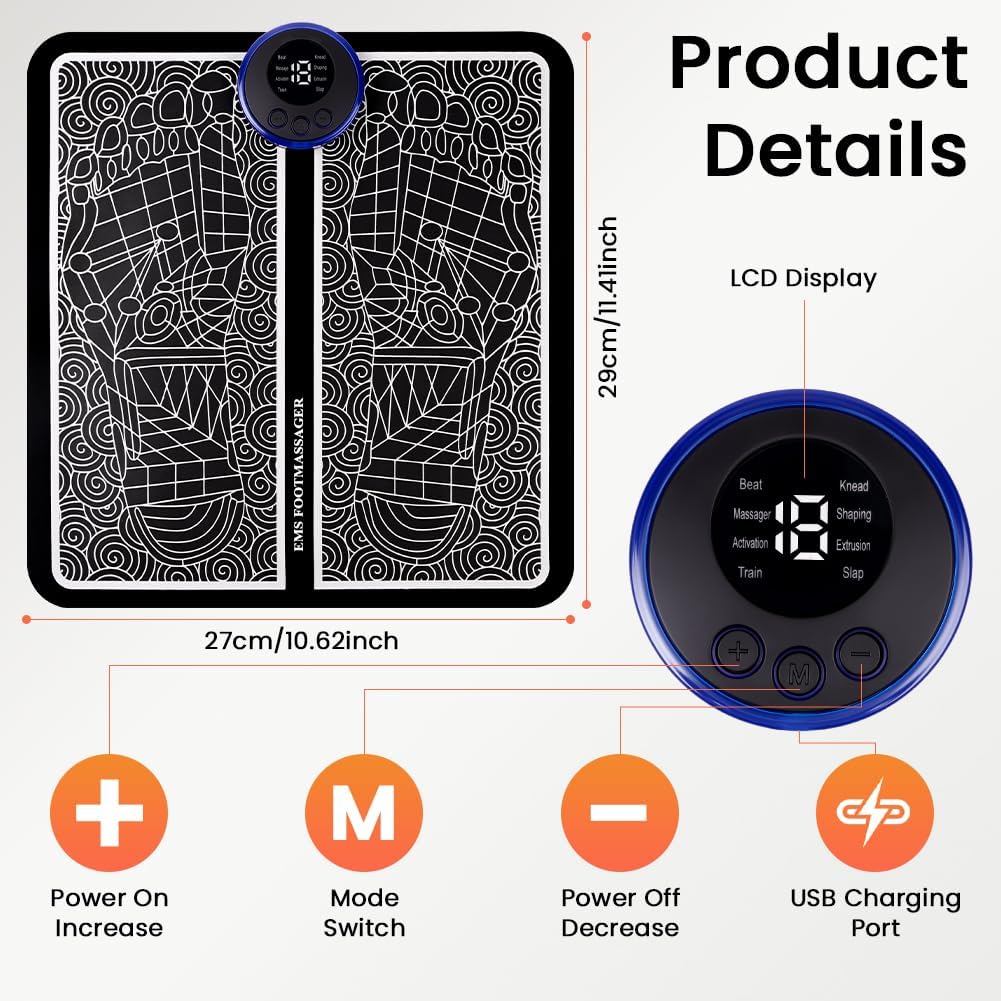
Image: Close-up of the control unit, highlighting the LCD display, Power On/Increase (+), Mode Switch (M), Power Off/Decrease (-) buttons, and USB Charging Port.
- LCDディスプレイ: Shows current mode and intensity level.
- 「+」ボタン: Power On / Increase Intensity.
- 「M」ボタン: モードスイッチ。
- '-' ボタン: Power Off / Decrease Intensity.
- USB充電ポート: 充電ケーブルを接続します。
設定
- 本体を充電する: Before first use, fully charge the main control unit using the provided USB cable. Connect the cable to the unit's USB port and a compatible USB power source (e.g., computer, wall adapter). The charging time is approximately 1.5 hours.
- 本体を取り付けます。 Securely attach the main control unit to the two clips on the foot pad. Ensure it clicks into place.
- 足元を準備してください: Remove your shoes and socks. Wipe your feet clean and ensure they are dry before placing them on the mat.
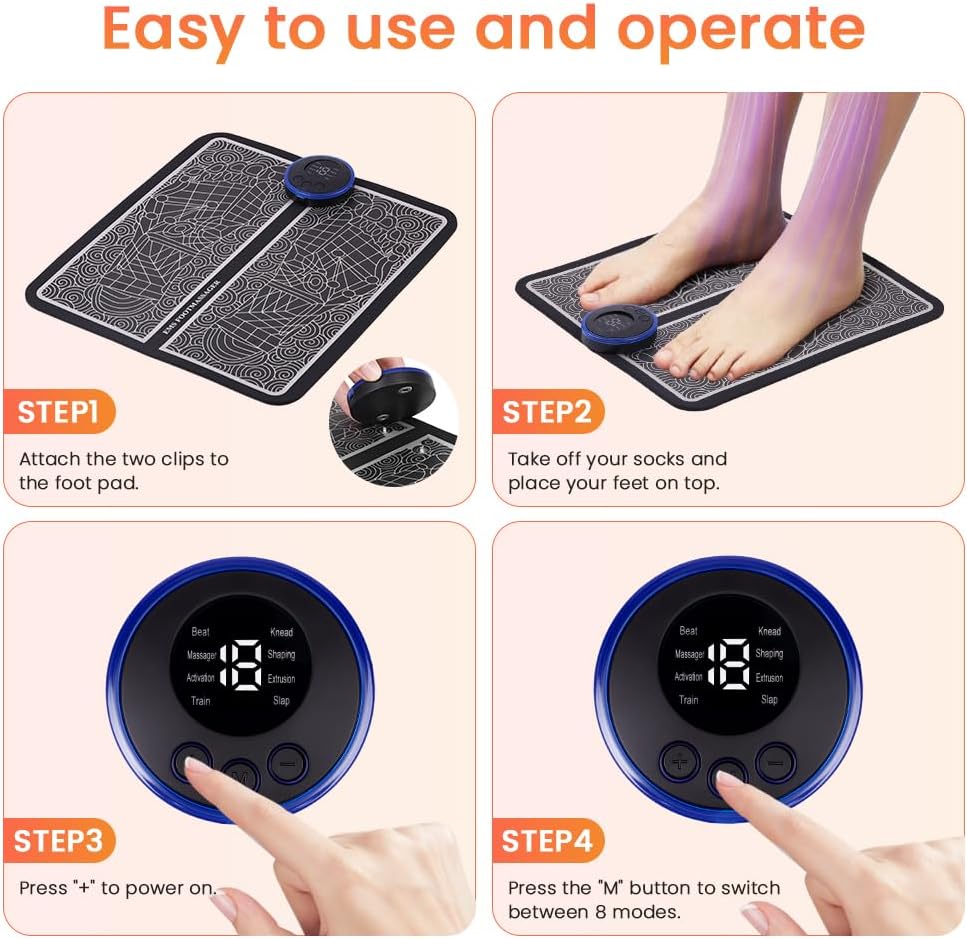
Image: Visual guide showing how to attach the control unit, place bare feet on the mat, and use the control buttons.
操作手順
- 配置: Sit comfortably and place both bare feet flat on the designated areas of the massage mat.
- 電源オン: Press and hold the '+' button on the main unit or the remote control to power on the device. The LCD display will light up.
- モードの選択: Press the 'M' button on the main unit or the remote control to cycle through the 8 available massage modes.
- 強度を調整: Use the '+' and '-' buttons on the main unit or remote control to increase or decrease the massage intensity. There are 19 intensity levels. It is recommended to start with a low setting (e.g., level 1-3) and gradually increase to a comfortable level.
- 自動遮断: The device features an intelligent 15-minute timer and will automatically shut off after 15 minutes of continuous operation. It will also power off automatically if your feet are removed from the mat during use.
- 電源を切る: To manually turn off the device, press and hold the '-' button on the main unit or the remote control.
マッサージモード:
The device offers 8 distinct massage modes, each providing a different type of stimulation:

Image: Illustration of the 8 vibration modes, including Beat, Knead, Massager, Shaping, Activation, Extrusion, Train, and Slap.
- モード 1: ビート
- モード2:こねる
- Mode 3: Massager
- Mode 4: Shaping
- Mode 5: Activation
- Mode 6: Extrusion
- Mode 7: Train
- Mode 8: Slap
メンテナンス
適切なメンテナンスを行うことで、フットマッサージャーの寿命と衛生状態が保たれます。
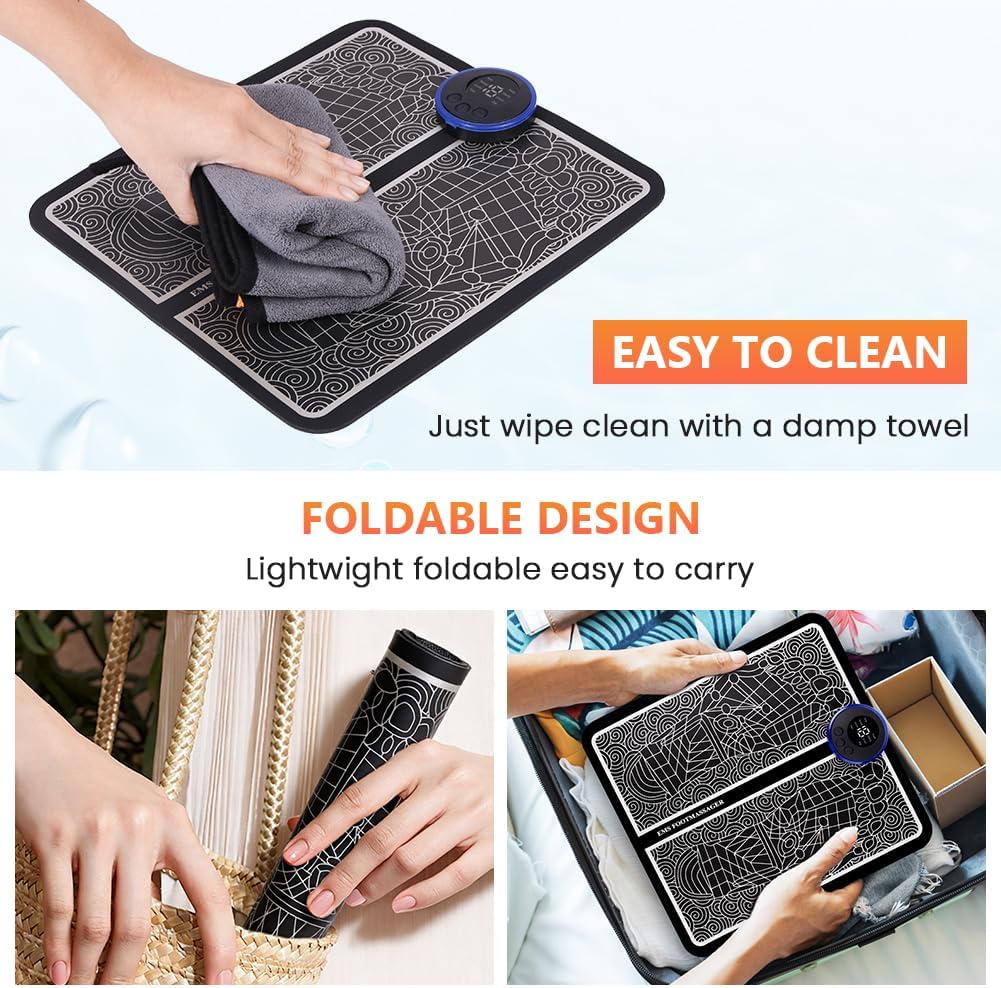
Image: Demonstrates cleaning the mat with a damp towel and its foldable design for easy storage and portability.
- クリーニング: After each use, detach the main control unit. Wipe the surface of the foot massage mat with a soft, damp cloth. Do not use harsh chemicals or abrasive cleaners. Ensure the mat is completely dry before storing or reattaching the control unit.
- ストレージ: Store the device in a cool, dry place, away from direct sunlight and moisture. The mat features a foldable design for easy storage and portability.
- バッテリーのケア: Recharge the main unit regularly, even if not used frequently, to maintain battery health.
トラブルシューティング
If you encounter any issues with your OSDUE EMS Foot Massager, please refer to the following common solutions:
- デバイスの電源が入らない: Ensure the main control unit is fully charged. Check that it is securely attached to the mat.
- No sensation during massage: Ensure your feet are bare, clean, and dry. Increase the intensity level gradually. Make sure both feet are making good contact with the conductive areas of the mat.
- リモコンが機能しない: Check if the remote control battery needs replacement (if applicable). Ensure there are no obstructions between the remote and the main unit.
- Automatic shut-off too soon: The device has a 15-minute timer. If it shuts off before 15 minutes, ensure your feet maintain continuous contact with the mat.
If the problem persists, please contact OSDUE customer support for assistance.
仕様
| モデル番号 | 5230484 |
| 寸法(長さ×幅×高さ) | 32.6 x 15.4 x 3 cm(12.8 x 6.1 x 1.2インチ) |
| 重さ | 162.5 グラム (0.36 ポンド) |
| 材料 | Plastic (Control Unit), Polyester (Mat Surface) |
| 電源 | 電池駆動(USB充電式) |
| 定格巻tage | 1.5ボルト |
| 出力周波数 | 1~100Hz |
| 最大出力 | 80ヘクタール |
| マッサージモード | 8 (Beat, Knead, Massager, Shaping, Activation, Extrusion, Train, Slap) |
| 強度レベル | 19 |
| 充電時間 | 約1.5時間 |
| 自動タイマー | 15 minutes |
保証とサポート
OSDUE is committed to providing high-quality products. For warranty information, technical support, or any inquiries regarding your EMS Foot Massager, please contact OSDUE customer service through your purchase platform or the official OSDUE webサイトをご覧ください。サポートにお問い合わせの際は、モデル番号(5230484)と購入の詳細をご用意ください。