
1.製品オーバーview
The VEIKK VK640 is a compact digital graphic tablet designed for drawing, design, online teaching, and other creative applications. It features a 6x4 inch active area, 6 customizable shortcut keys, and a battery-free stylus with 8192 pressure levels and 60-degree tilt support.

画像: 上view of VEIKK VK640 Graphic Tablet features.

Image: The compact size of the VK640 drawing tablet, ideal for beginners.
2. パッケージ内容
セットアップの前に、パッケージにすべてのアイテムが揃っていることを確認してください。
- VEIKK VK640 Pen Tablet
- P05 Battery-Free Pen
- ペンホルダー
- 交換用ペン先28本
- ペンポケット
- OTG Adapter (USB-C)
- Nib Remover Tool
- アーティストグローブ
- クイックスタートガイド

Image: All items included in the VK640 product box.
3. セットアップ手順
3.1 ドライバのインストール
- 以前のドライバーをアンインストールする: If you have other tablet drivers installed, uninstall them completely before installing the VEIKK driver to avoid conflicts.
- ドライバーをダウンロード: 公式VEIKKをご覧ください web地点 (www.veikk.com) and download the latest driver for your operating system (Windows, macOS, or Linux).
- ドライバーのインストール: ダウンロードしたインストーラーを実行し、画面の指示に従います。
- コンピューターを再起動: After installation, restart your computer to ensure the driver is properly loaded.
3.2 タブレットの接続
Connect the VK640 tablet to your computer using the provided USB cable. For mobile devices, use the included OTG adapter if necessary.

Image: Connecting the VK640 tablet to a mobile device.

Image: The VK640 tablet connected and in use with a laptop.
4. タブレットの操作
4.1 電池不要のペンの使用
The P05 pen is battery-free, eliminating the need for charging. It features 8192 levels of pressure sensitivity and supports 60-degree tilt function, allowing for natural and precise drawing strokes. Adjust the pressure in your software settings for desired line thickness and opacity.

Image: Features of the battery-free stylus, including pressure sensitivity and tilt function.
4.2 カスタマイズ可能なショートカットキー
The VK640 tablet is equipped with 6 customizable shortcut keys. These keys can be programmed through the VEIKK driver software to perform various functions, such as undo, redo, zoom in/out, brush size adjustment, or switching tools. Refer to the driver software interface for detailed customization options.

Image: The 6 customizable shortcut keys on the VK640 tablet.
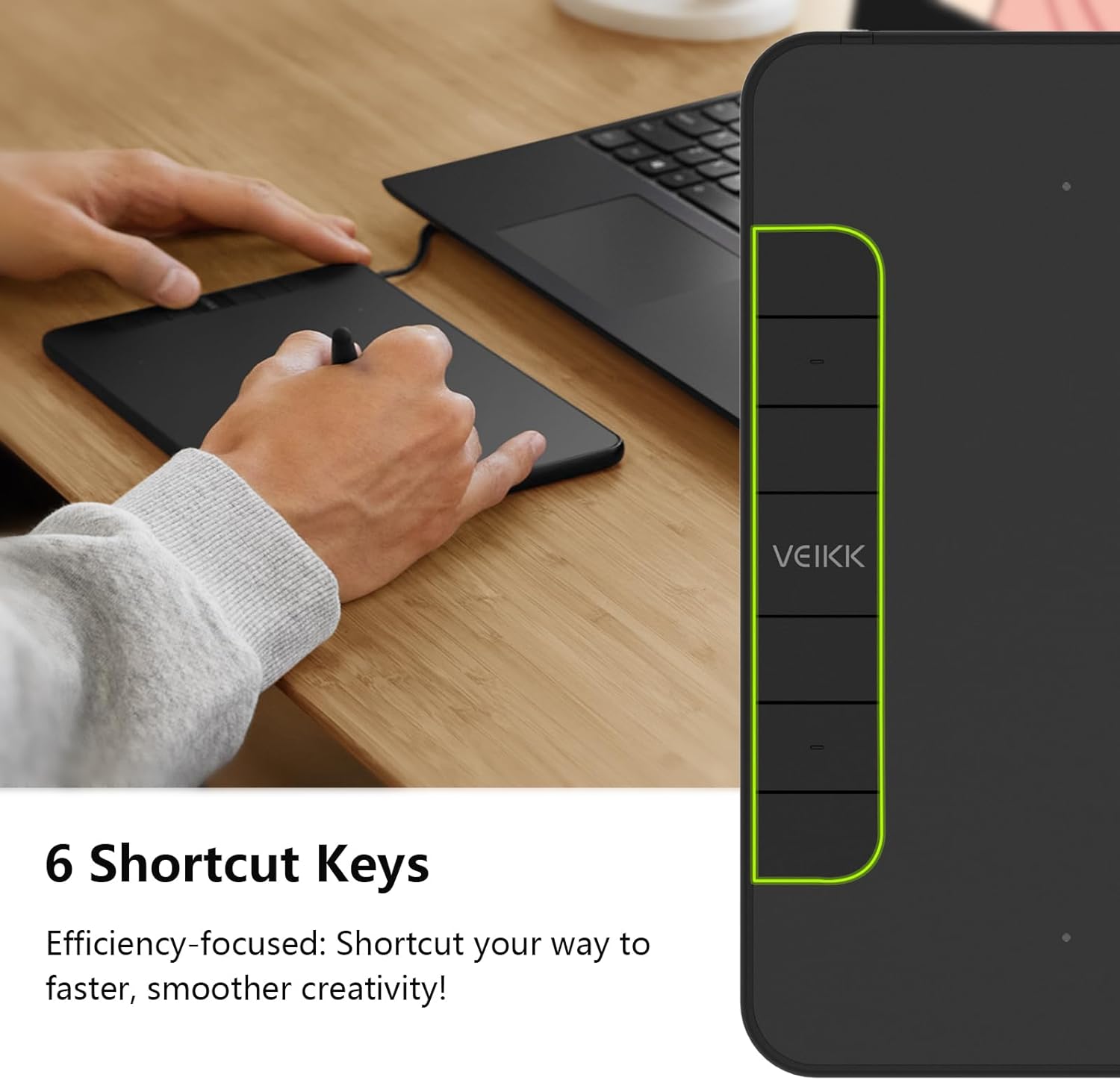
画像: Example functions for the 6 customizable press keys.
4.3 ソフトウェアの互換性
The VK640 is compatible with a wide range of creative software, including but not limited to:
- アドビフォトショップ
- クリタ
- アドビイラストレーター
- サイ
- SketchBookPro
- ファイアアルパカ
- OpenCanvas
- マンガスタジオ

Image: Broad compatibility of the VK640 with different operating systems and creative applications.
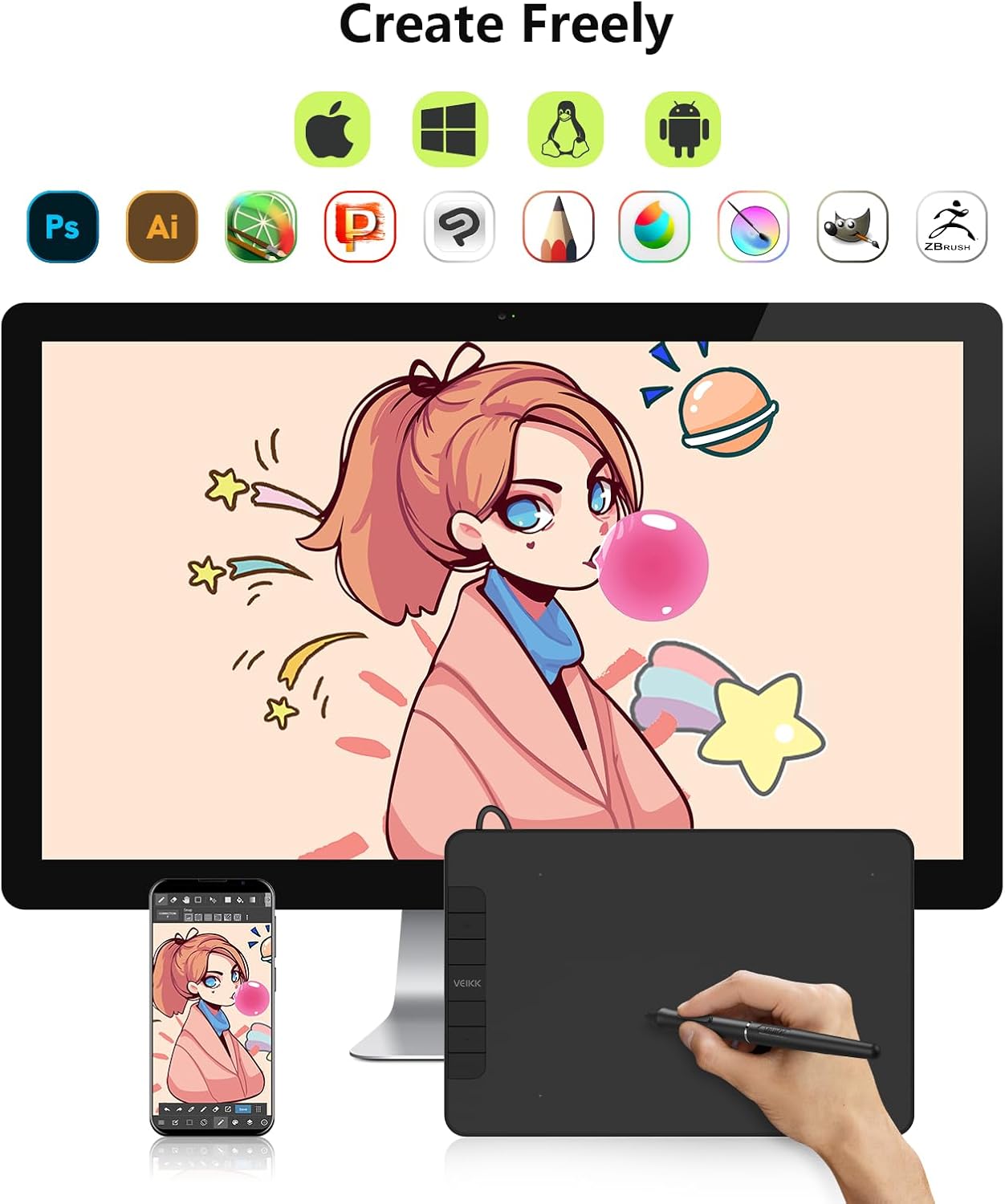
Image: Broad compatibility of the VK640 with different operating systems and creative applications.
5. メンテナンス
5.1 タブレットのクリーニング
タブレットの表面を清掃するには、柔らかく乾いた布を使用してください。頑固な汚れには、軽くこすってから拭いてください。amp 低刺激性で研磨剤を含まない洗剤を含ませた布をご使用ください。過度の湿気や刺激の強い化学薬品の使用は避けてください。
5.2 ペン先の交換
The pen nibs will wear down with use. When a nib becomes too short or sharp, replace it using the included nib remover tool. Gently pull out the old nib and insert a new one until it is secure.
The package includes 28 replacement pen nibs to ensure long-term use.
6。 トラブルシューティング
6.1 ペンが反応しない
- Ensure the tablet is properly connected to your computer.
- Verify that the VEIKK driver is installed correctly and running.
- コンピュータを再起動してみてください。
- Check if the pen nib is securely inserted or needs replacement.
- 可能であれば、別の USB ポートまたはコンピューターでタブレットをテストします。
6.2 圧力感度が機能しない
- Confirm that the VEIKK driver is installed and updated.
- Check the pressure settings within your drawing software and the VEIKK driver panel.
- Ensure no other tablet drivers are conflicting with the VEIKK driver. Uninstall any old drivers.
6.3 Shortcut Keys Not Functioning
- Open the VEIKK driver software and verify that the shortcut keys are correctly assigned.
- Ensure the driver is active and not conflicting with other software.
7. 仕様
| ブランド | ヴェイック |
| モデル名 | VK640 |
| 接続技術 | USB |
| アクティブエリア | 6 x 4 inches (24 square inches) |
| 圧力感度 | 8192 レベル |
| 傾斜サポート | 60° |
| ショートカットキー | 6個のカスタマイズ可能なキー |
| オペレーティングシステムの互換性 | Windows 7 or later, macOS 10.12 or later, Android 6.0 or later, Linux |
| アイテム重量 | 279グラム |
| 厚さ | 約8mm(0.3インチ) |

Image: Physical dimensions and weight of the VK640 tablet.

Image: Physical dimensions and weight of the VK640 tablet.
8. 保証とサポート
The VEIKK VK640 Digital Graphic Tablet comes with a 1年間の保証 from the date of purchase. VEIKK also provides 生涯テクニカルサポート この製品について。
For warranty claims, technical assistance, or further inquiries, please contact VEIKK customer support through their official webサイトまたはクイック スタート ガイドに記載されている連絡先情報を参照してください。