
製品終了view
The pTron Studio Pro are wireless over-ear headphones designed for extended listening and clear communication. They feature an ergonomic design with soft earpads and an adjustable headband for comfortable wear. Key features include long battery life, advanced audio drivers, and versatile connectivity options.
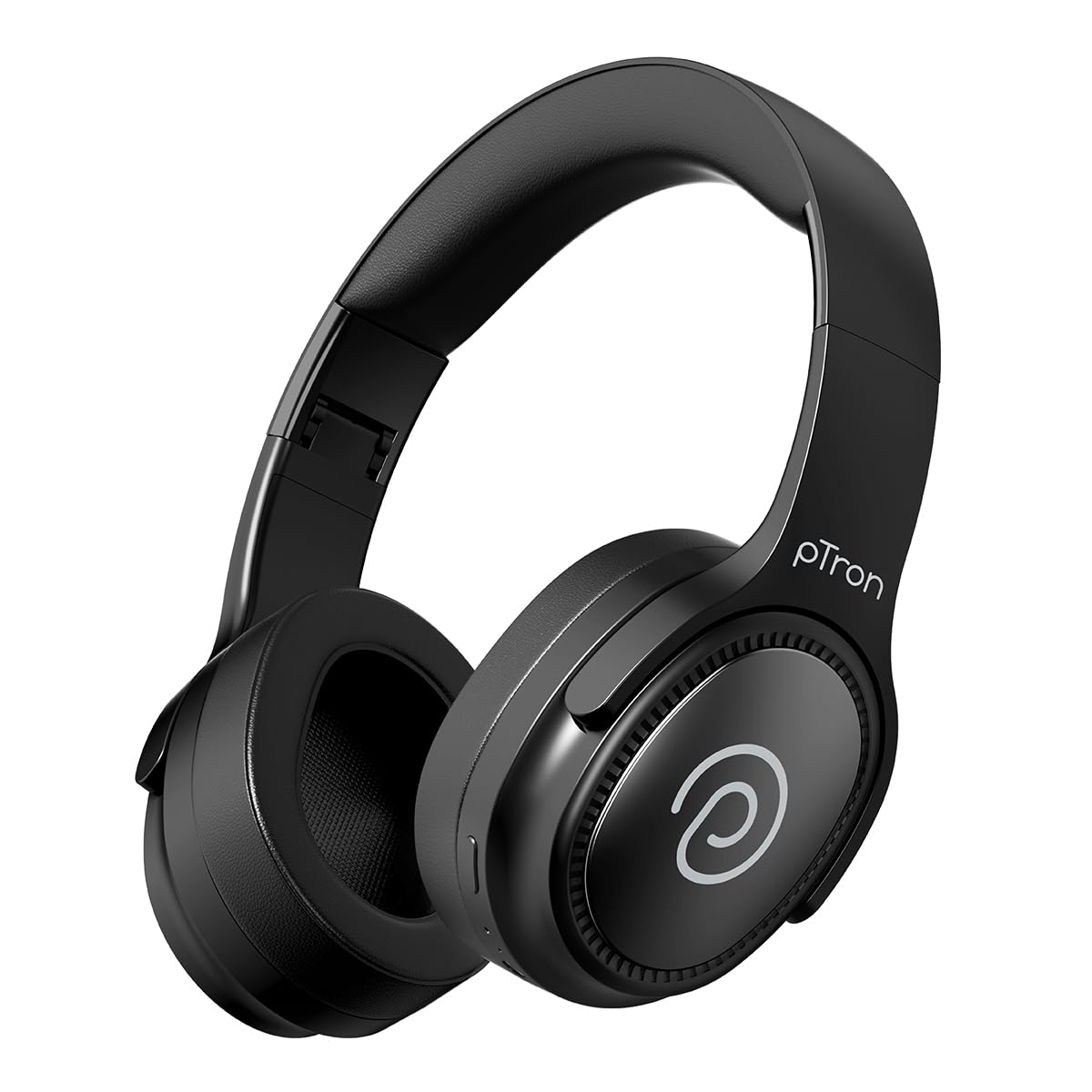
Image: pTron Studio Pro Wireless Over-Ear Headphones in Jet Black, showcasin洗練されたデザイン。
主な特徴
- 延長プレイタイム: Up to 65 hours of music playback on a single full charge.
- 急速充電: 2.5 hours for a full charge via Type-C. A 10-minute charge provides approximately 4 hours of playtime.
- 高品質オーディオ: Equipped with 40mm Neody Drivers for pristine stereo sound.
- クリアコール: Built-in HD Microphone with TruTalk AI-ENC (Environmental Noise Cancellation) for crystal-clear calls.
- 高度な接続性: Fast Bluetooth v5.4 for instant pairing and stable connection.
- デュアルデバイスペアリング: Seamlessly connect and switch between two devices simultaneously.
- 多彩なモード: Dedicated Low-Latency Gaming Mode and Music Mode.
- 耐水性: IPX4 rating, making them resistant to water splashes and sweat.
- 快適性と携帯性: Ergonomic, lightweight, and foldable design with soft earpads and an adjustable headband for a perfect fit and easy storage.
- 簡単なコントロール: Multi-functional buttons for managing music, calls, and activating voice assistant.

Image: Infographic detailing the main features of the pTron Studio Pro headphones, including battery life, drivers, and connectivity.
箱の中身
Upon unboxing your pTron Studio Pro headphones, you will find the following items:
- pTron Studio Pro Wireless Over-Ear Headphones
- 充電ケーブル(Type-C)
- ユーザーマニュアル
Video: An official product video demonstrating the unboxing and key features of the pTron Studio Pro headphones.
製品のレイアウトとコントロール
Familiarize yourself with the physical components and control buttons of your pTron Studio Pro headphones.

画像: 詳細 view of the multi-function control buttons located on the ear cup, including power, volume, and track controls.
コントロールボタンの機能:
| ボタン/アクション | 関数 |
|---|---|
| 電源ボタン(長押し) | 電源オン/オフ、ペアリングモードに入る |
| 再生/一時停止ボタン(1回押す) | 音楽の再生/一時停止、通話の応答/終了 |
| 再生/一時停止ボタン(長押し) | 通話を拒否し、音声アシスタントを起動する |
| 音量アップ(+)(1回押す) | 音量を上げる |
| 音量を下げる (-) (1回押す) | 音量を下げる |
| 音量を上げる(+)(長押し) | 次のトラック |
| 音量を下げる(-)(長押し) | 前のトラック |
| Mode Button (Single Press) | ゲームモードと音楽モードを切り替える |
設定
1. ヘッドフォンを充電する
- 付属のType-C充電ケーブルをヘッドフォンの充電ポートに接続します。
- Connect the other end of the cable to a USB power source (DC5V-1A max.).
- LEDインジケーターが充電状態を示します。フル充電には約2.5時間かかります。
- 10 分の充電で最大 4 時間の再生が可能です。

Image: The pTron Studio Pro headphones highlighting the Type-C charging port and emphasizing the 65-hour playtime.
2.Bluetoothペアリング
- ヘッドフォンが完全に充電されていることを確認してください。
- LED インジケーターが赤と青に交互に点滅し、ペアリング モードになるまで、電源ボタンを押し続けます。
- デバイス(スマートフォン、タブレット、ラップトップ)で Bluetooth を有効にし、利用可能なデバイスを検索します。
- Select "pTron Studio Pro" from the list of devices.
- Once connected, the LED indicator will turn solid blue or stop flashing.
3. デュアルデバイスのペアリング
- 上記のように、ヘッドフォンを最初のデバイスとペアリングします。
- 最初のデバイスのBluetoothを無効にします。ヘッドフォンは再びペアリングモードになります。
- ヘッドフォンをXNUMX番目のデバイスとペアリングします。
- 最初のデバイスでBluetoothを再度有効にします。ヘッドフォンは両方のデバイスに自動的に接続されます。
- 接続されている 2 つのデバイス間でオーディオの再生を切り替えることができるようになりました。

Image: The headphones connected to both a laptop and a smartphone, demonstrating the dual device pairing feature.
4. Wired Connection (3.5mm Aux-in)
- Insert one end of a 3.5mm audio cable (not included) into the Aux-in port on the headphones.
- Connect the other end of the cable to your audio source's 3.5mm jack.
- ヘッドフォンは自動的に有線モードに切り替わります。

Image: The headphones connected to a smartphone using a 3.5mm Aux-in cable, illustrating wired music playback.
操作手順
電源オン/オフ
- 電源オン: LED インジケーターが点灯するまで、電源ボタンを約 3 秒間押し続けます。
- 電源を切る: LED インジケーターが消えるまで、電源ボタンを約 5 秒間押し続けます。
音楽コントロール
- 再生/一時停止: 再生/一時停止ボタンを 1 回押します。
- 次のトラック: 音量アップ(+)ボタンを長押しします。
- 前のトラック: 音量ダウン(-)ボタンを長押しします。
- ボリュームアップ: Single press the Volume Up (+) button.
- ボリュームダウン: Single press the Volume Down (-) button.
呼制御
- 通話の応答/終了: 再生/一時停止ボタンを 1 回押します。
- 通話を拒否: 再生/一時停止ボタンを長押しします。
音声アシスタント
- 音声アシスタントを有効にする: Long press the Play/Pause button (after rejecting a call, if applicable, or when not on a call).
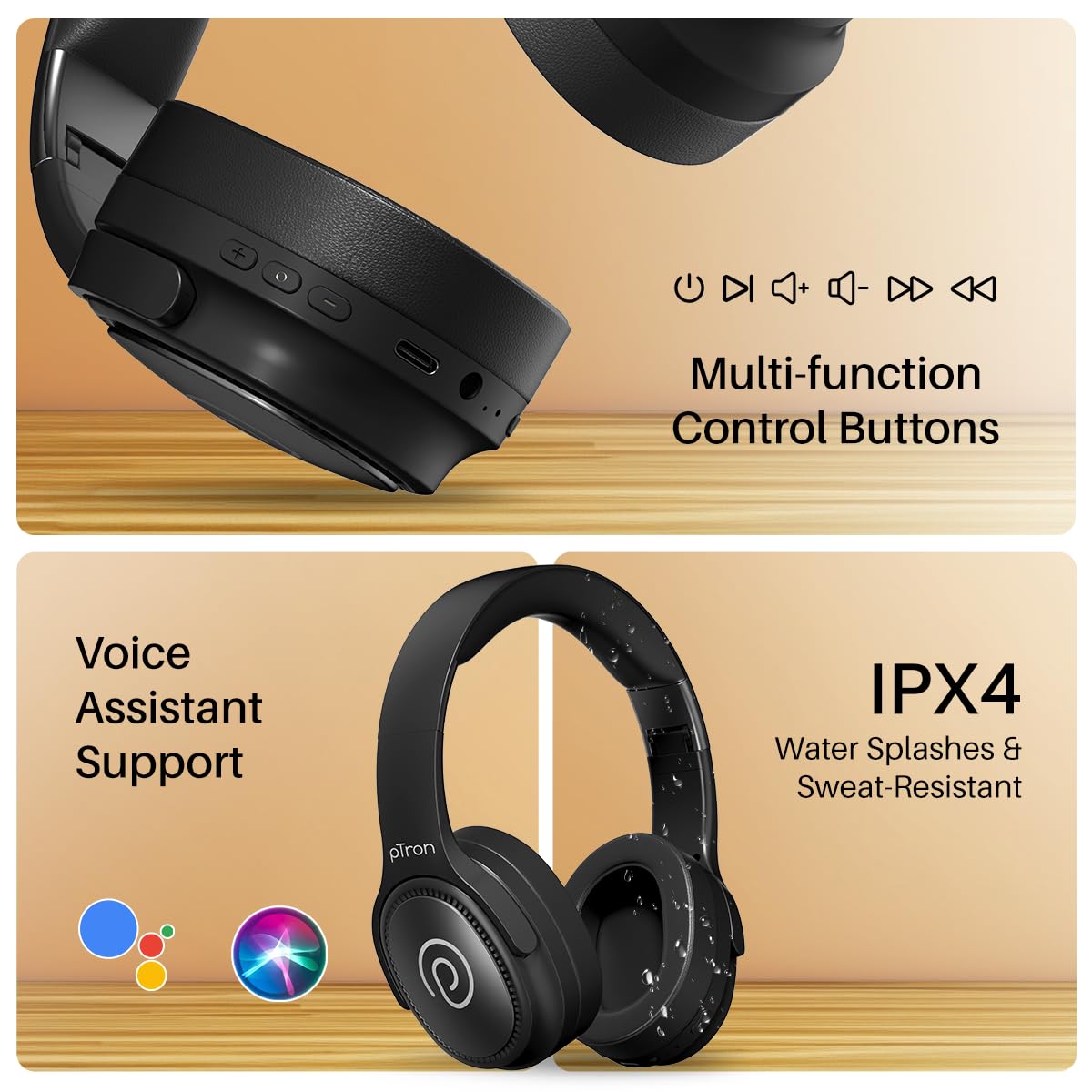
Image: The headphones illustrating support for voice assistants like Google Assistant and Siri, along with their IPX4 water-resistant rating.
Game & Music Modes
- モードの切り替え: Single press the Mode button to toggle between Low-Latency Gaming Mode and standard Music Mode.
メンテナンス
To ensure the longevity and optimal performance of your pTron Studio Pro headphones, follow these maintenance guidelines:
- クリーニング: ヘッドホンのお手入れには、柔らかく乾いた布をご使用ください。研磨剤入りの洗剤や溶剤は使用しないでください。
- ストレージ: 使用しない時は、ヘッドホンを涼しく乾燥した場所に保管してください。折りたたみ式なので、コンパクトに収納できます。
- 水への露出: While rated IPX4 for water splashes and sweat resistance, avoid submerging the headphones in water or exposing them to heavy rain. Dry them thoroughly if they get wet.
- 充電: Use only the provided Type-C cable and a compatible power adapter (DC5V-1A max.) for charging.
- 極端な温度を避ける: ヘッドホンを極端に高温または低温にさらさないでください。
トラブルシューティング
If you encounter any issues with your pTron Studio Pro headphones, refer to the following common troubleshooting steps:
| 問題 | 解決 |
|---|---|
| ヘッドホンの電源が入りません。 | ヘッドホンが完全に充電されていることを確認してください。電源に接続し、充電インジケーターを確認してください。 |
| デバイスとペアリングできません。 | Make sure Bluetooth is enabled on your device and the headphones are in pairing mode (LED flashing red/blue). Move closer to the device. Forget previous pairings on your device and try again. |
| 音が出ない、または音量が低い。 | Check the volume levels on both the headphones and your connected device. Ensure the headphones are correctly paired. If using Aux-in, ensure the cable is fully inserted. |
| 通話品質が悪いです。 | Ensure the microphone is not obstructed. Move to an area with less environmental noise. Check your device's network signal. |
| ヘッドホンの接続が頻繁に切れます。 | Ensure there are no obstacles between the headphones and your device. Keep within the Bluetooth range (10 meters). Avoid strong electromagnetic interference. |
仕様
| 特徴 | 詳細 |
|---|---|
| ブランド | プロトロン |
| モデル名 | スタジオ |
| 耳の位置 | オーバーイヤー |
| Bluetoothバージョン | 5.4 |
| Bluetooth範囲 | 10メートル |
| オーディオドライバーのサイズ | 40ミリメートル |
| インピーダンス | 32オーム |
| バッテリーの平均寿命 | 65時間 |
| バッテリー充電時間 | 2.5時間 |
| 充電ポート | タイプC |
| 耐水性レベル | IPX4(防水) |
| マイクロフォン | Built-in HD Mic with AI-ENC |
| ヘッドホンジャック | 3.5ミリジャック |
| コントロールタイプ | Call Control, Push Button |
| 製品の特徴 | Fast Charging, Foldable, Microphone Included, Noise Isolation, Surround Sound |
| アイテム重量 | 200グラム |
| 材料 | アクリロニトリルブタジエンスチレン(ABS) |
| 対応デバイス | 携帯電話、デスクトップ、ノートパソコン、タブレット |
保証とサポート
Your pTron Studio Pro headphones come with a manufacturer's warranty and dedicated customer support.
- 保証: 6 Months Manufacturer Warranty from the Date of Purchase on Manufacturing Defects Only.
- メーカーの連絡先: Building A1, Red Box Creative Park, No. 3 Huancheng South Road, Bantian Street, Longgang District, Shenzhen City, China 518116.
- Customer Care Contact Details: 40-67138888 / Support@ptron.in
- 輸入業者連絡先: PALRED ELECTRONICS PVT. LTD.、SY.NO. 56、1階、GUNDLAPOCHAMPALLY VILLAGE、TECH PARK MTP、TSIIC-IALA NACHARAM、HYDERABAD - 500076、TELANGANA、インド。


