
NIMO NIMO N15A
NIMO N15A 15.6 インチ FHD ライトゲーミング ノートパソコン ユーザー マニュアル
Model: NIMO N15A | Brand: NIMO
1. はじめに
Welcome to your NIMO N15A 15.6" FHD Light-Gaming-Laptop. This manual provides essential information for setting up, operating, maintaining, and troubleshooting your device to ensure optimal performance and longevity.
2. 箱の中身
- 1 x NIMO N15A Laptop
- 1 x Type-C 100W PD Fast Charger
- ユーザーマニュアル x 1
- Windows 11 Home (Pre-installed)
- 2 Years Warranty & 90 Days Return Information
3. 初期設定
3.1 開梱
すべての部品をパッケージから慎重に取り出してください。「箱の内容物」セクションに記載されているすべての内容物が揃っていることを確認してください。
3.2 初期充電
Before first use, connect the provided 100W USB-C PD Fast Charger to the laptop's USB-C port and a power outlet. Allow the battery to charge fully. The charging LED indicator will show the charging status.
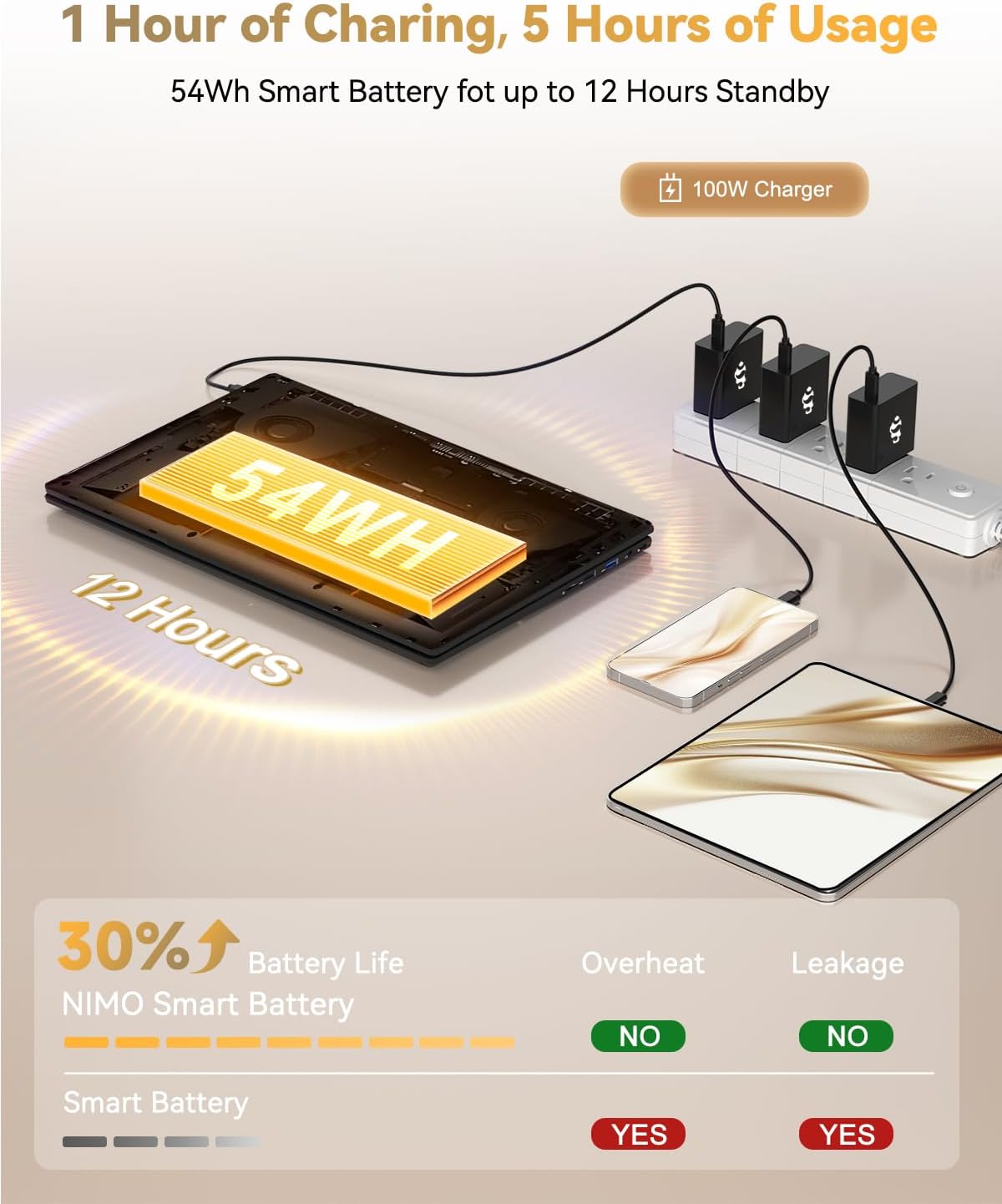
Figure 1: NIMO N15A Laptop connected to its 100W USB-C fast charger.
3.3 Power On and Windows Setup
Open the laptop lid and press the power button located on the keyboard. Follow the on-screen instructions to complete the Windows 11 Home setup, including language selection, region, network connection, and user account creation.

Figure 2: NIMO N15A Laptop displaying the Windows 11 desktop during initial setup.
4. Operating Your NIMO N15A Laptop
4.1 ディスプレイ
The NIMO N15A features a 15.6-inch Full HD (1920x1080) IPS anti-glare display, offering clear and vibrant visuals suitable for work, study, and entertainment.

Figure 3: The NIMO N15A display provides a lighting fast and smooth visual experience.
4.2 パフォーマンス
Equipped with an AMD Ryzen 7 Pro 6850U processor (8 cores, 16 threads, up to 4.7GHz turbo speed) and an integrated AMD Radeon 680M GPU, this laptop delivers robust performance for demanding tasks, content creation, and light gaming. The 32GB LPDDR5 RAM ensures smooth multitasking, while the 1TB PCIe 4.0 SSD provides rapid data access and ampファイルストレージ。
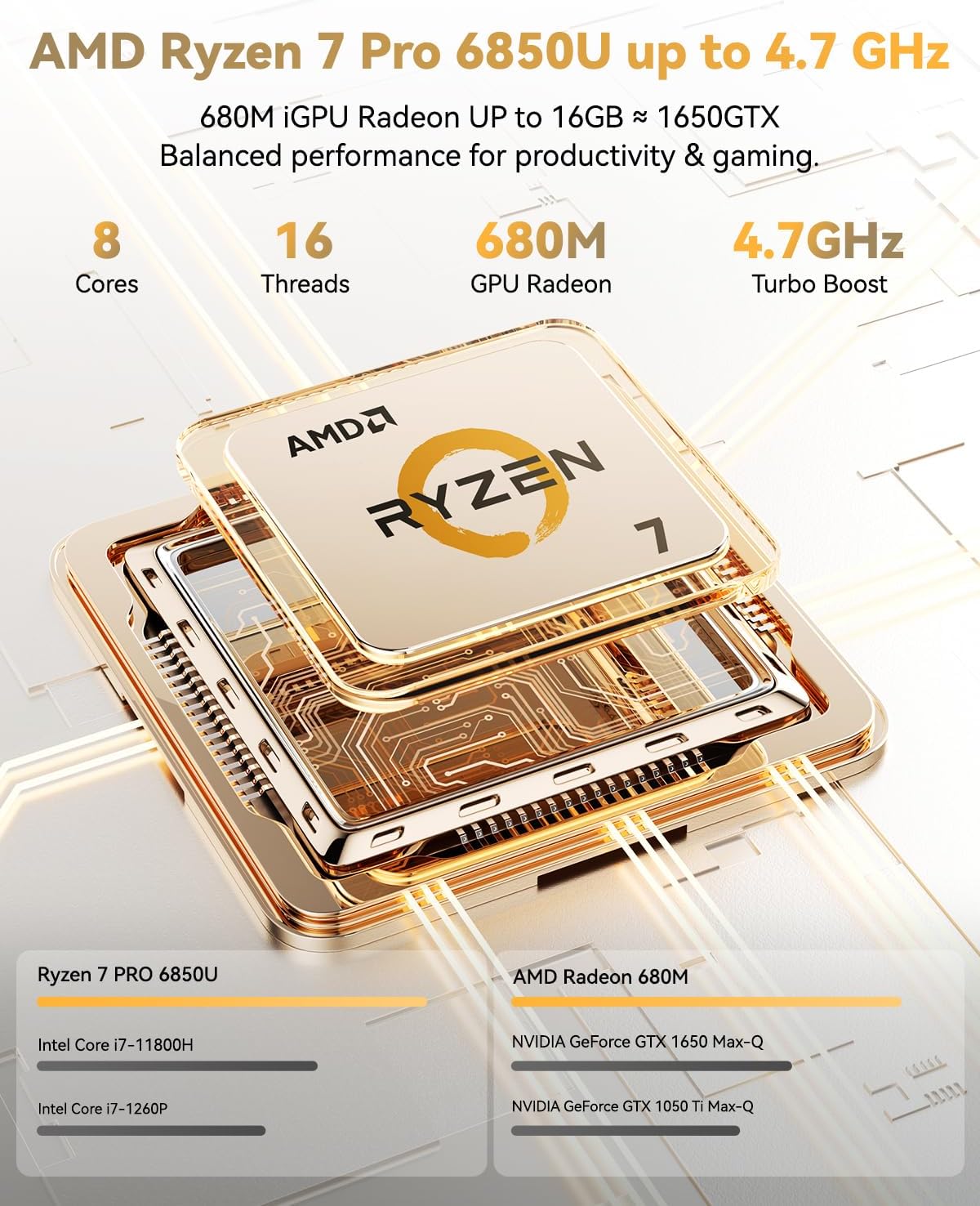
Figure 4: AMD Ryzen 7 Pro 6850U processor details.
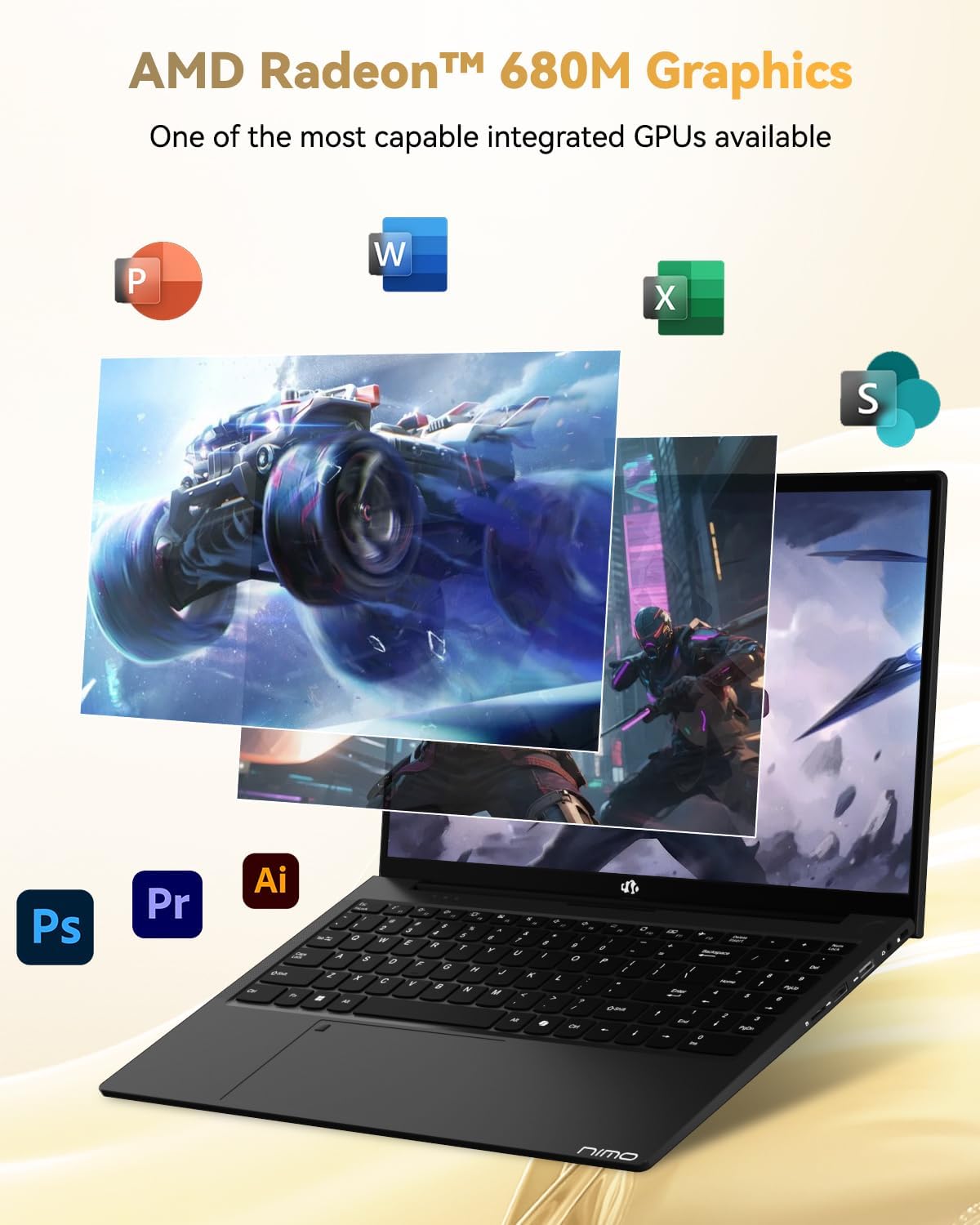
Figure 5: AMD Radeon 680M Graphics in action.

Figure 6: Seamless multitasking and amp優れたストレージ機能。
4.3 キーボードとタッチパッド
The ergonomic backlit keyboard ensures comfortable and accurate typing in low-light environments. The precision gesture touchpad includes an integrated fingerprint reader for secure and instant login, enhancing privacy and convenience.

Figure 7: Backlit keyboard and fingerprint reader for enhanced usability and security.
4.4 Connectivity (Ports)
The NIMO N15A offers a comprehensive selection of ports for versatile connectivity:
- 左側: 2x USB-C (multifunction), 1x USB 3.2 Type-A, 1x HDMI 2.1
- 右側: 1x Micro SD reader, 1x USB 2.0 Type-A, 1x USB 3.2 Type-A, 1x 3.5mm headphone/microphone combo jack, 1x Kensington Lock slot
For wireless connectivity, the laptop supports WiFi 6 and Bluetooth 5.2, ensuring fast and stable connections to networks and peripherals.
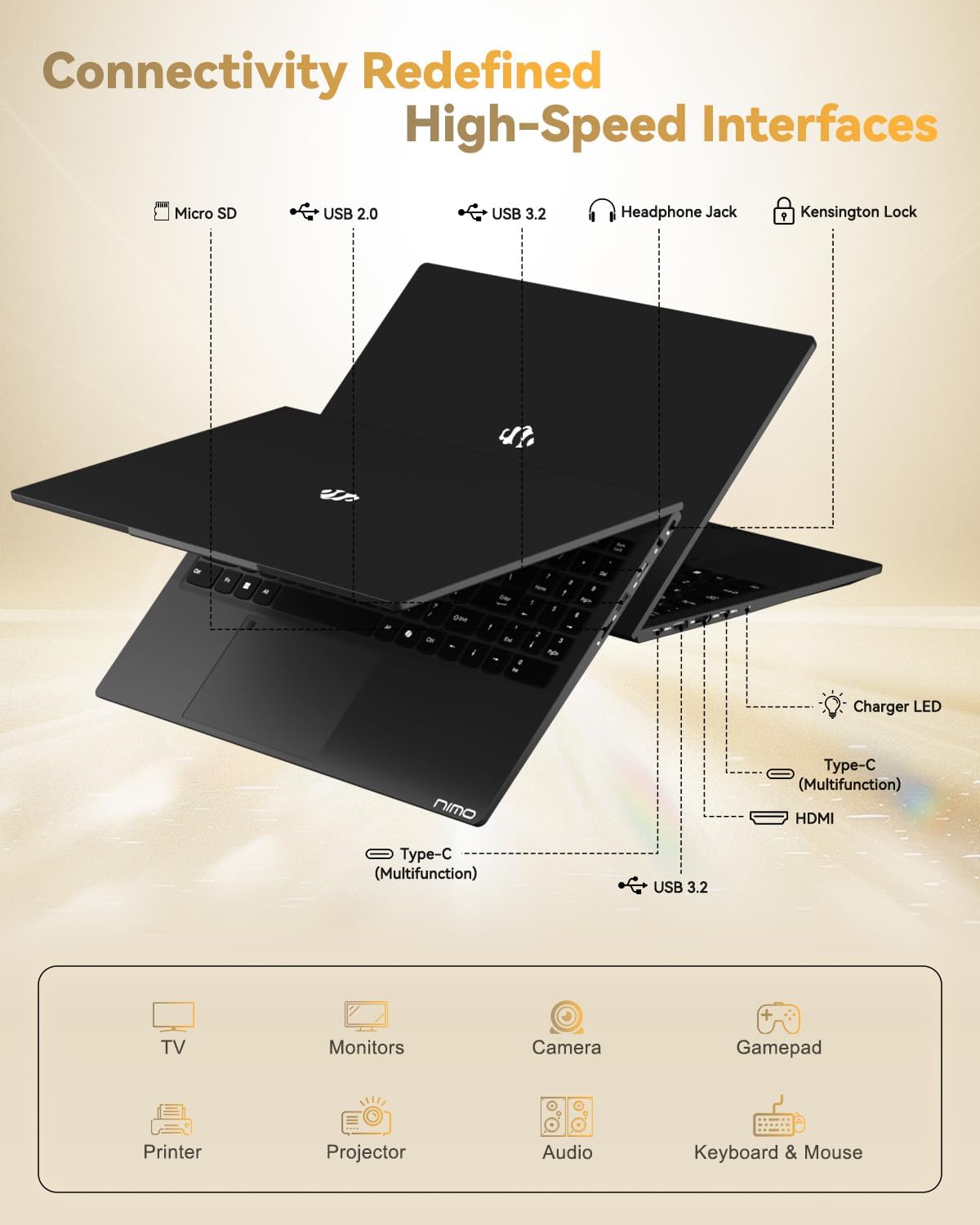
Figure 8: High-speed interfaces for next-generation connectivity.
4.5バッテリーと充電
The 54Wh smart battery provides up to 9 hours of average battery life. The included 100W USB-C PD Fast Charger allows for quick power-ups, delivering up to 2 hours of use with just 15 minutes of charging. This compact charger is also versatile, capable of powering other compatible devices.
4.6 Webカム
The laptop features a 2MP webcam, ideal for video calls and online meetings. It includes a physical privacy switch, allowing you to easily disable the webcam when not in use for enhanced security.
Video 1: A comprehensive introduction to the NIMO 15.6-inch laptop, showcasinその機能とデザイン。
Video 2: Demonstrating the NIMO 15.6-inch laptop's backlit keyboard and features for students.
Video 3: Highlighting the NIMO Laptop's suitability for work and study, anytime and anywhere.
5. メンテナンスとケア
- クリーニング: Use a soft, lint-free cloth to gently clean the screen and chassis. Avoid using harsh chemicals or abrasive materials.
- ソフトウェアアップデート: Regularly check for and install operating system updates (Windows 11) and driver updates to ensure optimal performance, security, and compatibility.
- ストレージ管理: 定期的に再view 不要なものを削除する files, applications, and temporary data to maintain the performance of your 1TB SSD.
- バッテリーのケア: To prolong the lifespan of your 54Wh Lithium Polymer battery, avoid exposing it to extreme temperatures. It is recommended to keep the battery charged between 20% and 80% for daily use and avoid frequent full discharges.
6。 トラブルシューティング
6.1 ノートパソコンの電源が入らない
- Ensure the 100W USB-C PD Fast Charger is securely connected to both the laptop and a working power outlet.
- Verify that the charging LED indicator is lit.
- If the laptop does not respond, try holding the power button for 10-15 seconds to perform a hard reset.
6.2 パフォーマンスの低下
- バックグラウンドで実行されている不要なアプリケーションを閉じます。
- 保留中の Windows 更新プログラムまたはドライバー更新プログラムを確認してインストールします。
- Ensure your 1TB SSD has sufficient free space (at least 15-20% recommended).
6.3 接続の問題(Wi-Fi/Bluetooth)
- Windows 設定で Wi-Fi または Bluetooth が有効になっていることを確認します。
- Wi-Fi の問題が発生した場合は、ルーター/モデムを再起動してください。
- Update your wireless and Bluetooth drivers from the NIMO support webサイト。
6.4 表示の問題
- Adjust the screen brightness using the function keys (Fn + F-keys).
- If using an external monitor, ensure the HDMI cable is properly connected and the display settings are configured correctly.
- グラフィック ドライバーを更新します。
7. 技術仕様
| 特徴 | 仕様 |
|---|---|
| モデル名 | NIMO N15A |
| 画面 | 15.6" FHD IPS Anti-Glare (1920x1080) |
| プロセッサ | AMD Ryzen 7 Pro 6850U(8コア、16スレッド、最大4.7GHz) |
| グラフィックス | AMD Radeon 680M(統合型) |
| ラム | 32GB LPDDR5(6400 MHz) |
| ストレージ | 1TB PCIe 4.0 SSD (Upgradable to 2TB) |
| オペレーティング·システム | Windows 11 ホーム |
| ワイヤレス接続 | WiFi 6、Bluetooth 5.2 |
| ポート | 2x USB-C (multifunction), 2x USB 3.2 Type-A, 1x USB 2.0 Type-A, 1x HDMI 2.1, 1x Micro SD Reader, 1x 3.5mm Audio Jack, 1x Kensington Lock |
| Webカム | 2MP with Privacy Switch |
| バッテリー | 54Wh Lithium Polymer (Up to 9 hours average use) |
| 充電器 | 100W USB-C PD Fast Charger |
| 重さ | 3.75ポンド(1.7kg) |
| 寸法(長さx幅x高さ) | 14.07 x 8.98 x 0.76インチ |
8. 保証とサポート
8.1 保証範囲
Your NIMO N15A laptop is backed by a 2-year manufacturer warranty, covering defects in materials and workmanship under normal use. This warranty ensures peace of mind and reliable performance.
8.2返品ポリシー
NIMO offers a 90-day no-hassle return policy. Please refer to your purchase documentation for specific terms and conditions regarding returns.
8.3 カスタマーサポート
For any product-related questions, technical assistance, or warranty claims, please contact NIMO customer support. You can find detailed contact information in the included user manual or by visiting the official NIMO webサイト。
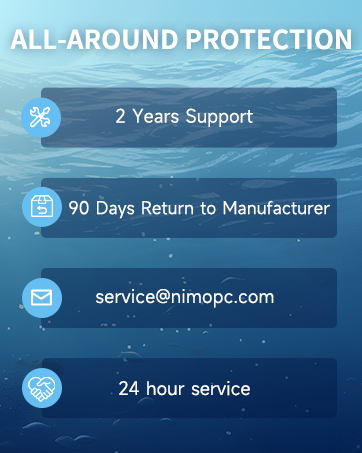
Figure 9: NIMO's professional customer assistance team.

Figure 10: NIMO products are covered by a 2-year support.

Figure 11: 90-day return policy for NIMO products.
Ask a question about this manual
Ask about setup, troubleshooting, compatibility, parts, safety, or missing instructions. Manuals+ will review the question and use this page’s manual context to help answer it.