
導入
This manual provides essential information for the NIMO 15.6-inch Light Gaming Laptop N15A. It covers setup, operation, maintenance, troubleshooting, and product specifications. Please read this manual thoroughly before using your new laptop to ensure proper function and longevity.

Image: NIMO 15.6-inch Light Gaming Laptop N15A, showcasing its full display and keyboard.
パッケージ内容
Verify that all items listed below are present in your product packaging. If any items are missing or damaged, please contact NIMO customer support.
- 1 x NIMO N15A Laptop
- 1 x Type-C 100W PD Fast Charger
- ユーザーマニュアル x 1
- Windows 11 Home Operating System (pre-installed)
製品終了view
The NIMO N15A laptop is designed for balanced performance, featuring an AMD Ryzen 7 Pro 6850U processor, 32GB LPDDR5 RAM, and a 1TB PCIe 4.0 SSD. It includes a 15.6-inch Full HD IPS display, a backlit keyboard, and an integrated fingerprint reader for secure access.
主な特徴:
- プロセッサ: AMD Ryzen 7 Pro 6850U with 8 Cores and 16 Threads, up to 4.7GHz.
- グラフィック: Integrated AMD Radeon 680M GPU.
- メモリ: 効率的なマルチタスクを実現する 32GB LPDDR5 RAM。
- ストレージ: 1TB PCIe 4.0 SSD for fast boot times and data access.
- 画面: 15.6-inch Full HD (1920x1080) IPS Anti-Glare Display.
- 充電: 100W USB-C Power Delivery fast charging.
- 安全: Integrated fingerprint reader for secure login.
- キーボード: Backlit keyboard for use in various lighting conditions.

Image: Visual representation of the AMD Ryzen 7 Pro 6850U processor's core and thread count, and turbo boost speed.
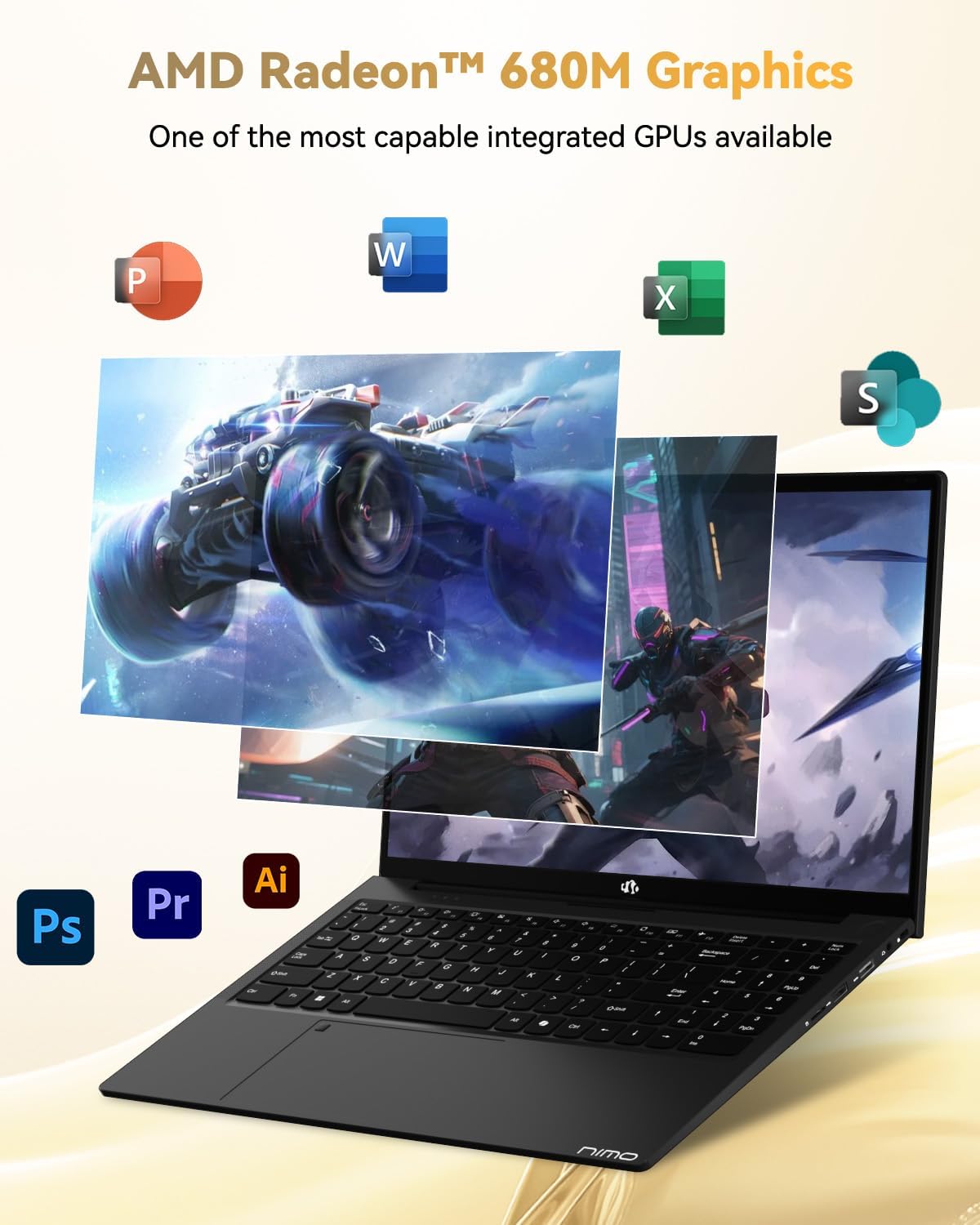
Image: Illustration highlighting the capabilities of the AMD Radeon 680M integrated graphics for various applications.

Image: Diagram showing the 32GB LPDDR5 RAM and 1TB PCIe 4.0 SSD for seamless multitasking and ampファイルストレージ。
Image: The NIMO N15A laptop displaying a vibrant image on its 15.6-inch Full HD IPS screen.
ポートと接続:

Image: Diagram illustrating the various ports on the NIMO N15A laptop, including USB, HDMI, and Type-C.
- マイクロSDリーダー
- USB 2.0 ポート
- USB 3.2 ポート(複数)
- ヘッドホンジャック
- ケンジントンロックスロット
- Type-C (Multifunction) Ports (supporting charging and data transfer)
- HDMIポート
設定
1. Initial Charging and Power On:
- Connect the provided 100W Type-C PD Fast Charger to the laptop's Type-C charging port and a power outlet.
- Allow the laptop to charge for at least 30 minutes before initial use, or until the charging indicator shows sufficient battery.
- キーボードにある電源ボタンを押して、ラップトップの電源をオンにします。

Image: Illustration of the NIMO N15A laptop being charged with the 100W Type-C PD Fast Charger.
2. Windows 11 Initial Setup:
Follow the on-screen prompts to complete the Windows 11 setup process. This typically includes:
- 地域とキーボード レイアウトを選択します。
- Wi-Fiネットワークに接続しています。
- Microsoft アカウントでサインインするか、ローカル アカウントを作成します。
- PIN またはパスワードの設定。
- プライバシー設定を構成します。
操作手順
パワー管理:
- 電源オン: 電源ボタンを押します。
- スリープモード: 蓋を閉じるか、電源ボタンを短く押します。
- シャットダウン: [スタート] ボタンをクリックし、[電源]、[シャットダウン] の順にクリックします。
- 再起動: [スタート] ボタンをクリックし、[電源]、[再起動] の順にクリックします。
キーボードとタッチパッド:

画像: クローズアップ view of the NIMO N15A laptop's backlit keyboard and the integrated fingerprint reader on the touchpad.
- バックライト付きキーボード: Use the dedicated function key (usually Fn + Fx) to toggle the keyboard backlight on/off and adjust brightness levels.
- 指紋リーダー: The fingerprint reader is integrated into the touchpad. During Windows setup, you can configure your fingerprint for secure, quick login.
- 高精度タッチパッド: ナビゲーション用のマルチタッチジェスチャをサポートします。カスタマイズについてはWindowsの設定を参照してください。
周辺機器の接続:
Utilize the various ports to connect external devices such as monitors, printers, external storage, and audio devices.
- USB デバイス: Plug USB devices into the available USB 2.0 or USB 3.2 ports.
- 外部ディスプレイ: Connect an external monitor or TV using the HDMI port or a compatible Type-C adapter.
- オーディオ: Use the 3.5mm headphone jack for headphones or external speakers.
カメラのプライバシー:

Image: Illustration of the NIMO N15A laptop's built-in privacy camera switch, allowing users to easily disable the webカム。
The NIMO N15A laptop features a built-in privacy camera switch. This allows you to physically disable the 2.0MP webcam when not in use, ensuring your privacy.
メンテナンス
ノートパソコンのクリーニング:
- Power off the laptop and disconnect the charger before cleaning.
- 柔らかく糸くずの出ない布で軽く拭き取ってください。amp水またはディスプレイ用スクリーンクリーナーで拭いてください。
- キーボードとシャーシには柔らかい布を使用してください。刺激の強い化学薬品や研磨剤は使用しないでください。
- 圧縮空気を使用して、キーボードのキーや通気口からほこりを取り除きます。
バッテリーのケア:
- バッテリーを頻繁に完全に放電することは避けてください。
- 長期間使用しない場合は、バッテリーを 50 ~ 70% 程度充電した状態で、ノートパソコンを涼しく乾燥した場所に保管してください。
- Use only the original NIMO 100W Type-C PD Fast Charger.
ソフトウェアアップデート:
- システムの安定性とセキュリティを確保するために、Windows の更新プログラムを定期的に確認してインストールしてください。
- Keep device drivers updated, especially for graphics and chipset, by checking the NIMO support webサイトまたは Windows Update を参照してください。
トラブルシューティング
| 問題 | 考えられる解決策 |
|---|---|
| ノートパソコンの電源が入りません。 | Ensure the charger is properly connected and the power outlet is functional. Allow the battery to charge for at least 30 minutes. If the issue persists, contact support. |
| ディスプレイが空白またはちらつきます。 | Try connecting an external monitor to check if the issue is with the laptop's display. Adjust display brightness. Restart the laptop. |
| パフォーマンスが遅い。 | 不要なアプリケーションを閉じてください。大量のリソースを消費するバックグラウンドプロセスがないか確認してください。十分な空きストレージ容量を確保してください。マルウェアのシステムスキャンを実行してください。 |
| キーボードのバックライトが機能しません。 | Press the dedicated function key combination (e.g., Fn + Fx) to toggle or adjust the backlight. Check keyboard settings in Windows. |
| 指紋リーダーが応答しません。 | Ensure your finger is clean and dry. Re-register your fingerprint in Windows settings. Restart the laptop. |
ここに記載されていない問題、または解決策で問題が解決しない場合は、保証とサポートのセクションを参照してください。
仕様
| 特徴 | 詳細 |
|---|---|
| ブランド | NIMO |
| モデル名 | NIMO N15AL (N15A) |
| 画面サイズ | 15.6インチ |
| 画面解像度 | 1920×1080ピクセル(フルHD) |
| プロセッサ | AMD Ryzen 7 Pro 6850U (8 Cores, up to 4.7 GHz) |
| ラム | 32 GB LPDDR5 (6400 MHz) |
| ハードドライブ | 1024 GB SSD (PCIe 4.0, Solid State) |
| グラフィックスコプロセッサ | AMD Radeon 680M(統合型) |
| オペレーティング·システム | ウィンドウズ11 |
| ワイヤレスタイプ | 802.11a/b/g/n/ac |
| USB 2.0 ポート | 1 |
| USB 3.0/3.2 ポート | 4 |
| 平均バッテリー寿命 | 9時間 |
| アイテム重量 | 3.75ポンド |
| 製品寸法 | 14.07 x 8.98 x 0.76インチ |
| 色 | 黒 |
| 後方 Webカム解像度 | 2 MP |
| 特集 | バックライトキーボード、指紋リーダー、HDオーディオ、テンキー |
保証とサポート
NIMO provides comprehensive support for your laptop.
- 保証: Your NIMO N15A laptop comes with a 2-year manufacturer's warranty.
- 返品規則: A 90-day hassle-free return policy is offered from the date of purchase.
- カスタマーサポート: For technical assistance, warranty claims, or product-related inquiries, please contact NIMO customer support.
Contact information for support is typically available on the official NIMO website or through the product's packaging.
安全情報
重要: Read and follow these safety guidelines to prevent damage to your device or personal injury.
- Use only original chargers and regularly inspect cables for damage.
- Handle the laptop by its base and consider using a protective case. Avoid placing heavy objects on it.
- Place the laptop on a hard, flat surface to ensure proper ventilation and prevent overheating. Keep it away from extreme temperatures and moisture.
- Do not overcharge the battery. Discontinue use if the battery shows signs of swelling or damage.
- Set strong passwords, keep software updated, use antivirus software, and regularly back up your data.
- In case of liquid spills, immediately unplug the laptop and allow it to dry completely before attempting to power it on.
- For any issues, consult qualified professionals. Do not attempt to disassemble or repair the device yourself.
免責事項
This NIMO laptop is provided "as is," without express or implied warranties, except for any applicable manufacturer's limited warranty. Implied warranties of merchantability or fitness for a specific purpose are disclaimed. NIMO is not liable for damages resulting from misuse (e.g., non-approved chargers, unauthorized repairs), physical damage, or failure to adhere to safety guidelines, including data loss or business interruption. Users are responsible for regularly backing up their data. This disclaimer does not exclude liability for manufacturing defects or violations of mandatory local laws. By using this laptop, you accept these terms, which are governed by the laws of the applicable jurisdiction.