
1. はじめに
The GODOX Litemons LE600Bi is a high-performance bi-color LED light designed for professional photography, videography, live streaming, and portraiture. It features an integrated power supply for ease of use, exceptional brightness, and accurate color rendition. This manual provides essential information for the safe and effective operation of your LE600Bi LED light.
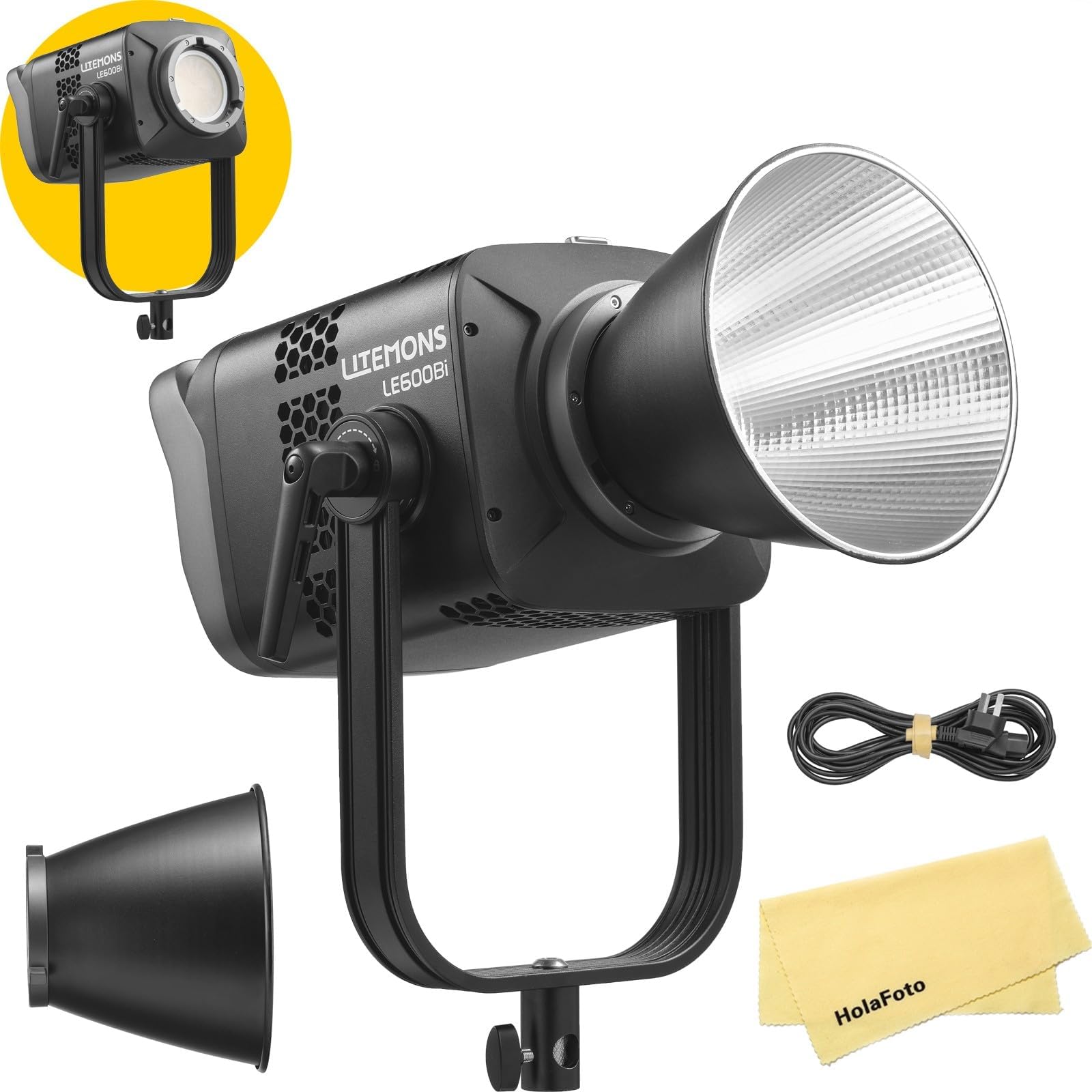
Image 1.1: GODOX Litemons LE600Bi Bi-Color LED Light with reflector.
2. パッケージ内容
パッケージにすべてのアイテムが含まれていることを確認してください。
- LE600Bi Light Body x1
- リフレクター BR30A x1
- AC電源コードx1
- HolaFoto Cloth x1
3. 安全に関する注意事項
製品の損傷やご自身、または他の人への危害を防ぐため、本製品をご使用になる前に、以下の安全に関する注意事項をよくお読みください。これらの安全に関する注意事項は、いつでも読める場所に保管してください。
- Do not disassemble or modify the product. If the product fails, it must be repaired by an authorized maintenance center.
- 本製品は乾燥した場所に保管してください。濡れた手で扱ったり、水に浸したりしないでください。
- 可燃性ガス、化学物質、またはその他の物質が存在する場所で製品を使用しないでください。
- Do not leave or store the product in high-temperature environments or in direct sunlight.
- 電源のボリュームを確認してくださいtag製品の要件を満たしています。
- Always disconnect the power cord before cleaning or when not in use.
- 特に高輝度設定の場合は、LED ライトを目に直視しないでください。目を損傷する恐れがあります。
- 過熱を防ぐために、運転中は適切な換気を確保してください。
4 製品の特徴
- オールインワンデザイン: The LE600Bi features an integrated power supply, eliminating the need for an external adapter. This design simplifies setup and enhances portability.
- Unmatched Brightness: Equipped with premium LED chips, the LE600Bi delivers high levels of illumination suitable for various professional applications.
- 優れた色精度: Boasting TLCI and CRI ratings of up to 98, the LE600Bi ensures accurate color reproduction, making it suitable for professional filmmaking, live streaming, and podcasting.
- Adjustable CCT with Built-in Creative FX: The light offers a wide color temperature range (2800K-6500K) and 11 built-in special effects (FX) such as TV flicker, lightning, and candlelight to enhance creative productions.
- Professional and Efficient Control: Control options include wired DMX, CRMX network integration with TimoLink RX (optional), and wireless Bluetooth control via the Godox Light App for seamless adjustments.
- ワンクリックリセット: Features a Bluetooth reset button and NFC addition for quick and easy setup of multiple lights.
- Ultra-Cool and Whisper-Quiet: Constructed with a robust metal body and an ultra-quiet fan, ensuring efficient heat dissipation and consistent performance during extended use.
- Bowensマウントの互換性: Supports both flat and standard Bowens accessories, offering flexibility for various light modifiers.

Image 4.1: Illumination data example for similar models (LE200Bi/LE300Bi) with BR30A Reflector at 5600K, 1m.

Image 4.2: Visual representation of high TLCI and CRI ratings (TLCI≈98 | CRI≈98).

Image 4.3: Demonstration of adjustable color temperature from warm (2800K) to cool (6500K).
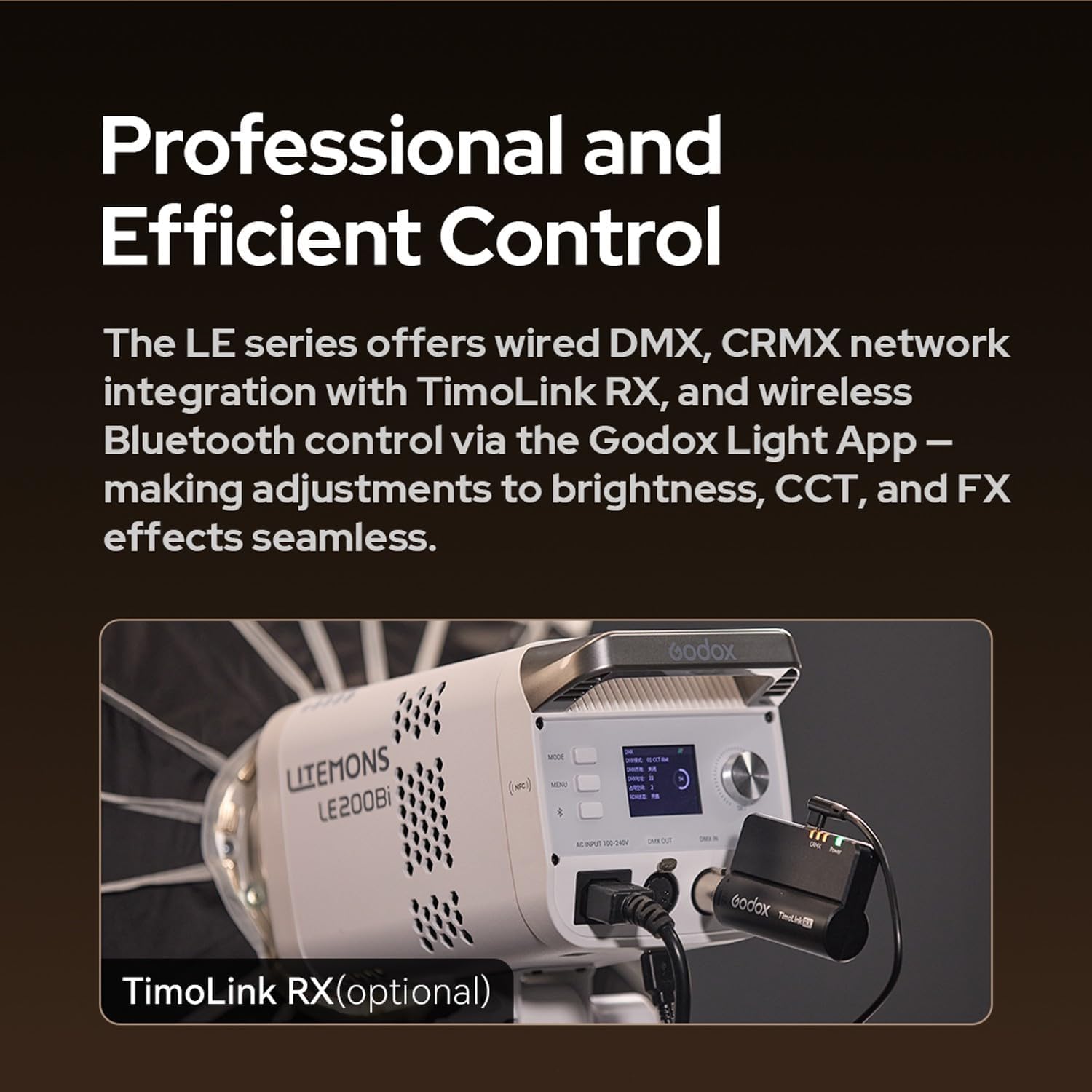
Image 4.4: Control panel of a Litemons LE200Bi light, showing DMX IN/OUT ports and an optional TimoLink RX module.
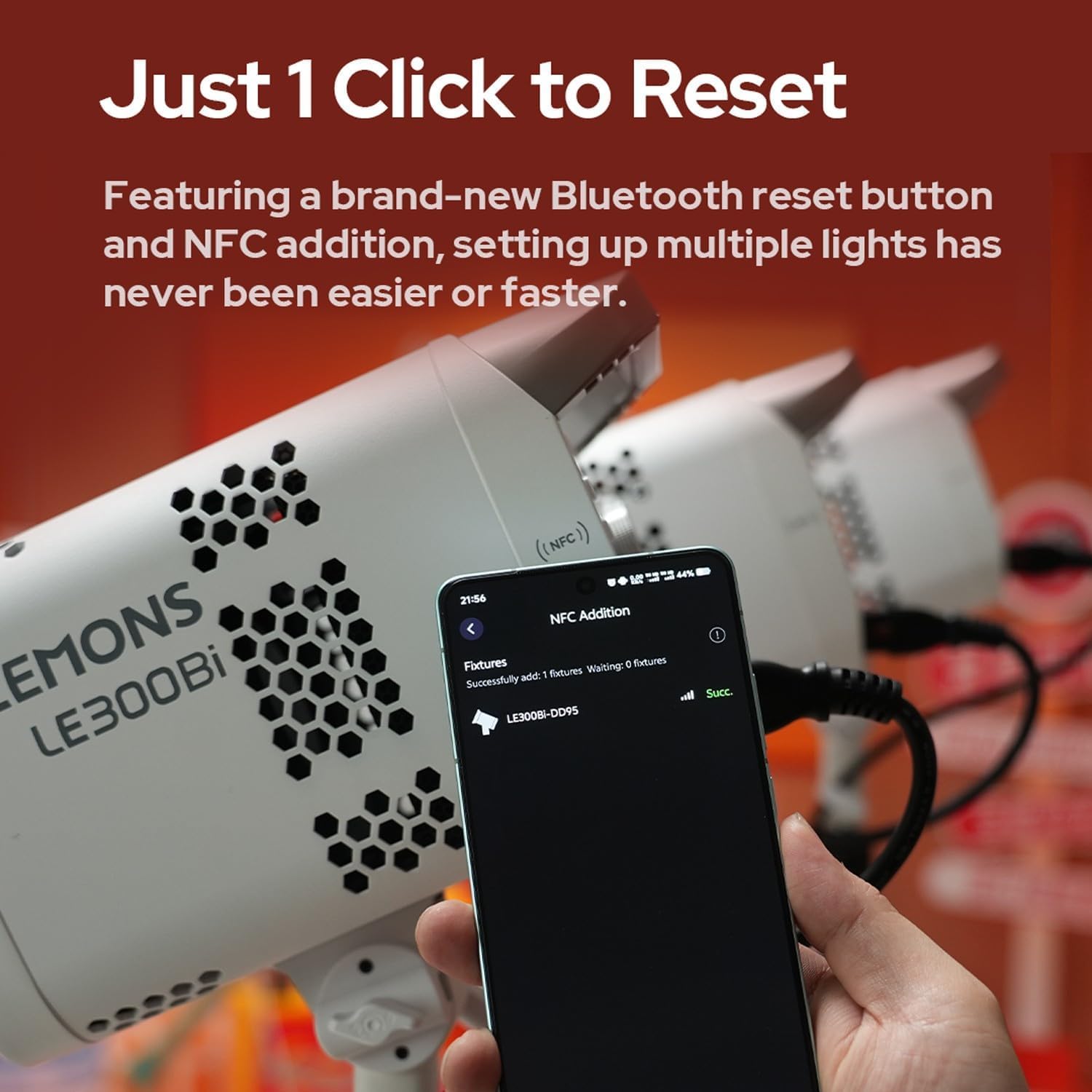
Image 4.5: A smartphone screen displaying successful NFC addition of a LE300Bi fixture.

Image 4.6: Visual representation of the LE300Bi's cooling system, showing heat dissipation.
5.セットアップガイド
5.1 開梱と初期検査
Carefully remove all components from the packaging. Inspect the light body and accessories for any signs of damage. If any damage is found, do not use the product and contact your retailer.
5.2 ライトの組み立て
- Mount the LE600Bi light body onto a compatible light stand using the mounting bracket. Secure it firmly.
- Attach the BR30A reflector (or other Bowens mount accessory) to the front of the light by aligning the three mounting points and twisting clockwise until it locks into place.
5.3電源接続
- Connect the AC power cord to the power input port on the back of the LE600Bi light.
- Plug the other end of the AC power cord into a suitable power outlet.
6. 操作手順
6.1 電源のオン/オフ
Press the power button located on the control panel to turn the light on or off. The display screen will illuminate upon power-on.
6.2 色温度(CCT)の調整
Use the CCT adjustment dial or buttons on the control panel to change the color temperature. The range is typically 2800K (warm) to 6500K (cool). Observe the display for the current CCT value.
6.3 明るさの調整
Rotate the brightness adjustment dial or use the corresponding buttons to increase or decrease the light intensity. The brightness level will be shown on the display.
6.4 特殊効果(FX)モード
Access the FX mode menu via the control panel. Select from the 11 available effects such as TV, lightning, candlelight, broken bulb, etc. Adjust parameters for each effect as needed.
6.5 Wireless Control (Bluetooth/DMX)
- Bluetooth アプリ コントロール: Download the Godox Light App on your smartphone. Enable Bluetooth on your device and follow the app's instructions to connect to the LE600Bi. You can then control brightness, CCT, and FX effects wirelessly.
- DMXコントロール: For professional setups, connect the LE600Bi to a DMX controller using DMX cables. Refer to the DMX channel chart in the full manual for specific control parameters.
- CRMX Control (with TimoLink RX): If using the optional TimoLink RX, integrate it with your CRMX system for advanced wireless control.
6.6 リセット機能
The LE600Bi features a dedicated Bluetooth reset button. Pressing this button will reset Bluetooth connections, facilitating quick pairing with new devices or resolving connection issues. NFC functionality can also aid in rapid pairing.
7. メンテナンス
7.1 クリーニング
Regularly clean the light body and reflector with a soft, dry cloth. For stubborn dirt, use a slightly damp cloth with a mild detergent, then wipe dry immediately. Do not use harsh chemicals or solvents.
7.2 ストレージ
When not in use, store the LE600Bi in a cool, dry place, away from direct sunlight and excessive humidity. Use the original packaging or a padded case for protection during transport and storage.
8。 トラブルシューティング
| 問題 | 考えられる原因 | 解決 |
|---|---|---|
| ライトが点灯しません。 | No power supply; faulty power cord; power button not pressed. | Check power cord connection; try a different outlet; ensure power button is fully pressed. |
| ライトがちらついたり不安定になったりする。 | Loose power connection; incorrect power supply; overheating. | Secure power connections; ensure correct voltage; allow light to cool down. |
| Bluetooth経由で接続できません。 | Bluetooth not enabled; light not in pairing mode; interference. | Ensure Bluetooth is on; press the Bluetooth reset button on the light; try pairing in a different location. |
| ライトが過熱しています。 | Blocked ventilation; prolonged use at high power in confined space. | Ensure ventilation openings are clear; reduce power output; operate in a well-ventilated area. |
9. 仕様
| 特徴 | 詳細 |
|---|---|
| ブランド | ゴドックス |
| モデル番号 | LE600Bi |
| 色温度(CCT) | 2800K-6500K |
| クリ | ≥98 |
| TLCI | ≥98 |
| FXエフェクト | 11種類の内蔵エフェクト |
| マウントタイプ | Bowens Mount (Flat and Standard) |
| 制御方法 | On-board, Bluetooth App, Wired DMX, CRMX (with TimoLink RX) |
| 冷却 | Ultra-quiet fan, efficient heat dissipation |
| 電源 | Integrated AC power supply |
10. 保証とサポート
GODOX products are designed for reliability and performance. For warranty information, please refer to the warranty card included with your product or visit the official GODOX website. For technical support, troubleshooting assistance, or service inquiries, please contact your authorized GODOX dealer or the GODOX customer service department. Keep your purchase receipt as proof of purchase for warranty claims.