
1. はじめにview
ご購入ありがとうございますasing the CIO SMARTCOBY SLIM II Wireless 2.0 8K mobile battery. This device is designed to provide convenient and efficient power on the go, featuring Qi2 wireless charging, a slim profile, and versatile wired charging capabilities. Please read this manual carefully before use to ensure proper operation and safety.

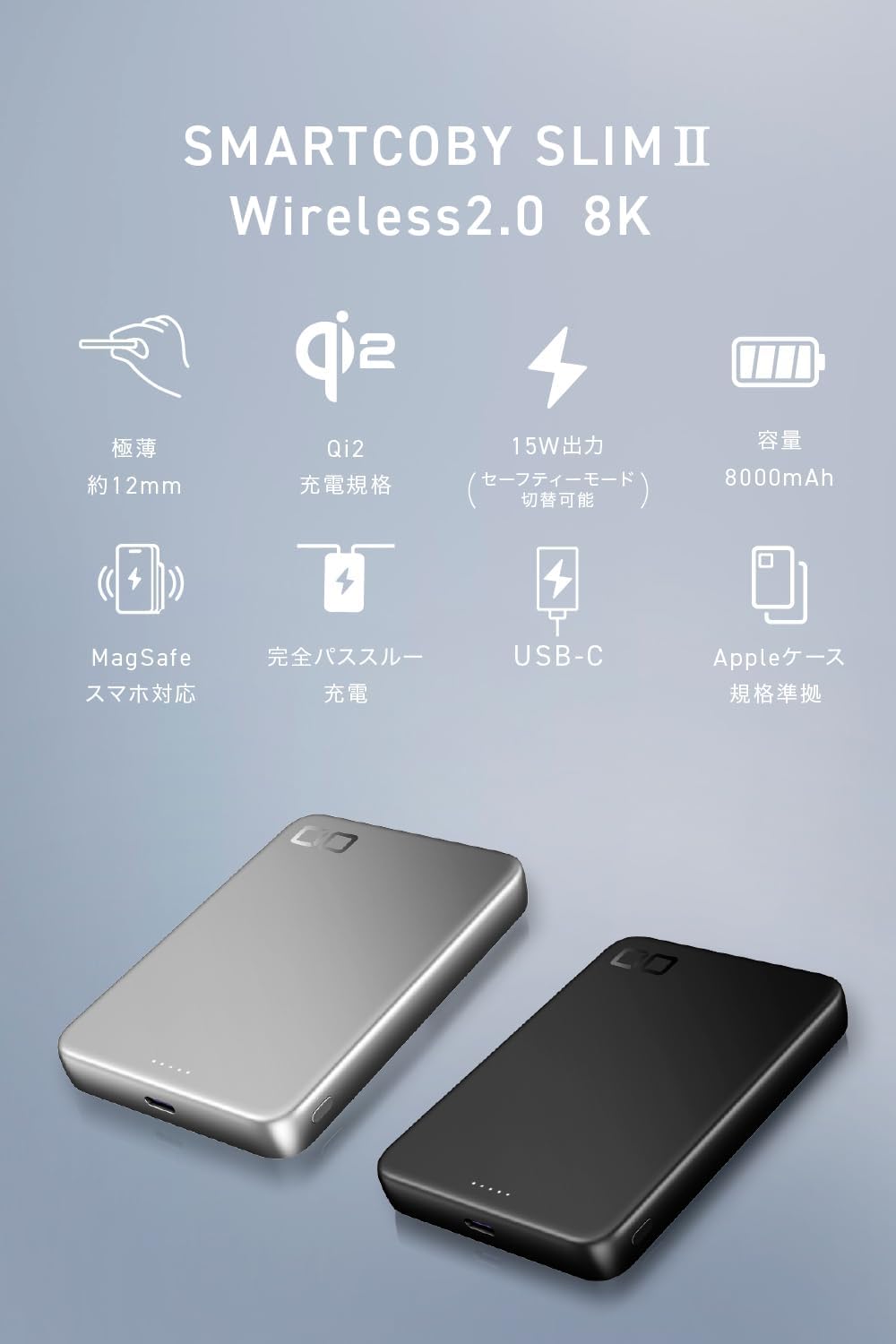
The CIO SMARTCOBY SLIM II Wireless 2.0 8K mobile battery, shown in black.
Official product video demonstrating the thinness, magnetic attachment, and wireless charging capabilities of the CIO SMARTCOBY SLIM II Wireless 2.0 8K mobile battery.
2 製品の特徴
- 最適容量: 8000mAh battery, providing approximately one full iPhone charge via both wired and wireless methods.
- 超薄型&軽量: Measures approximately 12mm thick and weighs around 162g for maximum portability.
- Qi2 Certified Wireless Charging: Supports up to 15W Qi2 wireless charging with magnetic alignment, ensuring compatibility and safety.
- Dual Wireless Charging Modes: Switch between 'High Performance Mode' for faster charging and 'Safety Mode' for stable charging with reduced heat generation.
- Powerful Wired Charging: USB-C port offers up to 20W input and up to 33W output for fast charging various devices.
- NovaSafety 2.0: Advanced temperature monitoring and power adjustment system for enhanced safety and battery longevity.
- パススルー充電: Charge the power bank and a connected device simultaneously.
- Liquid Silicone Finish: Provides a smooth and comfortable tactile experience.
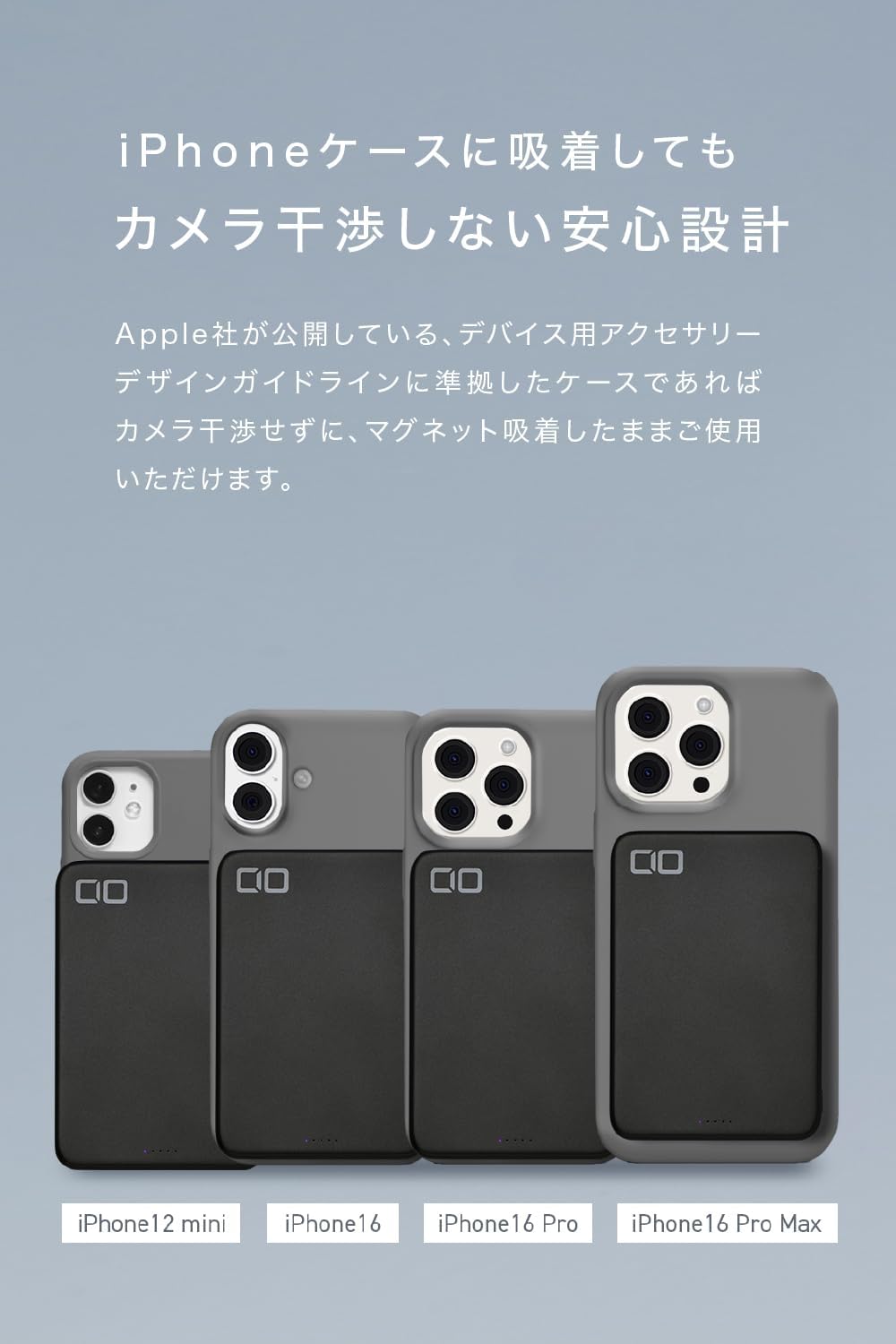
- Camera Interference-Free Design: Compatible with Apple's accessory guidelines, allowing magnetic attachment without obstructing the camera.

The device is designed to be extremely thin (approx. 12mm) and lightweight (approx. 162g), making it highly portable.

With an 8000mAh capacity, the battery can provide approximately 1.1 charges via Qi2 and 1.2 charges via USB-C for an iPhone 16 Pro.
3. セットアップと開始
3.1 初期充電
Before first use, it is recommended to fully charge the mobile battery. Connect the included USB-C to USB-C cable to the power bank's USB-C port and to a compatible USB power adapter (20W or higher recommended for fastest charging).

The mobile battery itself can be fully recharged in approximately 120 minutes using a 20W fast charger connected to its USB-C port.
3.2 バッテリー残量の確認
The LED indicator lights on the side of the power bank show the remaining battery capacity in 25% increments. Press the power button briefly to check the current charge level.

The LED lights indicate the remaining battery capacity in 25% increments. The leftmost light illuminates during Qi2.2 charging.
4. 操作手順
4.1 Wireless Charging (Qi2)
- モバイルバッテリーが十分に充電されていることを確認してください。
- Press the power button on the side of the power bank to activate wireless charging. The product is shipped in sleep mode, which is deactivated by pressing the power button.
- Align your MagSafe-compatible device (e.g., iPhone 12 series or later) with the magnetic charging area on the power bank. The magnets will snap into place.
- Charging will begin automatically. The leftmost LED light will illuminate during Qi2.2 charging.

To begin wireless charging, press the power button. The product is shipped in sleep mode, which is deactivated by pressing the power button.
The mobile battery supports Qi2 wireless charging, allowing magnetic attachment and up to 15W output.
4.2 Switching Wireless Charging Modes
The power bank offers two wireless charging modes: 'High Performance Mode' and 'Safety Mode'.
- 高パフォーマンスモード: Prioritizes charging speed (up to 15W). Ideal for quick charges or in cold environments. Indicated by a solid left LED light.
- セーフティモード: Prioritizes heat suppression for stable charging. Best for warmer environments or when charging overnight. Indicated by a blinking left LED light.
To switch between modes, press and hold the power button for approximately 5 seconds. The LED indicator will change to confirm the mode selection.
Note for Google Pixel devices: Pixel series devices are not compatible with Safety Mode (low output). Please use only High Performance Mode. If you accidentally switch to Safety Mode, please detach the device once and then re-charge after returning the main unit's mode to High Performance.

To switch between modes, press and hold the power button for 5 seconds. A blinking left LED indicates Safety Mode, while a solid left LED indicates High Performance Mode.

Choose between 'Safety Mode' for stable charging with suppressed heat, ideal for high temperatures or overnight charging, and 'High Performance Mode' for faster charging, suitable for quick power-ups or colder environments.
4.3 有線充電(USB-C)
- USB-C - USB-C ケーブルの一方の端をパワーバンクの USB-C ポートに接続します。
- Connect the other end of the cable to your device's USB-C charging port.
- Charging will begin automatically. The power bank supports up to 33W output via USB-C.
注記: When a cable is inserted into the USB-C port, the power bank automatically switches to wired charging. Simultaneous wireless and wired charging is not possible. The mode switching function is not available for wired charging.
4.4 パススルー充電
The power bank supports pass-through charging. You can charge the power bank itself while it simultaneously charges a connected device.
- Connect the power bank to a power adapter using the USB-C cable to charge the power bank.
- デバイスをパワーバンクに接続します(ワイヤレスまたは USB-C ケーブル経由)。
- Both the power bank and your device will charge. When the power bank is fully charged, it will automatically switch to direct charging for your device.

This product supports pass-through charging, allowing you to charge both the mobile battery and your device simultaneously. When fully charged, it automatically switches to direct charging for the device.
5. 安全情報と注意事項
To ensure safe operation and prolong the life of your mobile battery, please observe the following precautions:
- 温度: Avoid placing the product in high-temperature environments such as inside a car, in direct sunlight, or near windows. High temperatures can degrade the battery and cause overheating. Charging is recommended at an ambient temperature of 25°C.
- 水への露出: 製品を水やその他の液体にさらさないでください。
- 物理的ダメージ: Do not drop, disassemble, or attempt to repair the product yourself.
- 異物: Do not place metal objects or foreign materials between the charging surface and your device during wireless charging.
- 子供たち: お子様の手の届かない場所に保管してください。
- 廃棄: 製品を廃棄する際は、地域の電子廃棄物規制に従ってください。
Avoid placing the product in high-temperature environments such as inside a car, in direct sunlight, or near windows, as this can degrade the battery and cause overheating. Charging is recommended at an ambient temperature of 25°C.
5.1 NovaSafety 2.0
This product incorporates CIO's proprietary NovaSafety 2.0 technology. This system continuously monitors the product's temperature and automatically adjusts power output during high loads to control heat generation. This feature aims to provide a safer and longer-lasting user experience.

The integrated NovaSafety 2.0 system continuously monitors product temperature and automatically adjusts power output to control heat generation, ensuring safe and prolonged use.
6. 仕様
| モデル番号 | CIO-MB30W1C-8K-S2W25 |
| バッテリー容量 | 8000mAh |
| 重さ | 約162g |
| 寸法 | 約102×70×12mm |
| ポート | 1 x USB-C |
| Power Bank Charging Time | Approx. 120 minutes (with 20W fast charger) |
| USB-C入力 | Max 20W (5V/3A, 9V/2.22A, 12V/1.67A) |
| USB-C出力 | Max 33W (5V/3A, 9V/3A, 12V/2.5A, 15V/2A, 20V/1.5A; PPS 5-11V/3A) |
| ワイヤレス出力 | Max 15W (Qi2 certified), up to 25W (Qi2.2 compatible) |
| Compatible Fast Charging Standards | Qi2.2 (25W), USB Power Delivery 3.0 |
| バッテリーサイクル寿命 | 約300サイクル |
| 利用可能な色 | ブラック、シルバー |
| 付属アクセサリ | Instruction Manual (Japanese/English), USB-C to USB-C cable |

A comprehensive table outlining the model, battery capacity, weight, dimensions, ports, charging times, input/output specifications, compatible standards, cycle life, colors, and included accessories.
7。 トラブルシューティング
7.1 デバイスがワイヤレス充電されない
- Ensure the power bank is turned on by pressing the power button.
- Verify your device is Qi2/MagSafe compatible.
- Check for proper alignment between your device and the power bank's charging surface.
- ワイヤレス充電の妨げになる可能性のある厚いケースや金属物を取り除いてください。
- パワーバンクに十分な充電があることを確認してください。
7.2 Slow Charging or Overheating
- Switch to 'Safety Mode' if you experience excessive heat during wireless charging.
- Ensure the charging environment is not too hot (ambient temperature of 25°C is recommended).
- For wired charging, ensure you are using a compatible cable and power adapter that supports fast charging.
- 直射日光の当たる場所や密閉された空間でデバイスを使用しないでください。
7.3 パワーバンクが充電されない
- Check that the USB-C cable is securely connected to both the power bank and the power adapter.
- Ensure the power adapter is functioning correctly and plugged into a live power outlet.
- 別の USB-C ケーブルと電源アダプターを使用してみてください。
8. 保証とサポート
本製品にはメーカー標準保証が付いています。具体的な保証条件については、パッケージに同梱されている保証書をご覧ください。
For technical support, troubleshooting assistance, or warranty claims, please contact CIO customer service through their official website or the retailer where you purchased the product. Please have your model number (CIO-MB30W1C-8K-S2W25) and proof of purchase ready.