
1. はじめに
This manual provides detailed instructions for the setup, operation, and maintenance of your MAONO A04 Gen2 USB XLR Condenser Microphone and E2 Gen2 Podcast Equipment Bundle. This bundle is designed for high-quality audio recording, streaming, and podcasting, offering versatile connectivity and advanced audio processing capabilities. Please read this manual thoroughly before using the product to ensure optimal performance and longevity.
2.製品オーバーview
2.1 コンポーネント
- MAONO A04 Gen2 Condenser Microphone
- MAONO E2 Gen2 Podcast Interface
- XLRケーブル
- USB-Cケーブル
- Microphone Stand and Pop Filter
2.2 主な特徴
- USB/XLR接続: The A04 Gen2 microphone offers dual connectivity for direct connection to PCs, smartphones via USB, or to audio interfaces via XLR.
- スタジオ品質のサウンド: Features a professional sound chipset with a 192kHz/24bit sampling rate and a smooth, flat frequency response of 30Hz-16kHz for clear audio reproduction.
- 高度なソフトウェア制御: Utilize MAONO Link software (USB Mode only) for microphone gain adjustment, noise reduction, EQ presets, compressor, and limiter.
- Upgraded Podcast Equipment Bundle: The E2 Gen2 interface provides two XLR combo inputs with 60dB gain preamps, USB-C, and 3.5mm ports for versatile connectivity.
- Crystal-Clear Audio with XLR Interface: The E2 Gen2's low-noise preamps deliver rich, clean sound, eliminating the need for external preamps and incorporating noise reduction technology.

図1: The MAONO A04 Gen2 microphone features both USB-C and XLR connection ports. The USB-C port allows direct connection to laptops, desktops, PS4/PS5, and phones. The XLR port connects to audio interfaces or mixers. Note that the microphone is not compatible with Xbox, and the XLR cable is not included with the microphone itself.
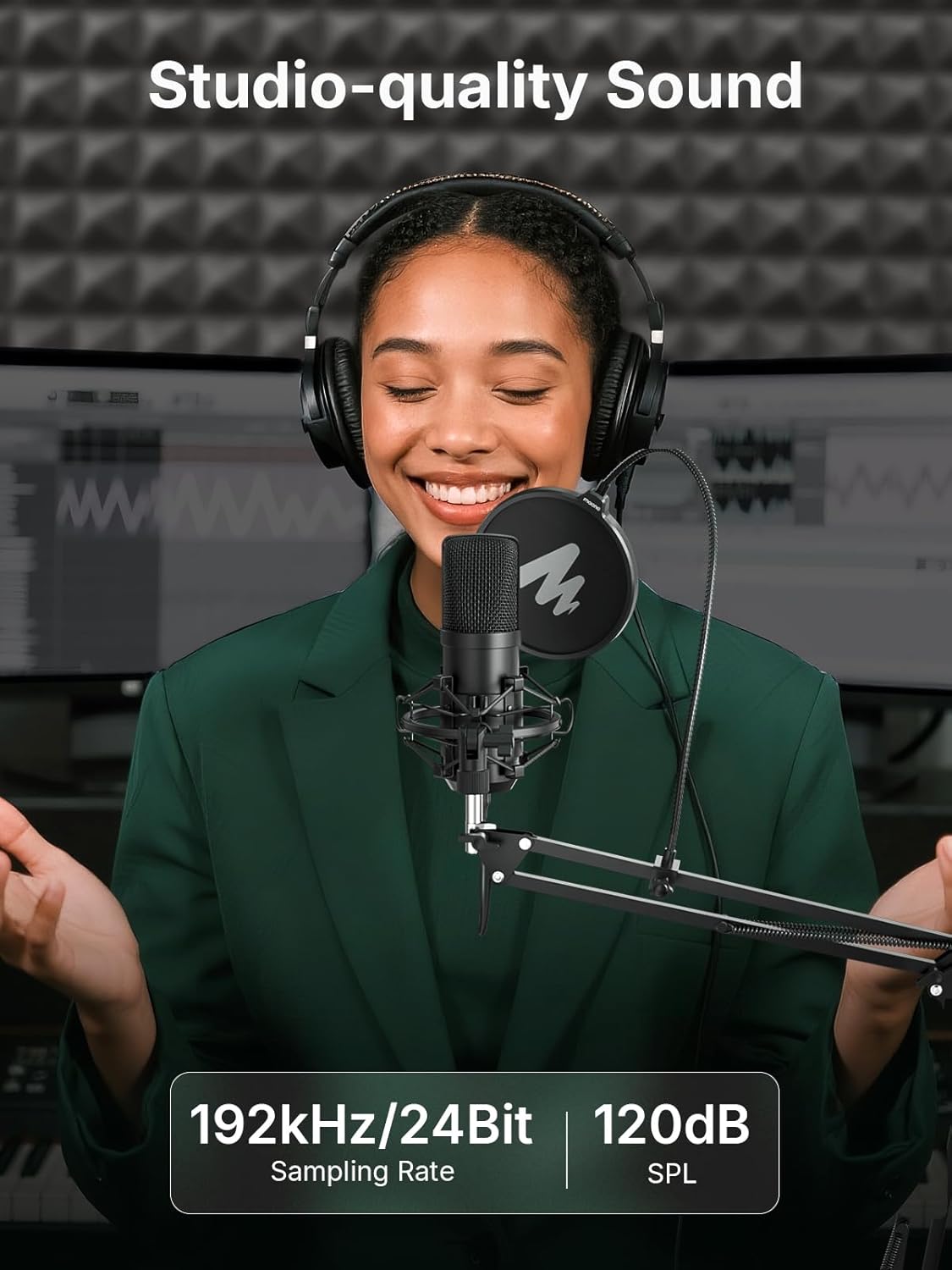
図2: A user is shown recording with the MAONO A04 Gen2 microphone, highlighting its studio-quality sound capabilities. The microphone supports a 192kHz/24Bit sampling rate and 120dB SPL for high-fidelity audio capture.

図3: The MAONO Link software interface is displayed on a laptop, demonstrating its powerful DSP features. Users can control noise cancellation (Slight, Moderate, Aggressive), custom scene presets (Podcast, Live, Game), compressor, and limiter settings for optimized audio. This software enhances the microphone's performance in USB mode.

図4: The MAONO E2 Gen2 podcast interface is shown with two microphones connected. It features two premium mic preamps providing up to 60dB of gain and 48V phantom power, designed to make sound louder and clearer for both condenser and dynamic microphones.

図5: This image illustrates the 2-level intelligent noise reduction feature of the MAONO E2 Gen2 podcast interface. It shows a waveform before and after noise reduction, with options for 'Noise Reduction Low' and 'Noise Reduction High' to achieve clear and pure sound.
3. セットアップ
3.1 A04 Gen2 Microphone USB Connectivity
- Connect the USB-C end of the provided USB cable to the USB-C port on the bottom of the A04 Gen2 microphone.
- Connect the other end of the USB cable to an available USB port on your computer (PC/Mac) or smartphone.
- The microphone will be automatically recognized by your operating system. Select it as the input device in your audio settings or recording software.
- 注記: The A04 Gen2 microphone is compatible with laptops, desktops, PS4/PS5, and phones. It is not compatible with Xbox.
3.2 A04 Gen2 Microphone XLR Connectivity
- Connect one end of an XLR cable (not included) to the XLR port on the bottom of the A04 Gen2 microphone.
- Connect the other end of the XLR cable to an XLR input on an audio interface or mixer.
- Ensure phantom power (+48V) is enabled on your audio interface or mixer for the connected XLR input, as the A04 Gen2 is a condenser microphone.
- Select the appropriate input channel on your audio interface/mixer and recording software.
3.3 E2 Gen2 Podcast Interface Setup
- Connect the E2 Gen2 podcast interface to your computer using the provided USB-C cable.
- Connect your A04 Gen2 microphone (or other XLR microphones) to the XLR combo inputs on the E2 Gen2 interface using XLR cables.
- If using condenser microphones, activate the 48V phantom power on the E2 Gen2 for the respective channels.
- モニタリングするには、ヘッドフォンをヘッドフォン出力に接続します。
- For connecting to phones, use the USB-C or 3.5mm ports as required.
4.運用
4.1 MAONO Link Software Control (USB Mode Only)
When using the A04 Gen2 microphone in USB mode, download and install the MAONO Link software from the official MAONO website. This software provides advanced control over your audio:
- マイクゲイン: マイクの入力感度を調整します。
- ノイズ低減: Enable or disable noise reduction and select different strengths (Slight, Moderate, Aggressive).
- EQ プリセット: Apply various scene-specific EQ presets for podcasting, singing, gaming, or live streaming.
- コンプレッサー: オーディオのダイナミック レンジを制御し、大きな音を小さくし、静かな音を大きくして、より一貫した出力を実現します。
- リミッタ: Prevent audio from exceeding a certain level, protecting against clipping and distortion.
4.2ノイズリダクション
Both the A04 Gen2 microphone (via MAONO Link software) and the E2 Gen2 podcast interface feature noise reduction capabilities:
- A04 Gen2 (Software): Offers 3 levels of noise reduction (Slight, Moderate, Aggressive) to minimize background noise.
- E2 Gen2 (Hardware): Provides 2 levels of intelligent noise reduction (Low, High) to ensure clear and pure sound, effectively reducing unwanted ambient sounds like fan noise.

図6: This image demonstrates the 3-level noise reduction feature of the MAONO A04 Gen2 microphone. It shows two scenarios: a male user speaking into the microphone with noise reduction options (Slight, Moderate, Aggressive) and a female user with a dog in the background, illustrating how aggressive noise reduction can filter out ambient sounds.
4.3 Two-Person Podcast Setup
The E2 Gen2 podcast interface is ideal for two-person podcasts:
- Connect two microphones (e.g., two A04 Gen2 microphones or other XLR microphones) to the two XLR combo inputs on the E2 Gen2.
- Each host can wear headphones connected to the interface for independent monitoring.
- Adjust individual microphone gains and other settings on the E2 Gen2 to balance the audio levels of both speakers.

図7: Two individuals are shown conducting a podcast using the MAONO E2 Gen2 podcast interface and two microphones. This setup demonstrates the interface's capability to support an excellent two-person podcast with clear audio for both participants.
5. メンテナンス
適切なメンテナンスにより、MAONO 機器の寿命が長くなり、最適なパフォーマンスが保証されます。
- クリーニング: Use a soft, dry cloth to wipe down the microphone and interface. Avoid liquid cleaners or abrasive materials.
- ストレージ: Store the equipment in a dry, dust-free environment when not in use. Use the original packaging or a protective case if available.
- ケーブルのお手入れ: Handle cables gently. Avoid sharp bends, kinks, or excessive pulling. The included cables feature a durable PVC jacket for enhanced flexibility and longevity.
- 環境条件: 機器を極端な温度、湿度、直射日光にさらさないでください。

図8: This image highlights the high flexible and durable PVC jacket of the included cables, demonstrating its resistance to fraying and breakage compared to less durable alternatives. This design ensures a longer lifespan for the cables.
6。 トラブルシューティング
問題が発生した場合は、次の一般的なトラブルシューティング手順を参照してください。
- サウンド出力なし:
- Check all cable connections (USB, XLR, headphones).
- Ensure the microphone/interface is selected as the input/output device in your computer's sound settings and recording software.
- Verify microphone gain levels are not set to minimum.
- If using XLR, confirm +48V phantom power is enabled on the interface for condenser microphones.
- 音質が悪い/ノイズ:
- Adjust microphone gain to avoid clipping (distortion) or being too low (requiring excessive boosting, which can introduce noise).
- Enable or adjust noise reduction settings in MAONO Link software or on the E2 Gen2 interface.
- マイクの正面に向かって直接話していることを確認してください。
- Check for environmental noise sources and try to minimize them.
- MAONO Link Software Not Recognizing Device:
- Ensure the A04 Gen2 microphone is connected via USB and not XLR.
- ソフトウェアまたはコンピュータを再起動します。
- ソフトウェアのアップデートを確認してください。
7. 仕様
| 特徴 | 仕様 |
|---|---|
| マイクタイプ | コンデンサー |
| マイクの接続 | USB-C、XLR |
| Sampling Rate (A04 Gen2) | 192kHz/24ビット |
| Frequency Response (A04 Gen2) | 30Hz-16kHz |
| 前amp Gain (E2 Gen2) | 最大60dB |
| Phantom Power (E2 Gen2) | 48V |
| Interface Inputs (E2 Gen2) | 2 x XLR Combo Inputs |
| Interface Outputs (E2 Gen2) | USB-C、3.5mm |
| ソフトウェア制御 | MAONO Link (USB Mode only) |
8. 保証とサポート
MAONO products are designed for reliability and performance. For warranty information, technical support, or service inquiries, please refer to the official MAONO website or contact MAONO customer support directly. Keep your purchase receipt as proof of purchase for warranty claims.
MAONO公式 Webサイト: www.maono.com