
1. はじめに
This manual provides detailed instructions for the setup, operation, and maintenance of your Rettru W7 Mini WiFi Security Camera. Please read this manual thoroughly before using the product to ensure proper functionality and safety. This camera is designed for indoor security monitoring, offering features such as motion detection, night vision, and remote access via a dedicated mobile application.

Figure 1: Versatile applications of the Rettru W7 Mini WiFi Security Camera.
2.製品オーバーview
2.1 パッケージ内容
- Rettru W7 Mini WiFi Security Camera
- 充電ケーブル
- ユーザーマニュアル(このドキュメント)
2.2 主な特徴
- HD 1080P 解像度: 鮮明なビデオ品質を提供します。
- WiFi接続: Supports 2.4GHz WiFi for remote access (5GHz not supported).
- Motion Detection & Alarm Push: Sends notifications to your smartphone upon detecting movement.
- ナイトビジョン: Enhanced night vision performance up to 5 meters in complete darkness with 4 infrared LEDs.
- ループ録音: 古いfooを自動的に上書きしますtagメモリカードがいっぱいになったとき。
- microSDカードのサポート: Compatible with MicroSD cards up to 128GB (not included).
- コンパクトなデザイン: Small and portable for discreet placement.
- アプリコントロール: 管理と view フーtage via a dedicated mobile application for iOS and Android.
2.3 Product Dimensions and Design
The camera measures approximately 40 x 33 x 33 mm (1.57 x 1.29 x 1.29 inches), making it highly compact and suitable for discreet placement.

Figure 2: Camera dimensions. The camera is shown with a digital caliper indicating its small size.

Figure 3: Compact design for discreet placement, shown hidden within a woven basket among plants.

Figure 4: Camera hidden on a bookshelf, demonstrating its unobtrusive design.
3. セットアップ手順
- カメラを充電します: Before initial use, fully charge the camera using the provided charging cable.
- MicroSDカードを挿入します: MicroSD カード (最大 128 GB、別売) をローカル ストレージ用の指定スロットに挿入します。
- アプリをダウンロード: Prepare an iPhone or Android smartphone and download the free dedicated application from your smartphone's app store.
- 電源オン: 電源ボタンを長押ししてカメラの電源を入れます。
- WiFiに接続します:
- アプリを開き、画面上の指示に従って新しいデバイスを追加します。
- Ensure your smartphone is connected to a 2.4GHz WiFi network. The camera does not support 5GHz WiFi.
- The app will guide you through connecting the camera to your home or office WiFi network.
- 配置: Position the camera in your desired location. Its small size allows for versatile placement.

Figure 5: Camera held in hand, illustrating its portability and ease of setup.
4. 操作手順
4.1 ライブ View
Once connected, open the dedicated app on your smartphone. You can access the live video feed from the camera anytime, anywhere. Multiple users can log in to the app to monitor a single camera.

図6: 150度広角 view. The image shows a living room from the camera's perspective, highlighting its broad field of view.

Figure 7: App interface for live monitoring. A smartphone displays the camera's live feed of a room.
4.2 動きの検出とアラーム
The camera features motion detection technology. When a change in the image is detected, the camera will immediately send a notification message to your smartphone. Log in to the app to view the situation at home anytime, anywhere. Motion detection recordings are saved to the memory card as evidence.

Figure 8: Motion detection alarm notification on a smartphone.
4.3 ナイトビジョン
The camera provides high-definition 1080p night vision, allowing clear visibility up to 5 meters in complete darkness. This ensures you can monitor activities even in low-light conditions without the camera emitting visible light.

図9:例ample of night vision in a dark room.
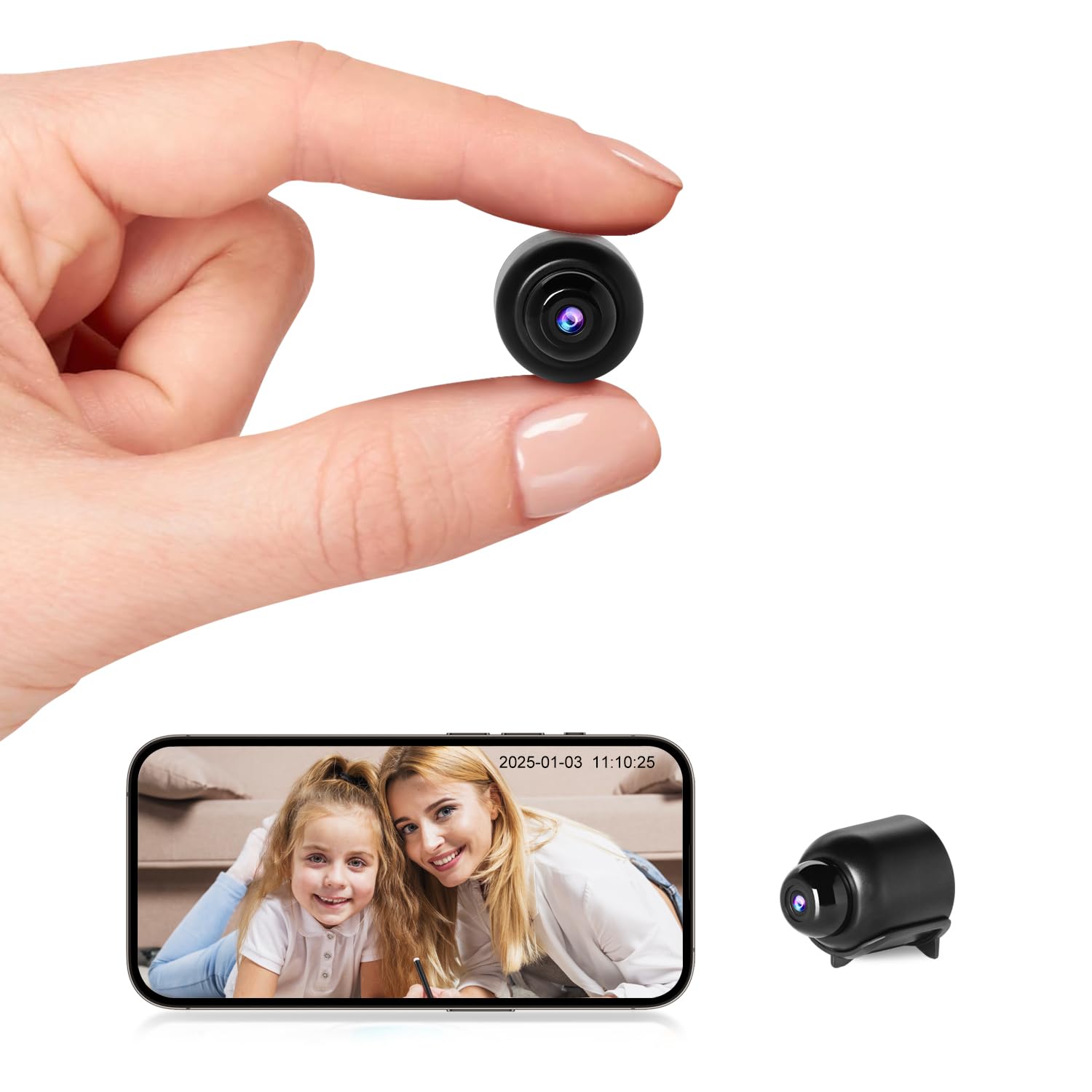
図10: 夜間視力 view on the app, showing a sleeping child in black and white.
4.4ループ記録
When the MicroSD card is full, the camera automatically overwrites the oldest video files, ensuring continuous recording without the need to manually delete footage.

Figure 11: Loop recording functionality and MicroSD card support.
5. メンテナンス
- クリーニング: カメラのレンズと本体のお手入れには、柔らかく乾いた布をご使用ください。液体クリーナーや研磨剤の使用は避けてください。
- ストレージ: 長期間使用しない場合は、カメラを涼しく乾燥した場所に保管してください。
- バッテリーのケア: To prolong battery life, avoid fully discharging the battery frequently. Charge the camera regularly.
- ソフトウェアアップデート: Check the app periodically for any available firmware updates for the camera to ensure optimal performance and security.
6。 トラブルシューティング
| 問題 | 考えられる原因 | 解決 |
|---|---|---|
| カメラの電源が入りません。 | バッテリー残量が少ないか、充電ケーブルに不具合があります。 | Ensure the camera is fully charged. Try a different charging cable and power adapter. |
| WiFiに接続できません。 | Incorrect WiFi password, 5GHz network, or camera too far from router. |
|
| App does not detect the device. | Camera not in pairing mode, app permissions, or network issues. |
|
| ビデオfootage is unclear or blurry. | レンズが汚れているか、照明が不十分です。 | カメラのレンズは柔らかい布で拭いてください。十分な照明があるか、暗い場所ではナイトビジョンが作動していることを確認してください。 |
| モーション検出アラートが受信されません。 | App notification settings, motion detection sensitivity, or network issues. |
|
7. 仕様
| 特徴 | 詳細 |
|---|---|
| モデル番号 | W7 |
| ビデオ解像度 | 1080p HD |
| フレームレート | 25fps |
| 分野 View | 150度 |
| 暗視範囲 | 最大5メートル |
| 赤外線LED | 4 |
| 接続性 | Wi-Fi(2.4GHzのみ) |
| ストレージ | MicroSDカード、最大128GB(別売) |
| ビデオキャプチャフォーマット | 動画 |
| センサー技術 | シーモス |
| 製品寸法 | 40 x 33 x 33 ミリメートル |
| 推奨用途 | 屋内セキュリティ |
| Waterproof Type | 非防水 |
| 取り付けタイプ | 卓上マウント |
| 含まれるコンポーネント | Charging cable, User manual |
| 原産国 | 中国 |
8. 保証とサポート
Rettru products are designed for reliability and performance. If you encounter any issues or have questions regarding your Rettru W7 Mini WiFi Security Camera, please do not hesitate to contact our customer support. We are committed to providing assistance for your purchase and use.
ご購入時の書類または販売店の web具体的な保証条件および連絡先情報については、サイトをご覧ください。