
1. はじめに
Thank you for choosing the WiiM Sound Smart Speaker. This manual provides essential information for setting up, operating, and maintaining your device to ensure optimal performance and longevity. The WiiM Sound offers high-resolution audio, intelligent room correction, and flexible control options for an enhanced listening experience.
2. 箱の中身

Image: All items included in the WiiM Sound Smart Speaker packaging.
- WiiM Sound Smart Speaker
- WiiM Voice Remote 2 Lite (with USB‑C charging cable)
- 電源ケーブル
- 3.5 mm RCA cable
- クイックスタートガイド
3.セットアップガイド
3.1 初回電源投入
Connect the WiiM Sound to a power outlet using the provided power cable. The device will automatically power on and enter setup mode. The 1.8-inch display will show the WiiM logo and then a QR code, prompting you to download the WiiM Home App.
Video: An unboxing and initial power-on demonstration of the WiiM Sound Smart Speaker, showing the device booting up and displaying the WiiM logo and QR code for app download.
3.2 アプリのダウンロードと接続
- Scan the QR code displayed on the speaker or search for 'WiiM Home' in your device's app store.
- Download and install the WiiM Home App.
- Open the app and follow the on-screen instructions to connect your WiiM Sound to your Wi-Fi network. Ensure your phone is close to the speaker during this process.
Image: A hand holding a smartphone displaying the WiiM Home App's interface, with a prompt to set up the WiiM Sound speaker.
3.3 AI RoomFit Calibration
After connecting to Wi-Fi, the app will guide you through the AI RoomFit calibration process. This feature optimizes the sound output based on your room's acoustics and speaker placement for a balanced and clear audio experience.

Image: A smartphone displaying the WiiM Home App's AI RoomFit auto calibration interface, illustrating how the feature optimizes sound for the listening environment.
3.4リモコンのペアリング
The WiiM Sound comes with a WiiM Voice Remote 2 Lite. To pair it:
- Ensure the remote has batteries (not included for 1st-gen, but included for 2 Lite).
- In the WiiM Home App, navigate to the device settings and select 'Pair Remote'.
- Follow the app's instructions to put the remote into pairing mode (usually by holding specific buttons).
- アプリはペアリングが成功したことを確認します。

Image: A visual guide demonstrating the pairing process between the WiiM Sound speaker and its remote control.
4. 操作手順
4.1 タッチディスプレイコントロール
The 1.8-inch touch display on the front of the WiiM Sound provides instant control without needing your phone. You can:
- 再生/一時停止: Tap the center of the display.
- トラックをスキップ: 左または右にスワイプします。
- 音量を調整: Rotate your finger around the edge of the display.
- Change Sources: Access input options like Wi-Fi, Bluetooth, or Aux-In.
- Quick EQ: Select preset equalizer settings.
- プリセット: Access your saved favorite playlists or radio stations.

Image: The 1.8-inch touch display of the WiiM Sound, illustrating its various functions including album art display, time, EQ settings, and input source selection.
Video: A demonstration of the WiiM Sound's touch display, showing how to interact with it for playback control and settings adjustments.
4.2 リモートコントロールの使用
The included WiiM Voice Remote 2 Lite provides convenient control from a distance. Use it for power, volume adjustment, track skipping, and accessing voice commands (push-to-talk functionality).
4.3 WiiM Home App Functionality
The WiiM Home App is your central hub for advanced control and customization:
- 音楽サービス: Access and stream from over 20 integrated music services (e.g., Spotify, TIDAL, Qobuz, Amazon Music).
- マルチルームオーディオ: Group multiple WiiM devices to play synchronized audio across different rooms.
- ステレオペアリング: Pair two WiiM Sound speakers for a dedicated left/right stereo experience.
- ホームシアターのセットアップ: Combine with compatible WiiM components (e.g., WiiM Sub Pro, WiiM Ultra/Amp) for a surround sound experience.
- EQ & Sound Customization: Utilize 24 preset EQs, 10-Band Graphic and Parametric EQ, and Per-Input EQ for fine-tuning your audio.

Image: A visual representation of the multi-room audio capabilities of the WiiM Sound, showing speakers in different rooms controlled by a single app.

Image: Two WiiM Sound speakers configured for true stereo sound, enhancing the audio experience in a living room setting.
5. 主な特徴
- 1.8-inch Touch Display: Shows album art, time, track info, and provides instant control for playback, sources, Quick EQ, and presets.
- ハイレゾオーディオ: Supports up to 24-bit/192 kHz audio for superior sound quality.
- Powerful Acoustics: Features a 100W peak amplifier, 4-inch paper-cone woofer, and dual 1-inch silk-dome tweeters for rich, clear sound.
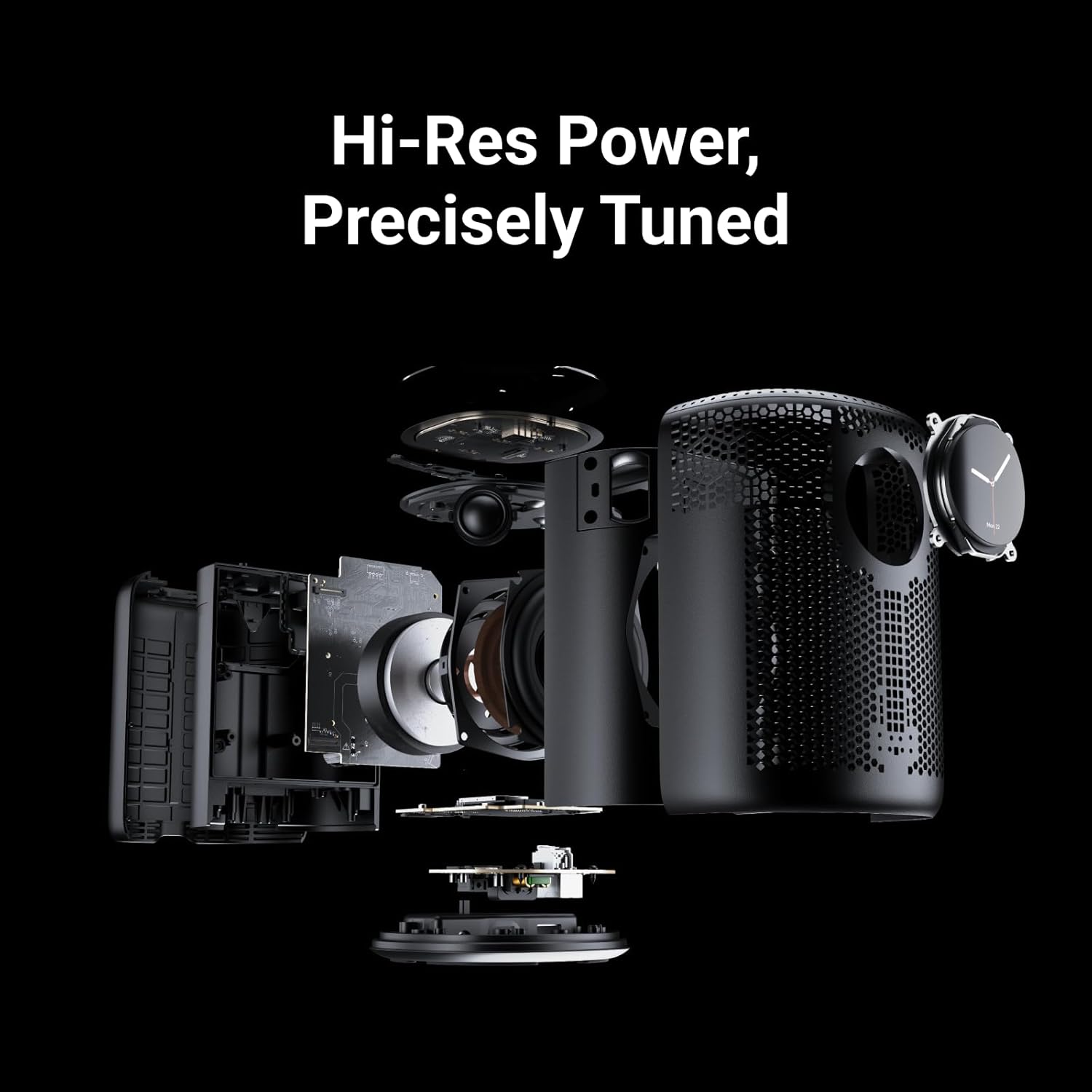
Image: An exploded diagram of the WiiM Sound, showcasing its internal components including the 4-inch woofer and dual 1-inch silk-dome tweeters.
- AI RoomFit Calibration: Automatically optimizes sound for your specific room and speaker placement.
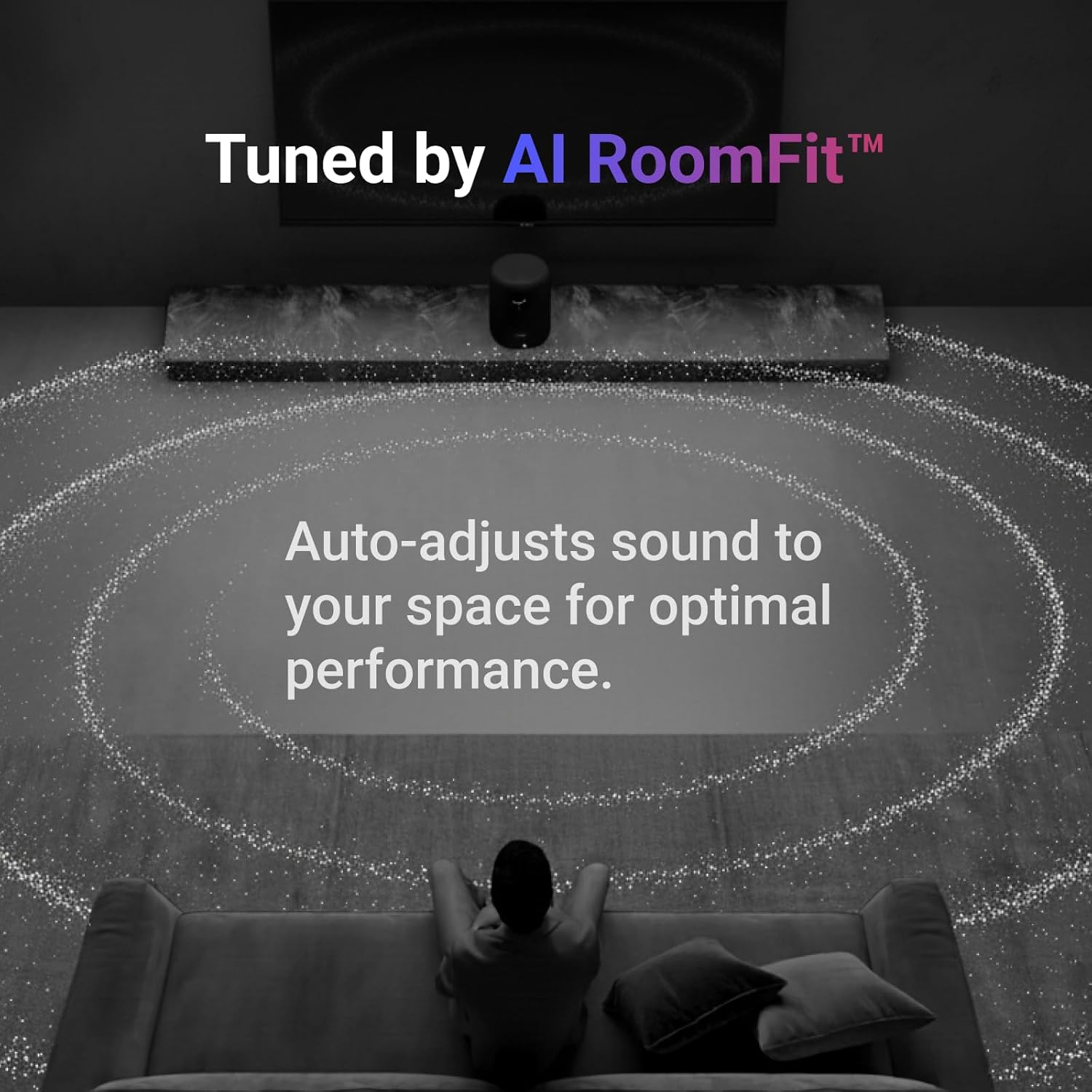
Image: A visual representation of the AI RoomFit feature in action, showing sound waves adapting to a living room environment for personalized audio.
- Open Connectivity: Stream directly via Google Cast, Spotify/TIDAL/Qobuz Connect, Alexa Cast, DLNA, Roon/LMS.
- ワイヤレステクノロジー: Equipped with Wi-Fi 6E and Bluetooth 5.3 for robust and high-quality wireless streaming.

Image: A collection of logos for popular music streaming and casting services, highlighting the WiiM Sound's broad compatibility.
6. 仕様
| 特徴 | 詳細 |
|---|---|
| モデル名 | 品番 |
| 製品寸法 | 奥行き5.8インチ x 幅5.8インチ x 高さ7.6インチ |
| アイテム重量 | 4.12 キログラム (9.06 ポンド) |
| 材料 | ポリカーボネート + ガラス繊維 |
| スピーカータイプ | スマートスピーカー |
| スピーカー最大出力 | 100ワット |
| ウーファー直径 | 4インチ |
| オーディオドライバータイプ | 平面磁気ドライバー |
| 周波数応答 | 20 kHz |
| 信号対ノイズ比 | 80デシベル |
| 接続技術 | 補助、Bluetooth、イーサネット、Wi-Fi |
| 無線通信技術 | Bluetooth wifi |
| Bluetoothバージョン | 5.3 |
| Bluetooth範囲 | 10メートル |
| Maximum Range (Wi-Fi) | 100メートル |
| 制御方法 | アプリ、リモコン、タッチ、音声 |
| 電源 | コード付き電気 (120 ボルト) |
| 屋内/屋外での使用 | 屋内 |
| 色 | 黒 |
7. メンテナンス
To ensure the longevity and optimal performance of your WiiM Sound Smart Speaker, follow these maintenance guidelines:
- クリーニング: Use a soft, dry cloth to wipe the exterior of the speaker. Avoid using liquid cleaners, aerosols, or solvents, as these may damage the finish or internal components.
- 配置: スピーカーは、直射日光、熱源、湿気を避け、安定した平らな場所に設置してください。機器の周囲に十分な換気を確保してください。
- 力: 雷雨のときや長期間使用しない場合は、電源ケーブルを抜いてください。
8。 トラブルシューティング
If you encounter issues with your WiiM Sound Smart Speaker, try the following steps:
- 電源なし: 電源ケーブルがスピーカーと正常な電源コンセントの両方にしっかりと接続されていることを確認します。
- 音が出ない: Check the volume levels on the speaker, your connected device, and within the WiiM Home App. Verify the correct input source is selected.
- 接続の問題: Ensure your Wi-Fi network is active and the speaker is within range. Restart your router, the speaker, and your controlling device. For Bluetooth, ensure the speaker is in pairing mode and your device's Bluetooth is enabled.
- アプリがスピーカーを検出しない: Ensure the speaker is powered on and in setup mode. Close and reopen the WiiM Home App, or reinstall it if necessary.
- リモコンが応答しない: Check the remote's batteries. Re-pair the remote with the speaker via the WiiM Home App.
For further assistance, please refer to the official WiiM support resources.
9. 保証とサポート
The WiiM Sound Smart Speaker comes with a limited warranty. For detailed warranty terms, product registration, and technical support, please visit the official WiiM web公式サイトをご覧いただくか、カスタマーサービスまでお問い合わせください。保証請求のために購入時のレシートを保管してください。
オンラインサポート: 訪問する AmazonのWiiMストア 製品情報およびサポート リンクについては、こちらをご覧ください。