
1. はじめに
The HUGEROCK T71EX is a 7-inch Anti-Explosion Rugged Android Tablet designed for use in hazardous environments. It is ATEX and IECEx Zone 2 certified, ensuring safe operation in areas with potentially explosive atmospheres. This tablet features a robust design with MIL-STD-810G and IP67 waterproof protection, making it suitable for demanding industrial conditions. This manual provides essential information for the safe and effective use of your T71EX tablet.
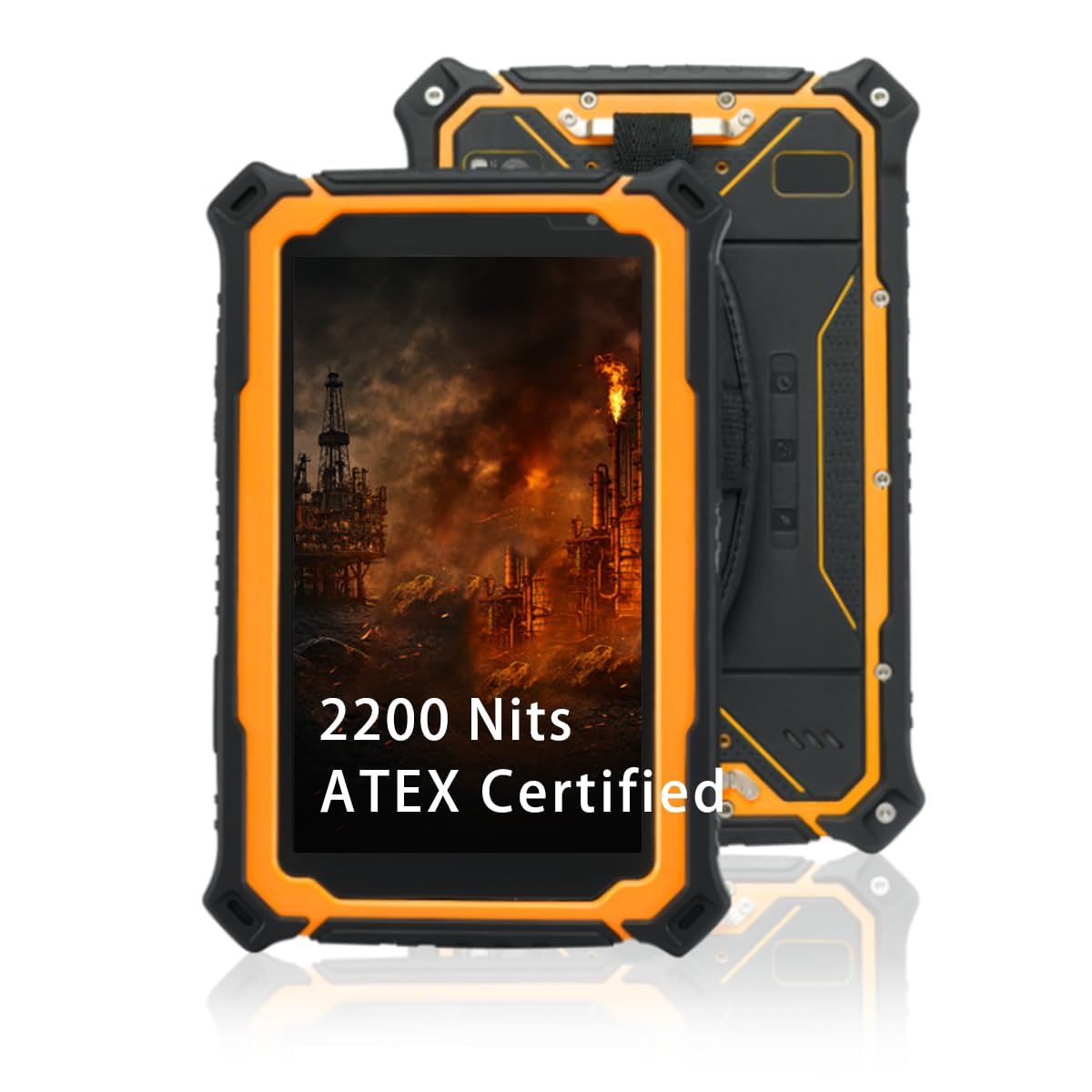
Image 1.1: The HUGEROCK T71EX Anti-Explosion Rugged Android Tablet.
2. 安全情報
This device is certified for use in hazardous areas (ATEX & IECEx Zone 2). Adherence to all safety guidelines is critical to prevent accidents and ensure proper functioning. Failure to follow these instructions can result in serious injury, damage to the device, or voiding of certifications.
- Hazardous Area Use: Only operate this tablet in environments for which it is certified (Zone 2). Do not open or attempt to repair the device in a hazardous area.
- バッテリーの安全性: The tablet is equipped with a 10,000mAh intrinsically safe battery. Use only the original or approved charging accessories. Do not expose the battery to extreme temperatures, puncture, or disassemble it.
- 環境保護: The device is IP67 waterproof and dustproof. Ensure all port covers are securely sealed before exposure to water or dust.
- 耐衝撃性 While rugged, avoid unnecessary drops or severe impacts. The device is built to withstand 5.5ft drops and 2-ton shock pressure, but extreme force can still cause damage.

Image 2.1: The T71EX tablet designed for explosion-proof environments.
3. パッケージ内容
開梱時にパッケージ内のすべてのアイテムが揃っていることを確認してください。
- HUGEROCK T71EX Tablet Body
- 電源アダプター
- USBケーブル
- リストストラップ
- SIM Tools
- ユーザーマニュアル(このドキュメント)

Image 3.1: Contents included in the HUGEROCK T71EX retail package.
4.デバイスオーバーview
Familiarize yourself with the physical components and ports of your HUGEROCK T71EX tablet.

画像4.1: 以上view of the HUGEROCK T71EX tablet with labeled components.
4.1. コンポーネントとポート
- 光センサー: 画面の明るさを自動的に調整します。
- Sub Camera (Front): ビデオ通話や自撮り用(5 MP)。
- Headphone Jack (Sealed Cover): For audio output. Ensure cover is sealed for water/dust protection.
- マイク: 音声入力用のマイク。
- SOSボタン: Programmable emergency button.
- カメラボタン: Dedicated button for quick camera access.
- Main Camera (Rear) & Flash Lamp: For high-resolution photos and videos (13 MP).
- 銘板: Contains device identification information.
- スピーカー: オーディオ出力用。
- 電源ボタン: デバイスの電源をオン/オフにしたり、スリープ状態にします。
- リセットボタン: For force restarting the device (requires a pin).
- 音量を上げる/下げる: オーディオの音量を調整します。
- Type-C (Sealed Cover): USB-C port for charging and data transfer. Ensure cover is sealed for water/dust protection.
- SIM-Card (Sealed Cover): Slot for cellular SIM card. Ensure cover is sealed.
- TF-Card (Sealed Cover): Slot for microSD (TF) card for expandable storage. Ensure cover is sealed.
5. セットアップ
5.1. デバイスの充電
- Open the sealed cover of the Type-C port.
- Connect the provided USB cable to the tablet and the power adapter.
- 電源アダプタを適切な電源コンセントに差し込みます。
- 初めて使用する前に、タブレットを完全に充電してください。画面上のバッテリーインジケーターに充電状態が表示されます。
- Once charging is complete, securely close the Type-C port cover to maintain IP67 protection.
5.2. SIMカードとTFカードの取り付け
- Locate the sealed covers for the SIM-Card and TF-Card slots.
- Carefully open the appropriate cover.
- Insert your SIM card (if applicable) and/or TF (microSD) card into their respective slots, ensuring correct orientation.
- Gently push until the cards are seated.
- Securely close both sealed covers to maintain the device's waterproof and dustproof rating.
5.3.電源のオン/オフ
- 電源を入れるには: Press and hold the Power Button until the HUGEROCK logo appears on the screen.
- 電源を切るには: Press and hold the Power Button until a power menu appears. Select "Power Off" and confirm.
- 寝る/起きる: 電源ボタンを短く押すと、タブレットがスリープ状態になったり、起動したりします。
5.4. Androidの初期設定
Upon first power-on, follow the on-screen prompts to configure your Android operating system. This typically includes selecting a language, connecting to Wi-Fi, setting up a Google account, and configuring security options.
6. 操作手順
6.1. タッチスクリーンナビゲーション
The T71EX features a 7-inch FHD IPS touchscreen that supports glove touch, allowing operation without removing protective gloves.
- タップ: 項目を選択するか、アプリケーションを開きます。
- スワイプ: 画面間を移動したり、コンテンツをスクロールしたりします。
- ピンチしてズーム: 画像を拡大または縮小し、 web ページ。
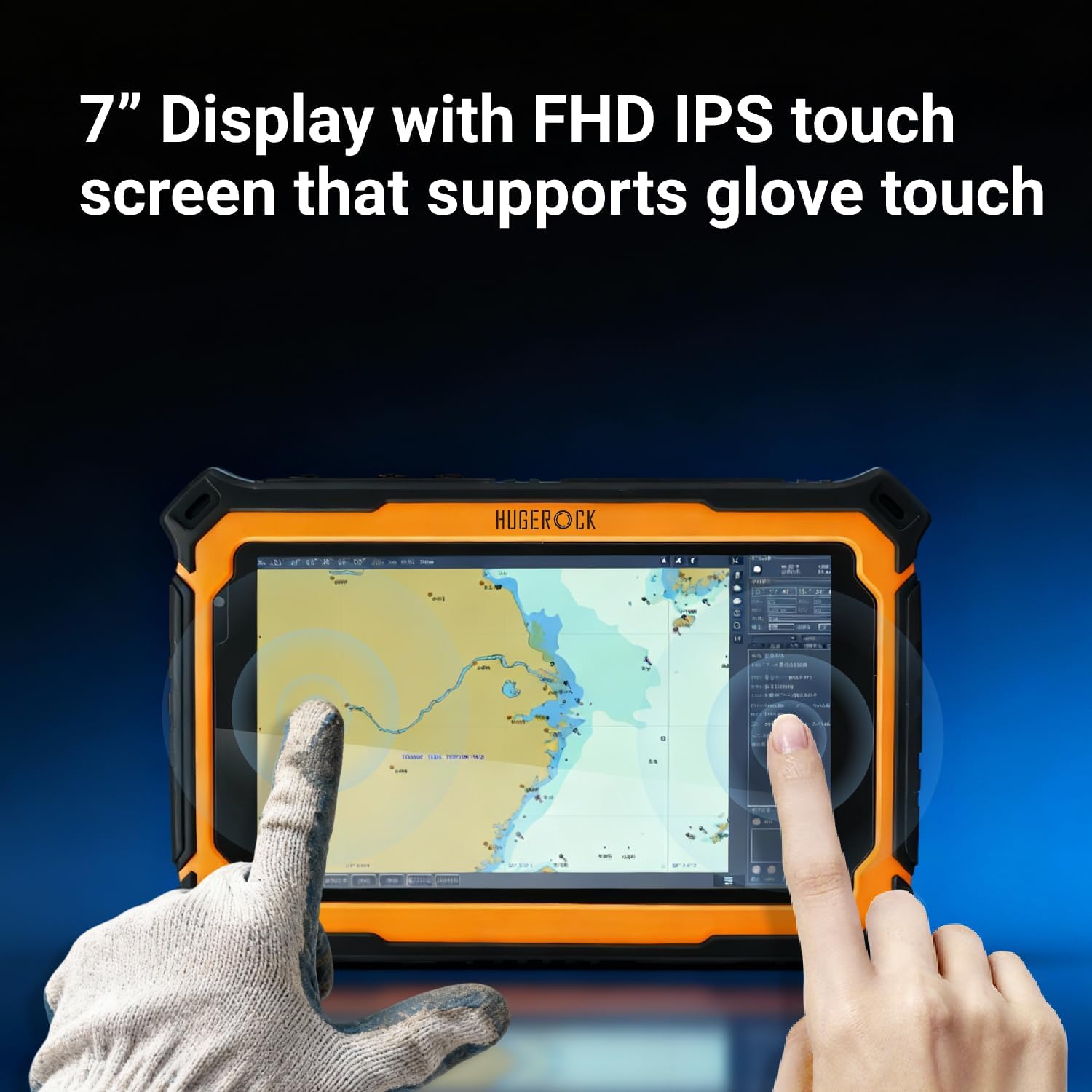
Image 6.1: The T71EX touchscreen supports operation with gloves.
6.2. 接続性
タブレットにはさまざまな接続オプションがあります。
- Wi-Fi: Connect to wireless networks (802.11a/b/g/n/ac/ax). Go to Settings > Network & internet > Wi-Fi.
- 4GLTE: Utilize cellular data with an installed SIM card. Go to Settings > Network & internet > Mobile network.
- Bluetooth 5.0: Pair with Bluetooth devices like headphones or external sensors. Go to Settings > Connected devices > Bluetooth.
- NFC: For near-field communication, such as data exchange or payment. Ensure NFC is enabled in Settings > Connected devices > Connection preferences > NFC.
6.3. 表示機能
The 2200 Nits ultra-bright display ensures readability even under direct sunlight.

Image 6.2: The T71EX display offers 2200 nits brightness for outdoor visibility.
6.4. カメラの使用
Use the pre-installed camera application or the dedicated Camera Button to capture photos and videos. The tablet features a 13 MP rear camera and a 5 MP front camera.
6.5. Applications in Hazardous Environments
The T71EX is specifically designed for personnel in critical industries such as petroleum, petrochemical, mining, oil and gas, chemical plants, military, and public safety departments. It provides reliable digital access and communication in dangerous zones.

Image 6.3: The T71EX tablet in use within an industrial environment.
7. メンテナンス
7.1. タブレットのクリーニング
Due to its IP67 rating, the T71EX can be cleaned with water. Ensure all port covers are securely sealed before cleaning. Use a soft, damp 画面と本体を拭く際は布を使用してください。刺激の強い化学薬品や研磨剤は使用しないでください。

Image 7.1: The T71EX tablet demonstrating its IP67 waterproof capability.
7.2. バッテリーのお手入れ
バッテリー寿命を延ばし、安全を確保するには:
- バッテリーを頻繁に完全に放電することは避けてください。
- Do not expose the tablet to temperatures outside its operating range.
- Use only the manufacturer-approved charger.
7.3. ソフトウェアの更新
Regularly check for and install software updates to ensure optimal performance, security, and compatibility. Go to Settings > System > System update.
8。 トラブルシューティング
This section addresses common issues you might encounter with your T71EX tablet.
| 問題 | 考えられる原因 | 解決 |
|---|---|---|
| タブレットの電源が入りません。 | バッテリー残量が少なくなり、システムがクラッシュしました。 | Charge the tablet for at least 30 minutes. If still unresponsive, use a pin to press the Reset Button. |
| Wi-Fiに接続できません。 | Wi-Fi is off; incorrect password; router issue. | Ensure Wi-Fi is enabled in settings. Verify password. Restart router. |
| 画面が反応しません。 | Software glitch; extreme temperature. | Restart the tablet. If unresponsive, use the Reset Button. Ensure tablet is within operating temperature range. |
| SIMカードが検出されません。 | SIM card improperly inserted; faulty SIM card. | Power off the tablet, re-insert the SIM card correctly. Test with another SIM card if available. |
9. 仕様
Detailed technical specifications for the HUGEROCK T71EX tablet.
| 特徴 | 仕様 |
|---|---|
| ブランド | 巨大な岩 |
| モデル名 | T71EX |
| オペレーティング·システム | アンドロイド |
| プロセッサ | ARM Cortex A73 Octa-Core (up to 2 GHz) |
| ラム | 8ギガバイト |
| 内部ストレージ | 128ギガバイト |
| 拡張可能なストレージ | 最大128 GB(TFカード) |
| 画面サイズ | 7インチ |
| ディスプレイ解像度 | 1920 x 1080ピクセル(FHD) |
| ディスプレイの明るさ | 2200 Nits (Sunlight-readable) |
| リアカメラ | 13 MP |
| フロントカメラ | 5 MP |
| ビデオキャプチャ解像度 | 4K UHD 2160p |
| バッテリー容量 | 10000 mAh(リチウムポリマー) |
| バッテリーの平均寿命 | 7時間 |
| 接続性 | 4G LTE, Wi-Fi (802.11a/b/g/n/ac/ax), Bluetooth 5.0, NFC |
| 凹凸 | IP67 Waterproof & Dustproof, MIL-STD-810G, 5.5ft Drop Resistance |
| 認定資格 | ATEX & IECEx Zone 2 Certified (Anti-Explosion) |
| Dimensions (L x W x Thickness) | 7.95インチ x 5.43インチ x 0.87インチ |
10. 保証とサポート
10.1. 製造元の保証
The HUGEROCK T71EX tablet comes with a 1年間のメーカー保証 from the date of purchase. This warranty covers defects in materials and workmanship under normal use. It does not cover damage caused by misuse, accidents, unauthorized repairs, or modifications.
10.2. カスタマーサポート
For technical assistance, warranty claims, or any questions regarding your HUGEROCK T71EX tablet, please contact HUGEROCK customer support. Refer to the contact information provided on the official HUGEROCK webサイトまたは購入書類をご覧ください。