
1.製品オーバーview
The BOSGAME P6 Mini PC is a compact desktop computer designed for various tasks, from demanding professional applications to light gaming and home entertainment. It features an AMD Ryzen 9 6900HX processor, 32GB LPDDR5X RAM, and a 1TB PCIe 4.0 NVMe SSD, offering high performance in a small form factor.
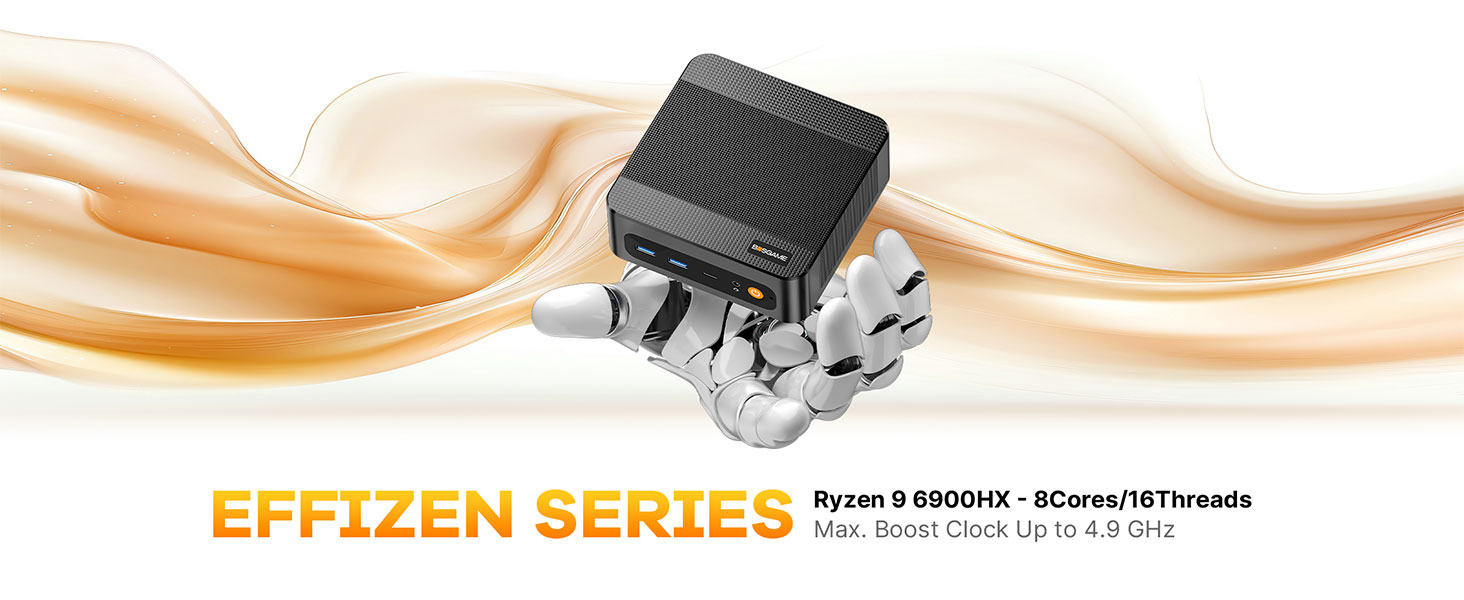
画像: 上view of the BOSGAME P6 Mini PC highlighting its compact design and key features.
ビデオ: 簡単にview of the BOSGAME P6 Mini PC's design and functionality, suitable for work environments.
2. 箱の中身
パッケージにすべてのアイテムが揃っていることを確認します。
- BOSGAME P6 Mini PC (1 unit)
- ユーザーマニュアル(1冊)
- HDMI 2.0 Cable (1 unit)
- 19V 3.42A, 65W Power Adapter (1 unit)
- VESA Mount & Screws (1 set)
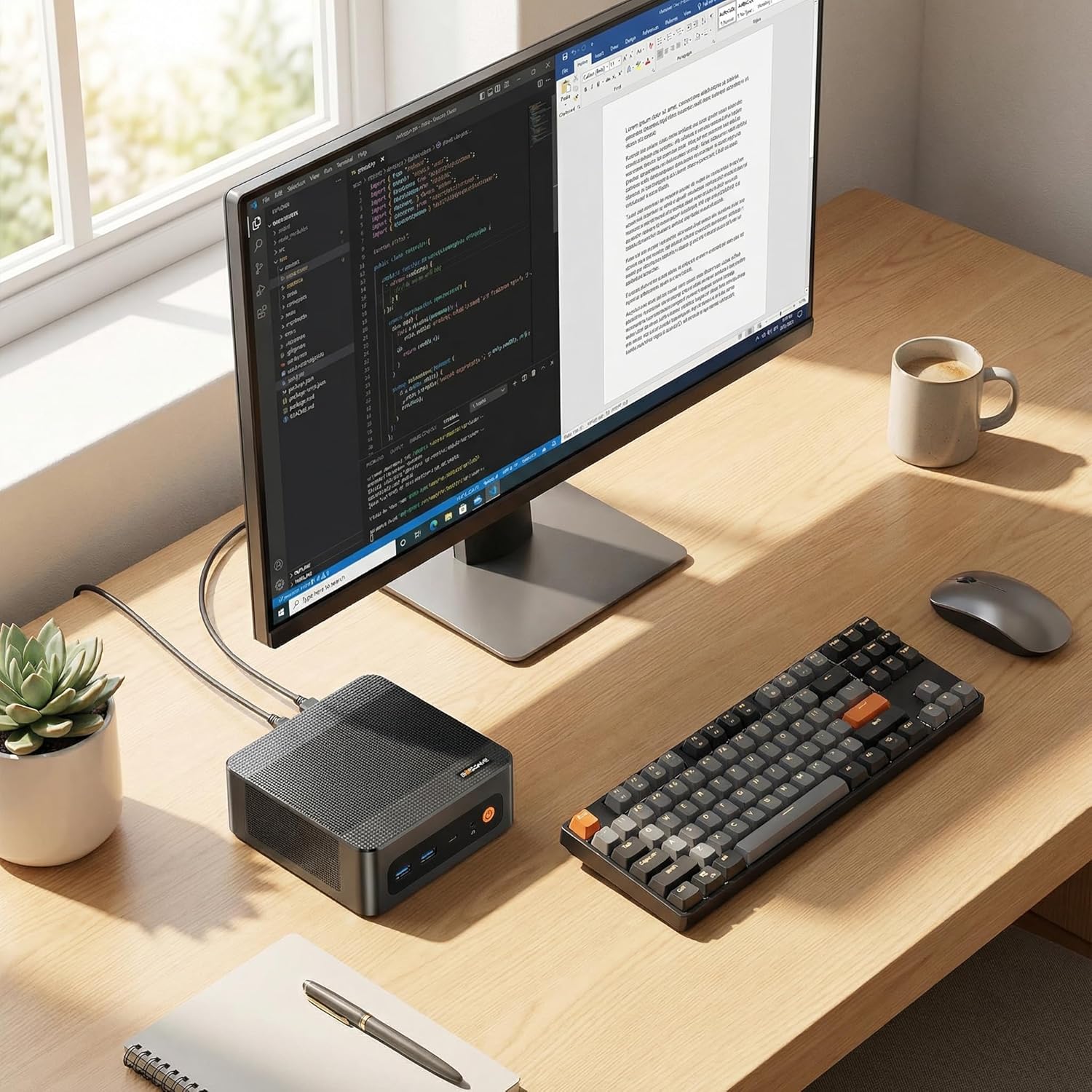
Image: All components included in the BOSGAME P6 Mini PC package.
3.セットアップガイド
3.1 初期接続
- Connect your monitor(s) to the HDMI, DisplayPort, or USB-C ports on the Mini PC.
- キーボードとマウスを利用可能な USB ポートに接続します。
- 電源アダプタをミニ PC の DC 入力ポートに接続し、電源コンセントに接続します。
- Mini PC の前面にある電源ボタンを押して電源を入れます。
3.2 VESAマウントの取り付け
The BOSGAME P6 can be mounted to the back of a VESA-compatible monitor or under a desk for a clutter-free setup.
- 付属のネジを使用して、VESA マウント ブラケットをモニターの背面または目的の表面に取り付けます。
- Slide the Mini PC into the VESA mount until it clicks securely into place.

Image: Different installation methods for the BOSGAME P6 Mini PC.
4. 操作手順
4.1 電源オン/オフ
- 電源オン: フロントパネルの電源ボタンを押します。
- 電源を切る: Windowsのスタートメニューをクリックし、「電源」>「シャットダウン」を選択します。または、電源ボタンを5秒間押し続けて強制シャットダウンすることもできます(通常の使用には推奨されません)。
4.2オペレーティングシステム
The Mini PC comes pre-installed with Windows 11 Pro. It is also compatible with Ubuntu for users who prefer a Linux environment.
- Windows 11 Pro: Follow the on-screen instructions for initial setup upon first boot.
- Ubuntu Compatibility: Users can install Ubuntu by creating a bootable USB drive and following standard installation procedures.
5. 接続性
The BOSGAME P6 offers extensive connectivity options for various peripherals and network configurations.
5.1 フロントパネルポート
- 電源ボタン: デバイスのオン/オフを切り替えます。
- オーディオジャック: ヘッドフォンまたは外部スピーカー用。
- USB-C (4K@60Hz): Full-featured port supporting data transfer, power delivery (PD3.0), and DisplayPort video output.
- USB 3.2 Gen2 (10Gbps) x2: 高速データ転送ポート。
5.2 背面パネルのポート
- DC入力: 電源入力ポート。
- RJ45 LAN x2: Dual Gigabit Ethernet ports for stable wired network connections.
- HDMI(4K@60Hz): ビデオ出力ポート。
- ディスプレイポート(4K@60Hz): ビデオ出力ポート。
- USB 3.2 Gen2 (10Gbps) x1: 高速データ転送ポート。
- USB 2.0 (480Mbps) x1: 標準データ転送ポート。
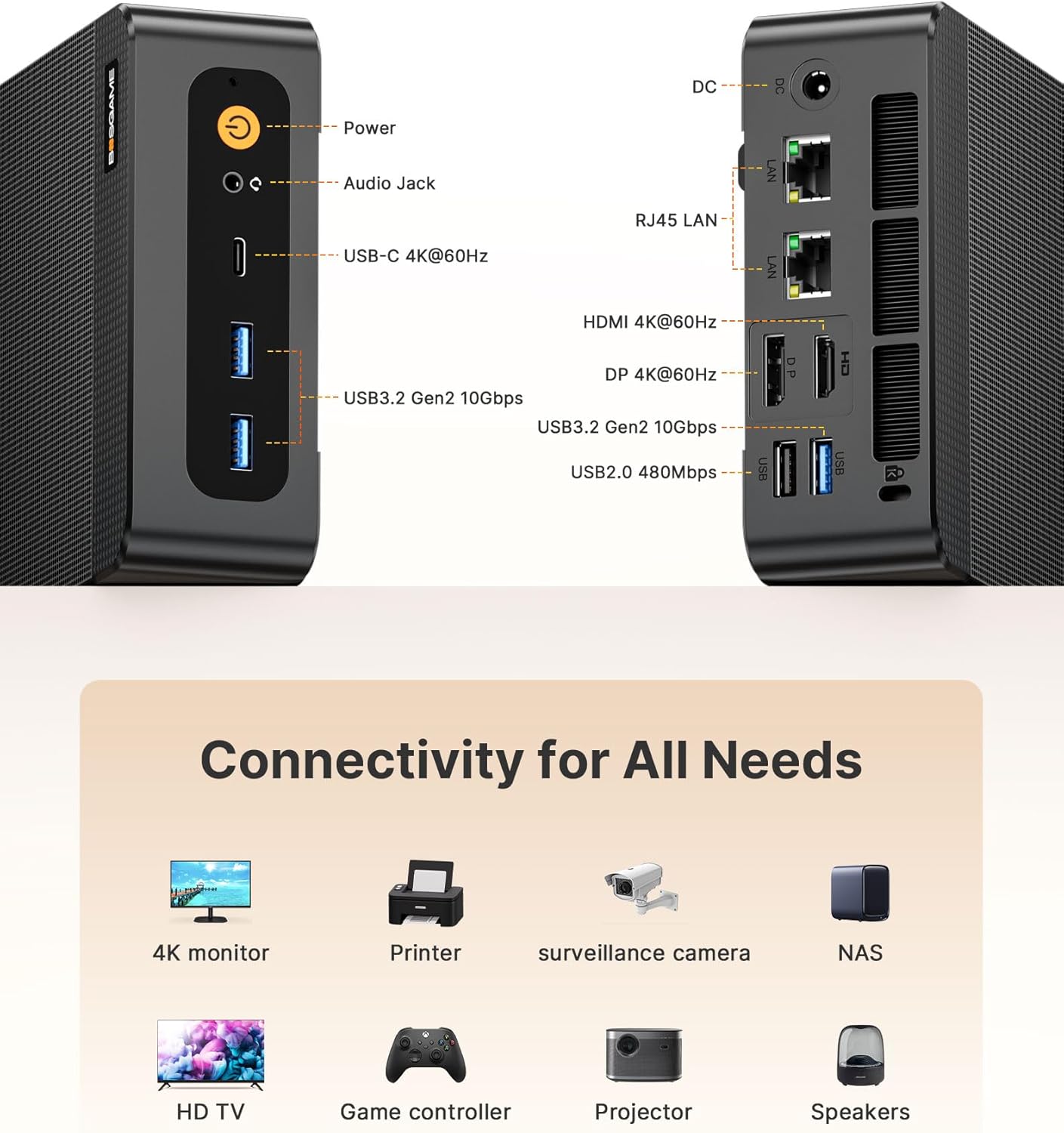
Image: Front and rear connectivity ports of the Mini PC.
5.3 ワイヤレス接続
- Wi-Fi 6E: 高速ワイヤレスインターネットアクセス用。
- Bluetooth 5.3: ワイヤレス周辺機器を接続します。 Note: To activate Bluetooth 5.3, download the corresponding driver from the official Intel website; otherwise, it defaults to Bluetooth 5.2 speeds.

Image: Wireless connectivity features (Wi-Fi 6E and Bluetooth 5.3) and compatible devices.
6. ストレージの拡張
The Mini PC is equipped with a 1TB M.2 NVMe PCIe 4.0 x4 SSD and supports expansion up to 4TB with an additional M.2 NVMe drive.
- ミニ PC の電源をオフにし、すべてのケーブルを外します。
- Carefully open the chassis (refer to the detailed user manual for specific instructions).
- Locate the additional M.2 NVMe slot.
- Insert the new M.2 NVMe SSD into the slot and secure it with the provided screw.
- シャーシを閉じて、すべてのケーブルを再接続します。
7. ディスプレイの設定
The BOSGAME P6 supports triple 4K display output simultaneously via HDMI, DisplayPort, and USB-C, all at 60Hz.
- Connect your 4K monitors to the available HDMI, DisplayPort, and USB-C video output ports.
- モニターが正しい入力ソースに設定されていることを確認してください。
- In Windows Display Settings, configure your display arrangement (extend, duplicate, or show only on one display).

Image: Triple display setup with the Mini PC.
8. Heat Dissipation & Noise
The Mini PC incorporates advanced phase change materials and active heat sinks for the CPU, memory, and hard drives, ensuring efficient and stable heat dissipation. It operates at a low noise level of under 36 decibels.

画像: 内部 view of the heat dissipation system.
9. 使用シナリオ
The BOSGAME P6 Mini PC is versatile and suitable for a wide range of applications:
- オフィス&ビジネス: Efficient for daily office tasks, presentations, and multitasking.
- クリエイティブワーク: Capable of handling photo and video editing, graphic design, and other demanding creative applications.
- ライトゲーミング: Enjoy various games at suitable settings thanks to the integrated Radeon 680M graphics.
- ホームシアター: Connect to your TV for streaming 4K content and multimedia playback.
- ホームサーバー: Utilize dual LAN ports for network attached storage (NAS) or other server applications.

画像: Examples of the Mini PC in different work and entertainment settings.
Video: Demonstrates the compact size and versatile functionality of the P6 Mini PC in various environments.
10. 仕様
| 特徴 | 詳細 |
|---|---|
| プロセッサ | AMD Ryzen 9 6900HX(8C/16T、最大4.9GHz) |
| グラフィックス | AMD Radeon 680M |
| ラム | 32GB LPDDR5X (6400MHz) |
| ストレージ | 1TB M.2 NVMe PCIe 4.0 x4 SSD (Expandable up to 4TB) |
| オペレーティング·システム | Windows 11 Pro (pre-installed), compatible with Ubuntu |
| ビデオ出力 | HDMI 2.0 (4K@60Hz), DisplayPort (4K@60Hz), USB-C (4K@60Hz) |
| USBポート | 2x USB 3.2 Gen2 (front), 1x USB 3.2 Gen2 (rear), 1x USB 2.0 (rear), 1x Full-function USB-C |
| ネットワーク | Dual 1000Mbps Gigabit Ethernet, Wi-Fi 6E, Bluetooth 5.3 |
| 寸法 | 129 x 123 x 44 ミリメートル |
| 重さ | 2.81ポンド |
11。 トラブルシューティング
11.1 ディスプレイ出力なし
- Ensure all display cables (HDMI, DisplayPort, USB-C) are securely connected to both the Mini PC and the monitor.
- モニターの電源がオンになっており、正しい入力ソースに設定されていることを確認します。
- 別のディスプレイ ポートに接続するか、別のケーブルを使用してみてください。
11.2 電源なし
- Check if the power adapter is correctly connected to the Mini PC and a working power outlet.
- 別のデバイスでテストして、電源コンセントが機能していることを確認します。
11.3 Bluetooth 5.3 Not Active
- Download and install the latest Bluetooth 5.3 driver from the official Intel webサイト。
12.保証とサポート
All BOSGAME Mini Desktop PCs are covered by a 12-month assurance period. For any questions or support needs, please contact us through the following methods:
- Amazon経由でのお問い合わせ: Log into your Amazon buyer's account, find your order, and click 'Get help' for product-specific assistance.
- メールサポート: Send an email to the After-sales Support Team at su**pport@bos**game.com. You will receive a response as soon as possible.