導入
Thank you for choosing the LogiLink BT0070 BT 6.0 Gaming Headset. This manual provides essential information for the proper setup, operation, and maintenance of your headset. Please read these instructions carefully before using the product to ensure optimal performance and longevity.
The LogiLink BT0070 is a versatile wireless gaming headset designed for clear communication and immersive audio experiences. It features a 360° microphone, comfortable ear pads, an adjustable headband, and a long-lasting battery.
安全情報
- ヘッドセットを極端な温度、湿度、腐食性物質にさらさないでください。
- ヘッドセットを落としたり、強い衝撃を与えたりしないでください。
- ヘッドセットを分解または改造しないでください。保証が無効になり、損傷の原因となる可能性があります。
- ヘッドセットを水やその他の液体から遠ざけてください。
- 指定された充電容量のみを使用してくださいtage と現在。
- 大きな音量で長時間聴くと聴覚に障害が生じる可能性があります。安全な音量に調整してください。
パッケージ内容
パッケージに以下の項目が含まれているか確認してください。
- LogiLink BT0070 Gaming Headset
- USB充電ケーブル
- 3.5mmAUXオーディオケーブル
- ユーザーマニュアル(このドキュメント)
製品終了view
Familiarize yourself with the components of your LogiLink BT0070 Gaming Headset.

画像: 以上view of the LogiLink BT0070 headset highlighting its adjustable headband, adjustable microphone, soft memory earmuffs, and flexible design for various head shapes.
- 調節可能なヘッドバンド: カスタマイズされた快適なフィット感を実現します。
- 調整可能なマイク: A 360° noise-isolating microphone for clear voice communication.
- Soft Memory Ear Pads: Designed for extended comfort during long gaming sessions.
- コントロールボタン: (Specific button functions will be detailed in the Operating section).
- 3.5mm AUXポート: デバイスへの有線接続用。
- 充電ポート: 内蔵バッテリーを充電します。
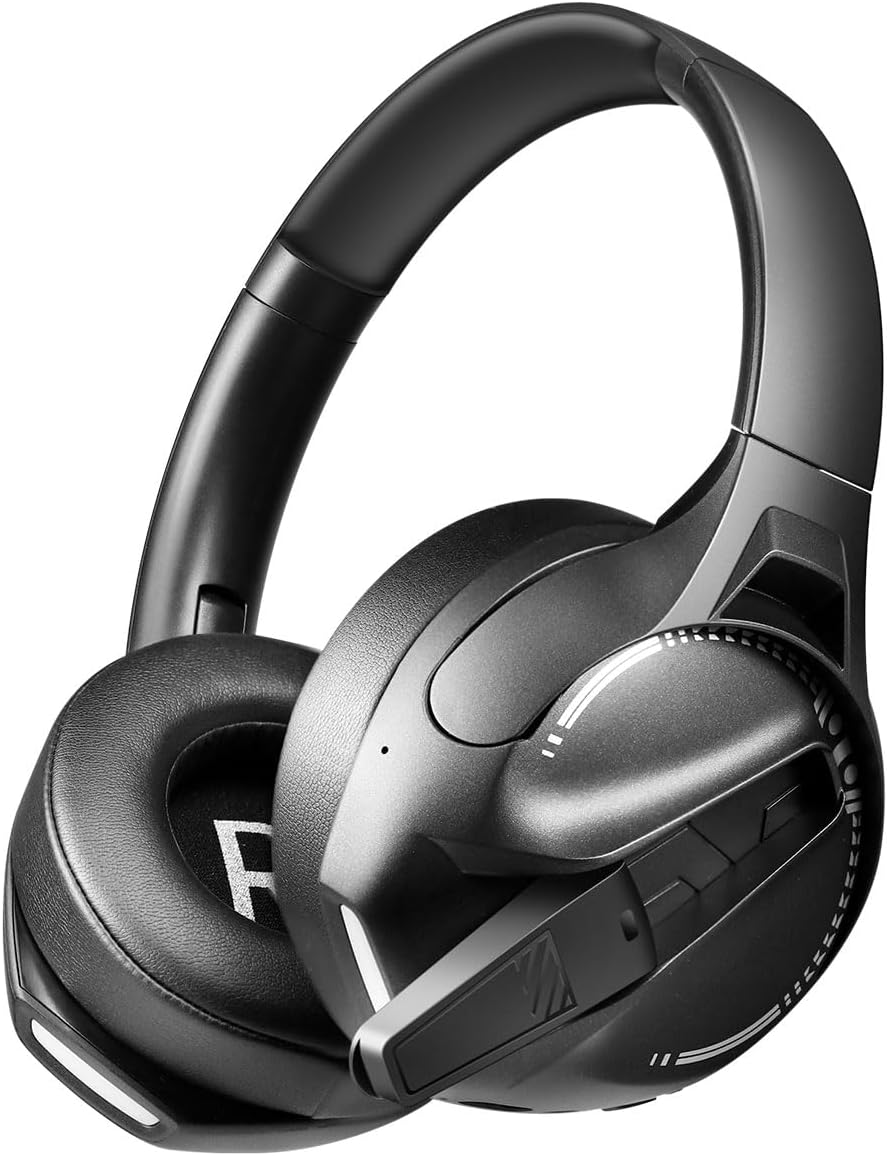
画像: 側 view of the LogiLink BT0070 headset, showing the extended microphone arm and ear cup design.

画像: フロント view of the LogiLink BT0070 headset, showcasin全体的なデザイン。
設定
1. ヘッドセットの充電
Before first use, fully charge the headset. Connect the USB charging cable to the headset's charging port and the other end to a compatible USB power source (e.g., computer USB port, USB wall adapter).

画像: Illustration of power adapter requirements. Use a 3.0-3.0W power adapter. Note that a power adapter is not included with the headset.
- A full charge typically takes approximately [X] hours (specific time not provided, refer to product packaging or LED indicator).
- The LED indicator on the headset will change color or turn off once charging is complete.
- Ensure the power source provides 3.0-3.0W for optimal charging.
2.電源のオン/オフ
- 電源を入れるには: LED インジケーターが点灯するまで、電源ボタンを約 3 秒間押し続けます。
- 電源を切るには: LED インジケーターが消えるまで、電源ボタンを約 5 秒間押し続けます。
3.Bluetoothペアリング
ヘッドセットをデバイスにワイヤレスで接続するには:
- ヘッドセットの電源がオフになっていることを確認します。
- 電源ボタンを約 5 ~ 7 秒間押し続けると、LED インジケーターが高速で点滅し (通常は青と赤)、ペアリング モードになります。
- デバイス(スマートフォン、ラップトップなど)で Bluetooth を有効にし、新しいデバイスを検索します。
- Select "LogiLink BT0070" from the list of available devices.
- Once paired, the LED indicator on the headset will typically flash slowly or turn solid blue.
4. 有線接続(3.5mm AUX)
有線接続の場合は、付属の 3.5mm AUX オーディオ ケーブルを使用します。
- 3.5mm オーディオ ケーブルの一方の端をヘッドセットの AUX ポートに差し込みます。
- もう一方の端をデバイスの 3.5 mm オーディオ ジャックに差し込みます。
- The headset will operate in passive mode, drawing no power from its battery.
5. フィット感の調整
For optimal comfort and sound quality, adjust the headset to fit your head:
- Extend or retract the adjustable headband until the ear cups comfortably cover your ears.
- Ensure the soft memory ear pads create a good seal around your ears.
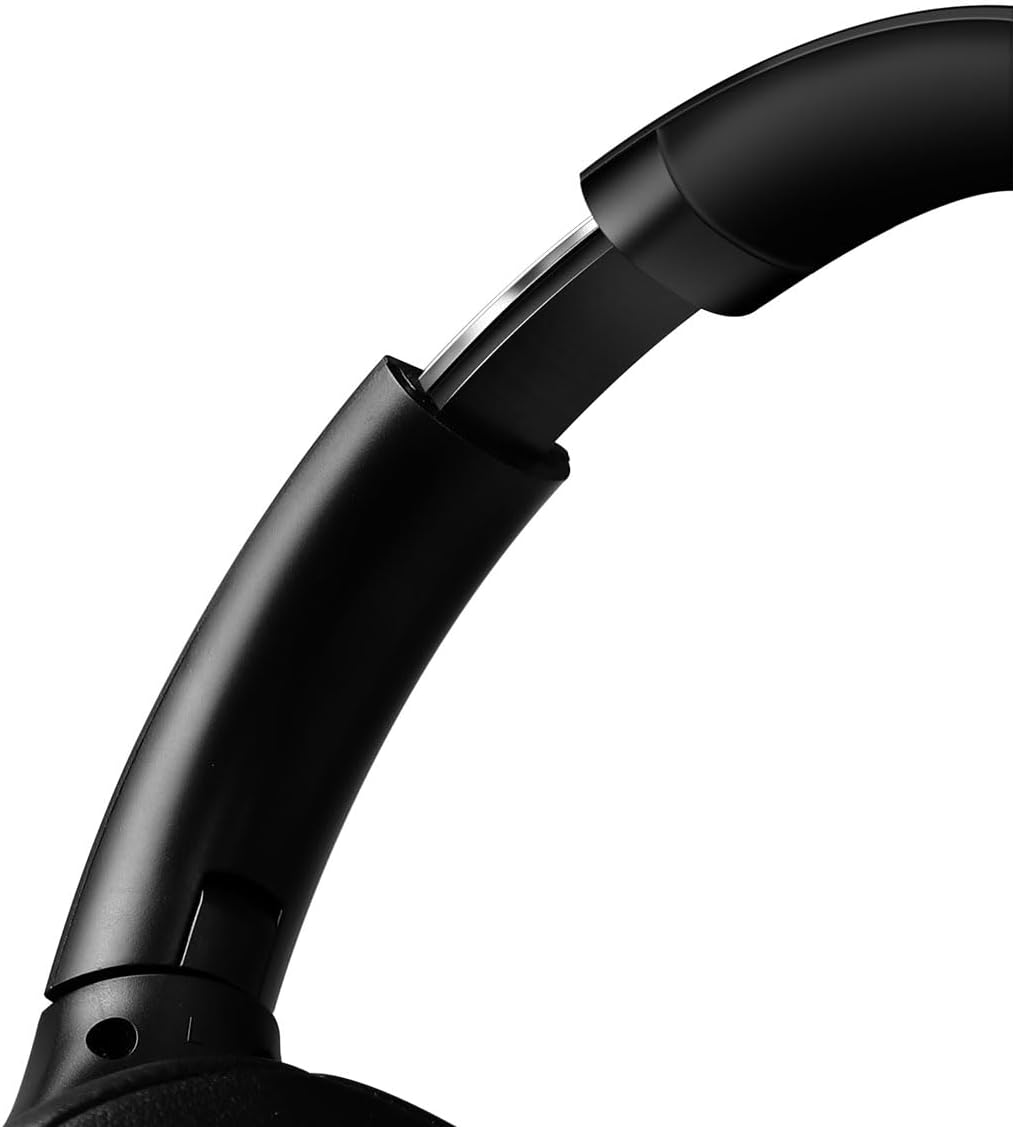
画像: 閉じる view of the adjustable headband mechanism, demonstrating how to customize the fit.
ヘッドセットの操作
1. 基本的な操作
The headset features intuitive controls, typically located on the ear cups:
- 電源ボタン: Press and hold to power on/off. Short press for [X function, e.g., play/pause, answer call - specifics not provided, common functions listed].
- ボリュームアップ/次のトラック: 短く押すと音量が上がります。長く押すと次のトラックに進みます。
- 音量ダウン/前のトラック: 短く押すと音量が下がります。長押しすると前のトラックに戻ります。
- 多機能ボタン(MFB): (Often combined with Power button) Single press to Play/Pause music or Answer/End calls. Double press to Redial last number.
2. マイクの使用方法
The integrated 360° noise-isolating microphone is designed for clear communication.
- マイクの調整: 音声を最適に拾うには、マイクを口の近くに配置します。
- ミュート/ミュート解除: (Specific button for mute not provided, common methods listed) Look for a dedicated mute button on the headset or use your device's software controls.
3. アクティブノイズキャンセレーション(ANC)
The headset features Active Noise Cancellation to reduce ambient noise.
- ANC を有効にする: (Specific button for ANC not provided, common methods listed) Look for a dedicated ANC button or a combination press on existing buttons.
- When ANC is active, you may notice a slight change in audio characteristics.

画像: Users experiencing immersive audio with the LogiLink BT0070 headset, emphasizing its 3D surround sound capabilities for gaming.
メンテナンス
1. 清掃
- ヘッドセットを柔らかく乾いた糸くずの出ない布で拭いてください。
- 研磨剤入りの洗剤、アルコール、化学溶剤は使用しないでください。
- Clean the ear pads gently to remove any buildup.
2. ストレージ
- ヘッドセットは、直射日光や極端な温度を避け、涼しく乾燥した場所に保管してください。
- 長期間保管する場合は、バッテリーの状態を維持するために、バッテリーが部分的に(約 50%)充電されていることを確認してください。

画像: The LogiLink BT0070 headset shown in a folded configuration, suitable for compact storage or transport.
3. バッテリーのお手入れ
- バッテリーを頻繁に完全に放電することは避けてください。
- バッテリーの状態を維持するために、使用していない場合でもヘッドセットを定期的に充電してください。
トラブルシューティング
ヘッドセットで問題が発生した場合は、次の一般的な問題と解決策を参照してください。
| 問題 | 考えられる解決策 |
|---|---|
| ヘッドセットの電源が入りません。 | Ensure the headset is fully charged. Press and hold the Power button for the required duration. |
| Bluetooth経由でペアリングできません。 | Ensure the headset is in pairing mode (rapidly flashing LED). Turn off and on your device's Bluetooth. Move closer to the device. Clear previous Bluetooth connections on your device. |
| 音が出ない、または音量が低い。 | Check headset and device volume levels. Ensure the headset is properly connected (Bluetooth or AUX). For Bluetooth, check audio output settings on your device. |
| マイクが機能しません。 | Ensure the microphone is not muted. Check microphone input settings on your device. Ensure the microphone is positioned correctly. |
| 音質が悪い。 | Ensure the headset is within Bluetooth range. Check for interference from other wireless devices. For wired connection, ensure the 3.5mm cable is fully inserted. |
仕様
Key technical specifications for the LogiLink BT0070 Gaming Headset:
| 特徴 | 詳細 |
|---|---|
| モデル | BT0070 |
| 接続技術 | Bluetooth 6.0、3.5mm AUX |
| 無線通信 | ブルートゥース |
| ヘッドセットタイプ | オーバーイヤー |
| ドライバー直径 | 40ミリメートル |
| インピーダンス | 32オーム |
| マイクロフォン | 360° Noise-isolating, Omnidirectional |
| 騒音制御 | アクティブノイズキャンセリング |
| バッテリー寿命 | 最大50時間 |
| 色 | 黒 |
| アイテム重量 | 500グラム |
| 製品寸法 | 16.8 x 17.8 x 7.5 cm |
| 互換性あり | Smartphone & Laptop |
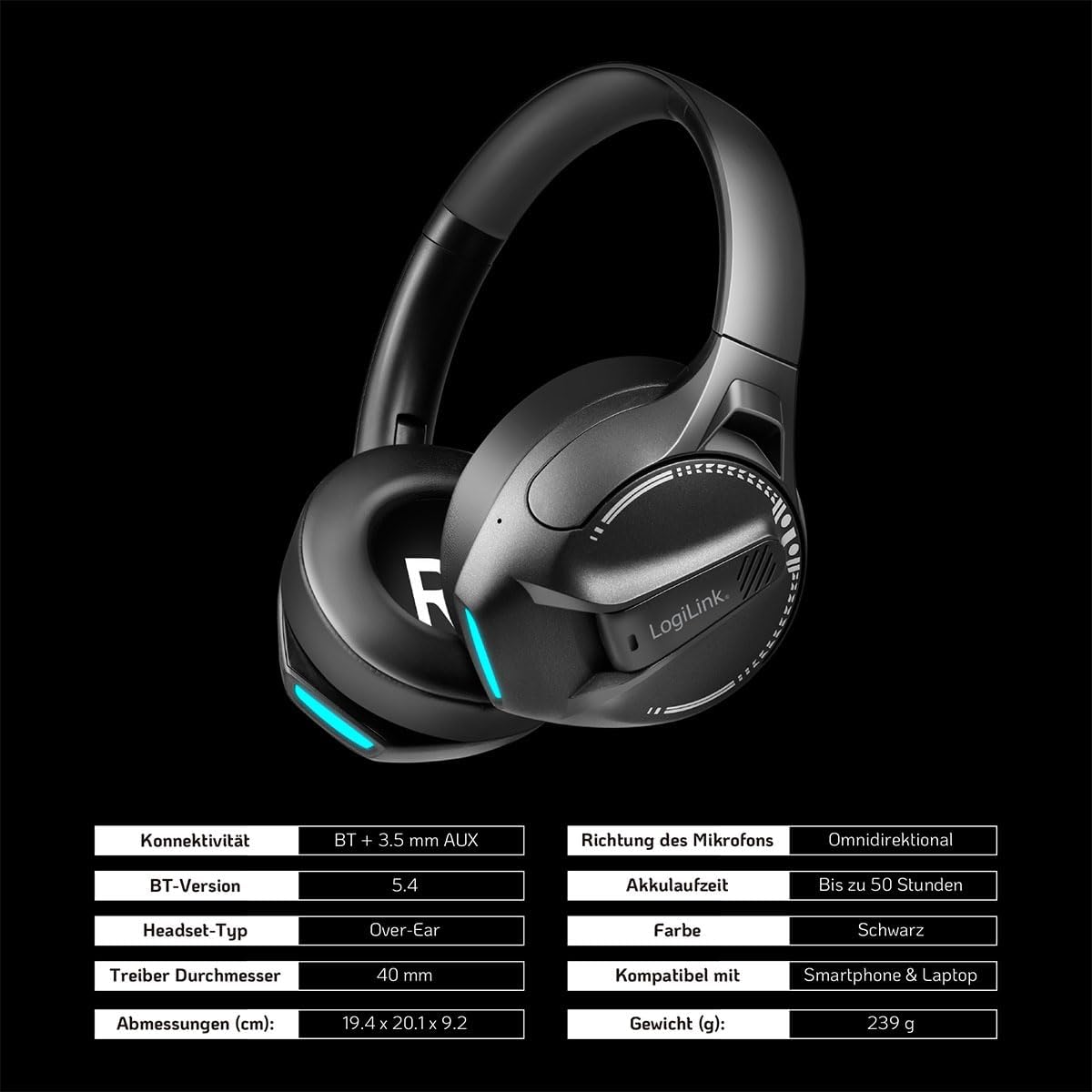
画像: Visual representation of key specifications for the LogiLink BT0070 headset, including connectivity, battery life, and dimensions. Note: The image lists Bluetooth version 5.4, while the product title specifies 6.0.
保証とサポート
LogiLink products are designed and manufactured to the highest quality standards. For warranty information and technical support, please refer to the warranty card included with your product or visit the official LogiLink webサイト。
保証請求のために購入証明書を保管してください。