
1. はじめに
The Optus Radio Weather Station Model 15298 provides accurate monitoring of indoor and outdoor climate conditions. This device features a DCF radio-controlled clock for automatic time and date setting, a frost alarm, and graphical weather forecasts. It is designed for convenient daily use in both home and office environments, offering reliable data on temperature and humidity.
2. パッケージ内容
- ベースステーション 1 台
- 1x Wireless Sensor
- 単4電池XNUMX本
- 取扱説明書 x 1
3 製品の特徴
- Indoor and outdoor temperature display (°C/°F)
- 屋内および屋外の湿度表示
- Graphical weather forecasts with atmospheric pressure indicator
- Storage of maximum and minimum values for temperature and humidity
- Frost alarm function
- Integrated alarm clock with snooze function
- Automatic time and date setting (DCF radio control)
- Backlight for enhanced readability
- Wireless sensor with up to 80m range
- Splash-proof outdoor sensor (IP44)

Image 1: Optus Radio Weather Station (Base Station and Wireless Sensor)
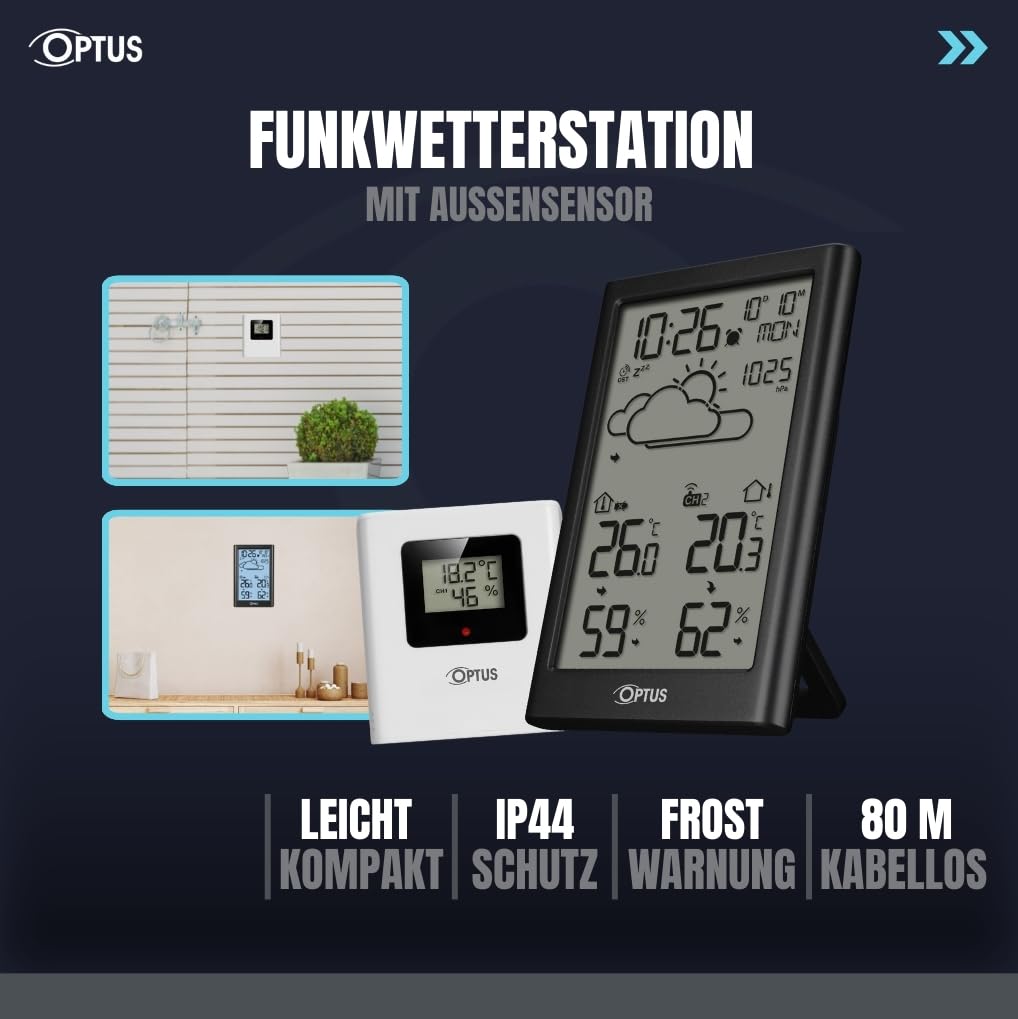
Image 2: The weather station and its outdoor sensor, illustrating flexible placement options indoors and outdoors.
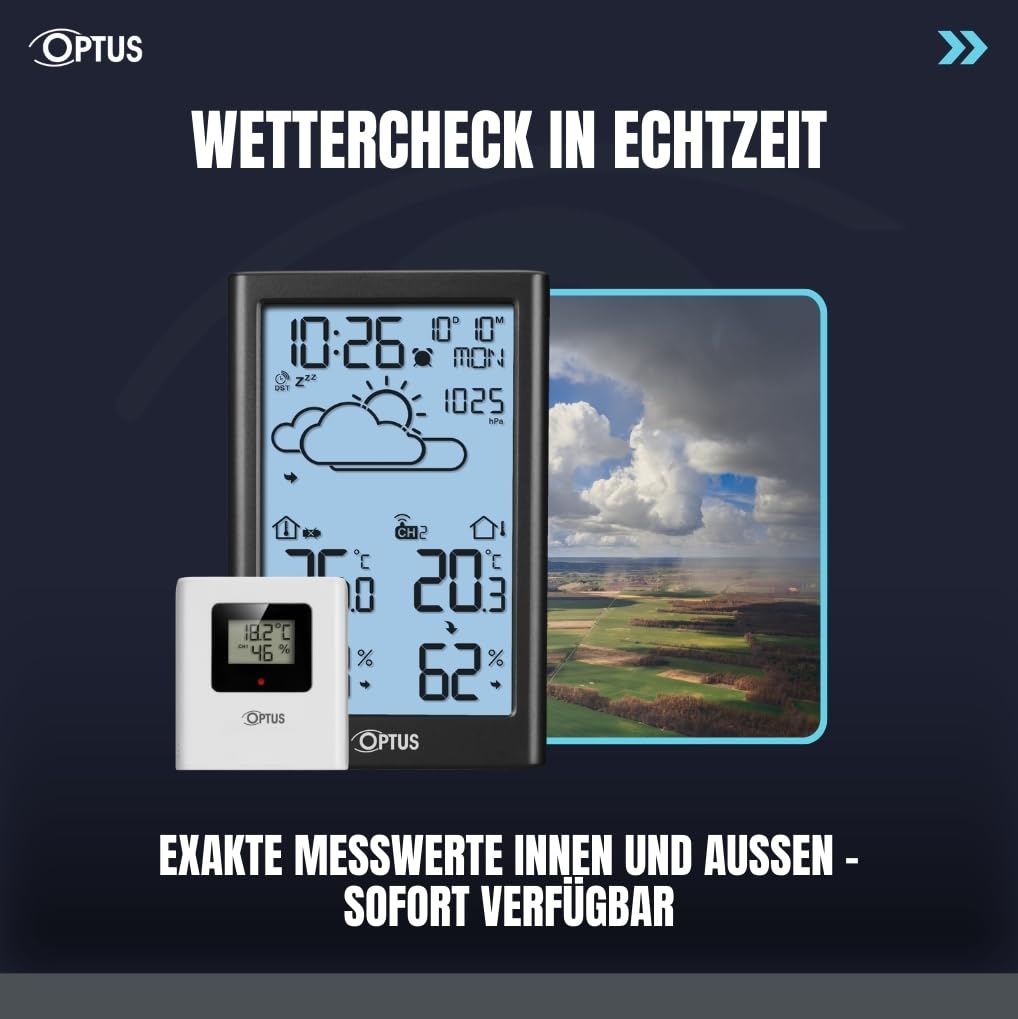
Image 3: The weather station displaying real-time indoor and outdoor temperature and humidity, with a graphical weather forecast.
4. セットアップ
4.1. バッテリーの取り付け
- ベースステーションの背面にあるバッテリーコンパートメントを開きます。
- Insert 3x AAA batteries (not included) into the base station, observing correct polarity (+/-).
- 電池ケースを閉じます。
- ワイヤレスセンサーの背面にあるバッテリーコンパートメントを開きます。
- Insert 2x AAA batteries (not included) into the wireless sensor, observing correct polarity (+/-).
- 電池ケースを閉じます。
4.2. 初期同期
After inserting batteries, the base station will automatically search for the wireless sensor and the DCF radio signal. This process may take a few minutes. Ensure the sensor is within range (up to 80m) of the base station.
4.3.センサーの配置
Place the wireless sensor in a location that provides accurate outdoor readings, away from direct sunlight and precipitation. The sensor is splash-proof (IP44) but should be protected from extreme weather conditions for optimal performance and longevity.

画像4:リア view ベースステーションの、バッテリー コンパートメントとコントロール ボタンを強調表示します。
5. 操作手順
5.1. Time and Date Setting (DCF)
The device automatically sets the time and date via the DCF radio signal. If manual adjustment is needed, refer to the detailed instructions in the included manual.
5.2. 温度と湿度の表示
The display shows current indoor and outdoor temperature and humidity. Use the designated buttons (refer to the full manual for specific button functions) to switch between Celsius (°C) and Fahrenheit (°F).
5.3. 最大/最小記録
The weather station stores maximum and minimum temperature and humidity values. Press the appropriate button to view these records. To reset the records, press and hold the button (refer to the full manual).
5.4. Frost Alarm
The frost alarm activates when outdoor temperatures approach freezing. An indicator will appear on the display to alert you to potential frost conditions.
5.5. Alarm Clock and Snooze
Set the integrated alarm clock as needed. The snooze function allows for a temporary delay of the alarm. Refer to the full manual for detailed alarm setting instructions.
5.6. バックライト
The display features a backlight for improved visibility in low-light conditions. Activate the backlight using the designated button (refer to the full manual).
6. メンテナンス
- Clean the device and sensor with a soft, dry cloth. Do not use abrasive cleaners or solvents.
- Avoid exposing the base station to direct sunlight or extreme temperatures.
- Replace batteries when the low battery indicator appears on the display to ensure continuous operation and accurate readings.
- Ensure the outdoor sensor's vents are clear of debris for accurate humidity readings.
7。 トラブルシューティング
7.1. No Outdoor Temperature/Humidity Display
- Check if the wireless sensor batteries are correctly installed and not depleted.
- Ensure the sensor is within the 80m transmission range of the base station.
- 他の電子機器や大きな金属物体からの干渉を最小限に抑えるために、センサーまたはベース ステーションの位置を変更します。
- Manually re-synchronize the sensor with the base station (refer to the full manual for specific steps).
7.2. 時刻/日付が正しくない
- Ensure the base station is placed in an area where it can receive the DCF radio signal. Avoid placing it near electronic devices that may cause interference.
- Allow up to 24 hours for the device to receive and synchronize with the DCF signal.
- If the signal is consistently weak, manual time and date setting may be required (refer to the full manual).
8. 仕様
- ブランド: オプタス
- モデル番号: 15298
- 電源(ベースステーション): Power adapter (included) and 3x AAA backup batteries (not included)
- 電源(センサー): 単2電池XNUMX本(別売)
- 接続技術: 無線周波数(RF)
- ワイヤレスセンサー範囲: 最大80メートル
- Sensor Protection Class: IP44(防滴)
- センサーの寸法: 71 x 65 x 23 ミリメートル
- センサー重量: 44グラム
- パッケージ寸法: 26.3 x 16.3 x 4.3 cm
- 特別な機能: DCF Radio Clock, Date, Time, Graphical Weather Forecast, Backlight, Alarm Clock, Max/Min Value Storage, Weekday Display, Frost Alarm

Image 5: Detailed dimensions of the Optus Weather Station base unit and its wireless outdoor sensor.
9. 保証とサポート
For warranty information and technical support, please refer to the contact details provided in the original product packaging or visit the official Optus webサイトでご確認ください。購入証明として購入レシートを保管してください。

