
1. セットアップ
1.1 パッケージ内容
パッケージにすべてのコンポーネントが含まれていることを確認します。
- Keychron M6 8K Wireless Gaming Mouse
- USB-C から USB-C へのケーブル
- USB-A-USB-Cアダプター
- 2.4 GHz USB-A Receiver
- 受信機用延長アダプタ

Image: Keychron M6 8K mouse with its cable, adapters, and 2.4 GHz receiver.
1.2 接続モード
The Keychron M6 8K mouse supports three connectivity modes: 2.4 GHz wireless, Bluetooth 5.3, and wired USB-C.
- 2.4GHzワイヤレス: For low-latency gaming. Insert the 2.4 GHz USB-A receiver into your computer's USB port. Use the extension adapter if needed for better signal.
- Bluetooth 5.3: For energy-efficient office use and multi-device flexibility. Pair with up to 3 devices.
- USB-C有線: For direct connection and charging. Connect the mouse to your computer using the provided USB-C cable.
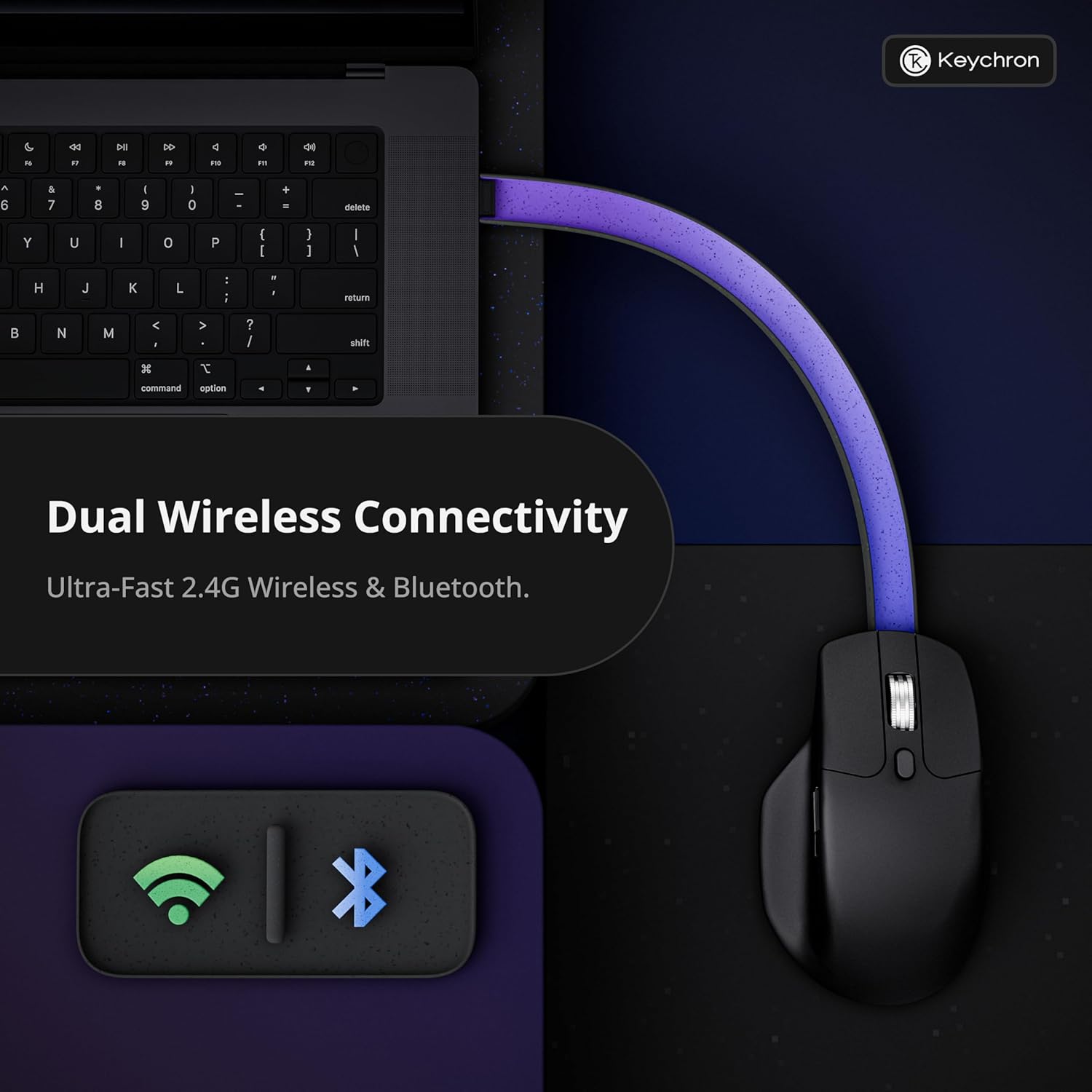
Image: Diagram illustrating the dual wireless connectivity options (2.4GHz and Bluetooth) of the Keychron M6 8K mouse.
1.3 初期ペアリング(Bluetooth)
- Ensure the mouse is powered on and in Bluetooth mode (check the switch on the bottom).
- On your device (Mac/Windows/Linux), open Bluetooth settings.
- ペアリング可能なデバイスのリストから「Keychron M6」を選択します。
- マウスのインジケータ ライトがペアリングの成功を確認します。
2. 操作手順
2.1 ボタンの機能とカスタマイズ
The Keychron M6 8K features over ten programmable buttons, including silent micro switches for noise-free clicking. Buttons can be customized using the Keychron Launcher web アプリ。
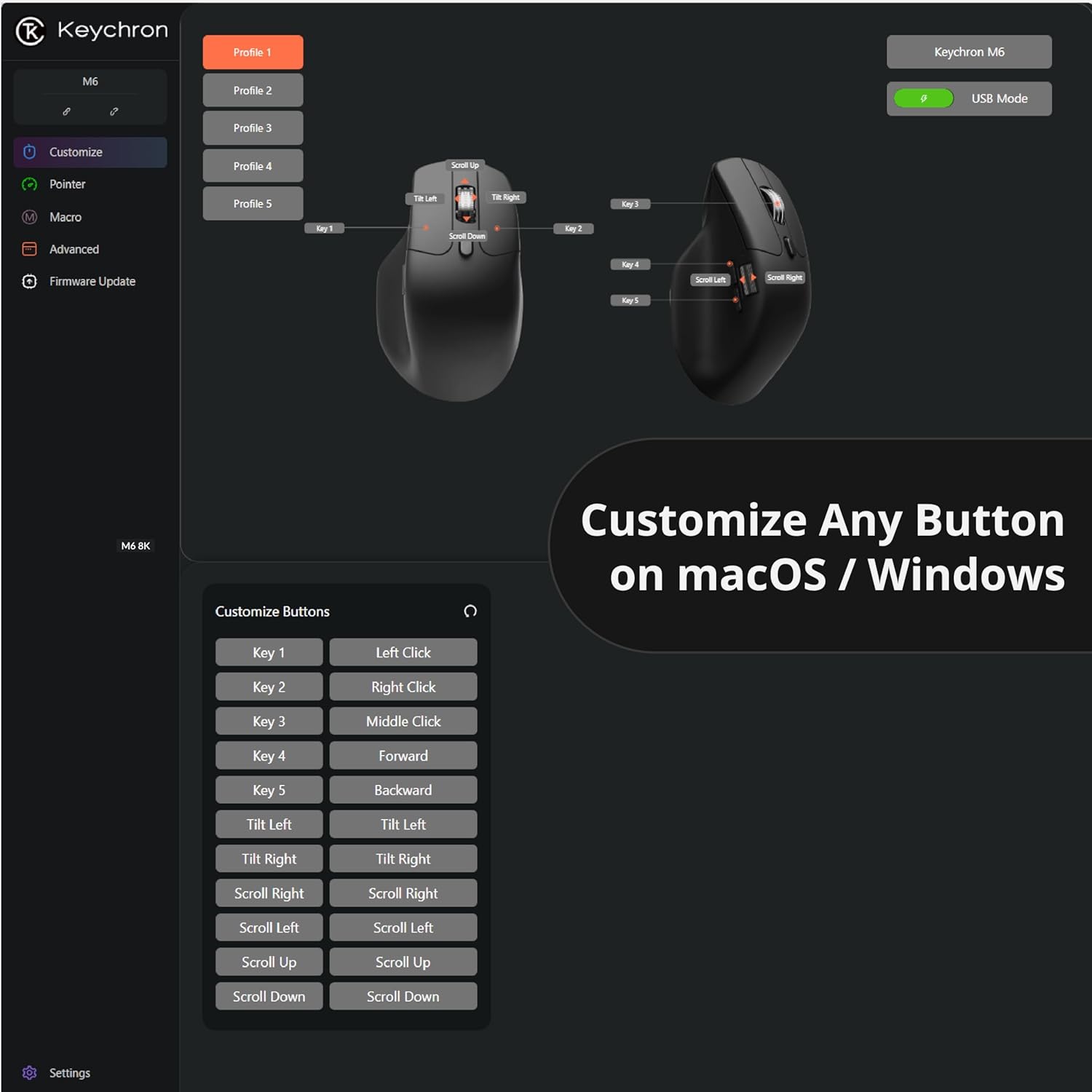
画像: Keychronランチャーのスクリーンショット web app interface showing button customization options for the M6 mouse.
2.2 Dual-Mode Scroll Wheel
The mouse is equipped with a premium dual-mode scroll wheel:
- Hyper-fast Infinite Scroll: Ideal for quickly navigating long documents or code.
- Tactile Ratchet Mode: Provides precise control for detailed tasks.
Switch between modes using the dedicated button located near the scroll wheel.

Image: Close-up of the Keychron M6 8K mouse highlighting its dual scrolling mode feature.
2.3 DPIとポーリングレートの調整
The PixArt 3950 sensor offers up to 30,000 DPI and 8000Hz polling rate. These settings can be adjusted directly on the mouse or through the Keychron Launcher web app. The mouse features 5 on-board memory profiles to store your custom DPI, polling rate, button mappings, and macros.

Image: Visual representation of the Keychron M6 8K's high-precision PixArt 3950 sensor, 750 IPS tracking, 8000Hz polling rate, 0.7mm LOD, and 30000 DPI.

Image: Diagram showing various polling rate options for the Keychron M6 8K mouse.
3. メンテナンス
3.1 クリーニング
最適なパフォーマンスを維持するために、マウスを定期的に清掃してください。表面は柔らかく乾いた布で拭いてください。光学式センサーの場合は、綿棒で軽く拭いてください。ampイソプロピルアルコールで湿らせて、センサー部分を優しく拭いてください。
3.2 バッテリー情報
The Keychron M6 8K mouse is equipped with a rechargeable battery, offering up to 120 hours of usage (at 1000Hz polling rate). Charge the mouse using the provided USB-C cable. The mouse can be used in wired mode while charging.
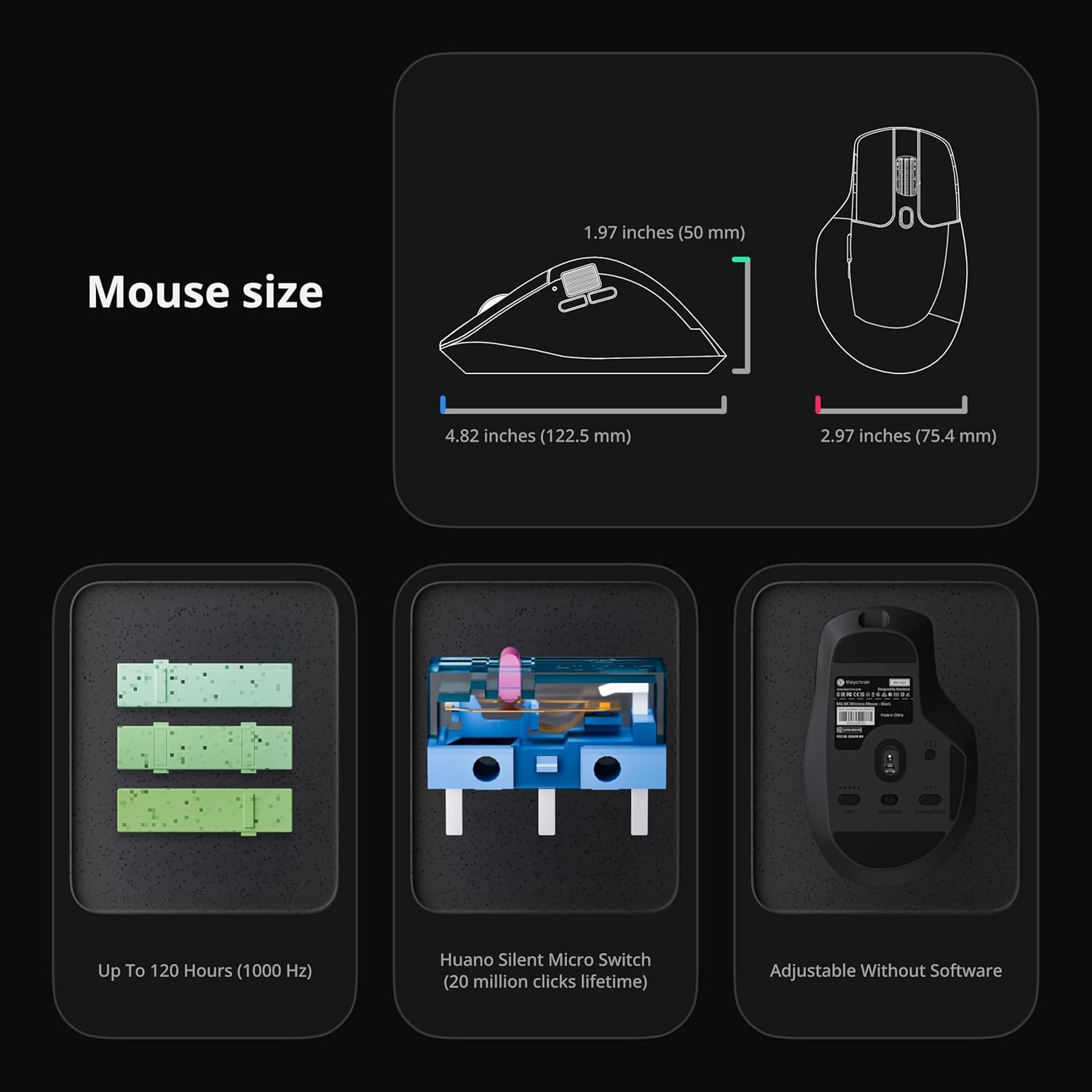
Image: Diagram showing the dimensions of the Keychron M6 8K mouse, its Huano Silent Micro Switches (20 million clicks lifetime), and battery life up to 120 hours (at 1000 Hz).
4。 トラブルシューティング
4.1 接続の問題
- 2.4GHz: Ensure the USB receiver is securely plugged in and the mouse is in 2.4 GHz mode. Try a different USB port or use the extension adapter.
- ブルートゥース: Ensure Bluetooth is enabled on your device and the mouse is in Bluetooth mode. Re-pair the device if connection is lost.
- 有線: USB-Cケーブルの接続を確認してください。別のケーブルまたはUSBポートを試してください。
4.2 Unresponsive Buttons or Scroll Wheel
- マウスが完全に充電されていることを確認してください。
- Clean any debris around the buttons or scroll wheel.
- Reset the mouse to factory settings via the Keychron Launcher if customization issues are suspected.
5. 仕様
| ブランド | キークロン |
| モデル名 | M6 |
| モデル番号 | M6S-A23 |
| 色 | 黒 |
| 接続技術 | Bluetooth, 2.4 GHz Wireless, USB-C Wired |
| 動き検出技術 | 光学式(PixArt 3950センサー) |
| Mouse Maximum Sensitivity | 30,000DPI |
| ポーリングレート | 最大8000Hz |
| 特集 | Soundless Clicks, Ergonomic Design, Infinite Scroll Wheel, 5 On-Board Memory Profiles |
| ボタンの数量 | Over 10 programmable buttons |
| 手の向き | 右 |
| 対応デバイス | Personal Computer (Windows, macOS, Linux) |
| ワイヤレス範囲 | 33フィート |
| バッテリー寿命 | 最大120時間(1000Hz時) |
| エンクロージャ材質 | プラスチック |
6. 保証
The Keychron M6 8K Wireless Gaming Mouse comes with a 1年間のメーカー保証. Please retain your proof of purchase for warranty claims. For detailed warranty terms and conditions, refer to the official Keychron webサイトをご覧いただくか、カスタマー サポートにお問い合わせください。
7. サポート
7.1 Keychron Launcher Web アプリ
For advanced customization, including button remapping, macro creation, LOD adjustment, and RGB fine-tuning, use the Keychron Launcher web app. No software download is required, and your preferences are saved to the mouse's on-board memory.
Keychron の公式サイトにアクセスしてください website for access to the Keychron Launcher and additional support resources.
7.2 公式製品ビデオ
Keychron M6 8K Wireless Bluetooth 2.4 GHz Connection Mouse
ビデオ: 当局者がview of the Keychron M6 8K Wireless Mouse, demonstrating its features and connectivity options.
Keychron M6 Silent Wireless Optical Gaming Mouse
Video: A demonstration of the silent clicking and optical tracking capabilities of the Keychron M6 mouse.