
1. はじめに
The Baseus Inspire XP1 Adaptive Noise Cancelling Earbuds are designed to provide a high-fidelity audio experience with advanced noise cancellation capabilities. Featuring Sound by Bose technology and Dolby Spatial Audio, these earbuds offer immersive sound and clear communication. This manual provides instructions for setup, operation, and maintenance to ensure optimal performance.
2. パッケージ内容
パッケージにすべてのアイテムが含まれていることを確認します。
- Baseus Inspire XP1 Noise Cancelling Wireless Earbuds
- 充電ケース
- イヤーチップ(S/M/Lサイズ)
- USB-C充電ケーブル
- ユーザーマニュアル

Image: Package contents of the Baseus Inspire XP1 earbuds.
3.製品オーバーview
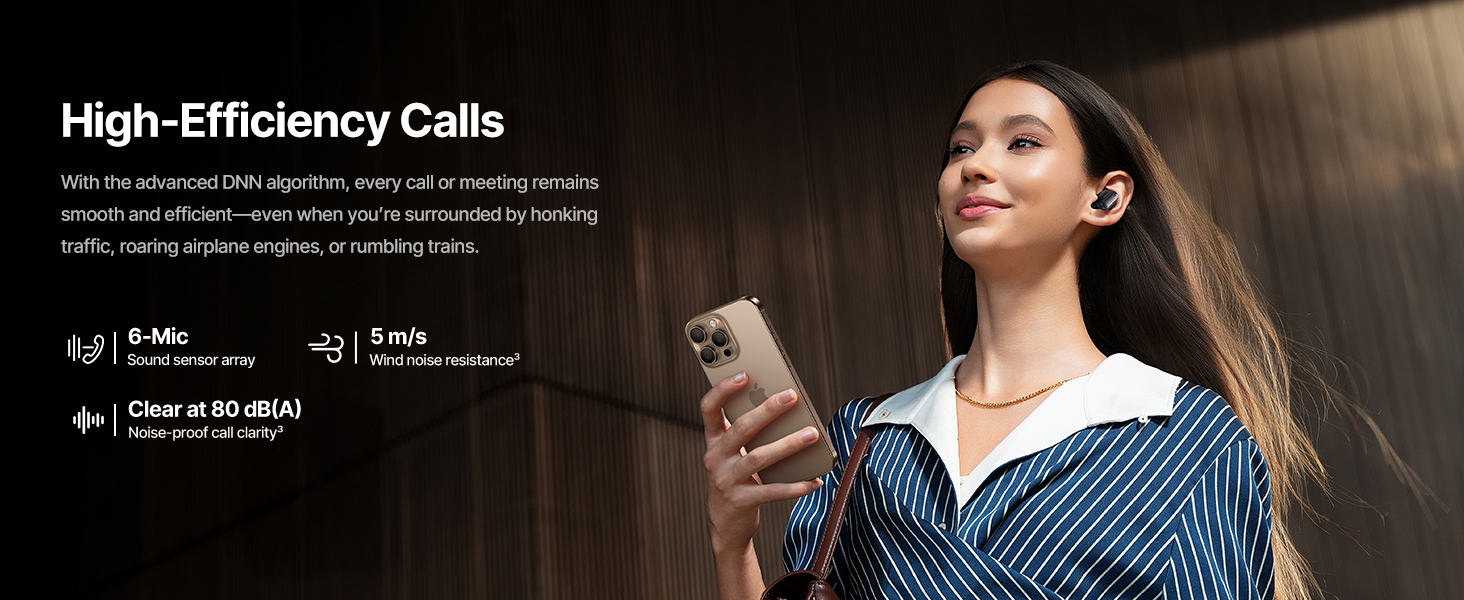
The Baseus Inspire XP1 earbuds feature a contoured in-ear fit with umbrella-shaped liquid silicone tips for comfort and noise isolation. They are equipped with a 6-mic sound sensor array for clear calls and touch-sensitive surfaces for control.

Image: Baseus Inspire XP1 Earbuds.
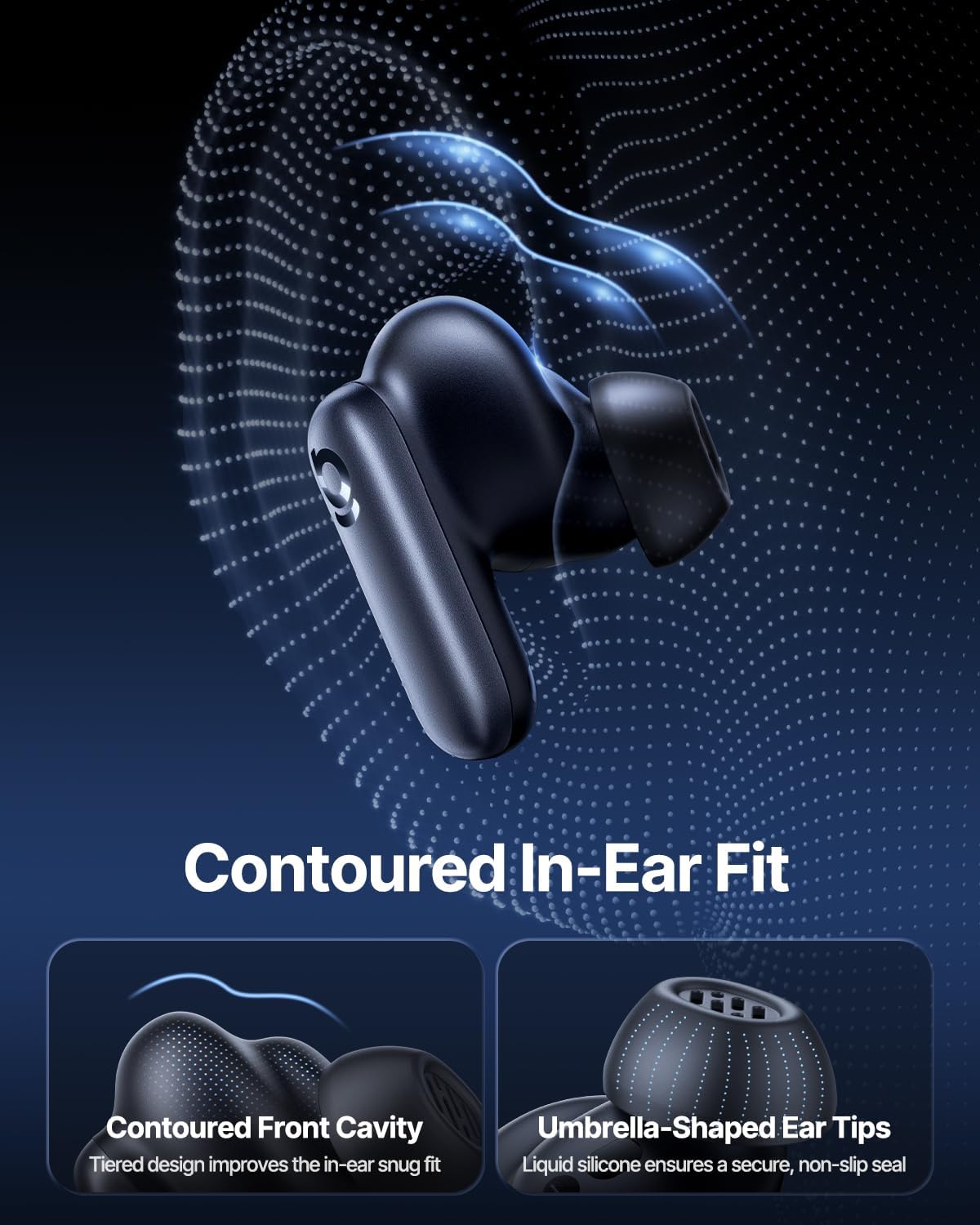
Image: Contoured In-Ear Fit and Umbrella-Shaped Ear Tips.
4. セットアップ
4.1 初期ペアリング
- イヤフォンを充電する: Place both earbuds into the charging case and close the lid. Connect the USB-C charging cable to the case and a power source. The indicator light on the case will show charging status.
- ペアリングモードをアクティブにする: 充電ケースを開けます。イヤホンは自動的にペアリングモードになり、イヤホンまたはケースのライトが点滅します。
- Bluetooth経由で接続: デバイス(スマートフォン、タブレット、ラップトップ)で Bluetooth 設定に移動し、Bluetooth を有効にします。 検索する "Baseus Inspire XP1" in the list of available devices and select it to connect.
- 確認: Once connected, a voice prompt will confirm successful pairing, and the indicator light will turn solid or off.
4.2 Baseusアプリのインストール
For full functionality, including Dolby Audio, custom EQ settings, and adaptive tuning, download the official Baseus App from your device's app store (iOS App Store or Google Play Store). The app allows for personalized control of your listening experience.
画像: スマート アプリ コントロール インターフェイス。
5. 操作手順
5.1 電源オン/オフ
- 電源オン: 充電ケースを開くと、イヤホンは自動的に電源が入り、最後にペアリングしたデバイスに接続しようとします。
- 電源を切る: イヤホンを充電ケースに戻し、蓋を閉めます。自動的に電源がオフになり、充電が開始されます。
5.2 タッチコントロール
The earbuds feature touch-sensitive surfaces for various functions:
Image: Touch Control Guide.
- 音楽の再生/一時停止: どちらかのイヤホンをダブルタップします。
- 通話の応答/終了: どちらかのイヤホンをダブルタップします。
- 通話を拒否する: どちらかのイヤフォンを1.5秒間タップして押し続けます。
- ANC/透明モードを切り替える: どちらかのイヤフォンを1.5秒間タップして押し続けます。
- 音声アシスタントを有効にする: どちらかのイヤホンを3回タップします。
5.3 Adaptive Noise Cancellation (ANC) and Transparency Mode
The Inspire XP1 earbuds feature Premium Adaptive ANC, which dynamically adjusts noise reduction up to -50 dB based on your environment. Transparency Mode allows you to hear your surroundings without removing the earbuds.

Image: Premium Adaptive ANC in use.
Switch between ANC and Transparency Mode by tapping and holding the touch surface for 1.5 seconds, or manage settings via the Baseus App.
5.4 High-Efficiency Clear Calls
Equipped with a 6-mic sound sensor array and AI algorithms, the earbuds provide clear calls by reducing wind noise and environmental distractions up to 80 dB(A).
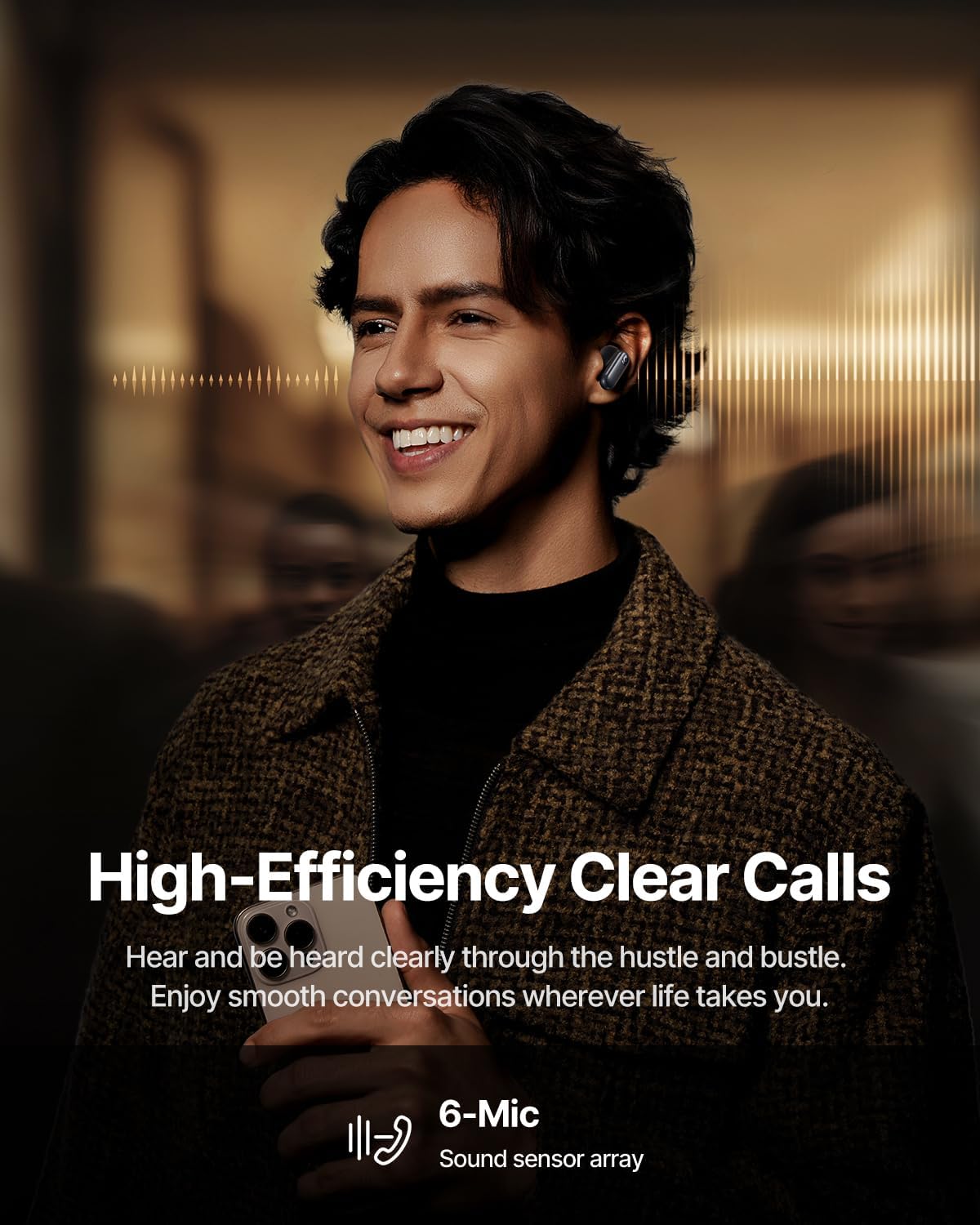
Image: High-Efficiency Clear Calls.
5.5 充電とバッテリー寿命
The earbuds offer extended playtime with the charging case:
- ANC オフ: Up to 8 hours per charge, and up to 45 hours with the charging case.
- ANCオン: Up to 6 hours per charge, and up to 35 hours with the charging case.
- 急速充電: 10 分の充電で約 2.5 時間の再生が可能です。

Image: Day-and-Night Playtime.
5.6 Instant Multipoint Connection
Utilize Baseus Smart-Connect and Bluetooth 6.1 for seamless switching between two paired devices, such as a phone and a laptop, enabling uninterrupted calls and multitasking.
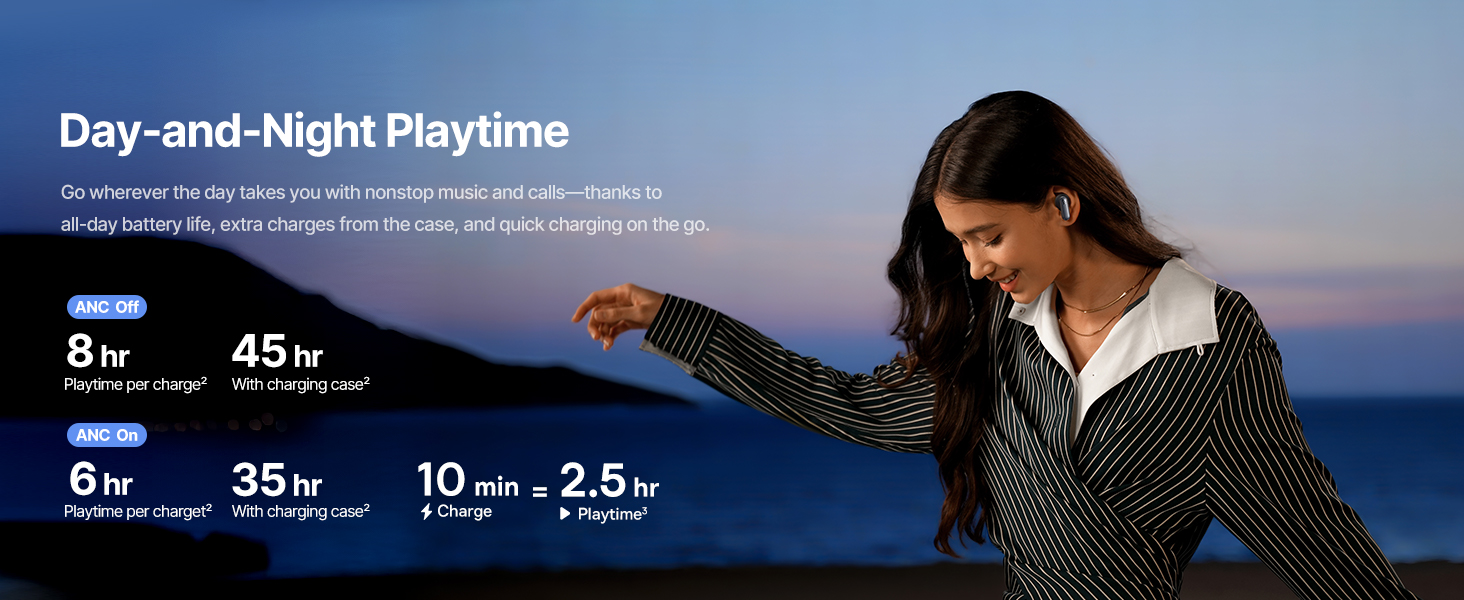
Image: Instant Multipoint Connection.
6. メンテナンス
- クリーニング: イヤホンと充電ケースは、柔らかく乾いた糸くずの出ない布で定期的に拭いてください。研磨剤や刺激の強い化学薬品は使用しないでください。
- イヤチップ: 必要に応じて、シリコン製のイヤーチップを取り外し、中性洗剤と水で洗ってください。再び取り付ける前に、完全に乾いていることを確認してください。
- 充電ポート: USB-C 充電ポートにほこりやごみが付かないようにしてください。
- ストレージ: When not in use, store the earbuds in their charging case to protect them and maintain battery life. Avoid extreme temperatures.
7。 トラブルシューティング
7.1 イヤホンがペアリングされない
- イヤホンが充電されており、充電ケースの蓋が開いていることを確認します。
- デバイスの Bluetooth をオフにしてからオンにします。
- Bluetooth 設定でデバイスを削除し、再度ペアリングを試みてください。
- Try resetting the earbuds (refer to the Baseus App or Baseus support for specific reset instructions).
7.2 音が出ない、または音量が低い
- デバイスとイヤホンの両方の音量レベルを確認してください。
- イヤホンが耳に正しく装着されていることを確認してください。
- イヤホンがデバイスの正しいオーディオ出力に接続されていることを確認します。
- イヤホンのスピーカーからゴミを取り除きます。
7.3 充電の問題
- 充電ケーブルがケースと電源の両方にしっかりと接続されていることを確認してください。
- 別の USB-C ケーブルと電源アダプターを試してください。
- イヤホンとケース内部の両方の充電接点を清掃してください。
8. 仕様
画像: 製品仕様。
| モデル名 | ベースス インスパイア XP1 |
| 接続技術 | Bluetooth 6.1、ワイヤレス |
| 無線通信技術 | ブルートゥース6.1 |
| 騒音制御 | Adaptive Noise Cancellation, Environmental Noise Cancellation |
| オーディオドライバーのサイズ | 10ミリメートル |
| 周波数範囲 | 20 Hz - 20,000 Hz |
| バッテリー寿命(ANCオフ) | 8時間(イヤホン)、45時間(充電ケース使用時) |
| 充電ポート | USB-C |
| 制御方法 | アプリ、タッチ |
| 材料 | シリコーン |
| アイテム重量 | 7.8オンス |
9. 保証とサポート
Baseus products are covered by a limited warranty. For detailed warranty information, product support, or to contact customer service, please visit the official Baseus webサイトをご覧いただくか、パッケージに同梱されている保証カードを参照してください。
また、 AmazonのBaseusストア 追加のリソースと製品情報については、こちらをご覧ください。