
1. はじめに
Thank you for choosing the KOOSMILE N80 Mini PC. This compact and versatile device is designed to provide a powerful computing experience in a portable form factor. Featuring an 8-inch multi-touch display, a robust N150 processor, and extensive connectivity options, the N80 is suitable for a wide range of applications from everyday tasks to specialized IT management. This manual provides essential information for setting up, operating, maintaining, and troubleshooting your Mini PC.
2. 箱の中身
Upon unboxing your KOOSMILE N80 Mini PC, please ensure all the following items are present:

Image: All items included in the KOOSMILE N80 Mini PC package.
- 1x KOOSMILE N80 Mini PC
- 1x Power Adapter (Type-C 45W GaN Quick Charger)
- HDMIケーブル x 1
- ディスプレイポート(DP)ケーブル×1
- ユーザーマニュアル x 1
3.製品オーバーview & 特徴
The KOOSMILE N80 Mini PC combines powerful components with a compact design, making it highly portable and efficient.
3.1 主要コンポーネント

画像: 上view of KOOSMILE N80 Mini PC key features and components.
- プロセッサ: Intel Twin Lake N150 CPU (4 cores, 4 threads, 6M cache, Base Frequency: 0.8 GHz; Max Turbo Frequency: 3.6GHz).
- メモリ: スムーズなマルチタスクを実現する 12GB DDR5 RAM。
- ストレージ: 512GB M.2 SSD (expandable, other configurations available).
- オペレーティング·システム: Windows 11 Proがプリインストールされています。
- グラフィック: Integrated Intel UHD Graphics 600, supporting 4K content.
3.2 Display & Portability

Image: The compact size and portability of the KOOSMILE N80 Mini PC.
- 統合ディスプレイ: 8.0-inch HD multi-touch display (1280 x 720 resolution).
- 寸法: 7.62 × 4.88 × 0.91 inches (19.36 x 12.4 x 2.31 cm).
- 重さ: 約2.2ポンド(0.55kg)。
- バッテリー: ポータブル使用に適した5000mAhバッテリーを内蔵。
- 調整可能なスタンド: Integrated metal bracket allows for adjustable view角度(45°~165°)

Image: The adjustable metal stand provides flexible viewオプションを使用します。
3.3 Connectivity & Ports

Image: The extensive port selection on the KOOSMILE N80 Mini PC.
- USB ポート: 2x USB 3.0, 2x USB 2.0.
- ビデオ出力: HDMI, DisplayPort (DP), Full-function Type-C (supports 4K@60Hz dual display).
- ネットワーク: Dual RJ45 Ethernet ports (Gigabit).
- 無線: Wi-Fi 6 (802.11ax)、Bluetooth 5.2。
- オーディオ: 3.5mmオーディオジャック。
- ストレージの拡張: TFカードスロット。
4. セットアップ
Follow these steps for initial setup of your KOOSMILE N80 Mini PC:
- 電源接続: Connect the provided Type-C power adapter to the PD port on the Mini PC and then to a power outlet.
- 初期ブート: Press the power button. The device will boot into Windows 11 Pro. Follow the on-screen instructions to complete the initial Windows setup, including region, keyboard layout, and network connection.
- 外部ディスプレイ(オプション): If using an external monitor, connect it via the HDMI, DisplayPort, or Full-function Type-C port using the provided cables or compatible alternatives.
- 周辺機器(オプション): Connect your USB keyboard, mouse, or other peripherals to the available USB 2.0 or USB 3.0 ports. Bluetooth devices can be paired through Windows settings.
- ネットワーク接続: Connect to Wi-Fi via Windows settings or use an Ethernet cable with one of the dual RJ45 ports for a wired connection.
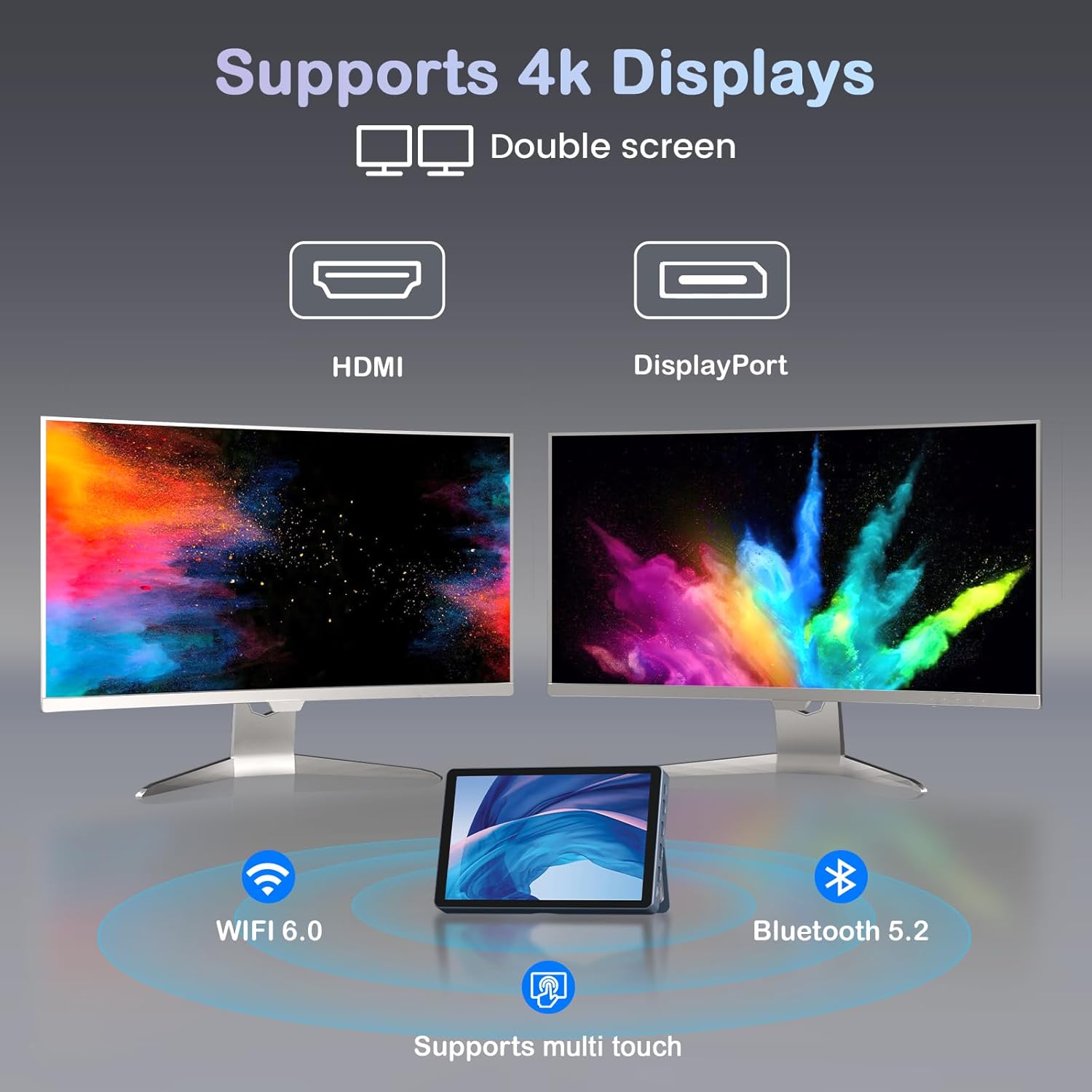
Image: KOOSMILE N80 Mini PC connected to an external 4K display.
5. 操作手順
5.1タッチスクリーンの使用
The 8-inch multi-touch display allows for intuitive interaction with Windows 11 Pro. Use touch gestures similar to a tablet for navigation, opening applications, and input.
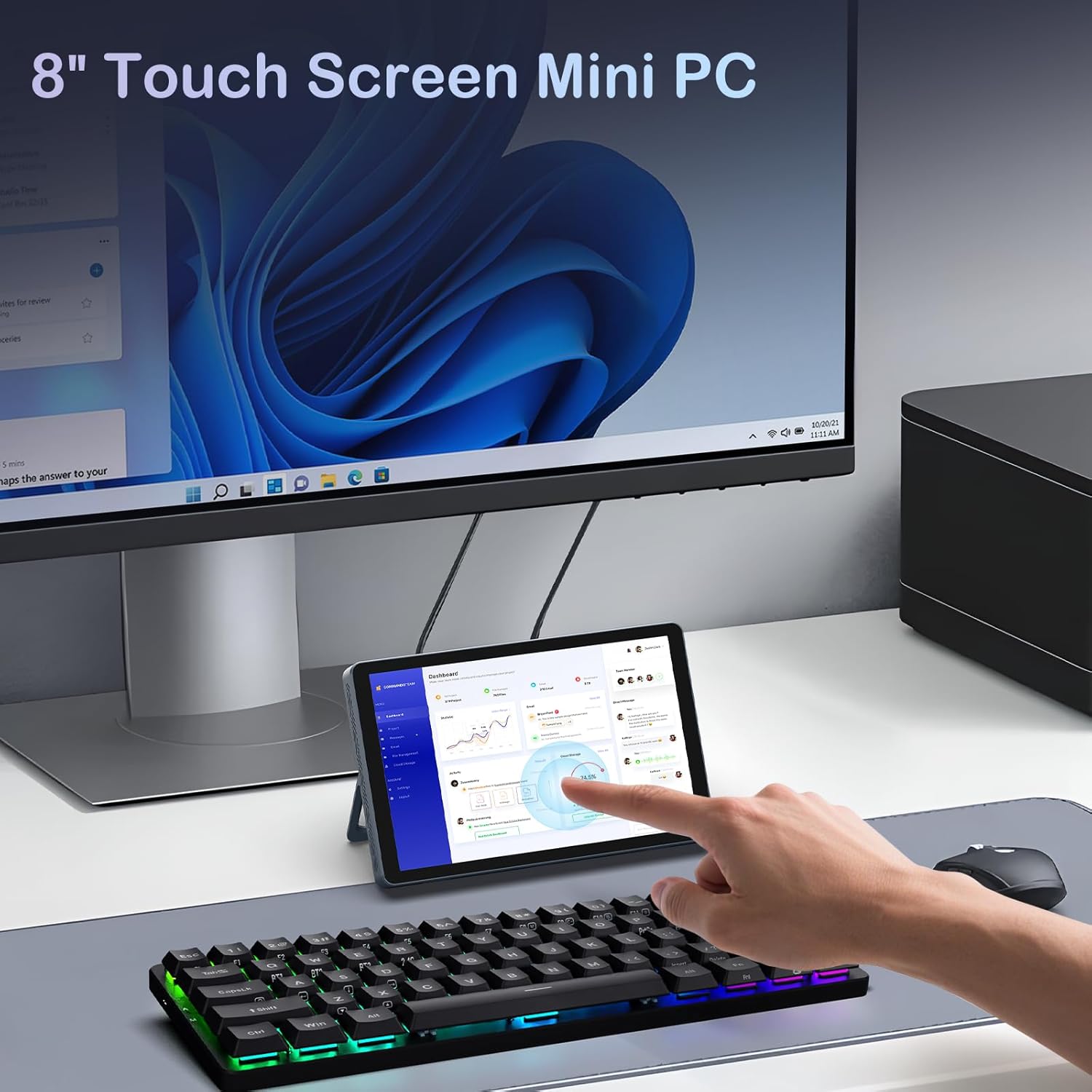
Image: Interacting with the 8-inch multi-touch display.
5.2 外部ディスプレイへの接続
The N80 supports up to two external 4K displays simultaneously via HDMI, DisplayPort, and the Full-function Type-C port. To configure display settings:
- Connect your external monitor(s) to the Mini PC.
- デスクトップを右クリックし、「ディスプレイ設定」を選択します。
- Here you can arrange your displays, choose between 'Extend these displays', 'Duplicate these displays', or 'Show only on 1/2/3'.
5.3ネットワーク構成
- Wi-Fi: Access Wi-Fi settings in Windows to connect to available networks. The device supports Wi-Fi 6 for fast wireless connectivity.
- イーサネット: Utilize the dual Gigabit RJ45 ports for stable and high-speed wired network connections. These ports also enable advanced network configurations for IT professionals.
5.4 電源管理
The built-in 5000mAh battery provides power for on-the-go use. The device can also charge other devices via its Type-C port (PD-Charging).

Image: The KOOSMILE N80 Mini PC's battery supports portable use and charging other devices.
6. メンテナンス
- ソフトウェアアップデート: 最適なパフォーマンスとセキュリティを確保するために、Windows の更新プログラムを定期的に確認してインストールしてください。
- クリーニング: Use a soft, dry cloth to clean the device. Avoid liquid cleaners directly on the screen or ports.
- ストレージ管理: 定期的に不要なものをクリアする file十分なストレージ容量とシステム速度を維持するために、s とアプリケーションを使用します。
7。 トラブルシューティング
- デバイスの電源が入っていない: Ensure the power adapter is securely connected to both the Mini PC and a working power outlet. Check if the power adapter is functioning correctly.
- 外部モニターに何も表示されない: Verify that the display cable is correctly connected to both the Mini PC and the monitor. Check the monitor's input source settings. Try different video output ports (HDMI, DP, Type-C) on the Mini PC.
- Wi-Fi 接続の問題: Ensure Wi-Fi is enabled in Windows settings. Restart the Mini PC and your Wi-Fi router. Check for driver updates for the wireless adapter.
- パフォーマンスが遅い: Close unnecessary applications. Check Task Manager for high CPU or memory usage. Ensure sufficient free storage space on the SSD.
- タッチスクリーンが反応しない: Restart the device. Check for any physical obstructions on the screen. Ensure touch drivers are up to date.
8. 仕様
| 特徴 | 仕様 |
|---|---|
| プロセッサ | Intel Twin Lake N150 (4 コア、4 スレッド、最大 3.6 GHz) |
| ラム | 12GB DDR5 |
| ストレージ | 512GB M.2 SSD (eSATA interface) |
| グラフィックス | インテル UHD グラフィックス 600 (統合) |
| オペレーティング·システム | ウィンドウズ11プロ |
| 画面 | 8-inch HD Multi-touch (1280 x 720) |
| 最大画面解像度 | 3840x2160(4K) |
| USBポート | USB 2 x 3.0、USB 2 x 2.0 |
| ビデオ出力 | HDMI, DisplayPort, Full-function Type-C |
| ネットワーク | Dual RJ45 Gigabit Ethernet |
| ワイヤレス接続 | Wi-Fi 6(802.11ax)、Bluetooth 5.2 |
| オーディオ | 3.5mmヘッドフォンジャック |
| カードリーダー | TFカードスロット |
| バッテリー | 5000mAh(非標準バッテリー付属) |
| 電源アダプター | 45W GaN Quick Charger (Type-C) |
| 寸法 | 7.62 x 4.88 x 0.91 インチ (19.36 x 12.4 x 2.31 cm) |
| アイテム重量 | 2.2ポンド(0.55kg) |
9.保証とサポート
KOOSMILE is committed to providing excellent customer service and product reliability.
- 保証: Your Mini PC comes with a 1-year warranty from the date of purchase.
- テクニカルサポート: We offer 24-hour technical support to assist with any product-related inquiries or issues.
- 生涯サポート: Enjoy lifetime technical support and responsive customer service from our professional after-sales team.
For support, please refer to the contact information provided in your product packaging or visit the official KOOSMILE webサイト。