
1. はじめに
This manual provides detailed instructions for the KOOSMILE Mini PC N150 (Model N80). This device is a compact and portable computer featuring an 8-inch multi-touch display, designed for various applications from daily tasks to light entertainment. Please read this manual thoroughly before using the product to ensure proper operation and to maximize its lifespan.

図1.1: The KOOSMILE Mini PC N150, showcasing its integrated 8-inch touchscreen and various connectivity ports.
主な特徴:
- プロセッサ: Twin Lake N150 CPU (4 cores, 4 threads, up to 3.6 GHz)
- メモリ: 12GB DDR5 メモリ
- ストレージ: 256GB M.2 SSD (expandable, other variants available)
- 画面: 8-inch HD multi-touch screen
- 接続性: WiFi 6, Bluetooth 5.2, Dual RJ45 Ethernet
- ポート: 2x USB 3.0, 2x USB 2.0, HDMI, DisplayPort, Full-function Type-C, 3.5mm Audio Jack, TF Card Slot
- オペレーティング·システム: ウィンドウズ11プロ
- バッテリー: Integrated 5000mAh battery for portable use
2. パッケージ内容
開梱時にパッケージ内のすべてのアイテムが揃っていることを確認してください。
- KOOSMILE Mini PC N150 (Model N80)
- 電源アダプター
- HDMIケーブル
- DPケーブル
- ユーザーマニュアル(このドキュメント)
3.製品オーバーview (ポートと機能)
Familiarize yourself with the various ports and features of your Mini PC for optimal connectivity and usage.

図3.1: 詳細 view of the KOOSMILE Mini PC N150's 12-port design, highlighting each port's function.
ポートの説明:
- USB 3.0 ポート (x2): 対応デバイスとの高速データ転送を実現します。
- USB 2.0 ポート (x2): For connecting standard USB peripherals like keyboards and mice.
- HDMIポート: Connects to external displays, TVs, or projectors for video and audio output.
- ディスプレイポート (DP): Connects to external displays for high-resolution video output.
- フル機能のType-Cポート: Supports 4K@60Hz video output, data transfer, and power delivery.
- RJ45 Ethernet Ports (x2): 有線ネットワーク接続用。
- 3.5mmオーディオジャック: ヘッドホンや外部スピーカーを接続します。
- TFカードスロット: For expanding storage or transferring data from TF cards.
- 電源ボタン: デバイスの電源をオン/オフにします。

図3.2: The integrated adjustable metal bracket allows for flexible view角度を変える。
4.セットアップガイド
4.1 電源の接続
- Connect the provided power adapter to the power input port on the Mini PC.
- 電源アダプタを壁のコンセントに差し込みます。
- The device is now ready for initial power on.
4.2 初期起動とWindowsのセットアップ
- Press the power button located on the side of the Mini PC.
- The device will boot up, and the 8-inch touchscreen will display the Windows 11 Pro setup wizard.
- 画面上の指示に従って、言語、地域、ネットワーク接続、ユーザー アカウントの作成などの Windows の初期セットアップを完了します。
4.3 周辺機器の接続
You can connect external devices such as a keyboard, mouse, and external monitors.
- キーボードとマウス: Connect USB keyboards and mice to the available USB 2.0 or USB 3.0 ports. Wireless peripherals can be connected via Bluetooth 5.2.
- 外部モニター: Use the provided HDMI or DP cables to connect to external displays. The full-function Type-C port also supports video output.
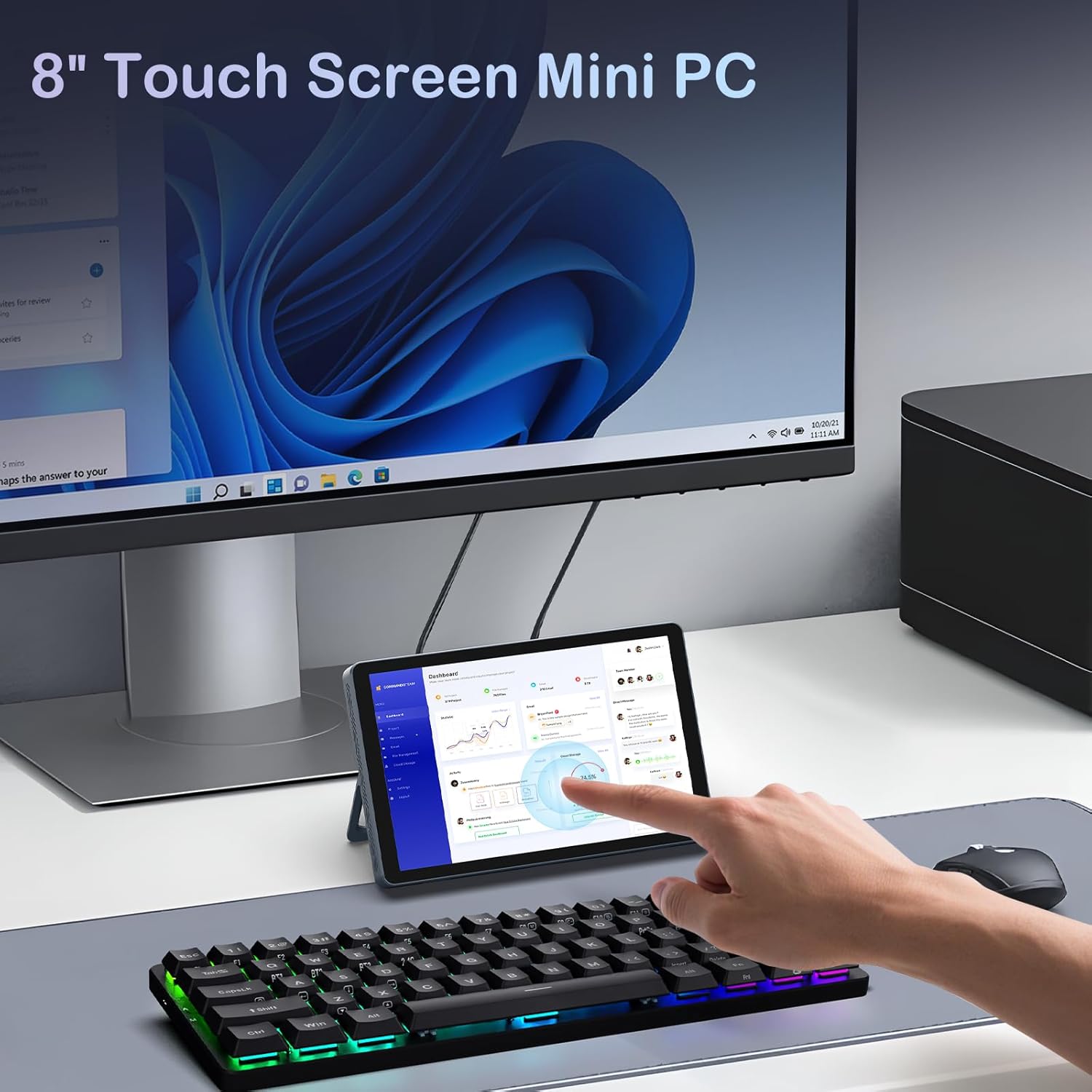
図4.1: The Mini PC N150 in a desktop setup, utilizing an external monitor and peripherals.
4.4ネットワーク接続
- Wi-Fi: During Windows setup or via Windows settings, connect to your preferred Wi-Fi 6 network.
- イーサネット: Connect an Ethernet cable from your router or modem to one of the two RJ45 ports on the Mini PC for a wired network connection.
5. 操作手順
5.1タッチスクリーンの使用
The 8-inch display supports multi-touch gestures, allowing for intuitive interaction with Windows 11 Pro. Use standard touch gestures for navigation, scrolling, zooming, and selecting items.
5.2 Connecting External Displays (Dual Display)
The Mini PC supports dual 4K displays simultaneously via HDMI, DisplayPort, and the full-function Type-C port. This allows for an extended desktop experience.
- Connect your external monitors using the appropriate cables (HDMI, DP, or Type-C).
- Once connected, Windows will automatically detect the displays. You can configure display settings (extend, duplicate, or second screen only) via the Display Settings in Windows.
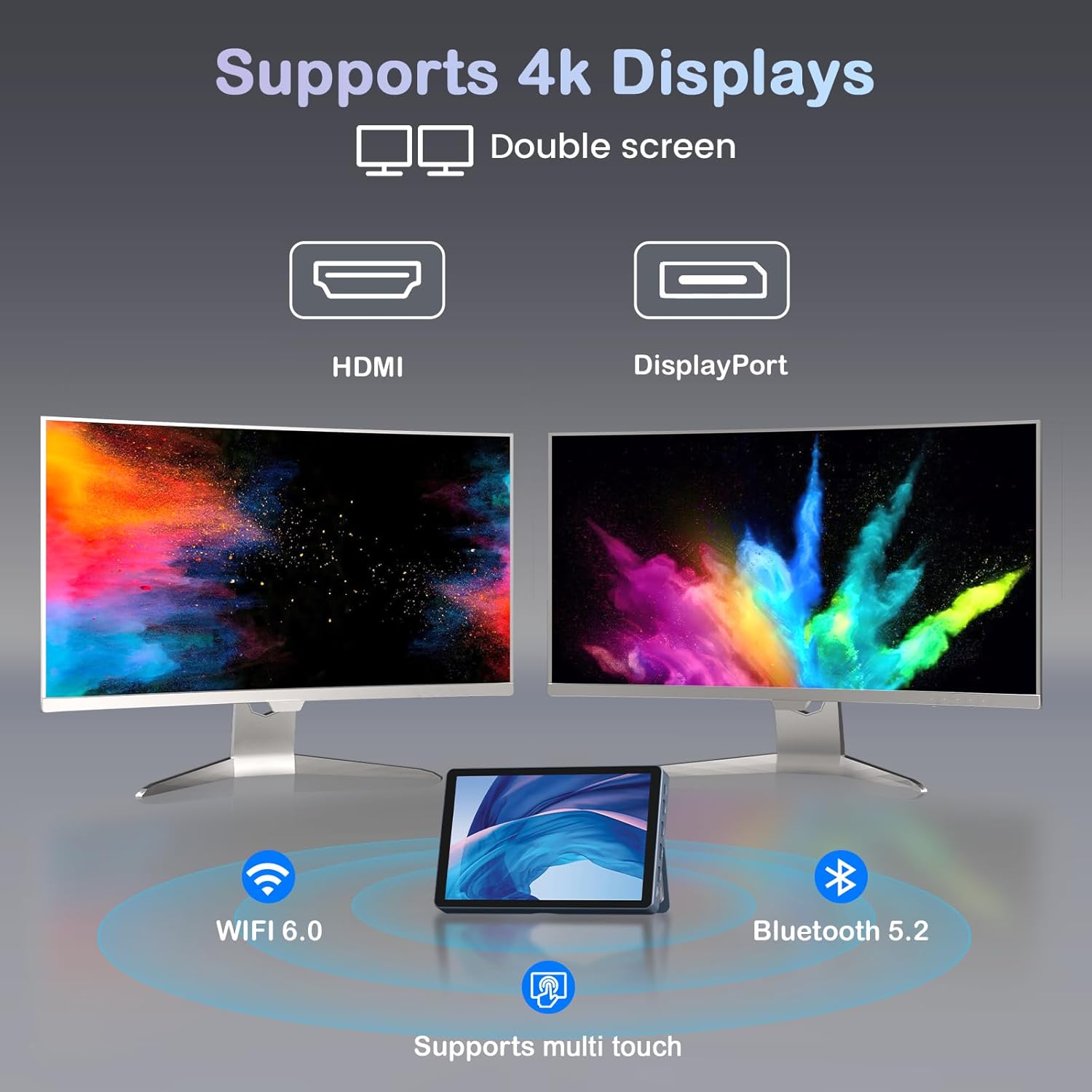
図5.1: The Mini PC N150 supporting a dual 4K monitor setup, enhancing productivity.
5.3 バッテリー管理
The integrated 5000mAh battery provides power for portable use. The battery also supports charging other devices via its Type-C port.
- Charging the Mini PC: Connect the power adapter to fully charge the internal battery.
- 外部デバイスの充電: Use a compatible USB-C cable to connect your smartphone or other devices to the Mini PC's full-function Type-C port for charging. Ensure the Mini PC has sufficient battery charge.

図5.2: The Mini PC N150 can provide power to charge other portable devices.
5.4 一体型スタンドの調整
The Mini PC features an adjustable metal bracket on its rear, allowing you to set the device at various view快適に使用できるよう角度を調整します。
- Gently pull out the metal bracket from the back of the device.
- Adjust the bracket to your desired angle (e.g., 45 degrees or 165 degrees) to prop up the screen.
- Ensure the bracket is stable before releasinデバイスをgします。
6. メンテナンス
6.1 クリーニング
- デバイスの外側を清掃するには、柔らかく乾いた糸くずの出ない布を使用してください。
- For the touchscreen, use a screen-specific cleaning solution and a microfiber cloth. Avoid harsh chemicals.
- 清掃する前に、デバイスの電源がオフになっており、プラグが抜かれていることを確認してください。
6.2 ストレージ拡張
The Mini PC comes with an M.2 SSD, which can be upgraded. Refer to the manufacturer's guidelines or a qualified technician for storage upgrades to avoid voiding the warranty or damaging the device.
- The device supports M.2 SSDs.
- Consult the technical support team for recommended compatible M.2 SSD types and installation procedures.
7。 トラブルシューティング
If you encounter issues with your KOOSMILE Mini PC N150, refer to the following common troubleshooting steps:
- 電源なし:
- 電源アダプタがミニ PC と正常な電源コンセントの両方にしっかりと接続されていることを確認します。
- 別のデバイスを接続して、電源コンセントが機能していることを確認します。
- バッテリーを使用する場合は、充電されていることを確認してください。
- 外部モニターに何も表示されない:
- Check that the HDMI, DP, or Type-C cable is securely connected to both the Mini PC and the monitor.
- 外部モニターの電源がオンになっており、正しい入力ソースに設定されていることを確認します。
- 可能であれば、別のケーブルまたはモニターを試してください。
- Wi-Fi/Bluetooth 接続の問題:
- Windows 設定で Wi-Fi/Bluetooth が有効になっていることを確認します。
- ミニ PC とルーター/モデムを再起動します。
- デバイス マネージャーで更新されたネットワーク ドライバーを確認します。
- タッチスクリーンが反応しない:
- ミニ PC を再起動します。
- 画面がきれいでゴミなどがないことを確認してください。
- Check for updated touchscreen drivers.
If these steps do not resolve the issue, please contact KOOSMILE technical support for further assistance.
8. 仕様
The following table outlines the technical specifications for the KOOSMILE Mini PC N150 (Model N80):
| 特徴 | 仕様 |
|---|---|
| モデル番号 | 80円 |
| プロセッサ | Intel Celeron N150 (4 コア、4 スレッド、最大 3.6 GHz) |
| ラム | 12GB DDR5 |
| ストレージ | 256GB M.2 SSD (supports NVMe) |
| グラフィックス | 統合グラフィックス |
| オペレーティング·システム | ウィンドウズ11プロ |
| 画面 | 8-inch HD Multi-touch Screen |
| 最大画面解像度 | 3840 x 2160 (4K) |
| USBポート | USB 2 x 3.0、USB 2 x 2.0 |
| ビデオ出力 | HDMI, DisplayPort, Full-function Type-C (4K@60Hz Dual Display Support) |
| ネットワーク | WiFi 6 (802.11ax), Bluetooth 5.2, 2x RJ45 Ethernet |
| オーディオ | 3.5mmオーディオジャック |
| カードリーダー | TFカードスロット |
| バッテリー | 5000mAh(非標準バッテリー) |
| 寸法 | 7.62 × 4.88 × 0.91インチ (19.36 x 12.4 x 2.31 cm) |
| 重さ | 2.42ポンド(1.1kg) |
9. 保証とサポート
KOOSMILE is committed to providing reliable products and customer satisfaction.
- 保証: Each KOOSMILE Mini PC N150 comes with a 1-year limited warranty from the date of purchase. This warranty covers manufacturing defects and hardware malfunctions under normal use.
- テクニカルサポート: We offer lifetime technical support for your product. Our professional after-sales team is available 24 hours a day to assist you with any technical inquiries or issues.
- 顧客サービス: For responsive customer service, please refer to the contact information provided on the KOOSMILE official webサイトまたは購入プラットフォーム。