
1. はじめに
Thank you for choosing the JONR ED12 Lite Wet/Dry Vacuum Cleaner. This innovative 3-in-1 device is designed to simplify your cleaning routine by vacuuming, mopping, and drying your floors simultaneously. Its powerful suction, anti-tangle brush, and lightweight design make it ideal for various floor types and household needs. Please read this manual thoroughly before use to ensure safe and optimal performance.

Image: The JONR ED12 Lite offers superior wet and dry cleaning compared to traditional vacuum cleaners and robot cleaners, which often only handle dry debris or spread wet messes.
2. 安全情報
火災、感電、または怪我のリスクを軽減するために、電気製品を使用するときは常に基本的な安全上の注意事項に従ってください。
- 機器を使用する前にすべての説明書をお読みください。
- 機器を水やその他の液体に浸さないでください。
- 髪の毛、ゆったりとした衣服、指、および体のすべての部分を開口部や可動部分から遠ざけてください。
- このマニュアルに記載されているとおりに使用してください。製造元が推奨するアタッチメントのみを使用してください。
- 破損したコードやプラグと一緒に使用しないでください。 アプライアンスが正常に機能しない場合、落としたり、損傷したり、屋外に置いたり、水中に落としたりした場合は、サービスセンターに返送してください。
- 濡れた手でプラグや器具を扱わないでください。
- 階段を掃除するときは細心の注意を払ってください。
- ガソリンなどの引火性または可燃性の液体を採取したり、それらが存在する可能性のある場所で使用したりしないでください。
- タバコ、マッチ、熱い灰など、燃えているものや煙が出ているものを拾わないでください。
- 使用していないとき、および清掃やサービスを行う前に、コンセントからプラグを抜いてください。
3. パッケージ内容
パッケージにすべてのコンポーネントが含まれていることを確認します。
- Main Unit (JONR ED12 Lite)
- ハンドルアセンブリ
- 充電ドック
- 電源アダプター
- Brush Roller (pre-installed)
- HEPAフィルター(プリインストール)
- クリーニングツール
- ユーザーマニュアル

Image: The JONR ED12 Lite and its included accessories, such as the handle, brush, and adapter.
4.製品オーバーview
Familiarize yourself with the components of your JONR ED12 Lite.
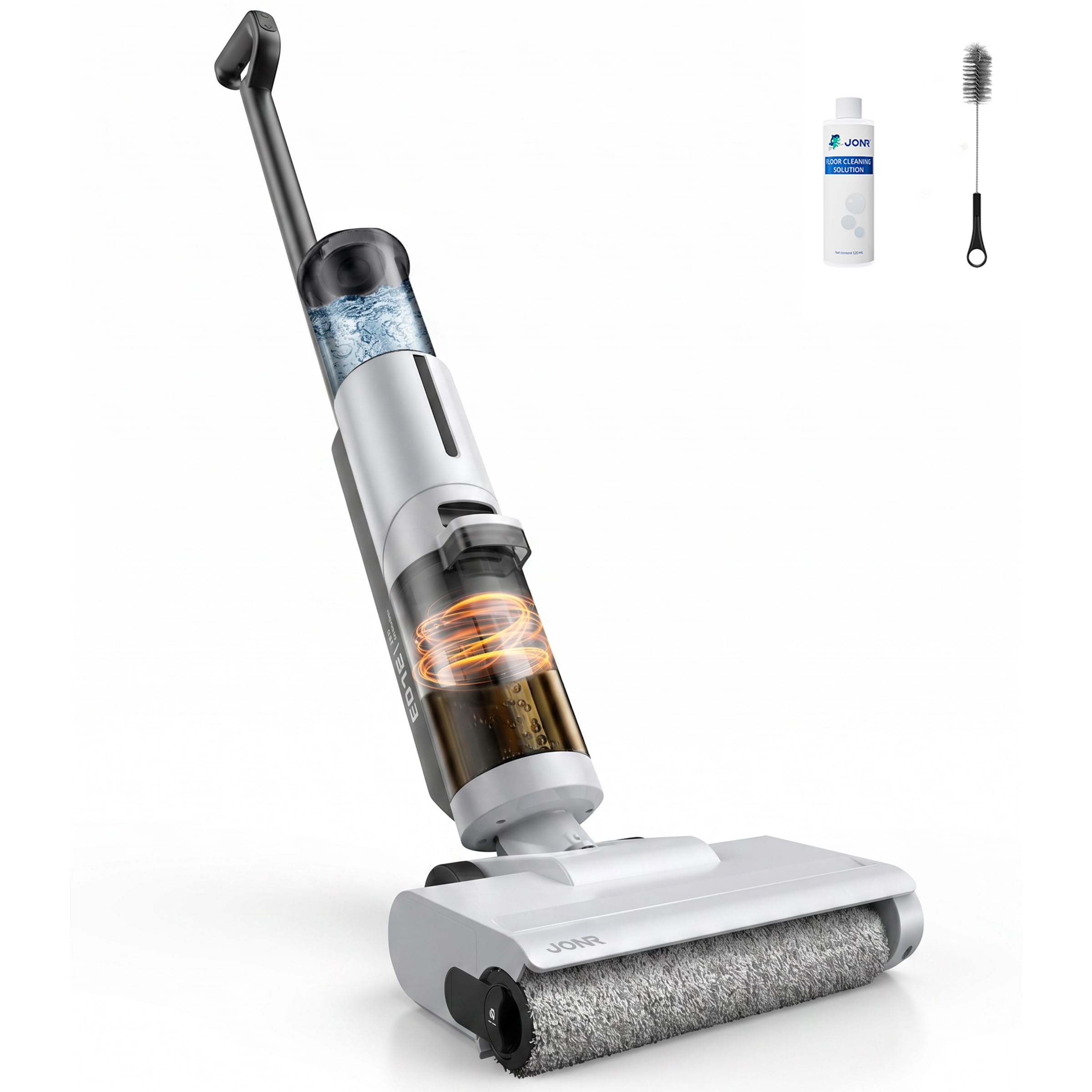
Image: The JONR ED12 Lite wet/dry vacuum cleaner standing upright on its charging base.
主な特徴:
- 3in1クリーニング: Vacuums, mops, and dries floors in one pass.
- 強力な吸引力: Up to 20000Pa for effective removal of dirt, debris, and liquids.
- 絡まり防止ブラシ: Features a real-time scraper and comb blade structure to prevent hair tangles.
- エッジクリーニング: Designed to clean within 1mm of walls and edges.
- 軽量・自走式: Weighs only 3.4kg with forward assist for easy maneuverability.
- デュアルクリーニングモード: Auto mode for daily cleaning and Strong mode for stubborn messes.
- 自動セルフクリーニング: One-touch self-cleaning function for the brush roller.
- 長時間実行: Up to 45 minutes in Auto mode, 25 minutes in Strong mode.
5. セットアップ
5.1 組み立て
- ハンドルを本体にカチッと音がするまでしっかりと差し込みます。
- 浄水タンクと汚水タンクが正しく取り付けられていることを確認してください。
5.2 充電
- 充電ドックを電源コンセントの近くの平らな場所に置きます。
- Connect the power adapter to the charging dock and plug it into the outlet.
- Place the JONR ED12 Lite onto the charging dock. The indicator lights will show charging status.
- Fully charge the device before first use (approximately 4-6 hours).
5.3 浄水タンクへの給水
- 浄水タンクを本体から取り外します。
- Open the tank cap and fill with clean tap water. You may add a compatible floor cleaning solution if desired (refer to manufacturer's guidelines for compatible solutions). Do not exceed the MAX fill line.
- Close the cap securely and reattach the clean water tank to the main unit.
6. 操作手順
6.1 電源オン/オフ
- 電源を入れるには、ハンドルの電源ボタンを押します。
- 電源を切るには、もう一度電源ボタンを押します。
6.2 クリーニングモードの選択
The JONR ED12 Lite offers two cleaning modes:
- 自動モード: Ideal for daily cleaning of dust, light debris, and minor spills. The device automatically adjusts suction power and water flow.
- 強力モード: For stubborn stains, dried-on messes, and larger liquid spills, providing maximum suction and scrubbing power.
Press the Mode button on the handle to switch between Auto and Strong modes.
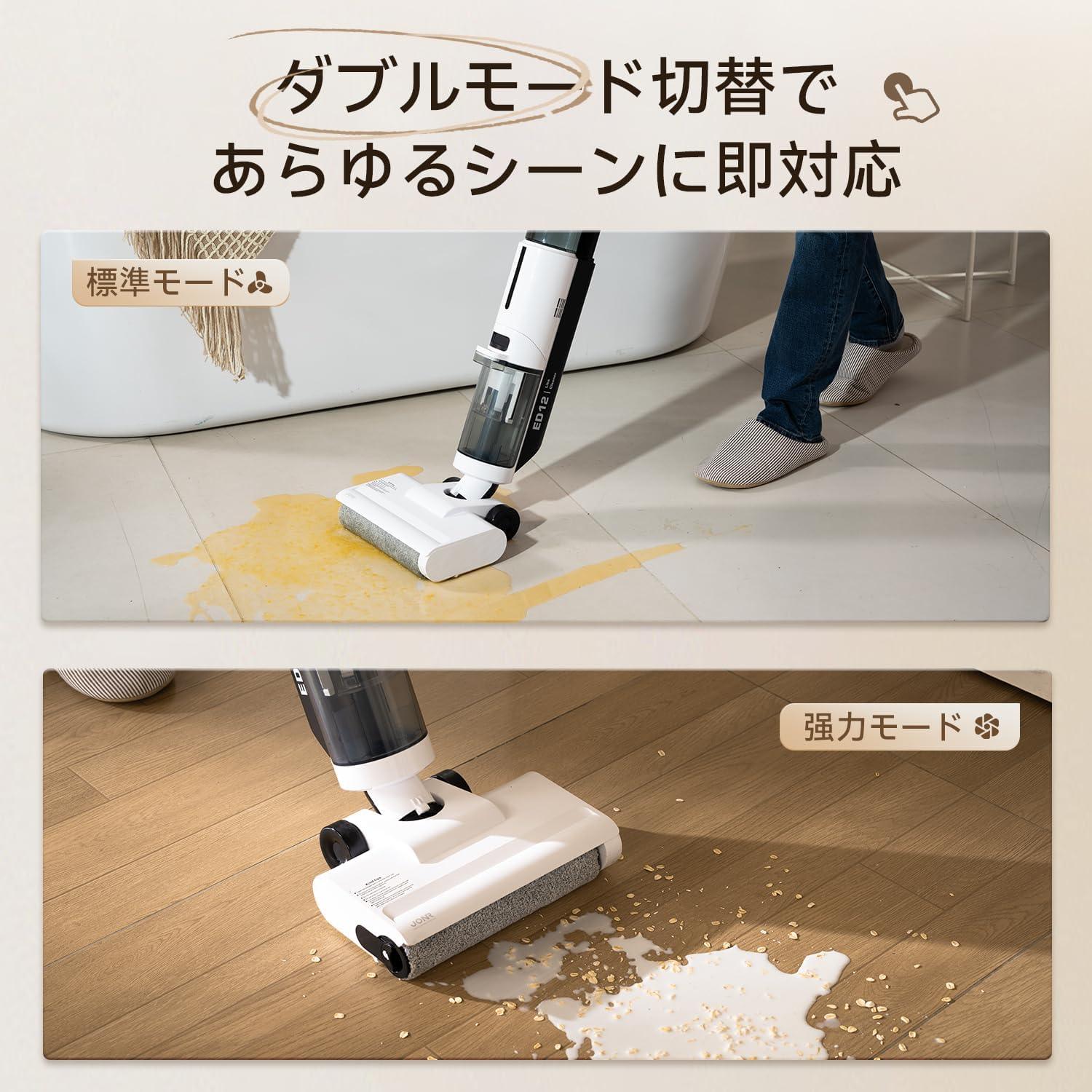
Image: The JONR ED12 Lite demonstrating its Auto mode for general cleaning and Strong mode for tougher messes.
6.3 床の掃除
- きれいな水タンクが満たされ、汚い水タンクが空であることを確認します。
- Select the appropriate cleaning mode.
- Tilt the main unit back to engage the brush roller and begin cleaning. The device will self-propel, making it easy to push and pull.
- Move the cleaner slowly over the desired area. For best results on tough stains, allow the brush to work for a few seconds over the spot.
- The slim nozzle design allows for effective cleaning along edges and under furniture.
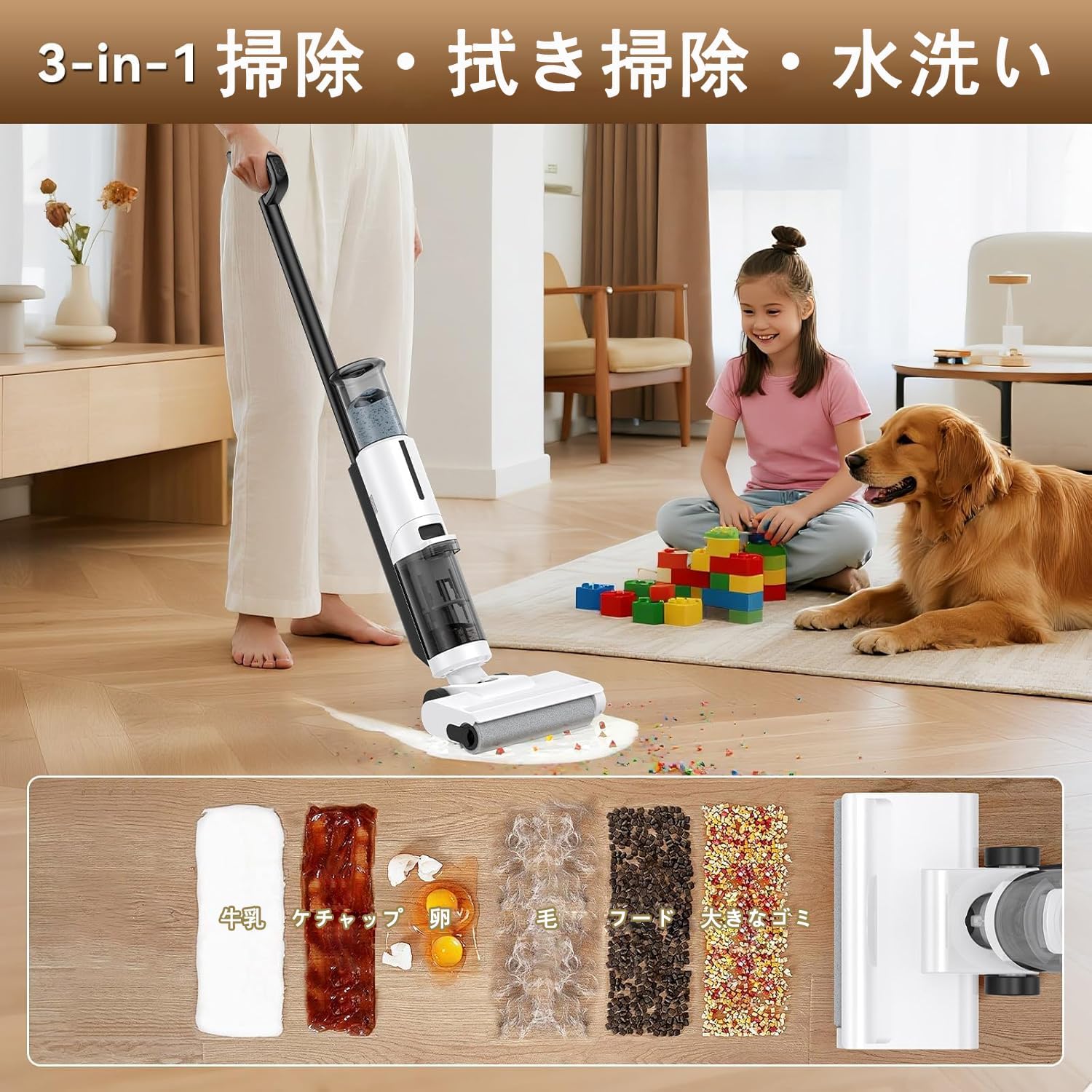
Image: The JONR ED12 Lite effectively cleaning various types of wet and dry spills, including milk, ketchup, eggs, hair, and food particles.
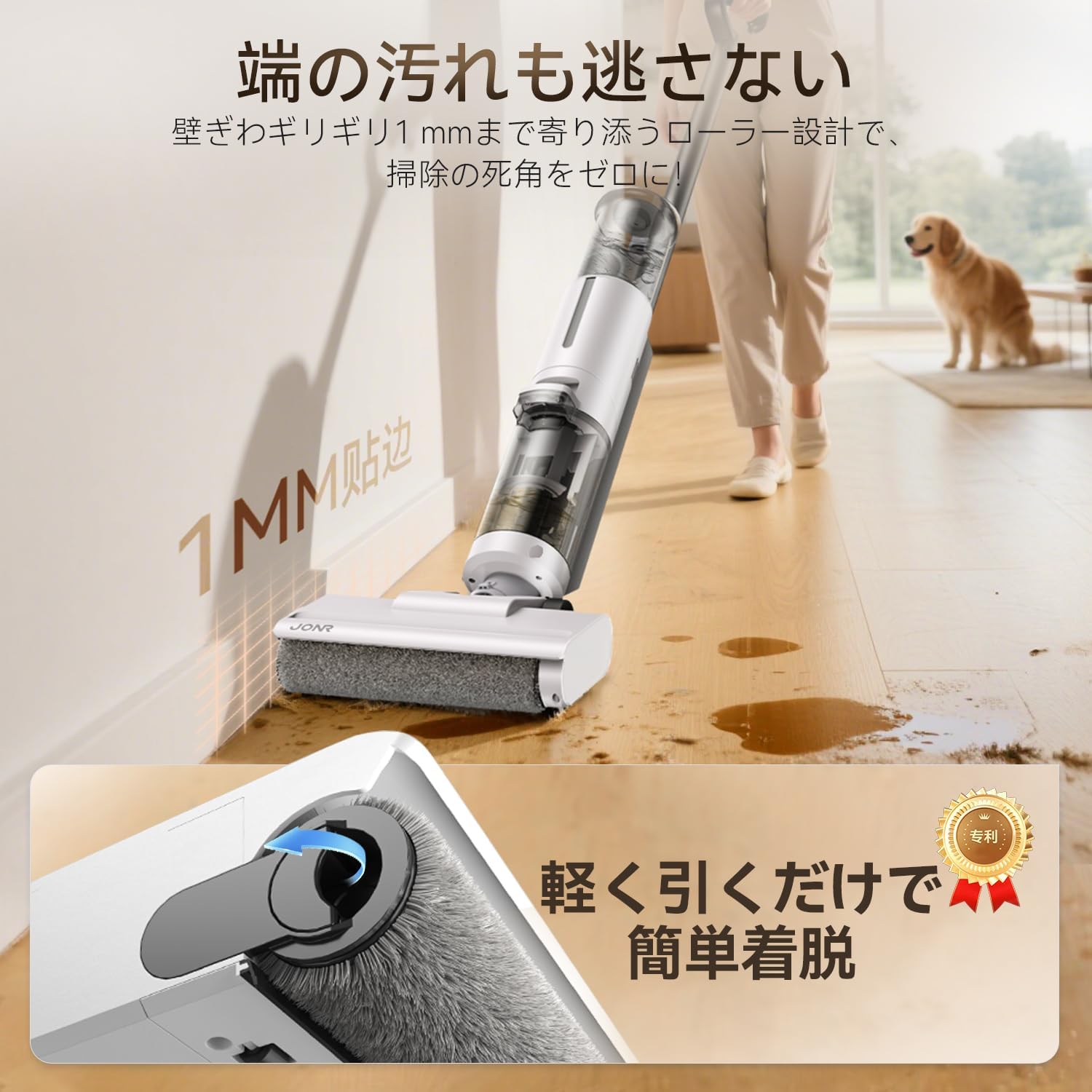
Image: The JONR ED12 Lite demonstrating its ability to clean very close to walls and edges, leaving no dirty spots.
7. メンテナンス
Regular maintenance ensures the longevity and optimal performance of your JONR ED12 Lite.
7.1 自動セルフクリーニング
使用後は毎回セルフクリーニングサイクルを実行することをお勧めします。
- クリーナーを充電ドックに置きます。
- きれいな水タンクに十分な水があり、汚い水タンクが空であることを確認します。
- Press the Self-Clean button (usually indicated by a water drop icon). The device will perform a cleaning cycle for the brush roller.
- サイクルが完了したら、汚水タンクを空にします。

Image: The JONR ED12 Lite performing its automatic self-cleaning cycle while docked, ensuring the brush roller remains clean.
7.2 水タンクの空にし、清掃する
- 汚れた水タンク: After each use, remove the dirty water tank, empty its contents, rinse thoroughly with clean water, and allow it to air dry before reattaching.
- 浄水タンク: Empty any remaining water after use to prevent stagnation. Rinse and refill with fresh water before the next cleaning session.
7.3 ブラシローラーのメンテナンス
Even with self-cleaning, occasional manual inspection and cleaning of the brush roller is recommended.
- Turn off the device and remove it from the charging dock.
- Press the release button to detach the brush roller cover.
- Remove the brush roller. Use the provided cleaning tool to remove any tangled hair or debris.
- Rinse the brush roller under running water and allow it to air dry completely before re-installing.

Image: Diagram illustrating the anti-tangle brush roller with its scraper and comb blade structure, designed to cut and remove hair during operation.
7.4 HEPAフィルターのクリーニング
The HEPA filter should be cleaned regularly to maintain suction power.
- Locate and remove the HEPA filter (usually found near the dirty water tank).
- Tap the filter gently to remove loose dust and debris.
- Rinse the filter under running water. Ensure it is completely dry before re-installing. Do not use the device with a wet filter.
8。 トラブルシューティング
問題が発生した場合は、次の表で一般的な問題と解決策を参照してください。
| 問題 | 考えられる原因 | 解決 |
|---|---|---|
| デバイスの電源が入らない | バッテリー残量が少ない; 充電されていません | 充電ドックに置いて、完全に充電されていることを確認します。 |
| 給水なし | Clean water tank empty; Tank not installed correctly | Refill clean water tank; Reinstall tank securely. |
| 吸引力が低い | Dirty water tank full; Clogged brush roller; Clogged HEPA filter | Empty dirty water tank; Clean brush roller; Clean HEPA filter. |
| 床にスジが入る | Dirty brush roller; Dirty water tank full; Too much cleaning solution | Run self-cleaning cycle or manually clean brush roller; Empty dirty water tank; Use less cleaning solution. |
| デバイスが予期せず停止する | バッテリー残量低下、過熱 | デバイスを再充電し、デバイスが冷めてから使用を再開してください。 |
9. 仕様
| 特徴 | 仕様 |
|---|---|
| ブランド | ジョン |
| モデル番号 | ED12 ライト |
| 機能 | Wet/Dry Vacuum, Mop, Wash |
| 吸引力 | 20000Pa |
| バッテリー容量 | 2600mAh |
| Runtime (Auto Mode) | 最大45分 |
| Runtime (Strong Mode) | 最大25分 |
| 浄水タンク容量 | 850ml |
| 汚水タンク容量 | 450ml |
| フィルタータイプ | ヘパ |
| アイテム重量 | 3.4キロ |
| 製品寸法(長さ x 幅 x 高さ) | 27 x 21.5 x 111.5 cm |
| 制御方法 | プッシュボタン |
| コードレス | はい |
| 欧州連合 | 739768137146 |
10. 保証とサポート
10.1製品保証
The JONR ED12 Lite comes with a 2年間の製品保証 from the date of purchase. This warranty covers manufacturing defects and malfunctions under normal use. Please retain your proof of purchase for warranty claims. The warranty does not cover damage caused by misuse, neglect, unauthorized repairs, or normal wear and tear.
10.2 カスタマーサポート
For any questions, technical assistance, or warranty claims, please contact our customer support team. We offer 24時間オンラインサポート お手伝いさせていただきます。
- オンラインサポート: 公式JONRをご覧ください website or contact us through your purchase platform for 24/7 assistance.
- メールアドレス: [Insert Customer Support Email Address Here, if available]
- 電話: [カスタマーサポートの電話番号があればここに入力してください]
Please have your model number (ED12 Lite) and purchase date ready when contacting support.


