
1。 オーバーview
The ATK VXE Dragonfly R1 SE+ is a lightweight wireless gaming mouse designed for performance and versatility. It features a high-precision sensor, multiple connectivity options, and a long-lasting battery, making it suitable for various gaming and productivity needs.
主な特徴:
- Ultra-lightweight design: Weighing approximately 55g, ensuring fatigue-free, swift gaming control.
- Precision PAW3395 SE Sensor: Offers adjustable DPI up to 18,000 for accurate tracking.
- 調整可能なポーリングレート: Supports 125Hz to 2,000Hz for responsive input.
- トライモード接続: Seamlessly switch between 2.4 GHz wireless, Bluetooth, and wired USB-C connections.
- 長いバッテリー寿命: Provides approximately 70-75 hours of continuous use at 1000Hz polling rate.
Video: ATK VXE Dragonfly R1 Gaming Mouse highlights. This video showcases the key features and design of the ATK R1 series gaming mouse.
2. パッケージ内容
Carefully unpack your ATK VXE Dragonfly R1 SE+ Wireless Gaming Mouse and ensure all items are present:
- ATK VXE Dragonfly R1 SE+ ワイヤレスゲーミングマウス
- USB-C - USB-A 充電/データ ケーブル
- 2.4Gワイヤレスレシーバー(USBドングル)
- Grip Tape (pre-cut stickers)
- 製品保証証明書
- ユーザーマニュアル(このドキュメント)
Video: ATK R1 Gaming Mouse Unboxing Video. This video demonstrates the unboxing process and shows all included items with the ATK R1 series gaming mouse.
3. セットアップ
3.1. マウスの充電
Before first use, it is recommended to fully charge the mouse. Connect the provided USB-C cable to the mouse's charging port and the USB-A end to a powered USB port on your computer or a USB wall adapter. The mouse will indicate charging status (e.g., LED indicator).
3.2. マウスの接続
2.4Gワイヤレスモード:
- Insert the 2.4G wireless receiver (USB dongle) into an available USB port on your computer.
- Locate the power/mode switch on the bottom of the mouse and slide it to the 2.4G wireless position.
- The mouse will automatically connect to the receiver. If connection is not established, press the pairing button (if available) on the mouse or refer to the ATK V HUB software for pairing instructions.
Bluetoothモード:
- Locate the power/mode switch on the bottom of the mouse and slide it to the Bluetooth position.
- コンピューターまたはデバイスで、Bluetooth 設定に移動します。
- 検索する new devices and select "ATK R1 SE+" from the list to pair.
有線モード:
Connect the mouse directly to your computer using the provided USB-C cable. The mouse will automatically switch to wired mode and charge simultaneously. This mode provides the most stable connection and eliminates latency.
4. 操作手順
4.1. DPI調整
The mouse features an adjustable DPI (Dots Per Inch) setting, allowing you to customize cursor sensitivity. The R1 SE+ model utilizes the PAW3395 SE sensor with DPI settings up to 18,000.
Pre-set DPI profiles for PAW3395 SE:
- 赤: 400 DPI
- 緑: 800 DPI (デフォルト)
- 青:1600 DPI
- 紫: 3200 DPI
Use the dedicated DPI button (typically located on the bottom or top of the mouse) to cycle through these pre-set DPI levels. The LED indicator on the mouse will change color to reflect the currently selected DPI setting.

Image: Comparison chart detailing the specifications of the PixArt PAW3395 SE and PAW3395 sensors, including DPI ranges, tracking speed, acceleration, and pre-set DPI profiles.
4.2.ポーリングレート
The R1 SE+ supports an adjustable polling rate from 125Hz to 2,000Hz. The polling rate determines how often the mouse reports its position to the computer. A higher polling rate results in smoother and more responsive cursor movement. This setting can be adjusted using the ATK V HUB software.
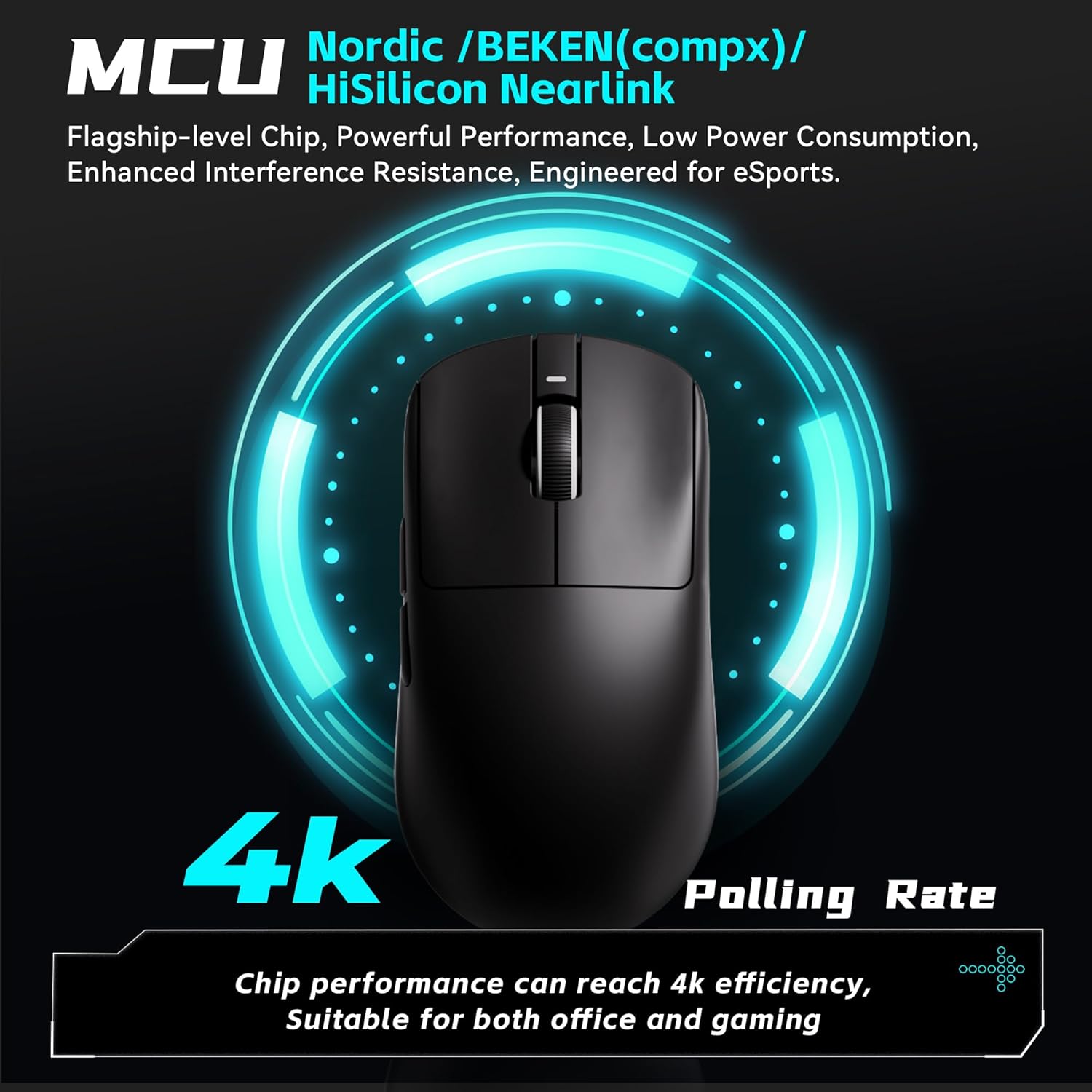
Image: The ATK VXE Dragonfly R1 SE+ mouse with a graphic indicating its high polling rate capabilities, highlighting the advanced MCU chip for optimal performance.
4.3. SmartSpeed X Wireless Transmission
The mouse incorporates SmartSpeed X wireless transmission technology, developed for low latency and enhanced endurance. This ensures smooth operation even in environments with strong signal interference, providing a reliable connection for competitive play.

Image: The ATK VXE Dragonfly R1 SE+ mouse with text emphasizing its Smart Speed X low-latency wireless transmission technology, ensuring smooth performance in various environments.
4.4. Customization (ATK V HUB Software)
For advanced customization, download and install the ATK V HUB software from the official ATK webサイト。このソフトウェアを使用すると、次のことが可能になります。
- Adjust DPI settings beyond pre-sets.
- ポーリング レートを設定します。
- Program button macros.
- ボタンを再マップします。
- Manage other performance parameters.
The ATK V HUB software supports Windows 10 and above operating systems.

Image: The ATK V HUB software interface, demonstrating its capabilities for adjusting DPI, polling rate, button macros, and other mouse settings.
5. 機能と仕様
5.1. 設計と構築
The R1 SE+ is engineered for an ultra-lightweight experience, weighing approximately 55g. This design minimizes fatigue during extended use and allows for swift, precise movements. The mouse features a matte texture for enhanced grip and durability.

画像: 内部 view of the ATK VXE Dragonfly R1 SE+ mouse highlighting its lightweight components, including the PAW3395 SE sensor and Kailh switches. The image also shows weight comparisons for different R1 series models.

Image: Illustrates the smooth ice-feeling coating available on some R1 Pro models and the matte texture found on R1 SE+ and R1 models, designed for durability and grip.
5.2. Sensor Technology
The ATK VXE Dragonfly R1 SE+ is equipped with the PixArt PAW3395 SE optical sensor, an esports-grade sensor providing precise and consistent tracking. It offers a maximum DPI of 18,000, a tracking speed of 400 IPS, and 40g acceleration, ensuring accurate response in fast-paced gaming scenarios.
5.3. スイッチ
The R1 SE+ model features Huanuo Blue Glow V2 microswitches. These switches are selected for their balanced feel, comfortable feedback, and long lifespan, contributing to reliable performance over time.

画像: 詳細 view of Kailh White Blade and Ice Berry Pink Dot microswitches, illustrating their internal mechanisms and highlighting their respective click lifespans and tactile feedback characteristics.
5.4. 接続性
The mouse offers versatile Tri-Mode connectivity, supporting 2.4G wireless, Bluetooth 5.4, and wired USB-C. This allows users to choose the most suitable connection method for their setup, whether for gaming, work, or travel.

Image: Demonstrates the Tri-Mode connectivity options of the ATK VXE Dragonfly R1 SE+ mouse, including Bluetooth 5.4, 2.4GHz wireless, and wired USB-C connection.
5.5. Full Specifications Table
Image: Comprehensive table outlining the specifications for the entire VXE Dragonfly R1 Series, including model names, dimensions, coating types, sensors, chips, transmission technology, polling rates, battery capacities, continuous operating battery life, weight, microswitches, scroll wheels, mouse feet, connection methods, and 2.4G receiver details.
6. メンテナンス
6.1. 清掃
- マウスを清掃するには、柔らかく乾いた糸くずの出ない布を使用してください。
- 頑固な汚れや垢には、軽くampen the cloth with water or a mild, non-abrasive cleaning solution. Ensure no liquid enters the mouse's internal components.
- Avoid using harsh chemicals, solvents, or abrasive materials, as these can damage the mouse's surface or internal parts.
- Regularly clean the optical sensor area on the bottom of the mouse to maintain tracking accuracy.
6.2. ストレージ
- Store the mouse in a cool, dry place away from direct sunlight, extreme temperatures, and high humidity.
- When not in use for extended periods, turn off the mouse using the power switch to conserve battery life.
- If transporting the mouse, consider using a protective case to prevent damage.
7。 トラブルシューティング
7.1. マウスが反応しない
- バッテリーを確認してください: マウスが十分に充電されていることを確認してください。USB-Cケーブルで接続して充電してください。
- 電源スイッチ: Verify that the mouse is turned on and the mode switch is set correctly (2.4G, Bluetooth, or Wired).
- 2.4Gワイヤレス: USBレシーバーが動作しているUSBポートにしっかりと接続されていることを確認してください。別のUSBポートを試してください。
- ブルートゥース: Confirm Bluetooth is enabled on your device and the mouse is paired. Try unpairing and re-pairing the mouse in your device's Bluetooth settings.
- 有線モード: Connect the mouse directly with the USB-C cable to see if it functions. This helps determine if the issue is with wireless connectivity.
7.2. Cursor Movement Issues (Lag, Jitter, Inaccuracy)
- クリーンセンサー: マウスの底面にある光学センサーを柔らかく乾いた布で優しく拭いて、ほこりやごみを取り除きます。
- 表面: Use the mouse on a clean, uniform surface, preferably a high-quality mouse pad. Avoid reflective or transparent surfaces.
- DPI設定: Adjust the DPI setting using the DPI button or ATK V HUB software to find a comfortable and accurate sensitivity level.
- 干渉: In wireless modes, minimize interference from other wireless devices (e.g., Wi-Fi routers, other wireless peripherals) by moving them further away.
- ポーリングレート: Ensure the polling rate is set appropriately for your needs via the ATK V HUB software.
7.3. 接続が切断される
- 範囲: Ensure the mouse is within optimal operating range of the 2.4G receiver or Bluetooth device.
- バッテリー: Low battery can affect wireless stability. Charge the mouse fully.
- ファームウェア: Check for and install any available firmware updates for the mouse using the ATK V HUB software. Firmware updates often improve connectivity and performance.
8.保証とサポート
The ATK VXE Dragonfly R1 SE+ Wireless Gaming Mouse comes with a product warranty. Please refer to the included "Product warranty certificate" for detailed terms and conditions, including coverage period and claim procedures.
For further assistance, technical support, or warranty claims, please visit the official ATK website or contact ATK customer service through the contact information provided in your warranty documentation or on the official webサイト。