
1. はじめに
Thank you for choosing the EWEADN V80 Wired TKL RGB Gaming Keyboard. This manual provides essential information for setting up, operating, maintaining, and troubleshooting your new keyboard. The V80 keyboard features an 80% Tenkeyless (TKL) layout, PBT keycaps, quiet membrane switches, 26-key anti-ghosting, and dynamic RGB backlighting, designed for an ergonomic and efficient user experience.
2. パッケージ内容
- EWEADN V80 キーボード
- USBケーブル
- ユーザーマニュアル
- 2 Year Manufacturer Warranty Information
3. セットアップ手順
The EWEADN V80 keyboard is designed for plug-and-play convenience, requiring no driver installation for basic functionality.
- USB ケーブルを接続します。 Locate the USB-C port on the keyboard (typically on the top edge). Connect one end of the provided USB cable to this port.
- デバイスに接続します: Plug the other end of the USB cable into an available USB-A port on your computer (Laptop, PC, etc.).
- システム認識: Your operating system (Windows, macOS) should automatically detect and configure the keyboard. A setup assistant may appear on macOS to identify the keyboard type; follow the on-screen prompts.
- キーボードの脚を調整する: For optimal typing comfort, extend the two-stage adjustable kickstands located on the underside of the keyboard to achieve your preferred typing angle.
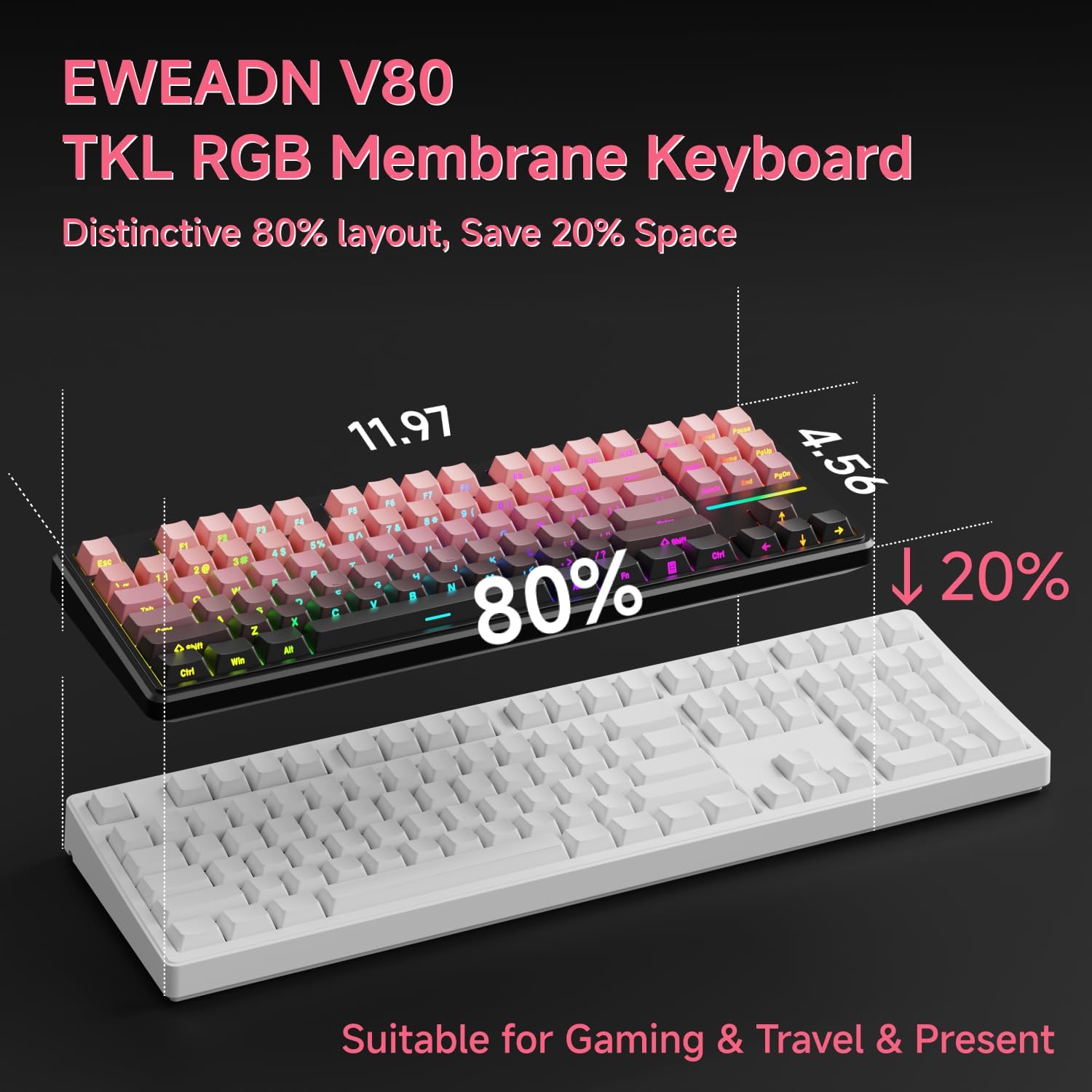
Image: Connecting the USB-C cable to the EWEADN V80 keyboard.

Image: The underside of the EWEADN V80 keyboard with its two-stage adjustable kickstands extended for ergonomic typing.
4. 操作手順
4.1 RGBバックライト制御
The EWEADN V80 features dynamic RGB backlighting with multiple modes and adjustable settings.
- バックライトのオン/オフを切り替える: プレス Fn + バックスペース.
- 照明モードの変更: プレス Fn + 入れる to cycle through 12 dynamic lighting effects.
- 明るさを調整: プレス Fn + PU (Page Up)を押すと明るさが上がり、 Fn + PD (Page Down) を押すと明るさが下がります。
- 照明速度を調整する: プレス Fn + -= 速度を落とし、 =+ 速度を上げるために。
- Light Strip Control: プレス Fn + P to control the side light strip.

Image: The EWEADN V80 keyboard showcasing various RGB backlight modes, including static colors, rainbow wave, and cycling ripple effects.
Video: Demonstrates the dynamic RGB lighting effects of the EWEADN V80 keyboard, cycling through different colors and patterns.
4.2 ファンクションキーの組み合わせ
The V80 keyboard utilizes the Fn key for various multimedia and system functions.
| コンビネーションボタン | 関数 |
|---|---|
| Fn + F1 | 画面の明るさ- |
| Fn + F2 | 画面の明るさ+ |
| Fn + F3 | 変換ウィンドウ |
| Fn + F4 | マイクロフォン |
| Fn + F5 | マルチメディア |
| Fn + F6 | 前の曲 |
| Fn + F7 | 次の曲 |
| Fn + F8 | 体積 |
| Fn + F9 | ボリューム+ |
| Fn + F10 | ミュート |
| Fn + F11 | 私のコンピュータ |
| Fn + F12 | 電卓 |
| コンビネーションボタン | 関数 |
|---|---|
| Fn + F1 | 画面の明るさ- |
| Fn + F2 | 画面の明るさ+ |
| Fn + F3 | Multitasking Control |
| Fn + F4 | ランチパッド |
| Fn + F5 | 前の曲 |
| Fn + F6 | 次の曲 |
| Fn + F7 | 再生/一時停止 |
| Fn + F8 | 体積 |
| Fn + F9 | ボリューム+ |
| Fn + F10 | ミュート |
| Fn + F11 | 私のコンピュータ |
| Fn + F12 | 電卓 |
4.3 アンチゴースト
The V80 keyboard features 26-key rollover anti-ghosting, ensuring that every keypress is registered accurately, even when multiple keys are pressed simultaneously during intense gaming or fast typing. This prevents missed inputs and enhances performance.

Image: The EWEADN V80 keyboard illustrating its 26-key anti-ghosting capability, showing multiple simultaneous key presses being registered.
5. 特徴
- Wired Connectivity & Multi-System Support: The USB-C wired design provides a stable, interference-free connection with zero input lag. It is compatible with Windows and Mac operating systems, offering versatile integration for various devices.
- 80% TKLレイアウト: The Tenkeyless design saves significant desk space, promoting a cleaner and more efficient setup without sacrificing essential keys for gaming or productivity.
- Quiet Membrane Operation: Equipped with quiet membrane switches, the keyboard delivers tactile, mechanical-like feedback while minimizing noise, ideal for environments where quiet operation is preferred.
- 人間工学に基づいた調整機能: An integrated two-stage kickstand allows users to adjust the typing angle, providing optimal wrist support and reducing strain during prolonged use.
- PBT キーキャップ: Durable double-shot injection-molded PBT keycaps feature subtle side-printed legends, crisp backlight transmission, and a matte texture that resists shine and improves grip for extended use.
- 26キーアンチゴースト: Ensures accurate registration of every keypress, even during rapid and simultaneous inputs, crucial for competitive gaming.

Image: The EWEADN V80 keyboard demonstrating its plug-and-play compatibility with various operating systems including Windows, Mac, iOS, and Android.

画像: 詳細な view of the EWEADN V80's upgraded side-printed PBT keycaps, emphasizing their durability, matte texture, and aesthetic appeal.

Image: A close-up of the EWEADN V80's membrane gaming switches, illustrating their smooth, silent, and strain-free operation.
Video: A short demonstration of the EWEADN V80 Wired RGB Gaming Keyboard, highlighting its compact design and RGB lighting.
Video: Showcases the EWEADN V80 Cute Pink Silent Keyboard, emphasizing its quiet typing experience and aesthetic appeal.
6. 仕様
| 特徴 | 詳細 |
|---|---|
| ブランド | イウィードン |
| モデル番号 | バージョン80 |
| 接続技術 | USB-C(有線) |
| キーボードの説明 | 膜 |
| スイッチタイプ | Mechanical-like |
| キーの数 | 87 |
| キーボードレイアウト | QWERTY |
| キーボードバックライト | RGB (12 dynamic modes) |
| アンチゴースト | 26キーロールオーバー |
| キーキャップ | Double-shot PBT, Side-Printed Legends |
| 人間工学に基づいた機能 | 2つのtag調節可能なキックスタンド |
| 対応デバイス | Laptop, PC, Smartphone, Tablet (via compatible adapters) |
| 製品寸法(長さ x 幅 x 高さ) | 14.37インチ x 5.47インチ x 1.53インチ |
| 材料 | プラスチック |
| 色 | BlackBerry Pink |
7. メンテナンス
EWEADN V80 キーボードの寿命を延ばし、最適なパフォーマンスを確保するには、次のメンテナンス ガイドラインに従ってください。
- 定期清掃: Use a soft, lint-free cloth to wipe down the keycaps and keyboard surface. For deeper cleaning, a can of compressed air can remove dust and debris from between the keys.
- 液体を避ける: Do not spill liquids on the keyboard. If a spill occurs, immediately disconnect the keyboard from your device and allow it to dry completely before reconnecting.
- 取り扱いにはご注意ください: Avoid dropping the keyboard or subjecting it to excessive force, which can damage internal components or keycaps.
- ケーブル管理 USB ケーブルがよじれたり、引っ張られたりしていないことを確認してください。時間が経つと損傷につながる可能性があります。
8。 トラブルシューティング
EWEADN V80 キーボードで問題が発生した場合は、次の一般的な解決策を参照してください。
- キーボードが応答しない:
- USB ケーブルがキーボードとコンピュータの両方にしっかりと接続されていることを確認します。
- キーボードをコンピューターの別の USB ポートに接続してみてください。
- Test the keyboard on another computer to determine if the issue is with the keyboard or your device.
- RGBバックライトが機能しない:
- バックライトがオンになっていることを確認する Fn + バックスペース.
- Adjust brightness levels using Fn + PU/PD.
- Keys Not Registering Correctly (Ghosting):
- The V80 has 26-key anti-ghosting. If you experience issues, ensure your operating system and any gaming software are up to date.
- Clean the affected keys to remove any debris that might be interfering with the switch mechanism.
これらの手順で問題が解決しない場合は、カスタマー サポートにお問い合わせください。
9. 保証とサポート
The EWEADN V80 Wired TKL RGB Gaming Keyboard comes with a 2年間のメーカー保証. For any inquiries, technical assistance, or warranty claims, please contact our dedicated customer support team.
メールサポート: eweadnkeyboard@outlook.com

Image: EWEADN's commitment to quality and customer support, featuring various products.