
導入
This manual provides instructions for the setup, operation, maintenance, and troubleshooting of your ATTACK SHARK V5 Wireless Gaming Mouse. Please read this manual carefully before using the product to ensure optimal performance and longevity.

Image: The ATTACK SHARK V5 Wireless Gaming Mouse, highlighting its 8000Hz wireless polling rate capability.
設定
パッケージ内容
- ATTACK SHARK V5 Wireless Gaming Mouse
- USBレシーバー(2.4GHz)
- USB-C充電/データケーブル
- ユーザーマニュアル
接続モード
The ATTACK SHARK V5 mouse supports three connectivity modes: Wired, 2.4GHz Wireless, and Bluetooth.
- 2.4GHzワイヤレスモード: Insert the USB receiver into an available USB port on your computer. The mouse will automatically connect. The transparent LED lighting on the receiver indicates connection status.
- Bluetoothモード: Switch the mouse to Bluetooth mode. On your computer or device, search for Bluetooth devices and select "ATTACK SHARK V5" to pair.
- 有線モード: Connect the mouse to your computer using the provided USB-C cable. This mode also charges the mouse.

Image: The ATTACK SHARK V5 mouse connected via its USB-C cable and showing the 2.4GHz wireless receiver, illustrating its triple-mode connectivity.
ドライバーのインストール
The mouse supports cloud-driven technology, which automatically identifies devices upon connection. For advanced customization, independent driver software is available for download from the official ATTACK SHARK website. This software allows for optimization of response speed, accuracy, and programmable features.
操作手順
DPI調整
The PixArt 3950MAX sensor offers a DPI range of up to 42,000. DPI settings can be adjusted in precise 50 DPI increments using the dedicated driver software. The mouse typically has a DPI button for on-the-fly adjustments through preset levels.
ポーリングレート
The mouse features an 8000Hz polling rate in wireless mode and a 1000Hz polling rate in wired mode. This high polling rate ensures rapid and responsive cursor movement.
プログラム可能なボタンとマクロ
The ATTACK SHARK V5 has 6 buttons. Utilize the downloadable software to customize button functions, create macros, and adjust other settings such as DPI speed and lighting effects. This software provides a comprehensive interface for personalizing your mouse experience.
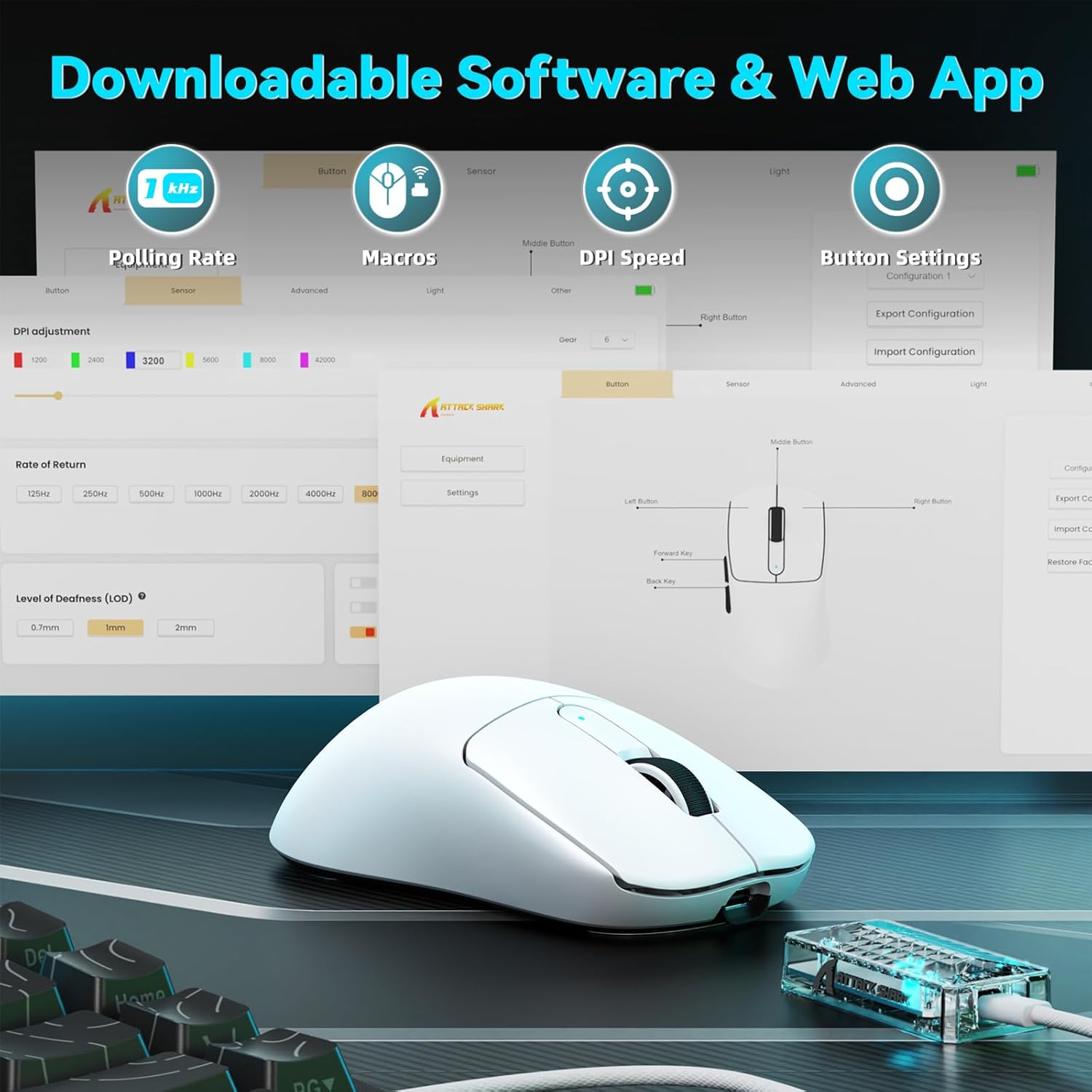
Image: A visual representation of the downloadable software interface, showing options for polling rate, macros, DPI speed, and button settings.
バッテリー管理
The mouse is equipped with a 500mAh battery, providing extended usage. To charge, connect the mouse using the USB-C cable. The LED indicator on the mouse will show charging status.

画像: 内部 view of the ATTACK SHARK V5 mouse, highlighting its high-capacity 500mAh battery.
メンテナンス
クリーニング
最適なパフォーマンスと外観を維持するために、マウスを定期的に清掃してください。表面は柔らかく乾いた布で拭いてください。頑固な汚れには、軽く湿らせた布で拭いてください。amp 布などを使用することで、内部部品に水分が入り込むのを防ぐことができます。刺激の強い化学薬品や研磨剤は使用しないでください。
Nano Ice-Sense Coating
The mouse features a nano ice-sense coating designed to prevent slippage and ensure a firm grip, even during extended use or with sweaty hands. This coating requires no special maintenance beyond regular cleaning.
トラブルシューティング
マウスが反応しない
- 接続性を確認: Ensure the USB receiver is properly inserted for 2.4GHz mode, or that the USB-C cable is securely connected for wired mode. For Bluetooth, verify the mouse is paired and selected in your device's Bluetooth settings.
- バッテリー残量: If in wireless mode, check the mouse's battery level. Connect the USB-C cable to charge if the battery is low.
- 再起動: コンピュータまたはデバイスを再起動してみてください。
- ドライバ: Ensure the necessary drivers are installed and up to date.
Inconsistent Tracking or Lag
- 表面: マウスは清潔で均一な表面で使用してください。反射率の高い表面や透明な表面は避けてください。
- 干渉: For wireless modes, ensure there are no strong sources of wireless interference nearby (e.g., other 2.4GHz devices, Wi-Fi routers).
- DPI設定: Adjust DPI settings via the software to find a comfortable and stable tracking speed.
仕様
| 特徴 | 詳細 |
|---|---|
| ブランド | 攻撃サメ |
| モデル | V5 |
| 色 | 白 |
| 接続性 | 有線(USB-C)、2.4GHzワイヤレス、Bluetooth |
| センサー | PixArt 3950MAX |
| DPI範囲 | Up to 42,000 (50 DPI adjustable) |
| ワイヤレス ポーリング レート | 8000Hz |
| 有線ポーリングレート | 1000Hz |
| 重さ | 約55グラム |
| スイッチ | Optical, 100 million click lifespan |
| 加速度 | 60G |
| エンコーダ | Richwell's 200W |
| バッテリー容量 | 500mAh |
| ボタンの数 | 6 |
| 手の向き | 右 |
| 互換性のあるオペレーティングシステム | Windows, macOS, Linux (e.g., Mac OS 14 Sonoma, Ubuntu 22.04 Jammy Jellyfish, Windows 11) |
| ワイヤレス範囲 | 10メートル |
| 材料 | プラスチック |
| 欧州連合 | 752010843312 |
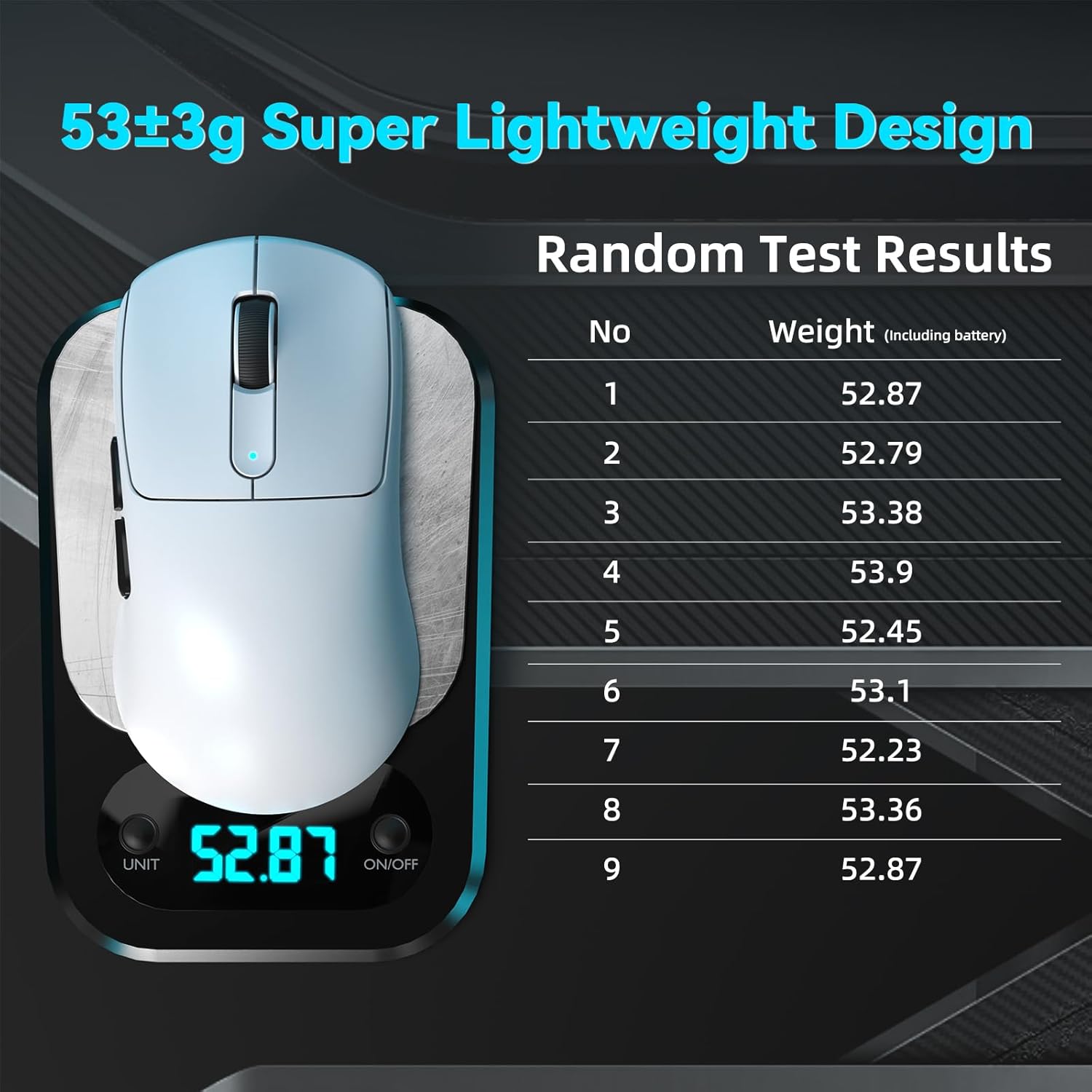
Image: The ATTACK SHARK V5 mouse on a digital scale, demonstrating its ultra-lightweight design at approximately 53 grams.

画像: 詳細な view of the Omron Optical Microswitch used in the ATTACK SHARK V5 mouse, known for its durability and precise clicks.
保証とサポート
保証情報
The ATTACK SHARK V5 Wireless Gaming Mouse comes with a 1年間のメーカー保証この保証は、通常の使用状況における材料および製造上の欠陥を対象としています。保証請求の際は、購入証明書を保管してください。
カスタマーサポート
For technical assistance, troubleshooting, or warranty inquiries, please visit the official ATTACK SHARK web公式サイトをご覧いただくか、カスタマーサポートに直接お問い合わせください。製品パッケージまたは公式 web最新の連絡先情報については、サイトをご覧ください。