
1. はじめに
The ZHIWHIS ZWS-802 is a versatile multi-band radio and Bluetooth speaker designed for enhanced indoor and outdoor reception and diverse audio playback options. It features a classic wooden case, dual speakers for clear sound, and a high-resolution VA LCD display. This manual will guide you through the setup, operation, and maintenance of your device.
2.製品オーバーview
Familiarize yourself with the main components and controls of your ZWS-802 radio.
2.1. Wireless Signal Repeater

The ZWS-802 includes a dedicated wireless repeater (ZWS-802/W3) to improve indoor reception. When used together, the radio can easily receive signals from outdoor FM, AM, SW, AIR, and V.UHF bands up to 35 meters away from the repeater.
2.2. Dual High-Quality Speakers
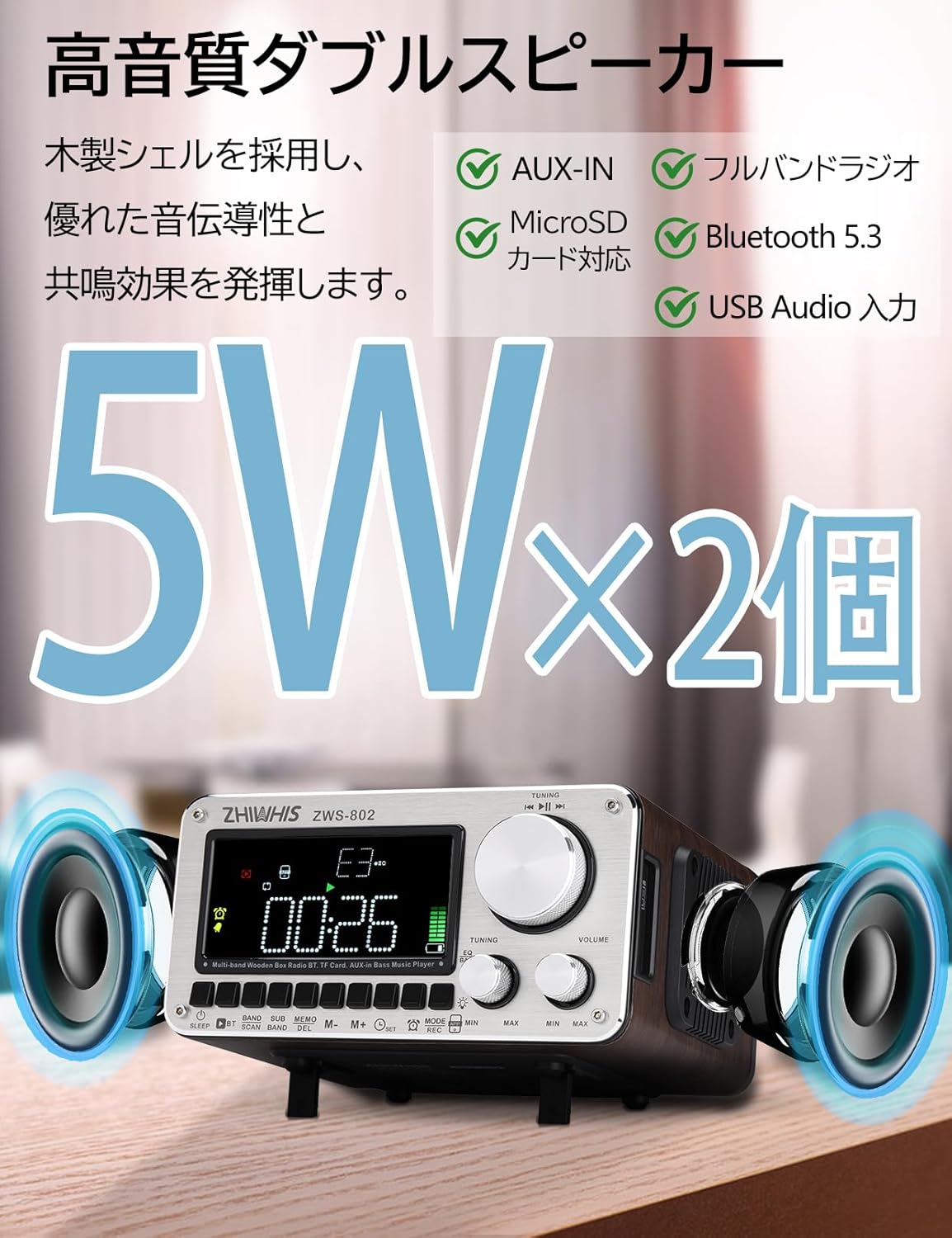
The radio features two 5W metal-shelled magnetic speakers and a wooden shell for enhanced sound conductivity and resonance. This design aims to reproduce smooth and natural sound across high, mid, and low frequencies.
2.3. High Sensitivity Reception & External Antenna Port

Equipped with a 54 cm telescopic rod antenna and an internal bar antenna for AM, the ZWS-802 offers optimal high-sensitivity reception across all bands. An external antenna terminal is also provided for connecting an optional external antenna, significantly improving FM/SW reception sensitivity in areas with weak signals.
2.4. Tuning Knob & App Control

The radio features a large rotary tuning knob for easy frequency selection. Additionally, it supports intelligent remote control via a dedicated smartphone application, allowing control within a 20-meter range.
2.5. Simple Design & Connectivity
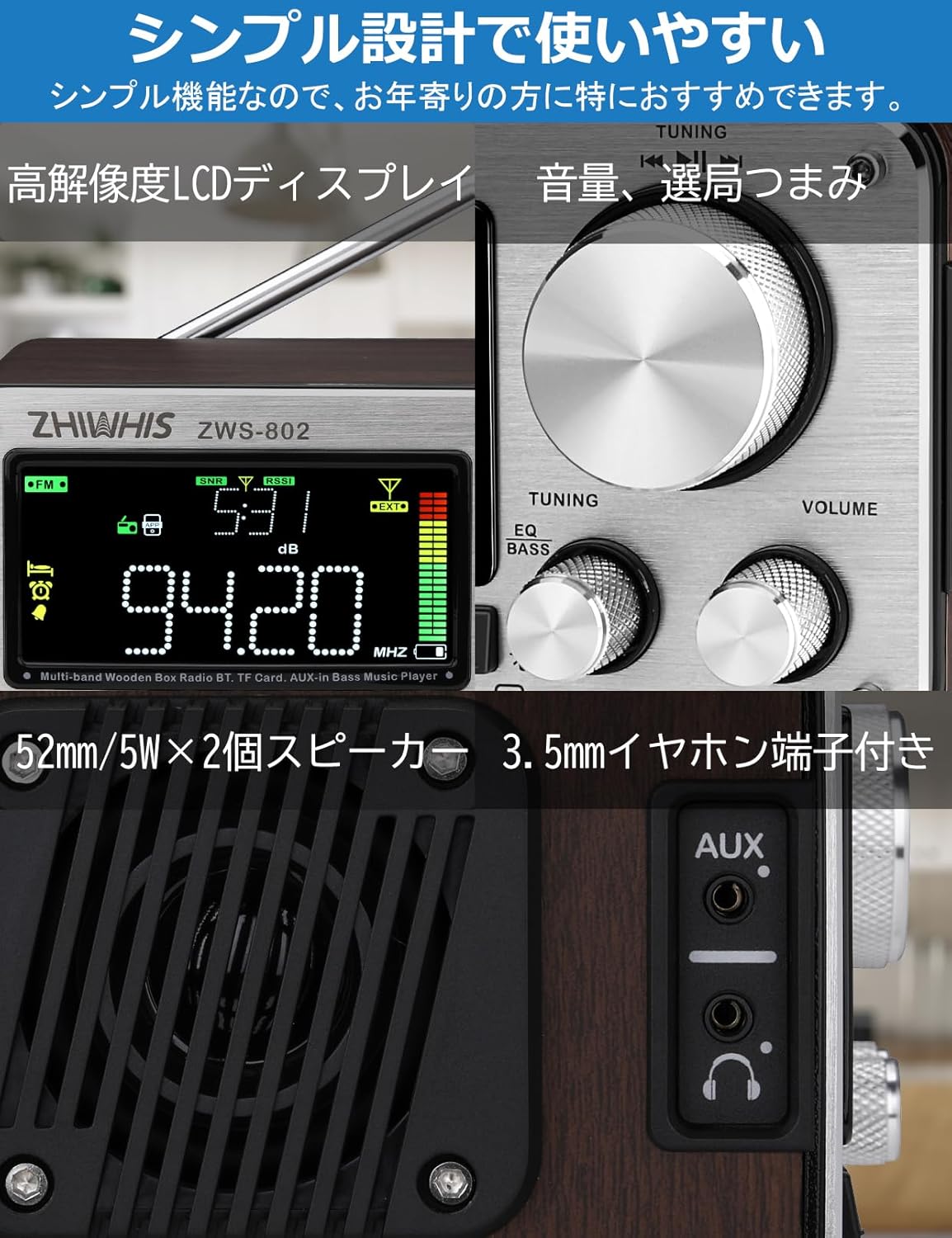
The ZWS-802 features a high-resolution LCD display, clear tuning and volume knobs, dual 52mm/5W speakers, and a 3.5mm headphone jack for private listening. It also includes USB-C and AUX ports for versatile connectivity.
2.6. Timer & Alarm Functions

The radio includes a timer-on function to automatically power on and start broadcasting at a set time, and an alarm clock function. A sleep timer allows the radio to automatically power off after 10 to 120 minutes (adjustable in 10-minute increments).
2.7. Portability & Accessories

With dimensions of 163 x 140 x 84mm and a weight of 1158 grams, the ZWS-802 is designed for portability. It comes with a tilt-up stand for convenient placement and a carry bag for transport. The package also includes essential accessories like charging cables and an audio cable.
2.8. 製品ビデオ
3. セットアップ
3.1. バッテリーの取り付けと充電
- The ZWS-802 uses three 2500mAh lithium batteries. Ensure they are correctly inserted into the battery compartment, observing polarity.
- Connect the supplied USB-C charging cable to the USB-C port on the radio and to a compatible USB power adapter (not included). The charging indicator will show the charging status.
- フル充電すると最大 27 時間連続再生できます。
3.2. アンテナの設定
- For FM/SW/V-UHF/AIR reception, extend the telescopic rod antenna fully for optimal signal reception.
- For AM reception, the internal bar antenna is used. Adjust the radio's position for best reception.
- If using the wireless repeater (ZWS-802/W3), place it in an area with good outdoor signal reception and connect it to the radio as instructed in the repeater's manual.
- For improved FM/SW reception, an external antenna can be connected to the 3.5mm external antenna port on the back of the unit.
4. 操作
4.1. 電源のオン/オフ
- を押す 力 ラジオのオン/オフを切り替えるボタン。
4.2.モードの選択
- を押す モード button repeatedly to cycle through available modes: Radio (FM/AM/SW/V-UHF/AIR), Bluetooth, MicroSD, AUX.
4.3. ラジオのチューニング
- バンドの選択: を押す バンド button to switch between FM, AM, SW, V-UHF, and AIR bands.
- 手動チューニング: 大きな チューニング ノブを回して周波数を手動で調整します。
- 自動スキャン: を押す スキャン button to automatically scan and save available stations. The radio can store up to 1000 stations across all bands (200 per band).
- プリセットリコール: 使用 メモ buttons (M+, M-) or the numeric keypad (if available via app) to recall saved stations.
4.4. 音量コントロール
- 回転する 音量 ノブを回してオーディオ出力レベルを調整します。
4.5. Bluetooth再生
- Switch the radio to Bluetooth mode. The display will show "BT" and indicate pairing mode.
- On your smartphone or other Bluetooth device, search for "ZWS-802" and pair.
- 接続すると、デバイスからのオーディオをラジオで再生できます。
4.6. MicroSDカードの再生
- Insert a MicroSD card (up to 256GB) into the MicroSD card slot.
- Switch the radio to MicroSD mode. The radio will automatically detect and play audio files.
- Supported formats include MP3, WMA, WAV, APE, and FLAC.
- Use the playback control buttons (Play/Pause, Next/Previous Track) on the radio or via the app.
4.7.AUX入力
- Connect an external audio device (e.g., MP3 player, smartphone) to the AUX input port using the supplied 3.5mm audio cable.
- Switch the radio to AUX mode to play audio from the connected device.
4.8.アプリ制御
- Download the dedicated ZHIWHIS control application on your smartphone (compatible with iOS and Android).
- Ensure Bluetooth is enabled on your phone and the radio is in Bluetooth mode.
- Open the app and connect to the ZWS-802. The app allows for remote control of tuning, volume, mode selection, and other functions within a 20-meter range.
4.9. タイマーとアラーム機能
- 時計の設定: Refer to the detailed instructions in the included Japanese manual for setting the current time.
- タイマーオン: Set a specific time for the radio to automatically power on.
- 目覚まし時計: Set an alarm time. The alarm will sound at the designated time.
- 目覚まし時計: を押す 寝る button to activate the sleep timer. Repeated presses will cycle through 10, 20, 30, ..., 120 minutes, after which the radio will automatically power off.
4.10. EQサウンドエフェクト
- The radio supports 6 different EQ sound effects. Press the EQ button to cycle through the available presets to customize your listening experience.
4.11。 録音
- The radio supports internal recording of radio broadcasts. Refer to the detailed instructions in the included Japanese manual for recording procedures.
5. メンテナンス
- デバイスを乾燥した状態に保ってください。雨、湿気、液体にさらさないでください。
- ラジオは柔らかく乾いた布で拭いてください。研磨剤入りの洗剤や溶剤は使用しないでください。
- 極端な温度を避けてください。デバイスは涼しく乾燥した場所に保管してください。
- 無線機を分解または改造しないでください。保証が無効になり、損傷が発生する可能性があります。
6。 トラブルシューティング
| 問題 | 考えられる原因 | 解決 |
|---|---|---|
| 電源なし | バッテリーが消耗しているか、正しく取り付けられていません。 | Charge the battery or check battery installation. |
| ラジオの受信状態が悪い | アンテナが伸びていない、信号が弱い、干渉がある。 | Extend the telescopic antenna. Adjust radio position. Use the wireless repeater or an external antenna. |
| Bluetoothが接続されない | Radio not in pairing mode, device too far, Bluetooth off on device. | Ensure radio is in Bluetooth mode. Move device closer. Turn on Bluetooth on your device. |
| MicroSDカードが再生されない | カードが正しく挿入されていない、サポートされていない file format, card corrupted. | Reinsert MicroSD card. Ensure files are supported formats (MP3, WMA, WAV, APE, FLAC). Try a different card. |
| アプリコントロールが機能しない | Bluetooth not connected, app not open, out of range. | Ensure Bluetooth is connected. Open the app. Stay within 20m range. |
7. 仕様
| 特徴 | 詳細 |
|---|---|
| 受信範囲 | FM: 76.0-108MHz, AM: 522-1710KHz, SW: 3.2-21.85MHz, V.UHF, AIR: 118.0-138.0MHz |
| 受信感度 | FM≤10dB, AM≤86dB, SW≤25dB, VHF≤10dB, AIR≤8dB |
| 信号対ノイズ比 | FM: 40dB, AM: 35dB, SW: 35dB, VHF: 40dB, AIR: 35dB |
| 静止電流 | ≤50uA |
| 営業巻tage | 3.7V-4.2V |
| Bluetoothバージョン | バージョン5.2 |
| プリセットステーション | Up to 1000 (200 per band) |
| スピーカー | φ52mm/4Ω/5W × 2 |
| MicroSD Playback Formats | MP3、WMA、WAV、APE、FLAC |
| Max MicroSD Capacity | 256GB |
| ステレオ分離 | 30デシベル |
| バッテリー容量 | 2500mAhリチウム電池3個 |
| 製品寸法 | 162.6 x 140.3 x 84mm |
| 製品重量 | 1158.5g(電池含む) |
| 表示タイプ | 液晶 |
| 接続性 | AUX、Bluetooth、USB-C |
| 特徴 | Rechargeable, External Antenna Terminal, Wooden Bluetooth Speaker, Wireless Signal Repeater included, Clock, Timer, Alarm Clock, EQ Sound Effects, Internal Radio Recording |
8. パッケージ内容
- 1 x ZWS-802 Multi-Band Wood Case Radio
- 1 x ZWS-802/W3 Repeater (Wireless Antenna)
- 2500mAhリチウム電池3個
- 1 x USB-C充電ケーブル
- オーディオケーブル x 1
- キャリーバッグ x 1
- 1 xドライバ
- 日本語取扱説明書と保証書 x 1
9. 保証とサポート
The ZHIWHIS ZWS-802 is TELEC certified (Frequency band: 2402MHz~2480MHz), ensuring compliance with technical regulations. For any questions or dissatisfaction with your product, please contact customer support. Ensure to purchase products with proper certification.


