
導入
This manual provides essential instructions for the proper setup, operation, and maintenance of your Invicta Activa Recon X Digital Watch, Model ACW423-012. Please read this guide thoroughly to ensure optimal performance and longevity of your timepiece.
設定
1. 初回検査
Upon unboxing, carefully inspect the watch for any visible damage. Remove any protective films from the display and case back.
2. ウォッチの起動
Your watch may be in a power-saving mode. Press any button to activate the display. If the display remains blank, the battery may need to be checked or replaced.
3. 時刻と日付の設定
Refer to the 'Operating Instructions' section for detailed steps on how to set the current time and date accurately.
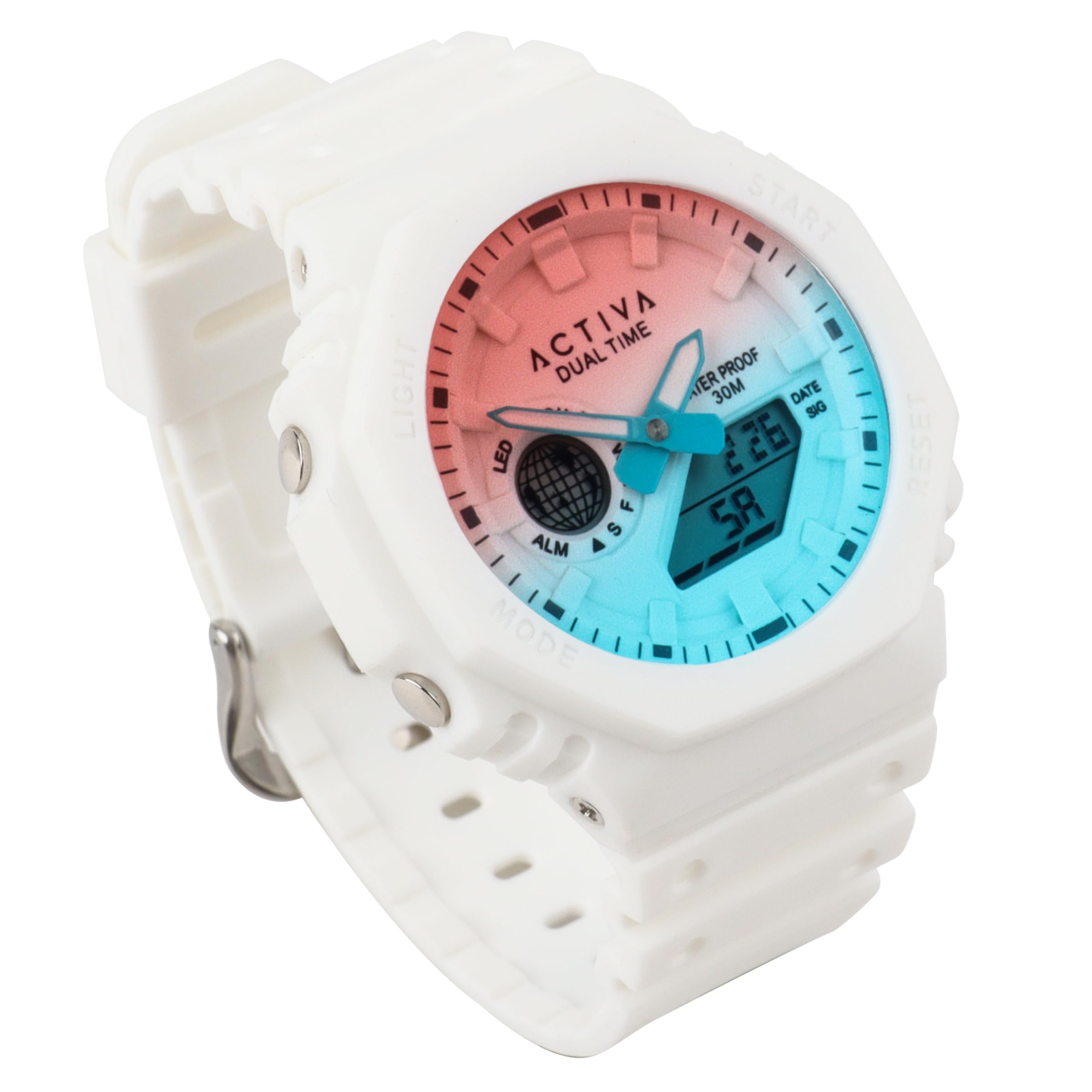
画像: 正面 view of the Invicta Activa Recon X Digital Watch. The watch features a round case, a digital display, and a white thermoplastic polyurethane (TPU) strap with a buckle clasp. The watch face shows the time and other digital indicators.
操作手順
ボタンの機能
The Invicta Activa Recon X Digital Watch typically features multiple buttons for navigation and setting. While specific button labels may vary, common functions are:
- モードボタン: Cycles through different display modes (e.g., Time, Date, Alarm, Stopwatch).
- 設定/調整ボタン: 設定モードに入り、選択内容を確認するために使用します。
- スタート/ストップボタン: Activates and deactivates functions like the stopwatch or alarm.
- ライトボタン: 暗い場所でも視認性を高めるためにディスプレイを照らします。
時刻と日付の設定
- を押す モード 時刻表示が表示されるまでボタンを押します。
- を押し続けます 設定/調整 秒が点滅し始めるまでボタンを押します。
- 使用 モード button to cycle through the setting options (seconds, hours, minutes, year, month, day).
- 使用 スタート/ストップ 点滅している値を調整するボタンです。
- すべての設定が正しければ、 設定/調整 もう一度ボタンを押すと設定モードが終了します。
アラーム機能を使う
- を押す モード button until the alarm time is displayed (often indicated by 'AL').
- を押し続けます 設定/調整 アラーム時間が点滅し始めるまでボタンを押し続けます。
- 使用 スタート/ストップ ボタンを押して希望のアラーム時間を設定します。
- を押す モード button to move to the minutes setting, then use スタート/ストップ 調整する。
- プレス 設定/調整 確認して終了します。
- アラームのオン/オフを切り替えるには、 スタート/ストップ アラームモード中にボタンを押すと、アラームアイコンが表示/非表示になります。
ストップウォッチ機能の使用
- を押す モード button until the stopwatch display is shown (often indicated by 'ST' or 'CH').
- を押す スタート/ストップ ボタンを押して計測を開始します。
- プレス スタート/ストップ もう一度押すとタイミングが一時停止します。
- 再開するには、 スタート/ストップリセットするには、 設定/調整 ストップウォッチが一時停止しているときにボタンを押します。
メンテナンス
時計のクリーニング
To maintain the appearance of your watch, regularly wipe the case and strap with a soft, dry cloth. For stubborn dirt, a slightly damp 布で拭き、すぐに乾かしてください。刺激の強い化学薬品や研磨剤入りの洗剤の使用は避けてください。
耐水性
This watch is rated for 30 meters (3 ATM) water resistance. This means it is suitable for everyday use and can withstand splashes or brief immersion in water. It is ない suitable for swimming, showering, or diving. Do not operate buttons while the watch is wet or submerged.
バッテリー交換
The watch is powered by a battery. When the display becomes dim or functions become erratic, it may be time for a battery replacement. It is recommended to have the battery replaced by a qualified watch technician to ensure proper sealing and maintain water resistance.
トラブルシューティング
| 問題 | 考えられる原因 | 解決 |
|---|---|---|
| ディスプレイが空白または暗い。 | バッテリー残量が少ない、または消耗しています。 | バッテリーを交換してください。 |
| 時間が間違っています。 | Time not set correctly or reset. | Refer to 'Setting Time and Date' in the Operating Instructions. |
| ボタンが反応しません。 | 時計がロックモードになっているか、電池残量が少なくなっている可能性があります。 | Try pressing the LIGHT button. If still unresponsive, check battery or consult support. |
| 時計内部に結露が発生しています。 | 極端な温度変化にさらされたり、耐水性が低下したりします。 | 損傷を防ぐために、直ちに専門家のサービスを受けてください。 |
仕様
- モデル番号: ACW423-012
- ブランド: インヴィクタ
- 移動タイプ: デジタル
- ケース直径: 45.5ミリメートル
- ストラップ素材: 熱可塑性ポリウレタン(TPU)
- ストラップの色: 白
- 耐水性: 30メートル(3気圧)
- 電源: バッテリー
- 留め具タイプ: バックル
- ストラップ幅: 18.5ミリメートル
- バンドの長さ: 200ミリメートル
- おおよその重量: 353.8g(包装を含む)
- 国際コード: 886678650545
保証とサポート
Invicta watches are manufactured to high-quality standards. For specific warranty details, please refer to the warranty card included with your purchase or visit the official Invicta webサイトでご確認ください。保証請求に備えて購入証明書を保管してください。
For further assistance or technical support, please contact Invicta customer service or visit their official brand store: