
1。 オーバーview と互換性
This manual provides detailed instructions for the AWESAFE Android 13 Car Radio, model IB-FR-YXTA372SC-HS19. This unit is designed for Audi A3, S3, and RS3 8P models manufactured between 2003 and 2012. It features a 7-inch touchscreen, Android 13 operating system, 2GB RAM, 64GB ROM, integrated Carplay and Android Auto, GPS navigation, Wi-Fi, USB, FM radio, Bluetooth, and steering wheel control compatibility. A rearview camera is included in the package.
重要: For some Audi car models, the original car is equipped with a Bose audio system, which may result in no sound from the rear speakers. Please contact the seller to obtain a new power cord with an amplifier to resolve this issue.
2. パッケージ内容
以下の項目のボックスにチェックを入れてください。
- AWESAFE Android 13 カーラジオユニット
- 電源コネクタ
- RCAケーブル
- GPSアンテナ
- 外部マイク
- USBケーブル
- CANbusデコーダー
- ラジオアンテナ
- Camera Detection Line
- インストールツール
- 後方view カメラ

Figure 2.1: Included components for the AWESAFE car radio.
3.インストールガイド
3.1製品の寸法
Before installation, please confirm the dimensions of your car's central console. The car radio unit measures approximately 240mm in top width, 228mm in bottom width, and 123mm in height. The screen size is 7 inches diagonally.

Figure 3.1: AWESAFE Car Radio Dimensions.
3.2配線接続
Refer to the wiring diagram for proper connection. The power cord includes two power plugs (power plug 1 and power plug 2). Regardless of which power socket you connect to, simply connect the two small white and red plugs of the power cord corresponding to the small box (impedance converter).

Figure 3.2: Power and RCA Wiring Diagram.
3.3一般のインストールノート
- 取り付けを開始する前に、車両の電源が切断されていることを確認してください。
- Use the provided installation tools to carefully remove the original car radio.
- 配線図に従ってすべてのケーブルを接続します。
- Securely mount the new AWESAFE car radio into the dashboard.
- 車両の電源を再接続し、すべての機能をテストします。
4. 操作手順
4.1 Android 13 システム
The car radio operates on the latest Android 13 system, offering a fast, fluid, and intelligent user experience with 2GB RAM and 64GB ROM for efficient application performance.
4.2 CarPlayとAndroid Auto
The unit features integrated Carplay and Android Auto. You can connect your smartphone via wired (USB for Android Auto) or wireless (Wi-Fi for Carplay) connection. This allows seamless access to navigation, calls, text messages, and music directly from your phone's interface displayed on the car radio screen. iPhones use Carplay, and Android phones use Android Auto.
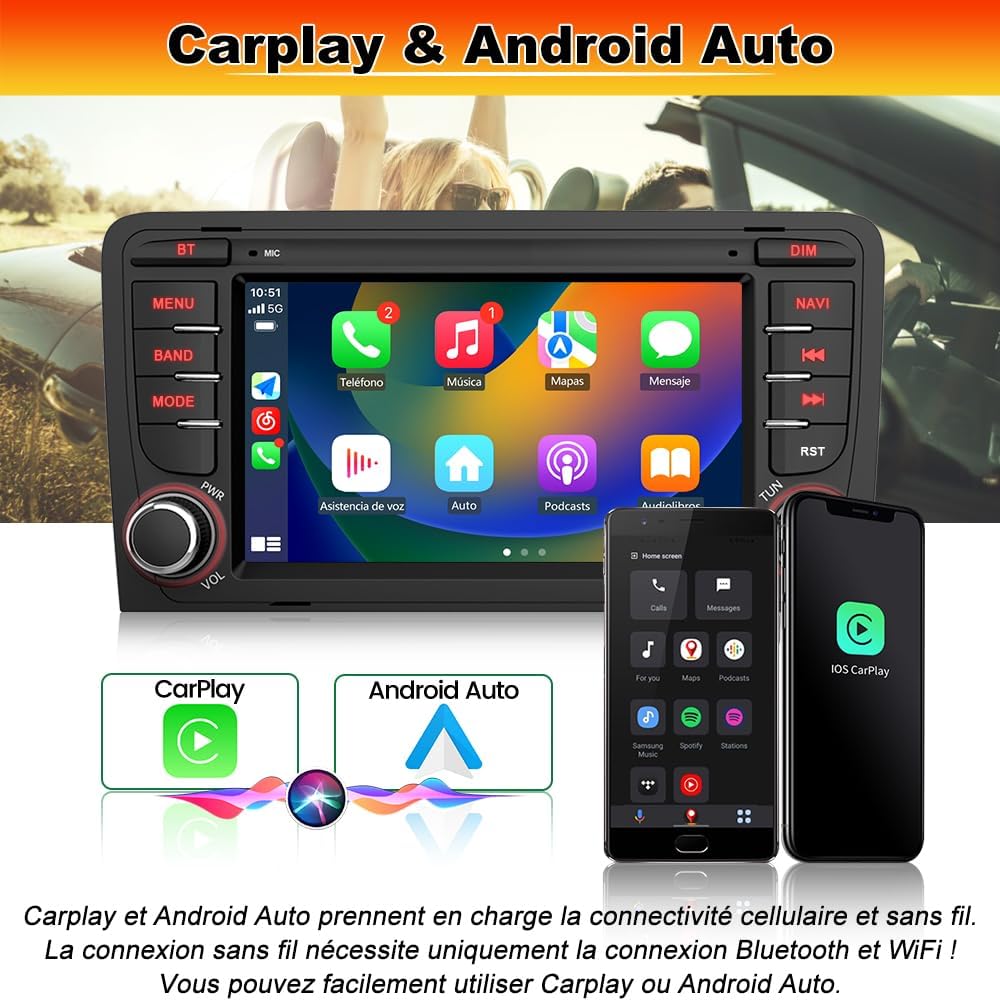
Figure 4.1: Carplay and Android Auto Interface.
4.3 GPSナビゲーションとWi-Fi接続
The Android car radio supports online navigation maps. Connect to Wi-Fi to download applications like Sygic or Waze for real-time map information, navigation, and traffic conditions. Wi-Fi also enables downloading various other applications, music, and videos, enhancing your in-car entertainment and utility.

図 4.2: GPS ナビゲーションと Wi-Fi 機能。
4.4 Bluetooth機能
Bluetooth is compatible with all Android and iPhone devices. It allows for hands-free calling and Bluetooth music streaming, ensuring your favorite tracks are always within reach without the need for cables.
4.5FMラジオ
The integrated FM/RDS radio allows you to listen to your favorite stations with clear reception.
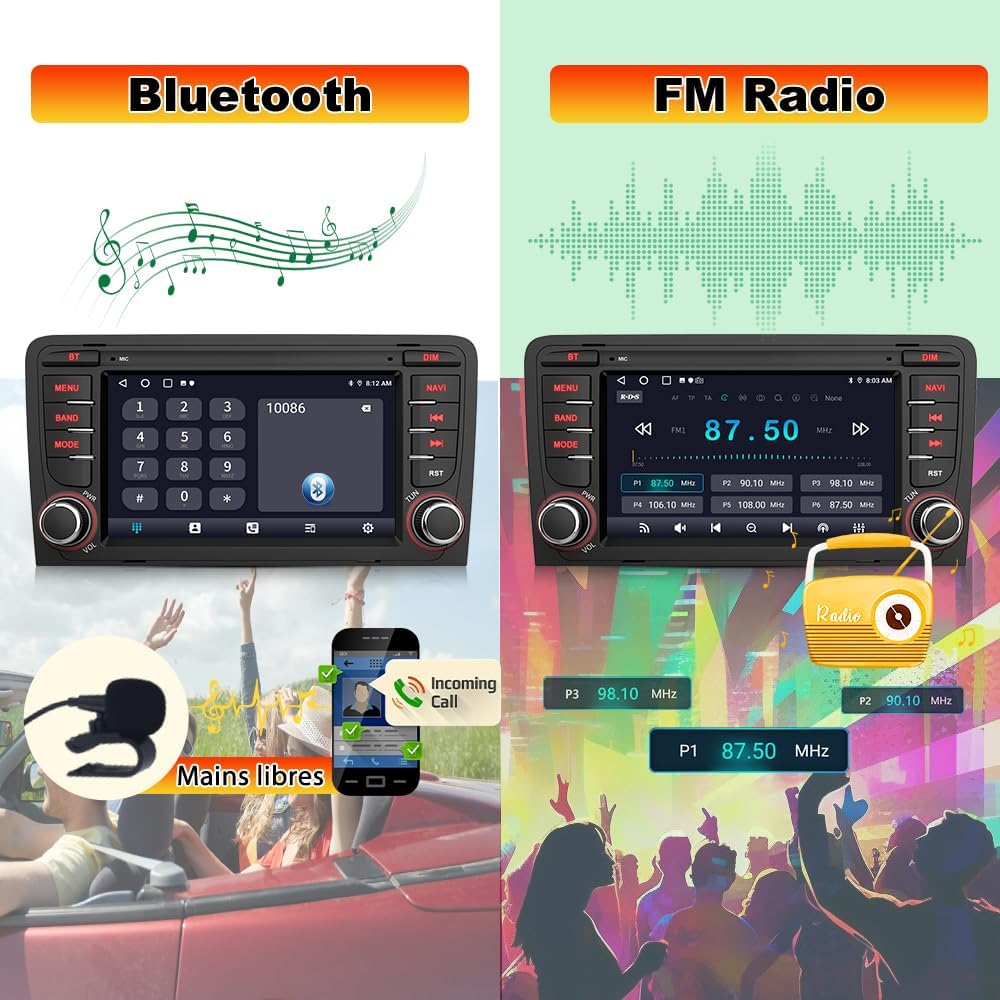
図 4.3: Bluetooth と FM ラジオ インターフェイス。
4.6 ステアリングホイールコントロール
The unit supports steering wheel controls for enhanced safety and convenience, allowing you to manage audio and calls without taking your hands off the wheel. Ensure the Canbus and 8-pin interface are correctly connected if these functions are not working.
4.7 Parking Assist (Rearview カメラ)
後部view camera is included in the package. When reversing, the screen automatically displays the rear view with parking assist lines for safe and convenient parking. Connect the camera via the RCA input.

Figure 4.4: Parking Assist with Rearview カメラ。
4.8 デジタルサウンドプロセッサ(DSP)
The Digital Sound Processor (DSP) function allows for personalized audio settings and various equalization methods (e.g., jazz, rock, pop, classic) for an optimized listening experience.
4.9 Customizable Colored Lights
Customize the unit's button backlighting with various colored light options to match your vehicle's interior or personal preference.
4.10 製品機能ビデオ
ビデオ4.1: 終了view of AWESAFE Car Radio features, including screen display, Carplay/Android Auto, Bluetooth, GPS, DSP, steering wheel control, colored lights, FM radio, and parking assist.
5. メンテナンス
To ensure the longevity and optimal performance of your AWESAFE car radio, follow these maintenance guidelines:
- 画面のクリーニング: Use a soft, dry, lint-free cloth to clean the touchscreen. For stubborn smudges, slightly damp布を水または画面に安全なクリーナーで拭いてください。研磨剤や刺激の強い化学薬品の使用は避けてください。
- 一般的な清掃: 本体を埃やゴミから守ってください。ボタンや通気口の周りは、柔らかいブラシか圧縮空気で掃除してください。
- 接続チェック: Periodically check that all cables and connectors are securely attached to prevent intermittent issues.
- ソフトウェアアップデート: Check for available software updates from AWESAFE to ensure you have the latest features and bug fixes.
6。 トラブルシューティング
If you encounter issues with your AWESAFE car radio, refer to the following common troubleshooting steps:
- 電源なし: Ensure all power connections are secure and correctly wired. Check the vehicle's fuse box for any blown fuses related to the car radio.
- No Sound (especially rear speakers in Bose systems): 上で述べたようにview, if your Audi has a Bose audio system and you experience no sound from the rear speakers, contact the seller for a new power cord with an amplifier。
- GPS信号が弱い: Verify that the GPS antenna is properly installed and has a clear, unobstructed view 空の下、金属物の下に置かないでください。
- ステアリングホイールコントロールが機能しない: Confirm that the Canbus decoder and the 8-pin interface are correctly connected. Refer to the installation section for wiring details.
- Bluetooth接続の問題: カーラジオとスマートフォンの両方でBluetoothが有効になっていることを確認してください。デバイスのペアリングを解除し、再度ペアリングしてみてください。
- タッチスクリーンが反応しない: 本体を再起動してみてください。問題が解決しない場合は、工場出荷時設定へのリセットが必要になる可能性があります(システム設定を参照)。
For persistent issues or problems not listed here, please contact AWESAFE customer support.
7. 技術仕様
| 特徴 | 仕様 |
|---|---|
| ブランド | 素晴らしい |
| モデル番号 | IB-FR-YXTA372SC-HS19 |
| 接続技術 | Bluetooth wifi |
| コントローラータイプ | アンドロイド |
| 特集 | Android Auto, Carplay, GPS Navigation, FM/RDS Radio, DSP |
| 対応デバイス | スマートフォン |
| コネクタタイプ | 3.5 mm Jack, USB, WiFi, Reverse camera input |
| オーディオ出力モード | ステレオ |
| ビデオエンコーディング | 動画 |
| 製品寸法(奥行き×幅×高さ) | 12.2D x 24W x 11H センチメートル |
| 出力電力 | 45ワット |
| Internet Application | ブラウザ |
| 制御方法 | タッチ、ボイス |
| ワイヤレステクノロジー | Bluetooth wifi |
| 欧州連合 | 759973264086 |
| 保証内容 | 2年 |
| 原産国 | 中国 |
| アイテム重量 | 1600グラム |
8. 保証とサポート
AWESAFE Android 13カーラジオには、 2年間保証 ご購入日から有効です。この保証は、通常の使用における製造上の欠陥および故障を対象としています。
For technical assistance, warranty claims, or any other inquiries, please contact AWESAFE customer support through the seller's platform or the official AWESAFE website. Please have your model number (IB-FR-YXTA372SC-HS19) and proof of purchase ready when contacting support.