
1. はじめに
The Arlo Essential 2K Wired Outdoor Security Camera (Model VMC3081) provides reliable surveillance with crystal-clear 2K video resolution. Designed for continuous power via a plug-in connection, this camera offers advanced features such as person detection, package alerts, color night vision, and two-way audio. Its weather-resistant design ensures performance in various outdoor conditions. This manual will guide you through the installation, operation, and maintenance of your security camera system.
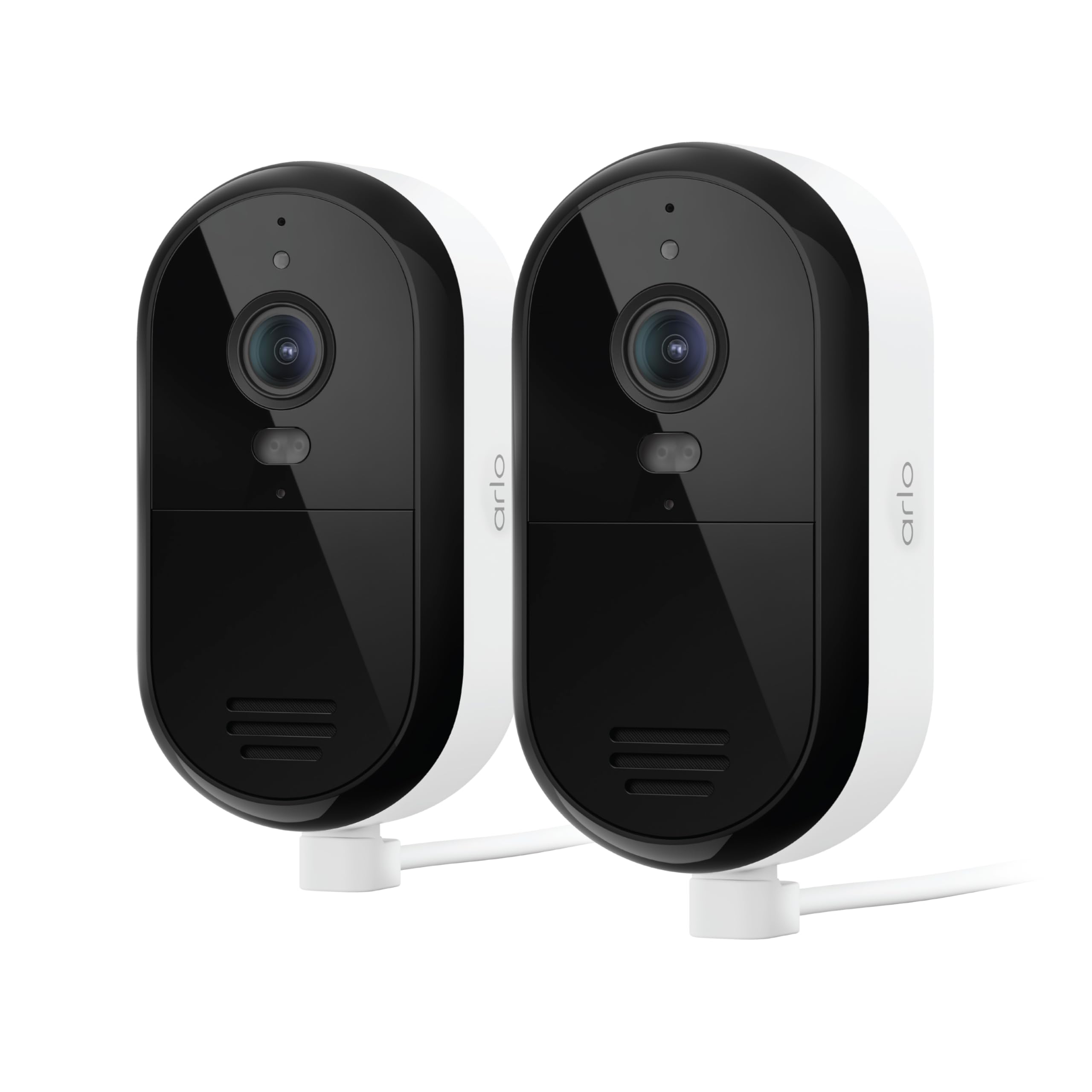
Image 1: Arlo Essential 2K Wired Outdoor Security Camera, showing its compact design.
2.セットアップガイド
2.1 箱の中身
- Arlo Essential 2K Wired Outdoor Security Camera(s)
- Power Adapter with 16ft Cable
- 壁掛け用マウントとネジキット
- クイックスタートガイド
2.2 インストール手順
- Arlo Secure アプリをダウンロードします。 検索する "Arlo Secure" in your mobile device's app store and install it. Create an account or log in if you already have one.
- カメラの電源をオンにする: Connect the provided power adapter to your camera and plug it into an electrical outlet. The camera will power on automatically.
- アプリでデバイスを追加: Open the Arlo Secure App, tap the "+" icon to add a new device, and follow the on-screen instructions to connect your camera to your Wi-Fi network. Ensure you are connecting to a 2.4GHz or 5GHz dual-band Wi-Fi network for optimal performance.
- カメラを取り付ける: カメラを設置するのに適した屋外の場所を選び、 view and is within Wi-Fi range. Use the provided wall mount and screws to securely attach the camera. The 16ft power cable allows for flexible placement.
- カメラ角度を調整します: Position the camera to cover your desired surveillance area. You can fine-tune the viewing angle later through the app.

Image 2: A person installing an Arlo Essential camera, demonstrating the plug-in setup.
2.3 Setup Video Tutorial
Video 1: Official Arlo tutorial on setting up the Essential Wired Plug-In Camera.
3. 操作手順
3.1 Arlo Secure App Features
The Arlo Secure App is your central control hub for managing your camera. It allows you to view live video, receive alerts, and customize settings.
- ライブ View: Access real-time video streams from your camera at any time.
- 2Kビデオ品質: Enjoy clear and detailed footage, allowing you to identify faces and objects with precision.
- Color Night Vision & Integrated Spotlight: See in full color even at night, or activate the built-in spotlight to illuminate the area and deter intruders.
- 双方向オーディオ: Speak and listen to visitors or deter unwanted guests directly through the camera using your smartphone.
- スマート検出: Receive intelligent alerts for people, vehicles, packages, and animals, reducing false alarms.
- アクティビティゾーン: カメラの視野内の特定の領域を定義する view to focus on, ensuring you only get alerts for events that matter most.
- 統合されたサイレン: 大きなサイレンを遠隔操作で鳴らし、侵入者を追い払います。
- デュアルバンドWi-Fi: Connects to both 2.4GHz and 5GHz Wi-Fi bands for a stable and reliable connection.

Image 3: Screenshot of the Arlo Secure App displaying various smart detection alerts.

Image 4: The Arlo Secure App interface showing customizable activity zones for focused monitoring.
3.2 スマートホーム統合
Your Arlo Essential camera can integrate with popular smart home platforms for enhanced control and automation:
- アマゾンアレクサ
- Googleアシスタント
- IFTTT (If This Then That)
- サムスンスマートシングス
Refer to the respective smart home platform's documentation for specific integration steps and available commands.
3.3 特集終了view ビデオ
ビデオ2: オーバーview of the Arlo Essential Security Camera's features and capabilities.
4. メンテナンス
Proper maintenance ensures the longevity and optimal performance of your Arlo Essential camera.
4.1 クリーニング
- カメラのレンズと本体を定期的に柔らかくて乾いた布で拭いてください。amp ほこりや汚れを取り除く布。
- Avoid using harsh chemicals, abrasive cleaners, or solvents, as these can damage the camera's finish or lens.
4.2 耐候性
The Arlo Essential camera is designed with an IP65 weather-resistant rating, meaning it can withstand heat, cold, rain, and sun. Ensure all cables and connections are properly sealed according to installation instructions to maintain its weather resistance.
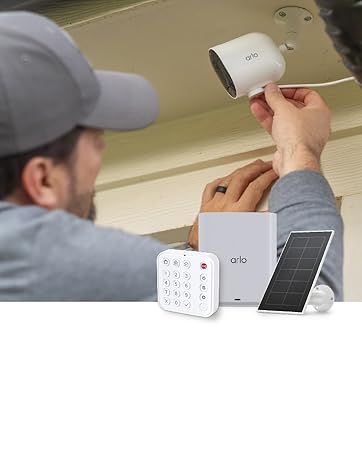
Image 5: Arlo Essential camera demonstrating its weather-resistant design during rain.
5。 トラブルシューティング
If you encounter issues with your Arlo Essential camera, refer to the following common troubleshooting steps.
5.1 接続の問題
- Wi-Fi 信号を確認します。 Ensure your camera is within range of your Wi-Fi router and has a strong signal.
- ルーターの再起動: Wi-Fiルーターを再起動してみてください。
- App Reconnection: In the Arlo Secure App, try removing and re-adding the camera to re-establish the connection.
5.2 動き検出の問題
- 感度の調整: In the Arlo Secure App, navigate to camera settings and adjust the motion detection sensitivity.
- Review アクティビティゾーン: Ensure your activity zones are correctly configured to cover the desired areas and exclude irrelevant ones.
- 障害物を取り除く: Make sure there are no physical obstructions (e.g., branches, spiderwebs) カメラの view or interfering with the motion sensor.
5.3 Night Vision Quality
- レンズをきれいにする: カメラのレンズがきれいで、汚れやほこりがないことを確認してください。
- 外部光源: Strong external light sources (e.g., streetlights, porch lights) can sometimes interfere with night vision. Adjust camera placement if necessary.
- Color Night Vision Settings: Confirm that Color Night Vision is enabled in the app settings if you desire color footage at night. Note that this feature may require the integrated spotlight to be active.
5.4 双方向オーディオが機能しない
- アプリの設定を確認します。 Verify that microphone and speaker permissions are enabled for the Arlo Secure App on your mobile device.
- 障害物を取り除く: Ensure the camera's microphone and speaker ports are not blocked.
- 音量レベル: Check the volume settings on your mobile device and within the Arlo Secure App.
6. 仕様
| 特徴 | 詳細 |
|---|---|
| ブランド | アルロ |
| モデル名 | Essential Plug-in Security Camera |
| モデル番号 | VMC3081 |
| 接続技術 | 2.4GHz and 5GHz Dual-Band Wi-Fi |
| 特集 | 2-Way Audio, Barking Detection, Built-In Light, Motion Sensor, Night Vision |
| 屋内/屋外での使用 | 屋内、屋外 |
| ビデオキャプチャ解像度 | 1440p(2K) |
| View角度 | 130度 |
| ズームタイプ | デジタルズーム(12倍) |
| 耐水性レベル | IP65(防水) |
| 電源 | コード式電気 |
| アイテムの寸法 | 2.07 x 2.68 x 3.86インチ |
| アイテム重量 | 0.9キログラム |
| 色 | 白 |
7. 保証とサポート
7.1 保証情報
Arlo products are designed for reliability and performance. For detailed warranty information specific to your region and product, please refer to the official Arlo website or the warranty card included with your purchase. Optional protection plans are available for extended coverage.
7.2 カスタマーサポート
For technical assistance, troubleshooting, or any questions regarding your Arlo Essential camera, Arlo offers comprehensive support:
- Arlo Secure App: Access help resources directly through the app.
- アルロ Webサイト: 訪問 arlo.com/サポート for FAQs, user manuals, and community forums.
- 24時間7日チャットサポート: Arloアプリまたは webサイト。
Please note that product use and support are primarily for the United States region.
7.3 Arlo Secure Plan
Your camera includes a 1-month trial of the Arlo Secure Plan. This plan unlocks premium features such as 60-day video history, advanced AI-powered smart detections (person, vehicle, package, animal recognition), interactive notifications, and emergency response options. After the trial period, a paid subscription is required to continue accessing these premium features. Visit arlo.com/arlosecure for current information on plans and pricing.

Image 6: Comparison of Arlo Secure Plan features, highlighting benefits like 60-day video history.